
Introduction
This manual provides comprehensive instructions for the setup, operation, and maintenance of your Wildgame Innovations Kicker 18MP Trail Camera. Please read this manual thoroughly before using your device to ensure proper functionality and longevity.
Package Contents
The Wildgame Innovations Kicker 18MP 2-Pack includes:
- 2 x Wildgame Innovations Kicker 18MP Trail Cameras
Note: Batteries and SD cards are not included and must be purchased separately.
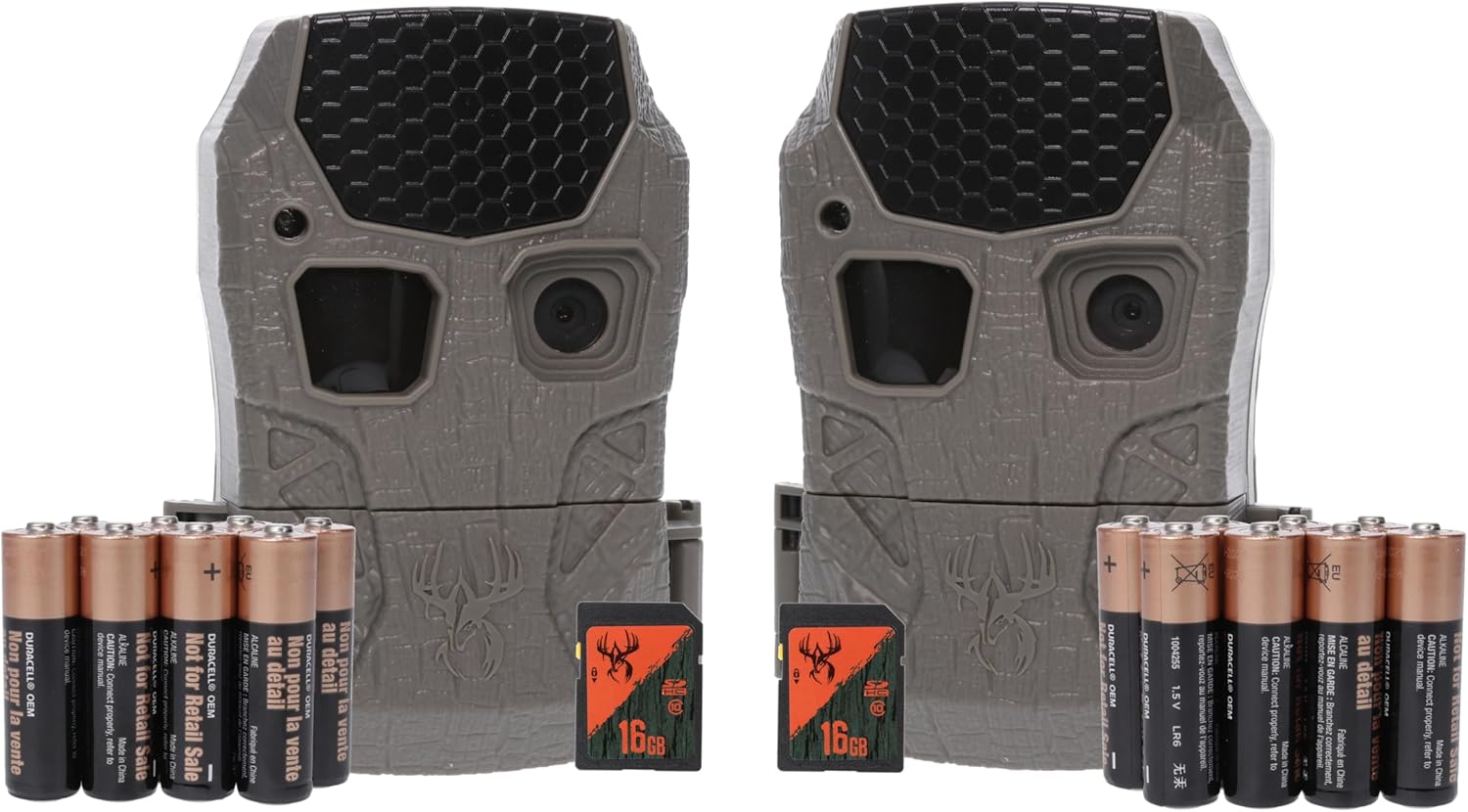
Image: Two Wildgame Innovations Kicker 18MP Trail Cameras. The image also shows AA batteries and 16GB SD cards, which are for illustrative purposes only and are not included with the product.
Setup
1. Battery Installation
The Kicker 18MP Trail Camera requires 8 "AA" batteries (not included) for operation. For optimal performance, use high-quality alkaline or lithium batteries.
- Locate the battery compartment on the camera.
- Open the compartment door.
- Insert 8 "AA" batteries, ensuring correct polarity (+/-) as indicated inside the compartment.
- Close the battery compartment door securely to maintain the camera's weather resistance.
2. SD Card Installation
A Class 4 or higher SD card (up to 32GB, not included) is required to store images and videos.
- With the camera powered off, locate the SD card slot.
- Insert the SD card into the slot with the label facing up until it clicks into place.
- To remove, gently push the SD card in until it clicks, then release, and it will eject.
3. Mounting the Camera
The camera is designed for outdoor use and features a tree mount for secure placement.
- Select a suitable location, such as a tree or post, that provides a clear view of the desired area.
- Use the included mounting strap or a compatible cable lock (not included) to secure the camera.
- Ensure the camera is stable and pointed correctly. Adjust the angle as needed.
Operating Instructions
1. Powering On/Off
To power on the camera, locate the power switch and slide it to the "ON" position. To power off, slide the switch to "OFF".
2. Basic Settings
Access the camera's menu to configure settings such as:
- Image Format: 18MP (16:9 aspect ratio).
- Video Resolution: 720P (15-second video clips, no audio).
- Trigger Speed: Approximately 0.7 seconds.
- Detection & Flash Range: Up to 60 feet.
- Time, Date & Moon Phase Stamp: Configurable to display on captured media.
Refer to the on-screen menu for detailed navigation and adjustment of these parameters.
3. Capturing Images and Videos
Once powered on and configured, the camera will automatically capture images or videos when motion is detected within its 60-foot detection range. The 0.7-second trigger speed ensures quick capture of activity.
4. Connectivity
The camera features Wi-Fi connectivity for smartphone compatibility. Consult the camera's display or a dedicated mobile application (if available) for instructions on connecting your smartphone to the camera for media transfer or remote control.
Maintenance
1. Battery Replacement
When the battery indicator shows low power, replace all 8 "AA" batteries simultaneously. Do not mix old and new batteries or different battery types.
2. SD Card Management
Regularly check the SD card for available storage space. Format the SD card periodically to maintain optimal performance and prevent data corruption. Always back up important files before formatting.
3. Cleaning
Use a soft, dry cloth to clean the camera lens and housing. Avoid abrasive cleaners or solvents. Ensure the camera is dry before closing any compartments.
4. Environmental Considerations
The camera is designed for outdoor use with an IP65 international protection rating, indicating resistance to dust and low-pressure water jets. However, avoid submerging the camera in water or exposing it to extreme weather conditions for prolonged periods.
Troubleshooting
| Problem | Possible Cause | Solution |
|---|---|---|
| Camera does not power on. |
|
|
| No images/videos are captured. |
|
|
| Poor image/video quality. |
|
|
Specifications
- Model: WGI-KICK2-2PK
- Effective Still Resolution: 18 MP
- Image Format: 16:9
- Video Capture Resolution: 720p
- Video Length: 15 seconds (no audio)
- Trigger Speed: 0.7 seconds
- Detection & Flash Range: 60 feet
- Power Source: 8 x "AA" batteries (not included)
- Connectivity Technology: Wireless (Wi-Fi)
- Compatible Devices: Smartphone
- Mounting Type: Tree Mount
- Indoor/Outdoor Usage: Outdoor
- International Protection Rating: IP65
- Product Dimensions: 8 x 4 x 6 inches
- Item Weight: 2.4 pounds
- UPC: 813628009078
- Manufacturer: GSM Outdoors
Warranty and Support
For warranty information, technical support, or service inquiries, please refer to the official Wildgame Innovations website or contact their customer service department directly. Keep your purchase receipt for warranty claims.
Wildgame Innovations Official Website: www.wildgameinnovations.com


