
Wildgame Innovations WGI-TERA14X
Wildgame Innovations Terra Camera 14MP User Manual
Model: WGI-TERA14X

Product Overview
The Wildgame Innovations Terra Camera 14MP is a robust trail camera designed for outdoor use, ideal for monitoring wildlife. It captures high-resolution still images at 14 megapixels and records 720p video. Equipped with 21 high-intensity infrared LEDs, it ensures clear night vision without startling game. The camera features a detection range and IR flash range of up to 65 feet, making it effective for various outdoor surveillance needs. Its energy-efficient design allows for extended field deployment.

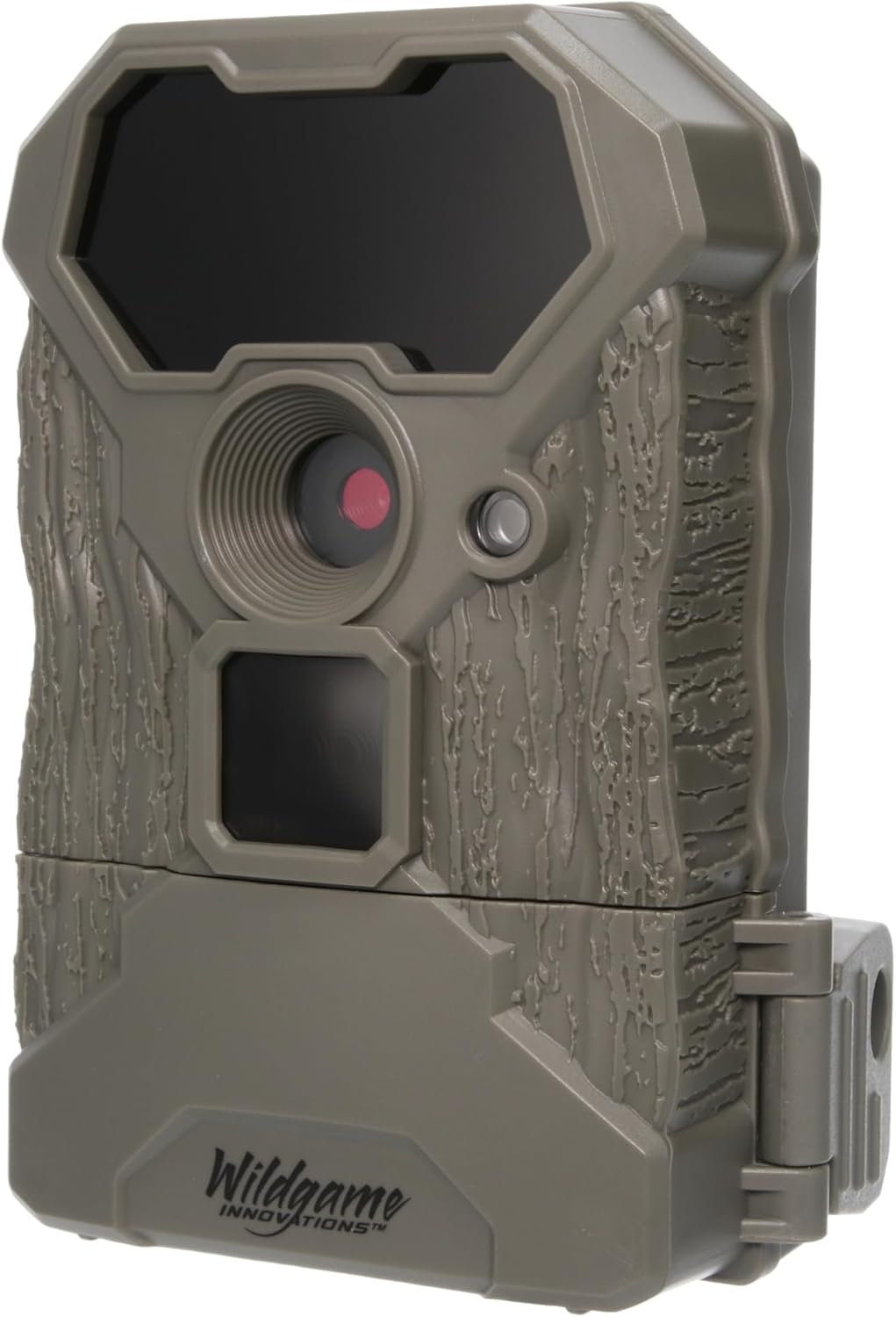
Front view of the Wildgame Innovations Terra Camera 14MP, showcasing the lens, IR sensors, and motion detector.
Setup Guide
1. What's in the Box
- Terra Camera 14MP Trail Camera
- Bungee Cords for mounting
2. Battery Installation
The Terra Camera requires 8 AA batteries (not included) for operation. Ensure to use fresh, high-quality alkaline or lithium batteries for optimal performance and battery life.
- Locate the battery compartment on the camera.
- Open the compartment door.
- Insert 8 AA batteries, paying close attention to the correct polarity (+/-) indicated inside the compartment.
- Securely close the battery compartment door to ensure a watertight seal.
3. SD Card Installation
The camera supports SD cards up to 32GB (not included). A high-speed SD card (Class 10 or higher) is recommended for reliable video recording.
- Locate the SD card slot, typically near the battery compartment or on the side of the camera.
- Insert the SD card with the metal contacts facing down (or as indicated by the camera's slot).
- Push the card in until it clicks into place. To remove, push the card in again until it springs out.
Angled view of the Wildgame Innovations Terra Camera 14MP, showing the side where the battery and SD card compartments are typically located.
4. Mounting the Camera
Use the supplied bungee cords to securely attach the camera to a tree or post.
- Choose a sturdy tree or post at the desired height, typically 3-6 feet off the ground.
- Thread the bungee cords through the mounting slots on the back of the camera.
- Wrap the cords around the tree/post and secure them tightly, ensuring the camera is stable and pointed in the desired direction.
- Ensure the camera is level and has a clear line of sight to the area you wish to monitor.
Operating Instructions
1. Powering On/Off
Locate the power switch inside the camera's housing. Flip the switch to the 'ON' position to power on the camera. To power off, flip the switch to the 'OFF' position.
2. Understanding Camera Modes
The Terra Camera typically offers different operating modes to suit your monitoring needs:
- Photo Mode: Captures still images when motion is detected.
- Video Mode: Records video clips when motion is detected.
- Photo + Video Mode: Captures a still image followed by a video clip upon motion detection.
Refer to the camera's internal display or menu system to select your desired mode and adjust settings such as photo resolution (14MP), video resolution (720p), delay between detections, and motion sensor sensitivity.
3. Detection and Flash Range
The camera's motion detection and infrared flash are effective up to 65 feet. Position the camera to maximize this range for optimal coverage of your target area.
Maintenance
1. Battery Replacement
Regularly check battery levels. Replace all 8 AA batteries simultaneously to ensure consistent power and prevent issues. Do not mix old and new batteries or different battery types.
2. SD Card Management
Periodically remove the SD card to review captured media. It is recommended to format the SD card directly in the camera before each new deployment or after transferring files to a computer. This helps prevent data corruption and ensures optimal performance.
3. Cleaning and Care
- Keep the camera lens and IR LED array clean. Use a soft, lint-free cloth to gently wipe away dust, dirt, or moisture.
- Ensure the battery and SD card compartments are free of debris and properly sealed to maintain water resistance.
- Avoid exposing the camera to extreme temperatures or direct sunlight for prolonged periods when not in use.
Troubleshooting
| Problem | Possible Cause | Solution |
|---|---|---|
| Camera not powering on | Dead or incorrectly installed batteries; power switch off. | Check battery polarity, replace with fresh batteries, ensure power switch is in 'ON' position. |
| No images/videos captured | Full or corrupted SD card; incorrect settings; motion sensor blocked or out of range. | Format SD card in camera, check camera mode and sensitivity settings, ensure clear path for motion sensor, verify subject is within 65ft detection range. |
| Poor image/video quality | Dirty lens; low light conditions; subject too far or moving too fast. | Clean the lens, ensure adequate lighting, position camera closer to subject, adjust sensitivity. |
| Short battery life | Low-quality batteries; frequent triggers; extreme temperatures. | Use high-quality alkaline or lithium batteries, adjust trigger interval, consider environmental factors. |
Note: This camera is a standard trail camera and does not feature cellular connectivity for sending images to a phone.
Specifications
| Feature | Detail |
|---|---|
| Model Name | WGI-TERA14X |
| Effective Still Resolution | 14 MP |
| Video Capture Resolution | 720p |
| IR Flash Range | Up to 65 feet |
| Detection Range | Up to 65 feet |
| IR LEDs | 21 high intensity infrared LEDs |
| Power Source | 8 AA Batteries (not included) |
| SD Card Support | Up to 32GB (not included) |
| Included Components | Trail Camera and Bungees |
| Dimensions (L x W x H) | 8 x 4 x 6 inches |
| Item Weight | 12 ounces |
| Indoor/Outdoor Usage | Outdoor |
| Manufacturer | GSM Outdoors |
| Country of Origin | Taiwan |
Warranty and Support
Warranty Information
Specific warranty details for the Wildgame Innovations Terra Camera 14MP are typically provided with the product packaging or can be found on the manufacturer's official website. Please retain your proof of purchase for any warranty claims.
Customer Support
For further assistance, technical support, or to inquire about replacement parts, please visit the official Wildgame Innovations website or contact their customer service department. You can find more information at the Wildgame Innovations Store on Amazon.
Ask a question about this manual
Ask about setup, troubleshooting, compatibility, parts, safety, or missing instructions. Manuals+ will review the question and use this page’s manual context to help answer it.