
1. Introduction
The Legrand 199120 Drivia with Netatmo Connected Modular Load Shedder is an advanced energy management device designed to optimize your electrical consumption and prevent power outages due to overload. This device measures the total electrical consumption of your single-phase installation in real-time and allows you to monitor and manage your energy usage efficiently through the Home + Control application.
By using this connected load shedder, you can avoid untimely power cuts and control consumption peaks, potentially reducing your electricity contract costs. It intelligently manages your most energy-intensive appliances by progressively shedding them based on customizable priorities when overconsumption is detected, and automatically re-powers them once the risk subsides.
2. Safety Information
Please read these safety instructions carefully before installation and use. Failure to follow these instructions may result in electric shock, fire, or damage to the device.
- Electrical Hazard: Always disconnect the main power supply at the general circuit breaker before performing any installation, wiring, or maintenance on the device or electrical panel.
- Professional Installation: Installation must be carried out by a qualified electrician in accordance with national and local electrical codes and regulations.
- Indoor Use Only: This device is designed for indoor use within an electrical panel. Do not expose it to moisture, extreme temperatures, or direct sunlight.
- Do Not Modify: Do not attempt to open, disassemble, or modify the device. There are no user-serviceable parts inside.
- Proper Wiring: Ensure all connections are secure and correctly wired according to the provided diagrams.
3. Package Contents
Verify that all items are present in the package:
- 1 x Legrand 199120 Connected Modular Load Shedder
- 1 x Closed Measuring Current Transformer (80A maximum)
- 1 x Instruction Manual

Image: The Legrand 199120 Drivia with Netatmo Connected Modular Load Shedder in its packaging, highlighting key features like avoiding power cuts, saving money, and app control. The package also shows the included current transformer.
4. Setup and Installation
The Legrand 199120 is designed for installation in an electrical panel on a DIN rail. It requires prior installation of a connected starter pack 'with Netatmo' to function.
4.1. Pre-installation Requirements
- A compatible electrical panel with available DIN rail space (1 module width).
- A Legrand 'with Netatmo' connected starter pack already installed and configured.
- A stable Wi-Fi network connection.
- The Legrand Home + Control application installed on your smartphone or tablet.
4.2. Installation Steps
- Disconnect Power: Before starting any work, cut the main power supply to your electrical panel at the general circuit breaker. Verify that the power is off using a voltage tester.
- Mount the Device: Install the Legrand 199120 Connected Modular Load Shedder onto an available DIN rail in your electrical panel. It occupies 1 module space.
- Connect the Current Transformer: Pass the main phase wire of your electrical installation through the closed measuring current transformer (toroid). Ensure the toroid is correctly oriented according to any markings. Connect the toroid's cable to the designated input terminals on the load shedder.
- Power Connections: Connect the load shedder to the appropriate power supply terminals within your electrical panel as per the wiring diagram provided in the full product documentation (not included here).
- Restore Power: Once all connections are secure and verified, restore the main power supply to your electrical panel.
- Pair with App: Open the Legrand Home + Control application on your smartphone. Follow the in-app instructions to add and pair the new connected load shedder to your existing 'with Netatmo' installation. This typically involves a pairing process initiated on the device and confirmed in the app.

Image: Front view of the Legrand 199120 device, showing its modular design for DIN rail installation, status indicators, and the Legrand branding.

Image: Side view of the Legrand 199120 device, illustrating its compact form factor and various labels including model number and manufacturing details.
5. Operation
The Legrand 199120 load shedder operates in conjunction with the Legrand Home + Control application to provide real-time monitoring and intelligent load management.
5.1. Real-time Monitoring
- Once installed and paired, the device automatically transmits real-time total electrical consumption data to the Home + Control app.
- You can view daily, weekly, monthly, and annual consumption statistics in both monetary value (€) and kilowatt-hours (kWh) within the app.
5.2. Load Shedding Configuration
The primary function of the load shedder is to prevent your main circuit breaker from tripping due to overconsumption. This is achieved by temporarily disconnecting non-priority loads.
- Set Thresholds: In the Home + Control app, configure your subscribed power threshold and the maximum consumption limit. These values define when load shedding should be initiated.
- Prioritize Loads: Within the app, you can customize the priority of your connected appliances. This allows you to define which appliances should be shed first (lower priority) and which should remain powered (higher priority) during an overconsumption event.
- Automatic Management: When the total consumption exceeds the set threshold, the load shedder will progressively disconnect appliances according to your defined priorities. As soon as the consumption returns to a safe level, the shed appliances will be automatically re-powered.
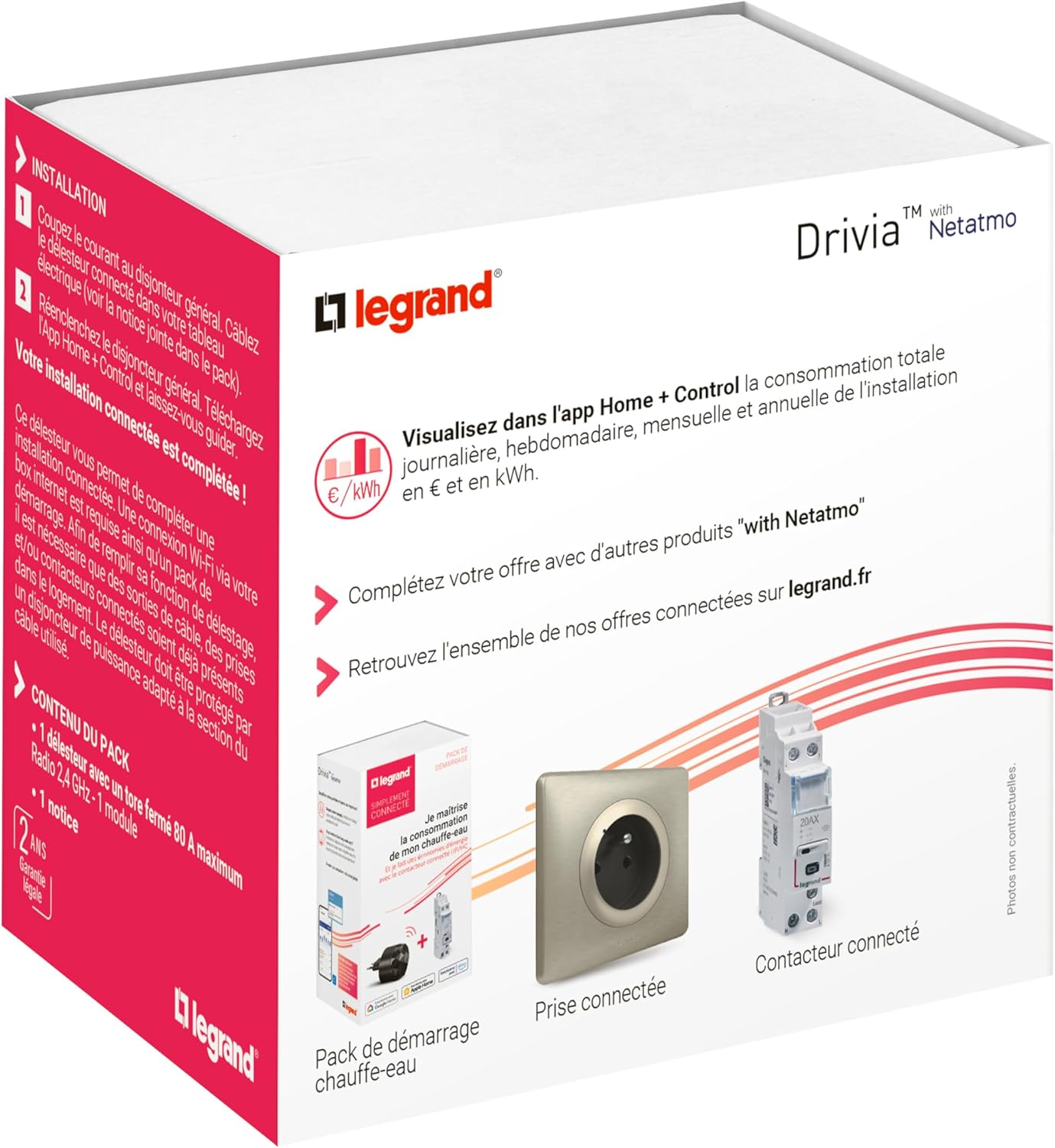
Image: The back of the product packaging illustrates how the Home + Control app visualizes total daily, weekly, monthly, and annual consumption. It also shows other compatible 'with Netatmo' products like a connected socket and contactor.
6. Maintenance
The Legrand 199120 Connected Modular Load Shedder requires minimal maintenance. Follow these guidelines to ensure optimal performance:
- Cleaning: Ensure the device remains clean and free from dust. Use a dry, soft cloth for cleaning. Do not use liquid cleaners or solvents.
- Connections: Periodically check that all electrical connections are secure. This should only be done by a qualified electrician with the power disconnected.
- Ventilation: Ensure adequate ventilation within the electrical panel to prevent overheating.
- Firmware Updates: Keep the Home + Control app updated to the latest version. Firmware updates for the device may be delivered automatically via the app.
7. Troubleshooting
If you encounter issues with your Legrand 199120 load shedder, refer to the following common problems and solutions:
| Problem | Possible Cause | Solution |
|---|---|---|
| Device not connecting to Home + Control app. | No Wi-Fi connection; Netatmo gateway not active; pairing issue. | Check your Wi-Fi network. Ensure your 'with Netatmo' gateway is powered and connected. Re-attempt the pairing process in the app. |
| Incorrect consumption readings. | Current transformer (toroid) incorrectly installed or oriented. | With power disconnected, verify the correct installation and orientation of the current transformer around the main phase wire. |
| Unexpected load shedding or frequent disconnections. | Subscribed power threshold too low; incorrect load priorities. | Review and adjust the subscribed power threshold and load shedding priorities in the Home + Control app. Ensure the threshold matches your electricity contract. |
| Device status indicator is off or red. | No power; device fault. | Check power supply to the device. If power is present and the indicator remains off or red, contact customer support. |
If the problem persists after attempting these solutions, please contact Legrand customer support.
8. Specifications
| Feature | Specification |
|---|---|
| Model Number | 199120 |
| Brand | Legrand |
| Dimensions (L x W x H) | 9.6 x 9.4 x 9.4 cm |
| Weight | 136 Grams |
| Color | Grey |
| Material | Aluminum |
| Style | Modular Load Shedder |
| Specific Product Use | Electricity measurement, electricity control |
| Special Feature | Real-time measurement and adjustment |
| Current Transformer | Closed type, 80A maximum |
| Connectivity | Radio frequency (2.4 GHz) for Netatmo ecosystem |
| Installation | DIN rail, 1 module width |
| Compatibility | Legrand Home + Control App, 'with Netatmo' ecosystem |
| Country of Origin | China |
9. Warranty and Support
9.1. Warranty
The Legrand 199120 Drivia with Netatmo Connected Modular Load Shedder comes with a 2-year legal warranty from the date of purchase. This warranty covers manufacturing defects and malfunctions under normal use conditions. Please retain your proof of purchase for warranty claims.
9.2. Customer Support
For technical assistance, troubleshooting, or warranty inquiries, please contact Legrand customer support through their official website or the contact information provided with your product documentation. You can find more information and resources on the official Legrand website: legrand.fr
