
Introduction
The BROMECH Price Computing Scale is designed for accurate and efficient weighing in commercial settings such as farmers' markets, delis, and grocery stores. Featuring a high-precision sensor and a durable stainless steel platform, this scale provides reliable measurements and convenient pricing functions. Its user-friendly interface and dual LCD displays ensure clear visibility for both operator and customer.
Key Features:
- High-precision weighing with 40kg/88lb capacity and 5g/0.01lb accuracy.
- Large stainless steel platform (14.9 x 10.6 inches) for various items.
- Dual LCD displays with bright green backlight and adjustable brightness.
- Multi-function operation: unit conversion (KG/LB), pricing, counting, accumulation, and change calculation.
- Built-in rechargeable battery with AC power cord (US plug, 90-240V input).
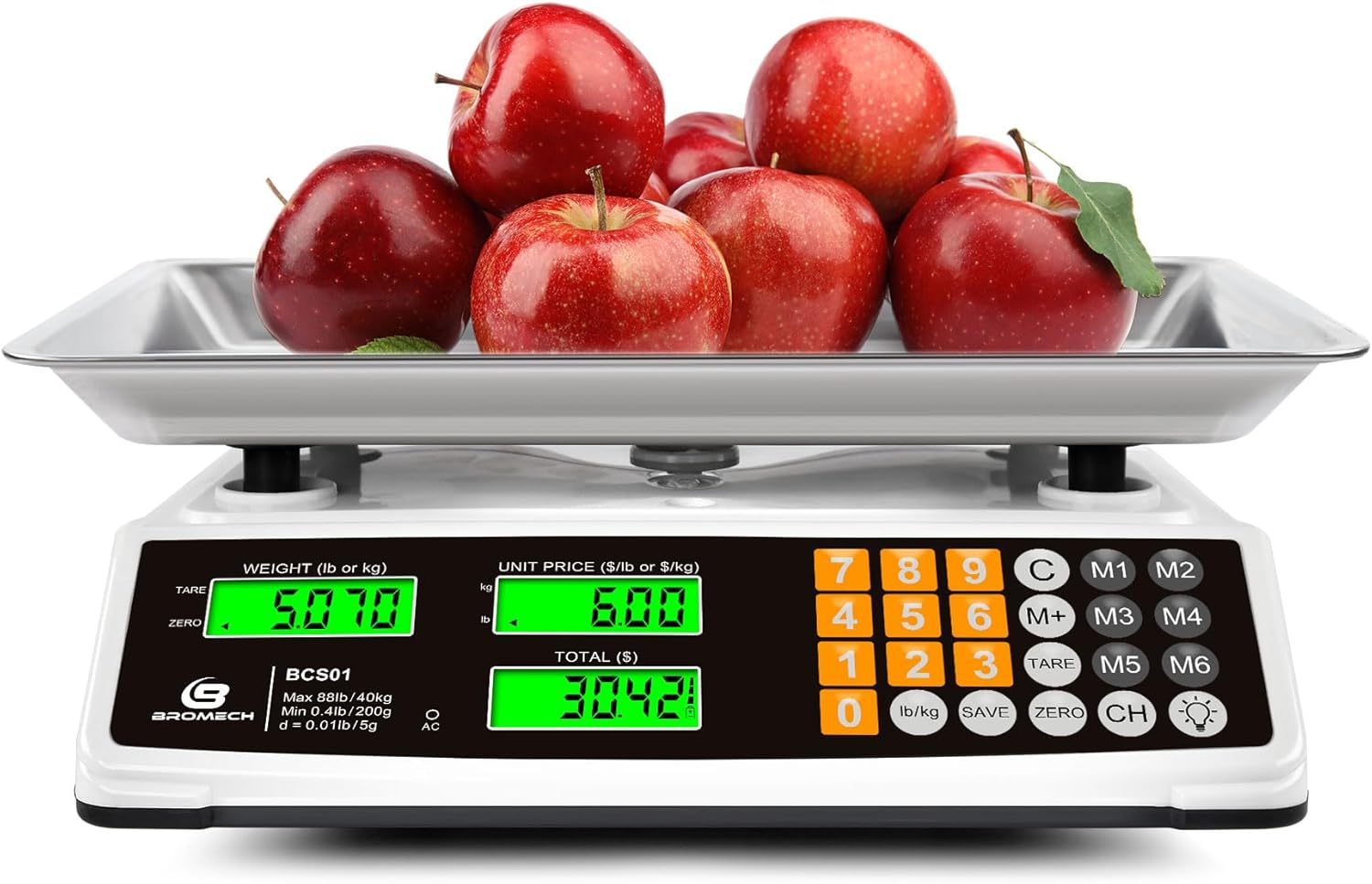
Figure 1: BROMECH Price Computing Scale with large tray.
Setup Guide
Follow these steps to set up your BROMECH Price Computing Scale for first use:
- Unpacking and Assembly: Carefully remove all components from the packaging. The scale platform and support frames may be separate. Insert the four support frames into the designated holes on the scale base. Ensure they are firmly in place.
- Place the Weighing Pan: Position the stainless steel weighing pan onto the support frames. Press down gently until it clicks into place, ensuring it is stable and level.
- Leveling the Scale: Use the adjustable red feet on the bottom of the scale to ensure it is perfectly level on your surface. This is crucial for accurate measurements.
- Power Connection: Connect the AC power cord to the charging port on the side of the scale and plug it into a 90-240V power outlet. Fully charge the scale before its first use.
- Turning On: Locate the ON/OFF switch on the bottom of the scale and switch it to the 'ON' position. The LCD displays will light up and perform a self-check.
- Zeroing the Scale: After turning on, ensure the display reads '0.000'. If not, press the 'ZERO' button to reset the scale.

Figure 2: Ensure reinforcement columns are securely installed.
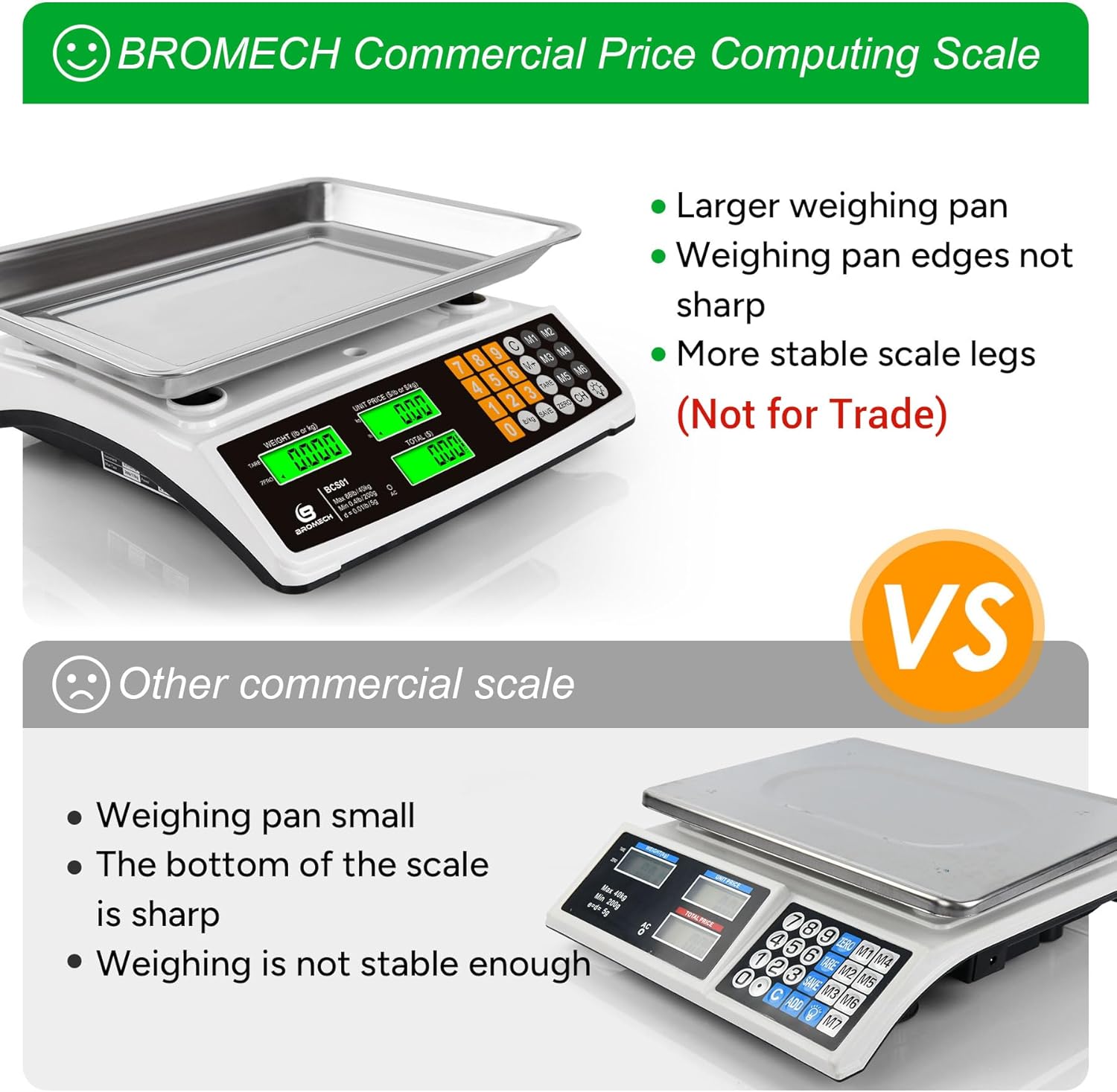
Figure 3: BROMECH scale features stable legs and a non-sharp weighing pan.

Figure 4: Adjust red feet for proper leveling on uneven surfaces.
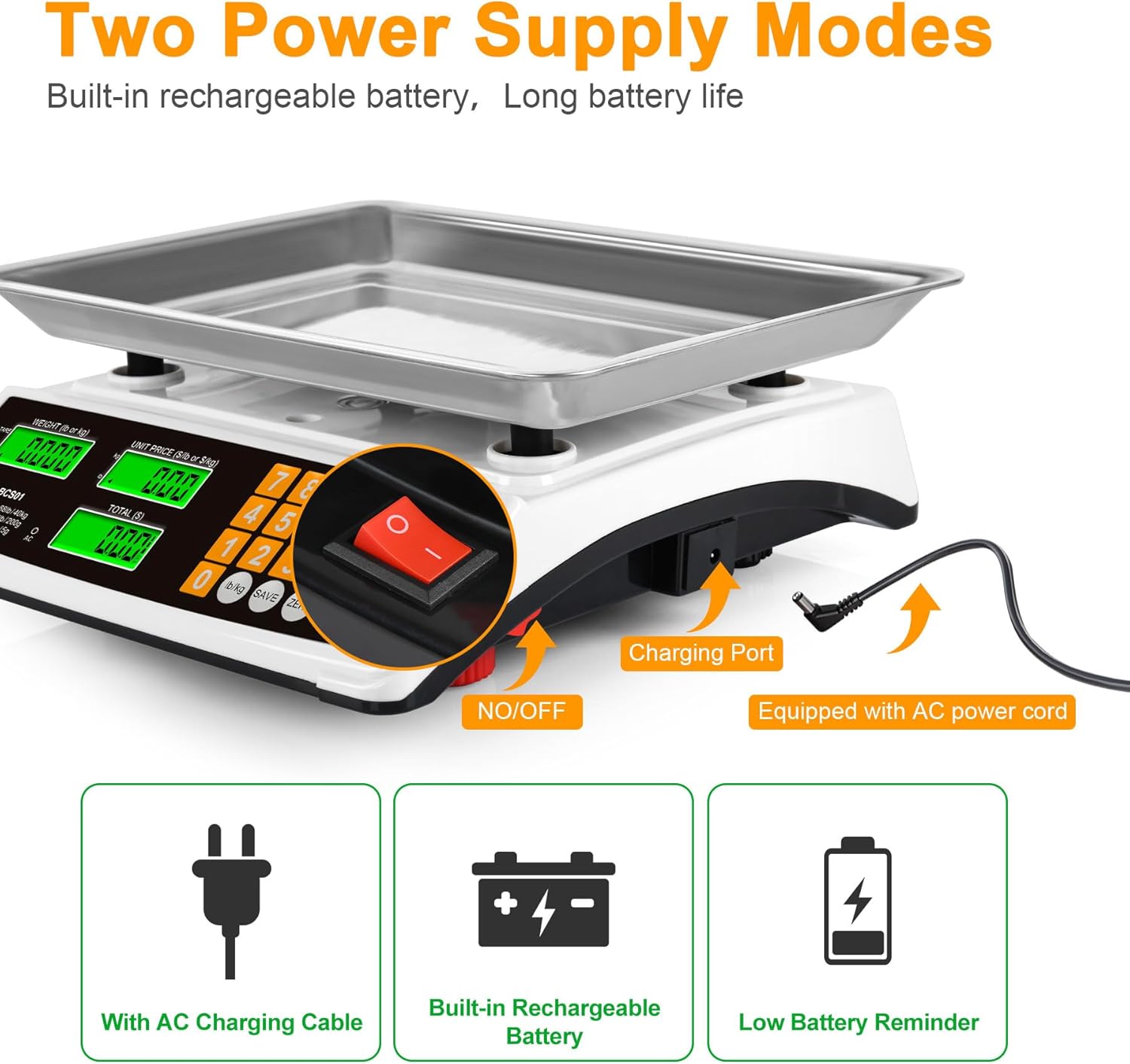
Figure 5: The scale can be powered by AC or its built-in rechargeable battery.
Video 1: Overview of the Price Computing Scale, including power-on and basic features.
Operating Instructions
This section details the various functions of your BROMECH Price Computing Scale.
1. LCD Display and Backlight
The scale features dual LCD displays for weight, unit price, and total cost. The green backlight ensures readability in various lighting conditions. Press the 'LIGHT' button to cycle through 3 levels of brightness (off, dim, bright).

Figure 6: Adjust display brightness for optimal viewing.
2. Unit Conversion (LB/KG)
The default unit is LB. To switch between pounds (LB) and kilograms (KG), press the 'LB/KG' button. The display will indicate the currently selected unit.

Figure 7: Easily switch between LB and KG units.
3. Pricing and Memory Keys (M1-M6)
To calculate the total price, place the item on the scale and enter the unit price using the numeric keypad. The scale will automatically calculate the total cost.
The scale has 6 memory keys (M1-M6) to store frequently used unit prices. To save a unit price:
- Enter the desired unit price.
- Press the 'SAVE' button.
- Press one of the memory keys (M1-M6) to store the price. You will hear a beep confirming the save.
To recall a stored unit price, simply press the corresponding memory key (M1-M6).

Figure 8: Save frequently used unit prices for quick access.
Video 2: Demonstrates how to use the Save Unit Price Function.
4. Accumulation Function (M+)
To accumulate the total cost of multiple items:
- Weigh the first item and enter its unit price.
- Press the 'M+' button. The display will show 'ADD'.
- Remove the first item, place the second item, and enter its unit price.
- Press 'M+' again. Repeat for all items.
- To view the accumulated total, press the 'M+' button once more.

Figure 9: Use M+ to add up the value of multiple items.
Video 3: Introduction to Cumulative Functions.
Video 4: Detailed explanation of the M+ Accumulation Function.
5. Give Change Function (CH)
After calculating the total cost, you can use the 'CH' button to determine the change due to the customer:
- After the total cost is displayed, press the 'CH' button.
- Enter the amount paid by the customer using the numeric keypad.
- The display will show the change amount.

Figure 10: Calculate change quickly and accurately.
Video 5: How to use the Give Change Function.
6. Tare Function
The Tare function allows you to subtract the weight of a container, so only the weight of the contents is measured.
- Place the empty container on the weighing pan.
- Press the 'TARE' button. The display will reset to '0.000'.
- Add the items to the container. The display will show only the net weight of the items.

Figure 11: Easily tare containers for accurate net weight measurements.
Maintenance
Proper maintenance ensures the longevity and accuracy of your scale.
- Cleaning: The scale comes with a transparent dust cover for protection. Clean the stainless steel platform and ABS plastic base with a damp cloth. Avoid using abrasive cleaners or submerging the scale in water.
- Battery Care: Fully charge the scale before its first use. If the scale is not in use for an extended period, charge it every 3 months to protect the battery life.

Figure 12: The transparent dust cover helps keep the scale clean and protected.
Troubleshooting
If you encounter any issues with your scale, try the following:
- Inaccurate Readings: Ensure the scale is on a flat, stable, and level surface. Adjust the leveling feet if necessary. Make sure no objects are touching the scale or platform during weighing.
- Display Not Lighting Up: Check if the power switch is in the 'ON' position. Ensure the AC adapter is properly connected and the battery is charged.
- Scale Not Responding: Try turning the scale off and then on again. If the issue persists, fully charge the battery.
Specifications
| Feature | Detail |
|---|---|
| Brand | BROMECH |
| Model Number | BCS01AA |
| Weight Limit | 40 Kilograms / 88 Pounds |
| Readout Accuracy | 0.01lb / 5g |
| Display Type | LCD with Green Backlight |
| Material | Stainless Steel (Platform), Acrylonitrile Butadiene Styrene (Base) |
| Power Source | Built-in Rechargeable Battery, AC Power (90-240V) |
| Product Dimensions | 13.2 x 11.8 x 4.3 inches |
| Item Weight | 5.22 pounds |
Warranty and Support
Your BROMECH Price Computing Scale comes with a standard manufacturer's warranty. For detailed warranty information, please refer to the warranty card included in your product packaging or visit the official BROMECH website.
For technical support, troubleshooting assistance, or any inquiries regarding your product, please contact BROMECH Customer Service:
- Email: [Insert Manufacturer Email Here]
- Phone: [Insert Manufacturer Phone Here]
- Website: BROMECH Official Store


