1. Introduction
This manual provides essential instructions for the safe and effective use of your ALLC replacement battery. Please read this guide thoroughly before installation and operation to ensure optimal performance and longevity of your battery.
2. Important Safety Information
Failure to follow these safety instructions may result in fire, electric shock, injury, or damage to the battery or device. Keep this manual for future reference.
- Do not attempt to disassemble, open, or service the battery pack.
- Do not crush, puncture, short external contacts, or dispose of in fire or water.
- Do not store above 60°C (140°F).
- Replace only with the battery pack designated for this product.
- New battery packs must be fully charged before initial use.
- To reduce the risk of fire or burns, read all instructions in the operating guide before using the battery.
- Keep out of reach of children.
- Dispose of used batteries according to local regulations and environmental guidelines.
3. Product Overview
The ALLC replacement battery is a high-capacity NiMH battery designed to provide reliable power for a range of BLAUPUNKT CR-series devices. It features multiple protection mechanisms to ensure safe operation.

Image showing the top view of the ALLC replacement battery, highlighting the product label with model number CS-NP55, part numbers, capacity (2100mAh / 12.6Wh), type (Ni-MH / 6.0V), and safety warnings.
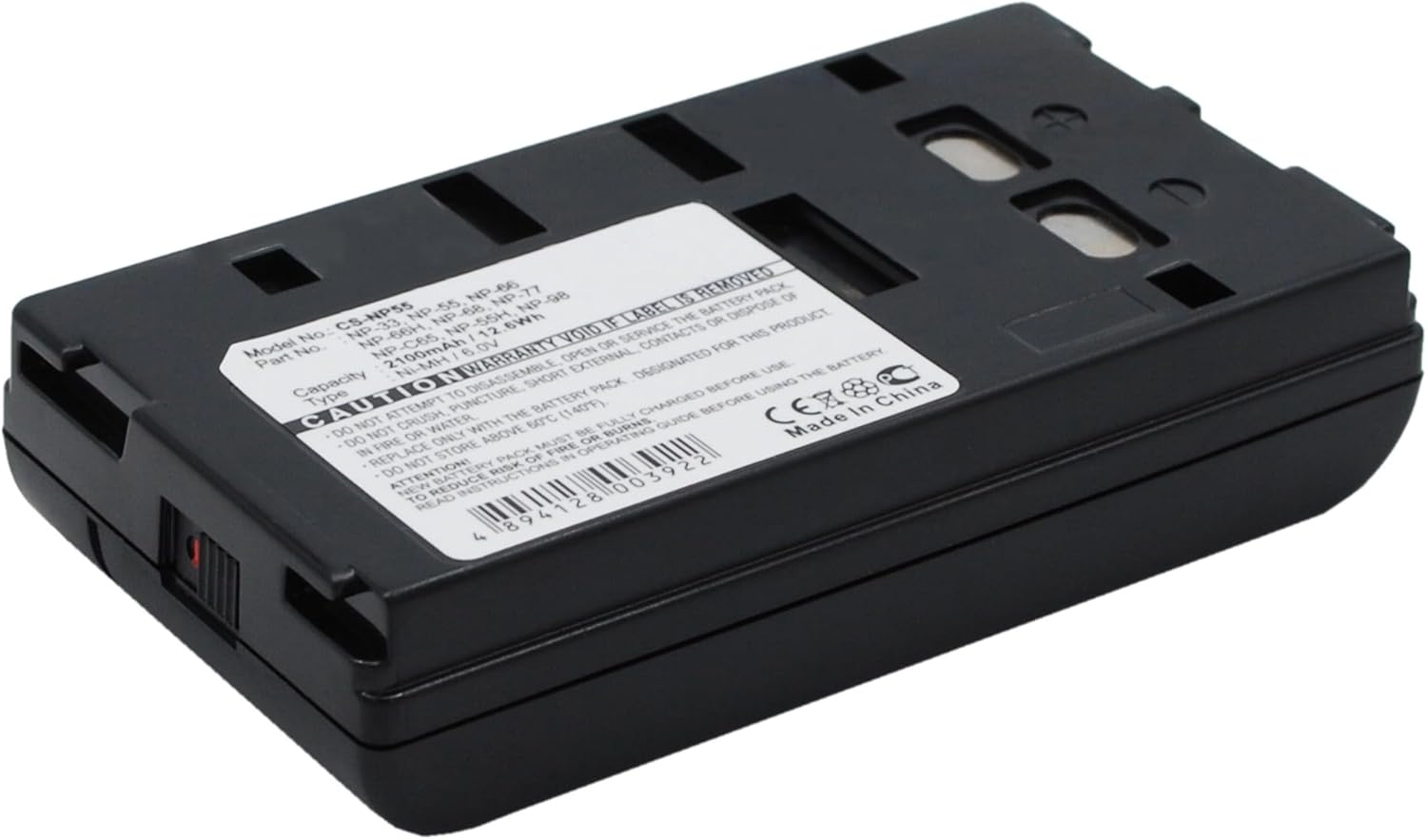
Angled view of the ALLC replacement battery, displaying the product label and the general shape of the battery pack.

Another angled perspective of the ALLC replacement battery, showing the contact points and overall design.

Bottom view of the ALLC replacement battery, illustrating the smooth casing and connection slots.
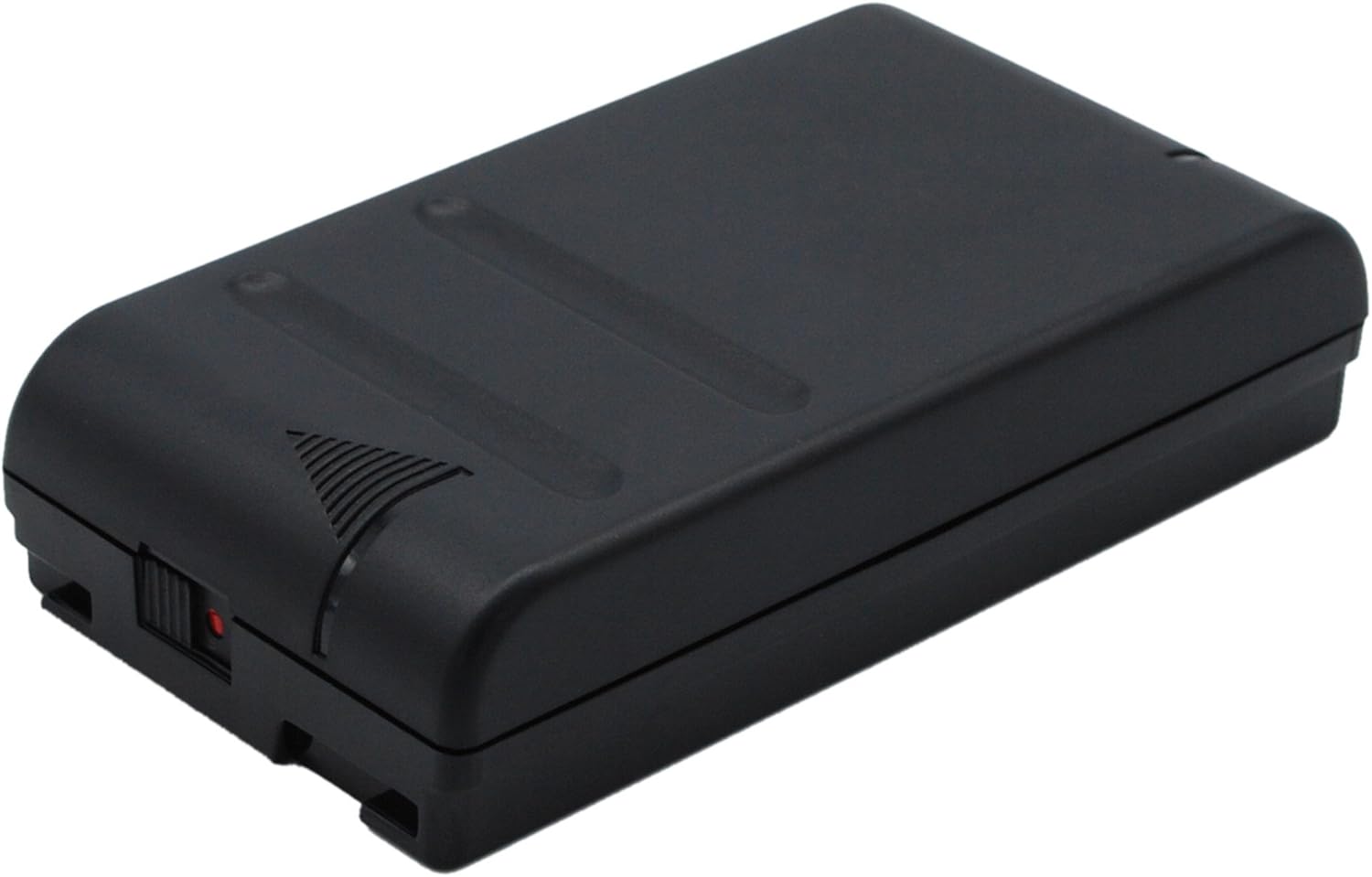
Side view of the ALLC replacement battery, showing its profile and a small red switch or indicator.
4. Setup: Battery Installation
Follow these steps to correctly install the ALLC replacement battery into your compatible BLAUPUNKT device:
- Ensure your BLAUPUNKT device is powered off and disconnected from any power source.
- Locate the battery compartment on your device. Refer to your device's original instruction manual for specific instructions if needed.
- Carefully open the battery compartment cover and remove the old battery, if present.
- Align the ALLC replacement battery with the compartment's contacts, ensuring the correct orientation.
- Gently insert the battery until it clicks securely into place. Do not force the battery into the compartment.
- Close the battery compartment cover securely.
5. Operating: Initial Use and Charging
To ensure the best performance from your new battery, follow these operating guidelines:
- Initial Charge: For optimal performance and battery longevity, it is recommended to fully charge the new battery before its first use. Connect your BLAUPUNKT device to its original charger.
- Charging Indicators: Refer to your BLAUPUNKT device's manual for information on charging indicators (e.g., LED lights, screen icons) to determine when the battery is fully charged.
- Regular Use: The battery is designed for high capacity circulatory function, providing reliable power for your compatible device.
- Discharging: While this battery is designed with 'No Memory Effect' protection, for NiMH batteries, it can be beneficial to occasionally allow the battery to discharge significantly before a full recharge to maintain capacity.
6. Maintenance: Battery Care and Storage
Proper care and maintenance will extend the life of your ALLC replacement battery:
- Avoid Extreme Temperatures: Do not expose the battery to extreme heat (above 60°C / 140°F) or cold. Store and operate the battery within recommended temperature ranges.
- Regular Charging: Avoid leaving the battery completely discharged for extended periods. Recharge it promptly after use.
- Storage: If storing the battery for an extended period (e.g., more than a month), store it in a cool, dry place, ideally at a partial charge (around 50%). Fully charge it before resuming use.
- Cleaning: Keep battery contacts clean and dry. Use a clean, dry cloth to wipe off any dust or debris.
- Protection: The battery includes Over-Charge, Over-Discharge, Over-Heat, Over-Current, and Short-Circuit Protection to safeguard against common battery issues.
7. Troubleshooting: Common Issues
If you encounter issues with your ALLC replacement battery, refer to the table below for potential solutions:
| Issue | Possible Cause | Solution |
|---|---|---|
| Battery not charging | Incorrect installation; Faulty charger or device; Battery deeply discharged | Reinstall the battery correctly; Check charger and device functionality; Attempt a full charge cycle. |
| Short operating time | Battery not fully charged; Battery aging; High power consumption by device | Ensure the battery is fully charged; Consider battery replacement if significantly aged; Reduce device usage or power settings. |
| Device not powering on | Battery not installed; Battery completely discharged; Device fault | Install battery correctly; Charge battery fully; Consult your BLAUPUNKT device's manual for device-specific troubleshooting. |
8. Specifications
Detailed specifications for the ALLC replacement battery:
| Feature | Detail |
|---|---|
| Brand | ALLC |
| Model No. | CS-NP55 |
| Compatible Models | BLAUPUNKT CR-8100, CR-8110, CR-8200, CR-8210, CR-8250, CR-8300, CR-8350, CR-8400, CR-8400HIFI |
| Battery Cell Composition | NiMH |
| Capacity | 2100 mAh / 12.6 Wh |
| Voltage | 6.0 V |
| Protection Features | No Memory Effect, Over-Charge, Over-Discharge, Over-Heat, Over-Current, Short-Circuit Protection |
| Certifications | ISO9001, RoHS, CE |
| Manufacturer | cameronsino |
| Date First Available | October 12, 2023 |
9. Warranty and Support
Quality Assurance: This ALLC replacement battery is manufactured under strict quality control standards and has passed ISO9001, RoHS, and CE certifications. A+ cells ensure longer battery life and reliable performance.
Customer Support: We are committed to your satisfaction. We guarantee 24-hour email support for any inquiries, technical assistance, or issues you may encounter. When contacting support, please provide your product model and a detailed description of the issue.
Important Note: Please kindly check the compatible Voltage, Cell Size, and Connector Type for best fit before purchase or if experiencing issues.


