
1. Introduction
This manual provides essential information for the safe and efficient operation of your Comfee' RCB359IX2 Combined Refrigerator. Please read these instructions carefully before installation and use, and retain them for future reference.
2. Important Safety Instructions
To reduce the risk of fire, electric shock, or injury when using your appliance, follow these basic precautions:
- Ensure the appliance is properly grounded.
- Do not use mechanical devices or other means to accelerate the defrosting process, other than those recommended by the manufacturer.
- Do not damage the refrigerant circuit.
- Do not use electrical appliances inside the food storage compartments of the appliance, unless they are of the type recommended by the manufacturer.
- Unplug the appliance before cleaning or performing maintenance.
- Keep ventilation openings clear of obstruction.
- This appliance is not intended for use by persons (including children) with reduced physical, sensory or mental capabilities, or lack of experience and knowledge, unless they have been given supervision or instruction concerning use of the appliance by a person responsible for their safety.
3. Setup and Installation
3.1 Unpacking
Carefully remove all packaging materials, including foam and adhesive tape. Inspect the refrigerator for any damage during transit. Keep packaging materials out of reach of children.
3.2 Placement
Choose a location that is dry, well-ventilated, and away from direct sunlight or heat sources (e.g., oven, radiator). Ensure there is adequate space around the appliance for proper air circulation. A minimum of 10 cm (4 inches) clearance at the back and sides is recommended.
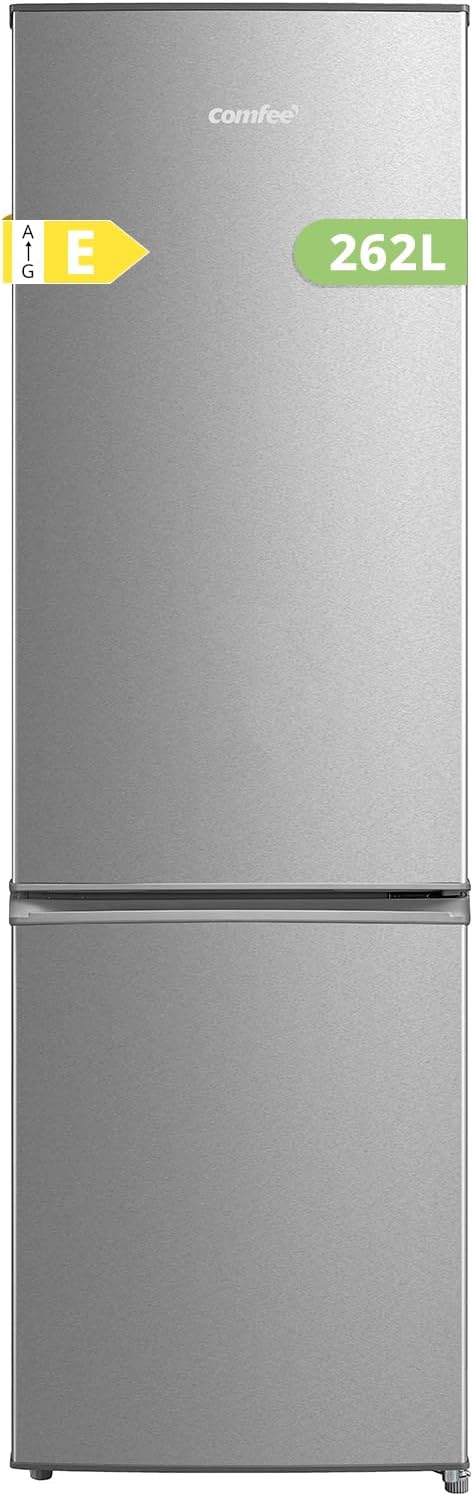
Image: Front view of the Comfee' RCB359IX2 Combined Refrigerator, illustrating its overall design and stainless steel finish.

Image: Side view of the refrigerator with key dimensions (height 177.3 cm, depth 56.8 cm, width 54.7 cm) indicated, showing its compact design.
3.3 Leveling the Appliance
The refrigerator must be level for optimal performance. Adjust the two front leveling feet by turning them clockwise to raise or counter-clockwise to lower the appliance. Ensure all four corners are firmly on the floor.

Image: Close-up of the adjustable feet at the bottom of the refrigerator, highlighting the mechanism for leveling the appliance.
3.4 Initial Power-On
After placing and leveling the refrigerator, wait at least 2-4 hours before plugging it into a power outlet. This allows the refrigerant to settle. Once plugged in, the appliance will begin cooling.
4. Operating Your Comfee' Refrigerator
4.1 Temperature Control
The refrigerator features an adjustable thermostat to control the internal temperature. The dial typically ranges from 'Min' to 'Max' or numerical settings, allowing you to select the desired cooling level. For general use, a medium setting is often sufficient. Adjust as needed based on ambient temperature and food load.

Image: Interior view showing the adjustable thermostat dial, typically located at the top of the refrigerator compartment, used to set the cooling intensity.
4.2 Low Frost Technology
The Comfee' RCB359IX2 is equipped with Low Frost technology in the freezer compartment. This system significantly reduces ice build-up compared to conventional freezers, making manual defrosting less frequent and easier to perform. It helps maintain stable cooling performance and keeps food fresh longer.

Image: Diagram illustrating the benefits of Low Frost technology, showing reduced ice formation in the freezer compartment compared to a standard freezer.
4.3 LED Lighting
The refrigerator compartment is illuminated by an energy-efficient LED light. This provides clear visibility of the contents, even in low-light conditions, and consumes less energy than traditional bulbs.

Image: Interior view highlighting the bright LED light strip, illuminating the refrigerator compartment.
4.4 Storage Features
- Adjustable Shelves: The refrigerator includes removable shelves that can be adjusted to different heights to accommodate various sizes of food items and containers.
- Crisper Drawer: A dedicated drawer is provided for storing fruits and vegetables, designed to help maintain their humidity and freshness.

Image: Interior view demonstrating the adjustable shelves, showing how they can be repositioned to optimize storage space.

Image: Close-up of the transparent crisper drawer, filled with various fruits and vegetables, designed to preserve their freshness.
5. Maintenance and Cleaning
5.1 Defrosting
While Low Frost technology reduces ice build-up, periodic manual defrosting of the freezer compartment is still necessary. When the ice layer reaches approximately 3-5 mm (0.12-0.2 inches) thick, unplug the appliance, remove all food, and allow the ice to melt naturally. Use a soft cloth to wipe away melted water. Do not use sharp objects to remove ice.
5.2 Cleaning the Interior and Exterior
Regular cleaning helps maintain hygiene and efficiency. Unplug the refrigerator before cleaning.
- Interior: Wipe down surfaces with a solution of mild detergent and warm water. Rinse with clean water and dry thoroughly. Remove and clean shelves and drawers separately.
- Exterior: Clean the exterior surfaces with a soft cloth and mild detergent. For stainless steel finishes, use a specialized stainless steel cleaner to prevent streaks.
- Door Gaskets: Clean door gaskets regularly to ensure a tight seal.
6. Troubleshooting Guide
Before contacting customer service, refer to the following table for common issues and their solutions:
| Problem | Possible Cause | Solution |
|---|---|---|
| Refrigerator does not operate. | No power supply. | Check if the power cord is plugged in correctly. Check the fuse or circuit breaker. |
| Refrigerator is not cold enough. | Temperature setting is too high. Door is not closed properly. Too much food loaded. | Adjust the thermostat to a lower setting. Ensure the door is fully closed. Reduce food load if excessive. |
| Excessive noise. | Appliance is not level. Objects touching the back or sides. | Adjust leveling feet. Ensure there is adequate clearance around the appliance. |
| Water on the floor. | Drain hole is blocked. | Clear the drain hole at the back of the refrigerator compartment. |
7. Product Specifications
Key technical specifications for the Comfee' RCB359IX2 Combined Refrigerator:
| Feature | Specification |
|---|---|
| Model Number | RCB359IX2 |
| Total Capacity | 262 Liters |
| Refrigerator Capacity | 197 Liters |
| Freezer Capacity | 65 Liters |
| Dimensions (L x W x H) | 56.8 x 54.7 x 177.3 cm |
| Weight | 46.5 kg |
| Noise Level | 39 dB |
| Energy Efficiency Class | E |
| Defrost System | Manual (Low Frost) |
| Voltage | 220 Volts |

Image: The energy efficiency label for the Comfee' RCB359IX2, indicating its Class E rating, 204 kWh/annum consumption, 65L freezer, 197L refrigerator, and 39 dB noise level.

Image: A detailed product information sheet for the Comfee' RCB359IX2, providing comprehensive technical data and compliance details.
8. Warranty and Customer Support
Your Comfee' RCB359IX2 Combined Refrigerator comes with a standard manufacturer's warranty. Please refer to the warranty card included with your purchase for specific terms and conditions, including the duration of coverage and details on how to make a claim.
For technical assistance, spare parts, or any questions regarding your appliance, please contact Comfee' customer support. Contact details can typically be found on the manufacturer's official website or in the documentation provided with your product.


