Introduction
Thank you for choosing the EKSA H15 Headset. This manual provides detailed instructions for setting up, operating, and maintaining your headset to ensure optimal performance and longevity. The EKSA H15 is designed for clear communication in various professional and personal environments, featuring a noise-cancelling microphone and comfortable design.
Package Contents
- EKSA H15 Headset
- 3.5mm Jack Audio Cable (integrated)
- Dual 3.5mm Y-adapter
- User Manual

Image: The EKSA H15 Headset, showing the single earcup, adjustable microphone, 3.5mm jack, and in-line volume/mute controls.
Setup
Connecting to Devices
The EKSA H15 Headset offers versatile connectivity options for various devices.
- For devices with a single 3.5mm audio jack (e.g., most laptops, smartphones, tablets):
Simply plug the integrated 3.5mm jack of the headset directly into your device's audio port. This connection supports both audio output and microphone input.
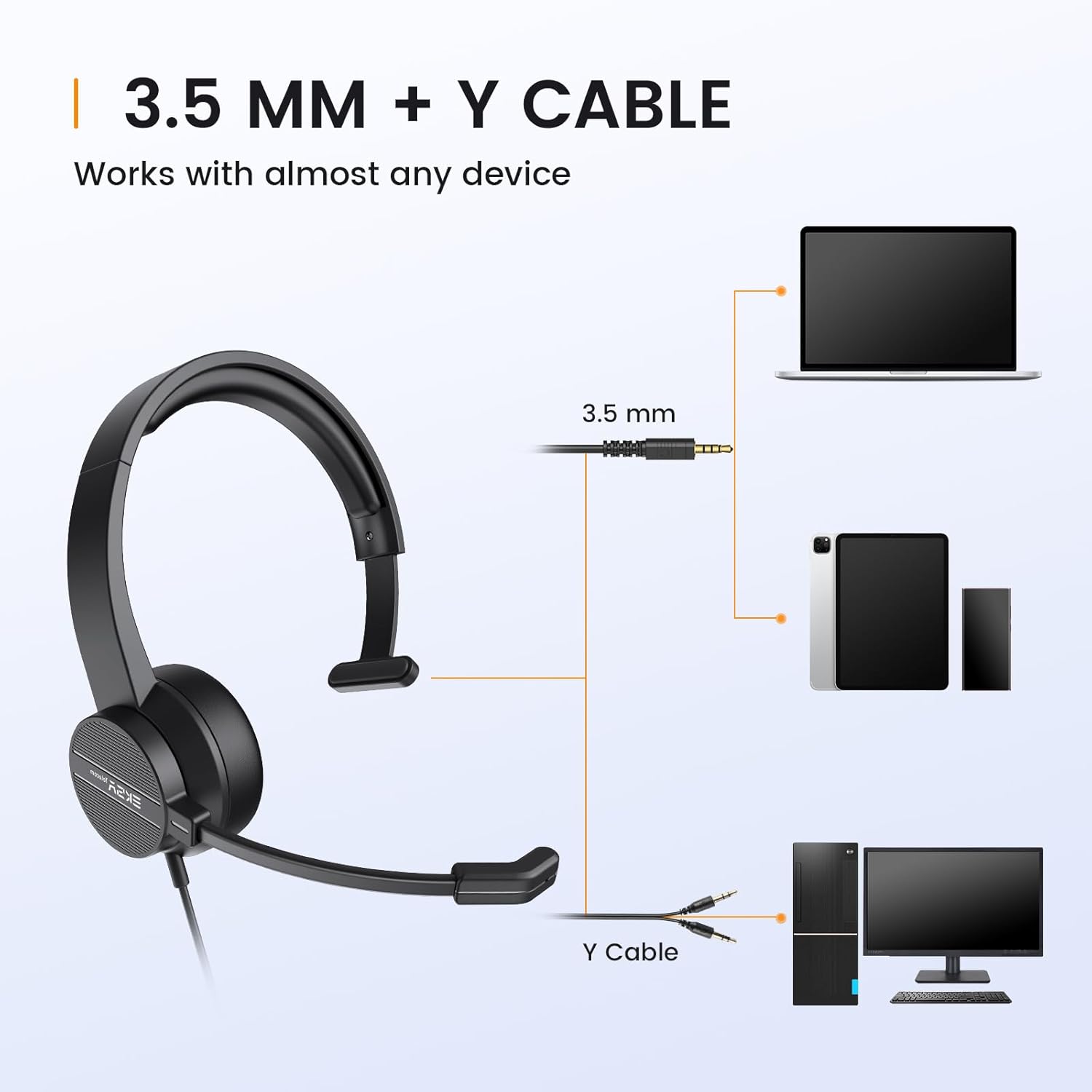
Image: Diagram showing the headset connecting to a laptop, tablet, and smartphone via the 3.5mm jack, and the Y-cable for desktop PCs.
- For devices with separate audio and microphone jacks (e.g., desktop PCs):
Use the included dual 3.5mm Y-adapter. Connect the headset's 3.5mm jack into the Y-adapter, then plug the green connector of the Y-adapter into your computer's audio output jack (usually green) and the pink connector into your computer's microphone input jack (usually pink.
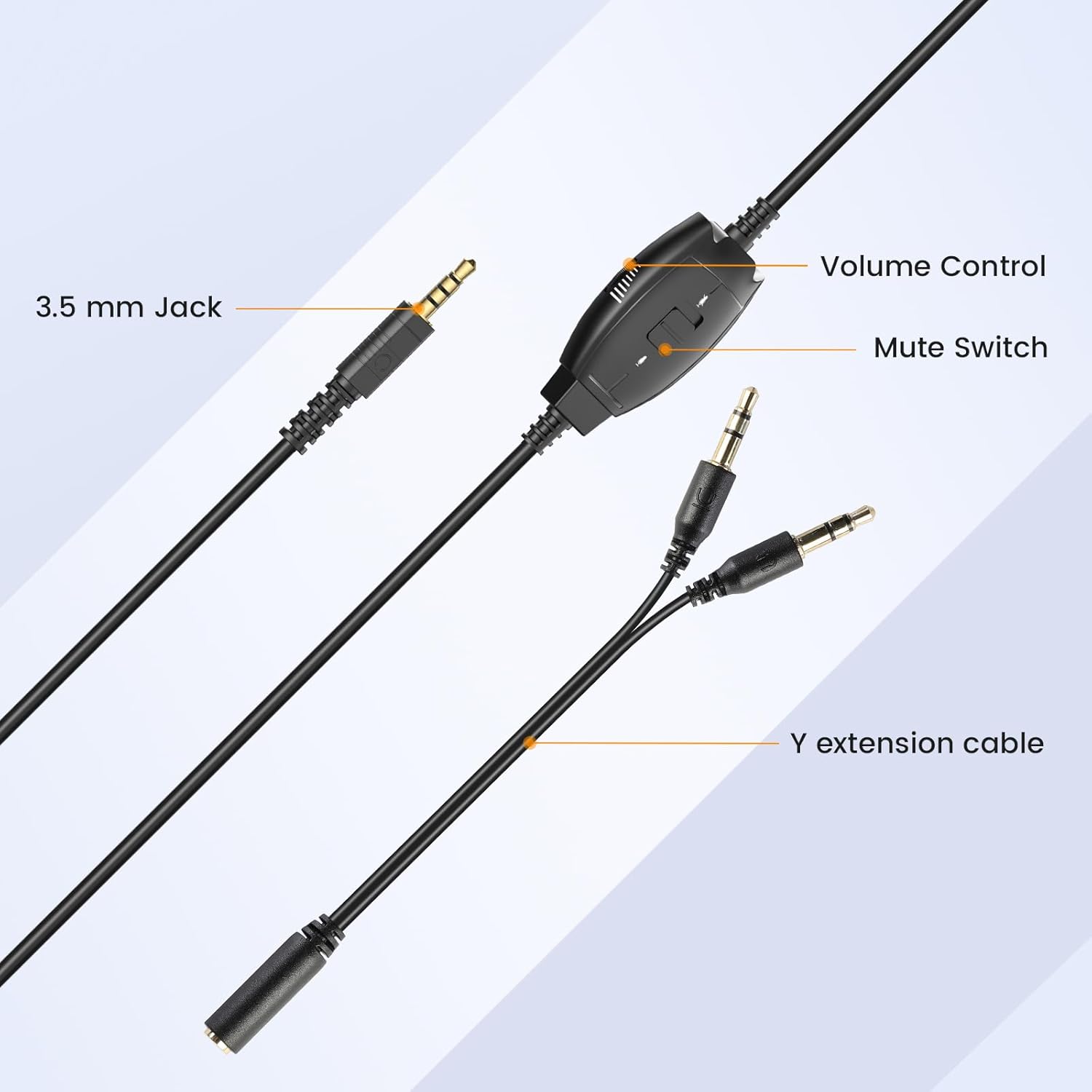
Image: Close-up of the 3.5mm jack, in-line controls, and the Y-extension cable for connecting to desktop computers.
Adjusting the Headset
- Headband Adjustment: Extend or retract the headband to fit comfortably on your head. The adjustable headband ensures a perfect fit for various head sizes.
- Microphone Positioning: The microphone features a 270° rotatable boom. Adjust the microphone arm to position it optimally for voice capture, typically 1-2 inches from your mouth. You can wear the headset with the microphone on either the left or right ear.

Image: A person wearing the EKSA H15 headset, demonstrating the optimal microphone position for clear communication and the flexibility to wear it on either ear.
Operating Instructions
In-line Controls
The EKSA H15 Headset is equipped with convenient in-line controls for easy management of audio and microphone functions.
- Volume Control: Use the scroll wheel on the in-line control unit to adjust the listening volume. Scroll up to increase volume and down to decrease volume.
- Microphone Mute Switch: Slide the mute switch on the in-line control unit to toggle the microphone on or off. When muted, the microphone will not pick up sound.

Image: Detailed view of the in-line control unit, highlighting the volume adjustment wheel and the microphone mute switch.
Audio Quality
The headset features a built-in audio sound card and 40mm audio drivers for clear communication. The omni-directional microphone with noise-cancelling capabilities helps reduce background noise, ensuring your voice is heard clearly.

Image: A graphic demonstrating the "Clear Chat" feature, showing how the 270° rotatable mic arm helps in voice collection and noise reduction, with a waveform illustrating sound before and after processing.
Maintenance
Proper maintenance ensures the longevity and optimal performance of your EKSA H15 Headset.
- Cleaning: Use a soft, dry cloth to clean the headset. For ear cushions, a slightly damp cloth can be used, but ensure they are completely dry before use. Avoid using harsh chemicals or abrasive cleaners.
- Storage: Store the headset in a cool, dry place away from direct sunlight and extreme temperatures. Avoid tangling the cable.
- Handling: Do not pull on the cable to unplug the headset. Always grasp the plug firmly. Avoid bending the microphone boom excessively.
Troubleshooting
| Problem | Possible Cause | Solution |
|---|---|---|
| No sound from headset |
|
|
| Microphone not working |
|
|
| Sound quality is poor or distorted |
|
|
Specifications
| Feature | Detail |
|---|---|
| Model Name | H15 Office Headset |
| Connectivity | Wired (3.5mm Jack) |
| Included Components | Headset, User Manual, Dual 3.5mm Y-adapter |
| Material | Plastic |
| Microphone | 270° Rotatable Omni-directional, Noise Cancelling |
| Audio Drivers | 40mm Dynamic Drivers |
| Frequency Range | 20 Hz - 20,000 Hz |
| Controls | In-line Volume Control, Mute Switch |
| Compatibility | Windows 2000/7/8/10/11/XP/Vista, MAC OS X, iOS, Android (via 3.5mm jack or Y-adapter) |
| Item Weight | 210 Grams (7.4 ounces) |
| Product Dimensions | 7.13 x 2.83 x 6.65 inches |
Warranty and Support
EKSA provides a standard warranty for its products. Please refer to the warranty card included in your package or visit the official EKSA website for detailed warranty terms and conditions.
For technical support, troubleshooting assistance, or any inquiries regarding your EKSA H15 Headset, please contact EKSA customer service through their official website or the contact information provided in your product packaging.
Manufacturer: EKSA


