
1. Introduction
The Kenmore STRATUS™ | 16V 2-in-1 stick vacuum is designed for versatile and efficient cleaning. Its lightweight, bagless, and self-standing design offers up to 30 minutes of runtime with two-speed power control. The swivel steering system and LED headlight ensure thorough cleaning in various areas. The detachable handheld vacuum, weighing only 3 lbs, is ideal for above-floor cleaning with included accessories.

Figure 1: Kenmore DS1020 16V Cordless Stick Vacuum in various configurations, highlighting its 2-in-1 capability and washable filter.
2. Safety Information
WARNING: Always read and understand all safety warnings and instructions before using this appliance.
- Do not operate the vacuum cleaner with a damaged cord or plug.
- Do not use on wet surfaces. This vacuum is for dry pick-up only.
- Keep hair, loose clothing, fingers, and all parts of body away from openings and moving parts.
- Do not pick up anything that is burning or smoking, such as cigarettes, matches, or hot ashes.
- Use only as described in this manual. Use only manufacturer's recommended attachments.
3. What's in the Box
- Kenmore DS1020 16V Cordless Stick Vacuum (Main Unit)
- Adapter (Charger)
- Combination Tool (Crevice tool and Dusting brush)
- User Manual (PDF available online)
4. Setup
4.1 Assembly
- Insert the main handheld vacuum unit into the floor nozzle until it clicks securely into place.
- Insert the handle into the top of the main unit until it clicks.
4.2 Initial Charging
Before first use, fully charge the vacuum for approximately 5 hours. The LED indicator light on the handle will blink during charging and remain solid when fully charged.

Figure 2: The Kenmore DS1020 plugged into a wall outlet for charging. The vacuum is self-standing.
5. Operating the Vacuum
5.1 Power Control and Modes
The vacuum features a two-speed power control: Low and High. Slide the switch on the handle to select your desired power level. Both modes are effective for various messes, with High mode providing maximum suction for tougher jobs.

Figure 3: Close-up of the vacuum handle showing the power switch for Low and High settings, and the battery indicator light.
5.2 Floor Types
The Kenmore DS1020 is suitable for various floor types, including hardwood, vinyl, tile, marble, and carpet. The fine bristles on the brush roll prevent scratching hard surfaces. The LED headlight illuminates dust and debris, making cleaning more effective in dimly lit areas or under furniture.
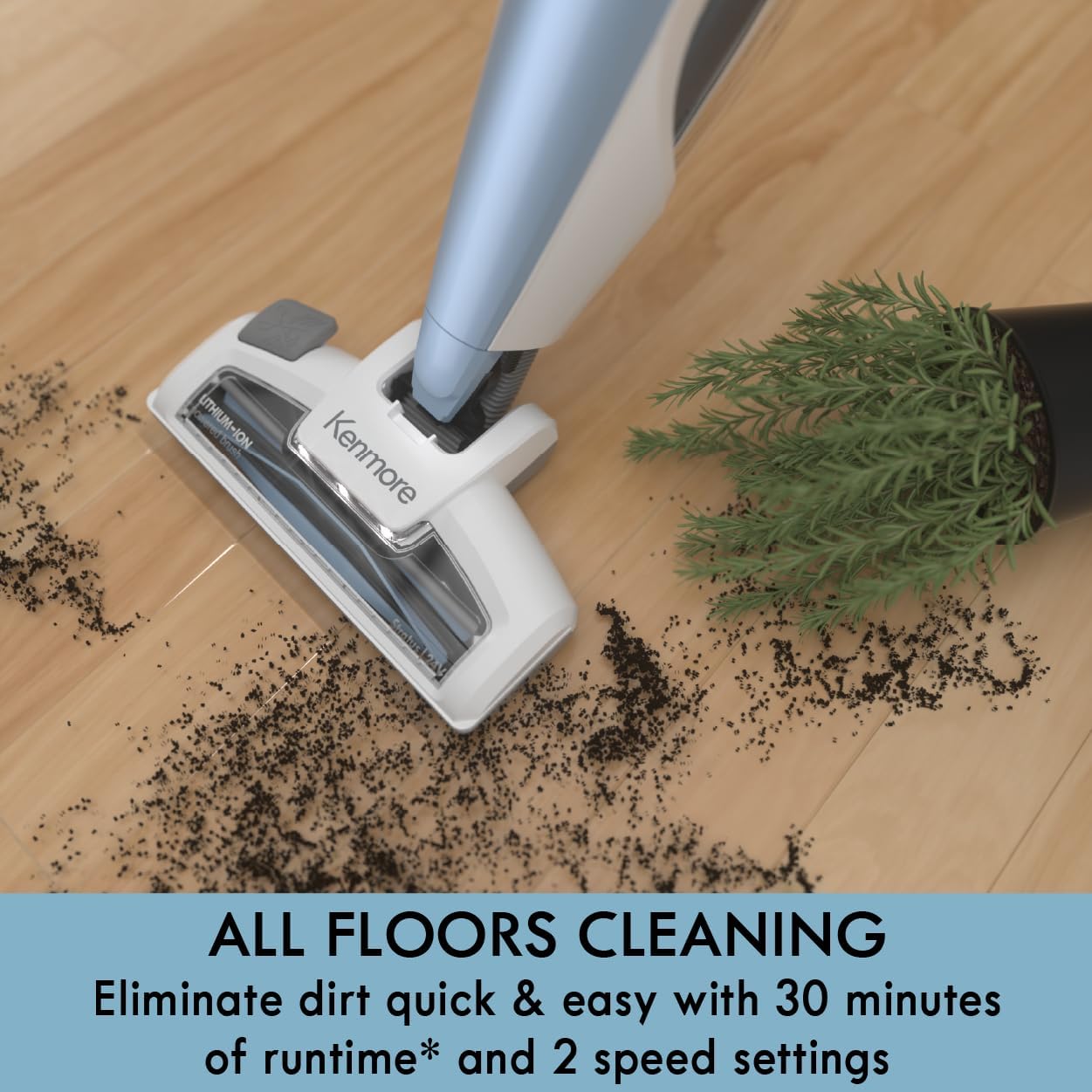
Figure 4: The vacuum head cleaning dirt on a hardwood floor, demonstrating its effectiveness on hard surfaces.

Figure 5: The vacuum head with its LED headlight illuminating the area under furniture, showcasing its ability to reach tight spaces.
5.3 2-in-1 Handheld Functionality
Detach the main unit from the stick for convenient handheld cleaning. This lightweight handheld vacuum is perfect for cleaning upholstery, car interiors, and other hard-to-reach areas. Use the included combination tool for enhanced versatility.

Figure 6: The detachable handheld unit being used to clean a window sill, showcasing its versatility.

Figure 7: The handheld unit with the versatile combination tool attached, suitable for various cleaning tasks.
6. Maintenance
6.1 Emptying the Dustbin
The dustbin is easy to empty. Simply detach it from the main unit and dispose of the collected debris. Regular emptying ensures optimal suction performance.
6.2 Cleaning the Filter
The vacuum features a washable cloth filter. Access the filter by detaching the dustbin. Rinse the filter under water to clean it and allow it to air dry completely before reinserting. It is recommended to clean the filter regularly to maintain suction power.

Figure 8: The washable filter being rinsed under water, demonstrating easy maintenance.
7. Troubleshooting
| Problem | Possible Cause | Solution |
|---|---|---|
| Vacuum not turning on | Battery is low or depleted. | Charge the vacuum for 5 hours. |
| Reduced suction power | Dustbin is full or filter is clogged. | Empty dustbin and clean/replace filter. |
| Brush roll not spinning | Hair or debris tangled in brush roll. | Clear any obstructions from the brush roll. |
8. Specifications
- Brand: Kenmore
- Model Name: DS1020
- Special Feature: Lightweight, LED Headlight
- Filter Type: Cloth
- Included Components: Adapter, Combination Tool
- Is Cordless?: Yes
- Capacity: 0.6 Liters
- Runtime: 30 minutes
- Charging Time: 5 Hours
- Recommended Uses: Carpet, Hardfloor, Pet hair
- Form Factor: Stick
- Color: Gray-blue
- Product Dimensions: 10.04"L x 7.76"W x 43.43"H
- Battery Description: Lithium-Ion
- Noise Level: 70 dB
- Number of Speeds: 2
- Item Weight: 6.86 pounds
- UPC: 810131260262
9. Official Product Videos
Kenmore DS1020 Cordless Vacuum Overview
This video provides a comprehensive overview of the Kenmore DS1020 2-in-1 Cordless Vacuum, demonstrating its features, quiet operation, and effectiveness on various surfaces including carpet and hardwood. It highlights its ability to reach under furniture and its lightweight design.
Kenmore DS1020 Features Demonstration
This video demonstrates key features of the Kenmore DS1020, including its 2-in-1 functionality, power modes, and ease of use for quick clean-ups around the house.
Kenmore DS1020 Unboxing and Pet Hair Test
This video shows the unboxing process of the Kenmore DS1020 and includes a test of its effectiveness on pet hair, demonstrating its suction power and brush roll capabilities.
10. Warranty and Support
For warranty information and product support, please refer to the official Kenmore website or the contact information provided in the original product packaging. You may also find additional resources and FAQs on the Kenmore store page on Amazon.


