
Aputure LS 600C PRO
Aputure LS 600C PRO RGBWW LED Light Instruction Manual
Model: LS 600C PRO
1. Introduction
The Aputure LS 600C PRO is a professional-grade 600W RGBWW full-color LED light designed for photographers and videographers. It features advanced color technology, a robust weather-resistant design, and versatile control options, including the Sidus Link mobile app. This manual provides essential information for the safe and effective operation of your LS 600C PRO light.

Figure 1: Aputure LS 600C PRO LED Light with Hyper Reflector attached. This image shows the main light unit with its standard reflector, ready for use.
Key Features:
- 600W RGBWW Full-Color Output: Capable of emitting 5,020+ lux at 3 meters with the included Hyper Reflector.
- Advanced Color Control: Reproduces over 90% of the Rec.2020 Color Space with full RGB tunability, X,Y (CIE 1931), 300+ gel presets, and HSI with white-point variability.
- Weather-Resistant Construction: Designed with weatherproof head cables and connectors for reliable operation in various environments.
- Sidus Link Integration: Control the light wirelessly via Bluetooth using the Sidus Link mobile app.
- Flicker Reduction: Adjustable PWM dimming frequency up to +2000Hz to eliminate flicker and banding.
2. What's in the Box
Verify that all components are present and in good condition upon unpacking.
- Aputure LS 600C PRO 600W Output RGBWW Full-Color Light
- Hyper Reflector
- Aputure Lantern Softbox
- Control Box
- Head Cable
- Power Cable

Figure 2: Aputure Lantern Softbox. This image displays the included Lantern Softbox, designed for broad, soft light distribution.
3. Setup Instructions
3.1 Mounting the Light Fixture
- Attach the LS 600C PRO lamp head to a sturdy light stand using the integrated yoke and stand mount. Ensure the mounting knob is securely tightened.
- Adjust the tilt angle of the lamp head as needed and secure it with the tilt lock.
3.2 Attaching Light Modifiers
- Hyper Reflector: Align the three mounting pins of the Hyper Reflector with the corresponding slots on the front of the LS 600C PRO lamp head. Insert and twist clockwise until it locks into place.
- Lantern Softbox: Open the Lantern Softbox and attach its Bowens mount to the front of the LS 600C PRO lamp head in the same manner as the Hyper Reflector. Ensure it is securely locked.
3.3 Connecting Power
- Connect the head cable from the LS 600C PRO lamp head to the designated port on the control box. Ensure the connection is firm and secure, especially in weather-resistant applications.
- Connect the power cable to the control box and then to a suitable AC power outlet.
- Turn on the power switch on the control box. The display screen should illuminate.
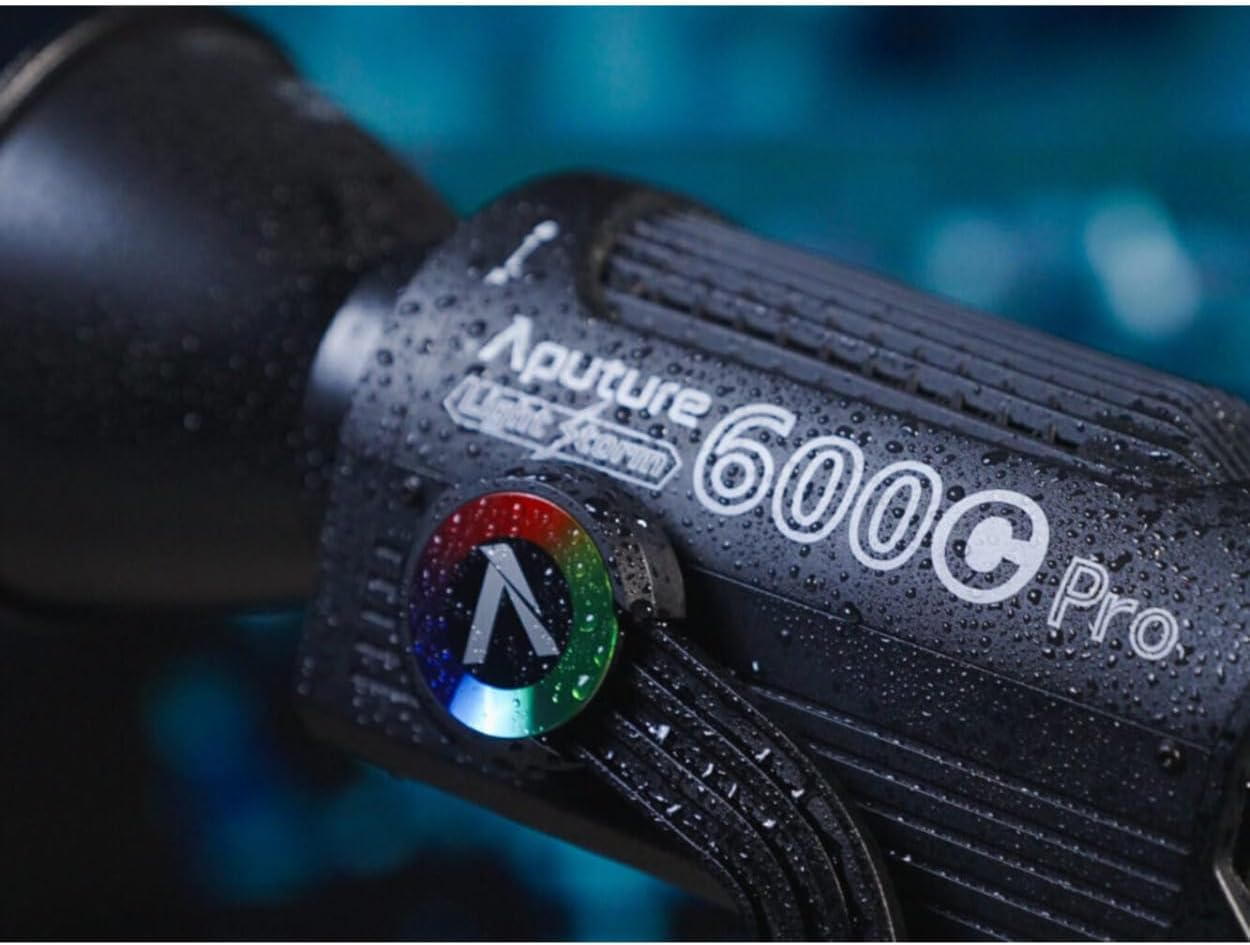
Figure 3: Close-up of the Aputure LS 600C PRO, demonstrating its weather-resistant construction with visible water droplets.
4. Operating Instructions
4.1 Basic Controls (Control Box)
- Power Button: Press to turn the unit on or off.
- Dimming Knob: Rotate to adjust the light intensity (brightness) from 0% to 100%.
- CCT/Hue Knob: In CCT mode, rotate to adjust color temperature (2,300K to 10,000K). In HSI mode, rotate to adjust hue.
- Menu Button: Access various settings and modes.
- Mode Button: Switch between CCT, HSI, RGB, Gel, and FX modes.
4.2 Advanced Color Control
The LS 600C PRO offers extensive color control options:
- CCT Mode: Adjust color temperature and green-magenta shift for precise white balance.
- HSI Mode: Control Hue, Saturation, and Intensity for full-color customization.
- RGB Mode: Directly adjust Red, Green, and Blue values.
- Gel Mode: Select from over 300 industry-standard gel presets.
- X,Y (CIE 1931): Input precise chromaticity coordinates for exact color matching.

Figure 4: The control panel of the Aputure LS 600C PRO, showing the GEL mode interface with various color gel presets.
4.3 Sidus Link App Control
For enhanced control and advanced features, download the Sidus Link mobile app from your device's app store.
- Ensure Bluetooth is enabled on your mobile device.
- Open the Sidus Link app and follow the on-screen instructions to connect to your LS 600C PRO.
- The app allows for remote control of all light functions, including CCT, HSI, RGB, Gel, FX, and firmware updates.
4.4 Flicker Reduction
To prevent flicker or banding in high-speed video recording, adjust the PWM dimming frequency:
- Navigate to the "System" or "Advanced Settings" menu on the control box or via the Sidus Link app.
- Locate the "PWM Frequency" setting.
- Adjust the frequency up to +2000Hz to match your camera's frame rate and shutter speed, eliminating visible flicker.
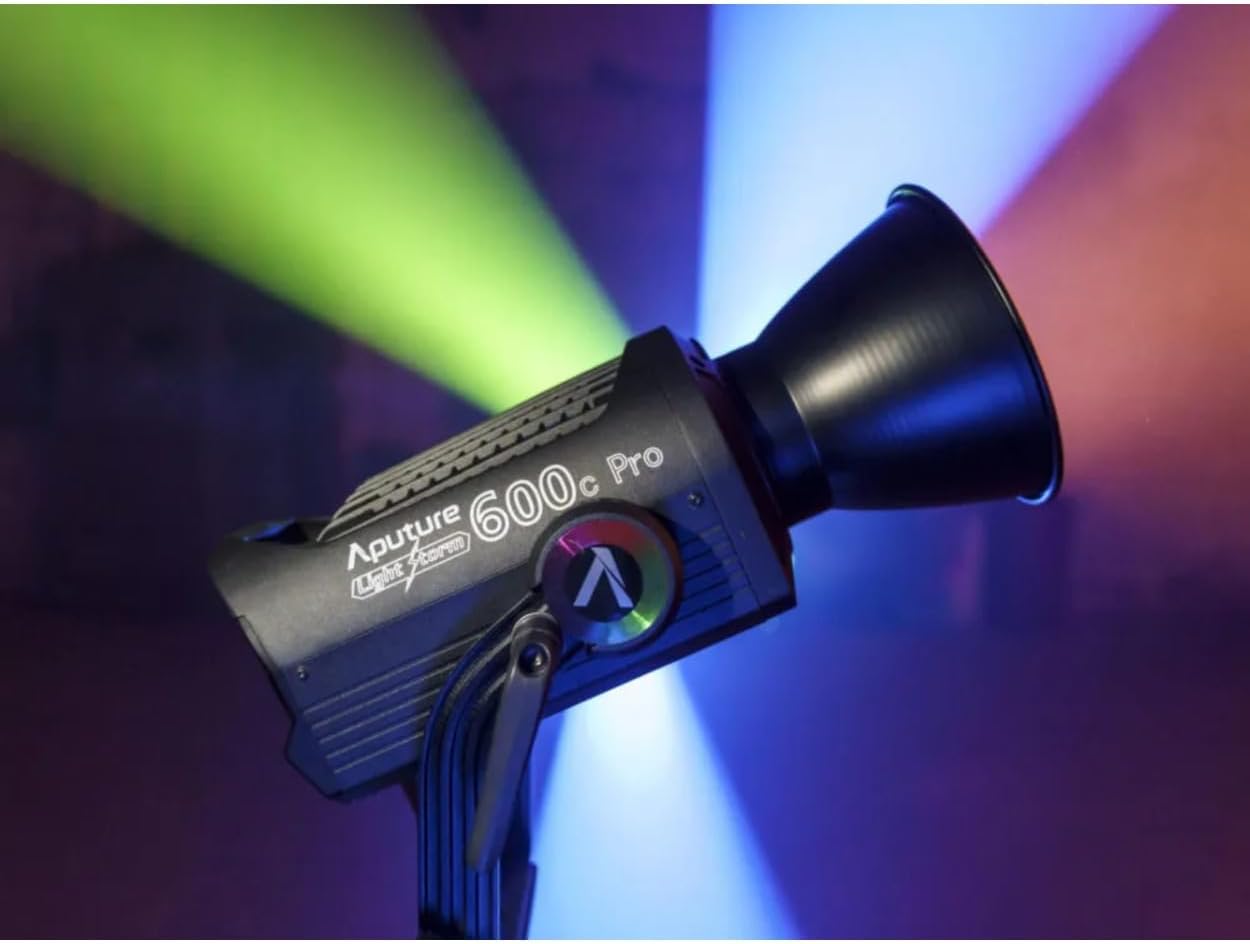
Figure 5: The Aputure LS 600C PRO in operation, demonstrating its capability to emit vibrant, full-color light beams.
5. Maintenance
5.1 Cleaning
- Ensure the light is powered off and unplugged before cleaning.
- Use a soft, dry cloth to wipe the exterior of the lamp head and control box.
- For stubborn dirt, a slightly damp cloth with mild soap can be used, followed by a dry cloth. Avoid abrasive cleaners or solvents.
- Keep the ventilation openings clear of dust and debris to ensure proper heat dissipation.
5.2 Storage
- Store the LS 600C PRO in a cool, dry place, away from direct sunlight and extreme temperatures.
- When not in use for extended periods, disconnect all cables and store the components in their original packaging or a protective case.
6. Troubleshooting
| Problem | Possible Cause | Solution |
|---|---|---|
| Light does not power on. | Power cable not connected, power outlet issue, control box fault. | Check all power connections. Try a different power outlet. Ensure the power switch on the control box is ON. |
| No light output. | Dimming set to 0%, head cable loose, lamp head fault. | Increase brightness. Check head cable connection. If problem persists, contact support. |
| Sidus Link app cannot connect. | Bluetooth off, app not updated, light not in pairing mode. | Ensure Bluetooth is enabled on your device. Update the app. Restart the light and app. Follow app pairing instructions. |
| Flicker or banding in video. | PWM dimming frequency mismatch with camera settings. | Adjust the PWM dimming frequency in the light's settings (refer to section 4.4). |
If you encounter issues not listed here or if solutions do not resolve the problem, please contact Aputure customer support.
7. Specifications
| Model | LS 600C PRO |
| Output Power | 600W |
| Color Temperature Range | 2,300K - 10,000K |
| Color Modes | RGBWW, CCT, HSI, X,Y, Gel Presets |
| Control Methods | On-board, Sidus Link App (Bluetooth), DMX512 |
| Product Dimensions | 9.1 x 9.1 x 9.1 inches (Light Head) |
| Item Weight | 5.44 pounds (Light Head) |
| Hardware Interface | Bluetooth |
| UPC | 196271257233 |
| Date First Available | October 9, 2023 |
8. Warranty and Support
8.1 Warranty Information
Aputure products typically come with a limited manufacturer's warranty covering defects in materials and workmanship. The specific duration and terms of the warranty may vary by region and product. Please refer to the warranty card included with your product or visit the official Aputure website for detailed warranty information.
Keep your proof of purchase (receipt or invoice) as it will be required for any warranty claims.
8.2 Customer Support
For technical assistance, troubleshooting, or warranty service, please contact Aputure customer support through their official website:
When contacting support, please have your product model (LS 600C PRO) and serial number ready to expedite the process.
Related documentsLS 600C PRO


Ask a question about this manual
Ask about setup, troubleshooting, compatibility, parts, safety, or missing instructions. Manuals+ will review the question and use this page’s manual context to help answer it.