
1. Introduction
This manual provides detailed instructions for the installation, operation, and maintenance of the RWRAPS TVPS1-63LW Energy Meter and Circuit Protector. This device is designed to monitor electrical parameters and provide protection against over-voltage, under-voltage, over-current, and electric leakage. It also features energy metering and a timer function, with remote monitoring capabilities via a mobile application.

Image 1.1: Front view of the RWRAPS TVPS1-63LW Energy Meter and Circuit Protector, showing the display and control buttons.
2. Safety Information
Please read all safety warnings and instructions carefully before installation and operation. Failure to follow these instructions may result in electric shock, fire, or serious injury.
- Installation must be performed by a qualified electrician in accordance with local electrical codes and regulations.
- Ensure the main power supply is disconnected before performing any installation, wiring, or maintenance.
- Do not operate the device if it appears damaged.
- This device is designed for indoor use only.
- The protector can cut off both Live (L) and Neutral (N) wires simultaneously for enhanced safety.
3. Product Features
The RWRAPS TVPS1-63LW offers a range of functionalities for comprehensive electrical system management:
- Adjustable Protection: Configurable settings for under-voltage (140V-210V), over-voltage (230V-300V), over-current (1-63A), and electric leakage (10-99mA).
- Energy Metering: Displays power consumption (0-99999.9 kWh) and allows for data storage even after power loss.
- Real-time Monitoring: Integrated voltage meter, ammeter, and timer functions.
- Calibration: Voltage/current/kW calibration range of -9.9% to 9.9%.
- Clear Display: Colorful LCD HD display with backlight for visibility in various lighting conditions.
- Remote Control: WiFi connectivity for monitoring and setting adjustments via a mobile application.
- Data Storage: Electric energy data is stored and memorized during power outages, resuming accumulation upon reconnection.
4. Setup and Installation
The device is designed for DIN rail mounting. Follow these steps for proper installation:
- Power Disconnection: Ensure the main power supply to the circuit is completely turned off before beginning installation.
- Mounting: Securely mount the RWRAPS TVPS1-63LW onto a standard DIN rail within your electrical panel.
- Wiring: Connect the incoming Live (L) and Neutral (N) wires to the 'IN' terminals at the top of the device. Connect the outgoing Live (L) and Neutral (N) wires to the 'OUT' terminals at the bottom of the device. Ensure all connections are tight and secure.
- Power Restoration: Once wiring is complete and verified, restore power to the circuit. The device display should illuminate.
5. Operating Instructions
5.1. Display and Indicators

Image 5.1: Detailed view of the device display, highlighting indicators and control buttons.
- V Indicator: Over/Under Voltage Alarm Indicator.
- A Indicator: Over-Current Alarm Indicator.
- L Indicator: Leakage Alarm Indicator.
- WiFi Indicator: Shows WiFi connection status.
- PULSE Indicator: Kilo-Watt Hour Meter Pulse Indicator.
5.2. Button Functions
- Power Button (⏻): Manual switch to turn the device ON/OFF.
- SET Button: Long press for 3 seconds to enter the setting interface.
- T Button (▲): Adjustment key for increasing values or navigating menus.
- WiFi Button (▼): Adjustment key for decreasing values or navigating menus. Long press for 5 seconds to pair with WiFi.
5.3. Display Modes
The device cycles through different display modes to show various electrical parameters:

Image 5.3: The device display cycling through KWH, KW, and Power Factor readings.
- KWH Display: Shows total accumulated energy consumption in kilowatt-hours.
- KW Display: Shows instantaneous power consumption in kilowatts.
- Power Factor Display: Shows the power factor (COSΦ).
5.4. Setting Protection Values
Protection values for under-voltage, over-voltage, over-current, and leakage can be set directly on the device or via the mobile application.
- Long press the SET button for 3 seconds to enter the setting menu.
- Use the T (▲) and WiFi (▼) buttons to navigate through the settings (e.g., Under Voltage Protection, Over Voltage Protection, Over Current Protection, Leakage Protection, Reconnect Time, Calibration).
- Press the SET button briefly to select a parameter.
- Use the T (▲) and WiFi (▼) buttons to adjust the value.
- Press the SET button again to confirm the value and move to the next setting or exit the menu.
5.5. Mobile Application Integration
The RWRAPS TVPS1-63LW can be connected to a mobile application for remote monitoring and control.

Image 5.5: The RWRAPS TVPS1-63LW device shown alongside a smartphone displaying its companion mobile application.

Image 5.6: Screenshot of the mobile application interface, illustrating options for setting protection values and viewing alarm records.
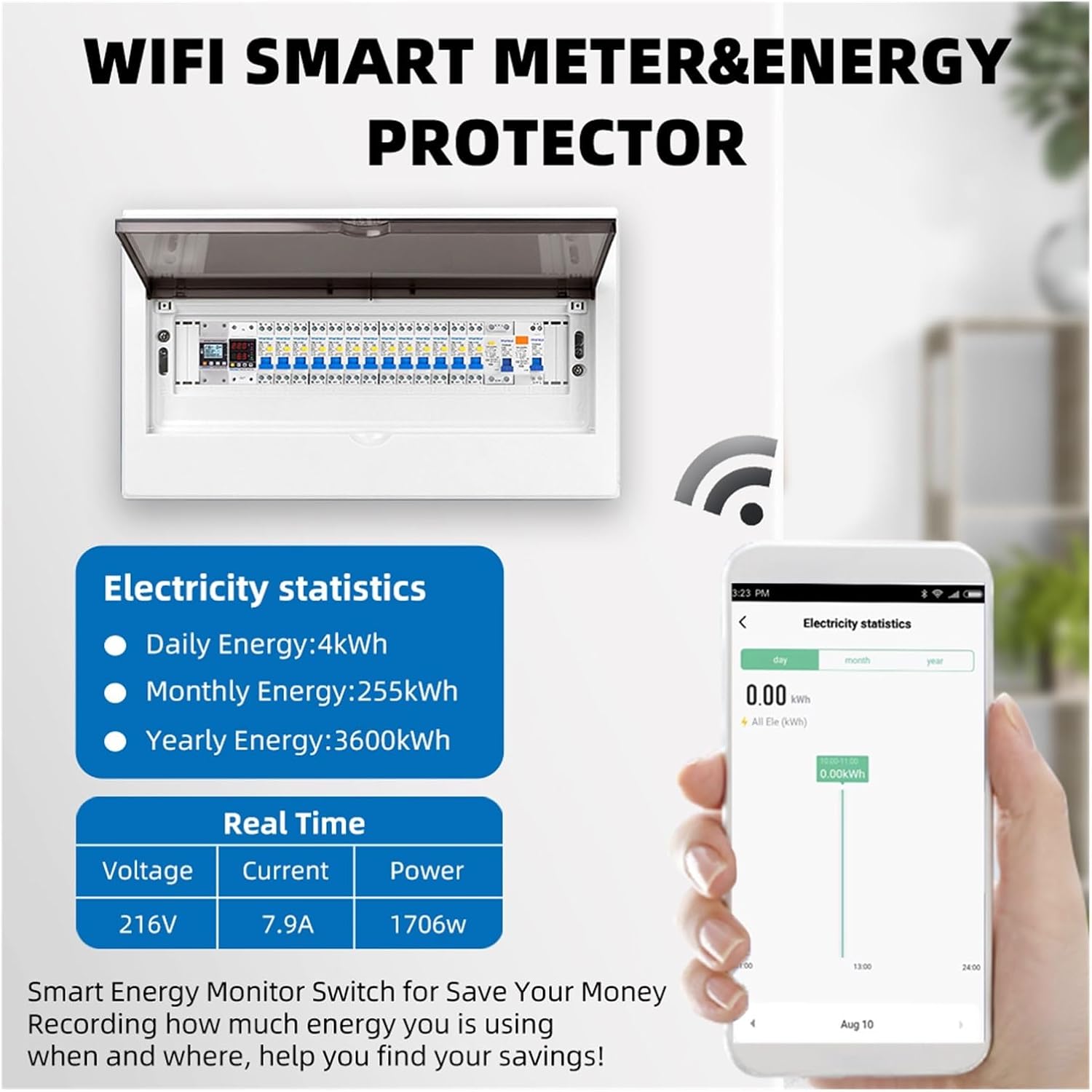
Image 5.7: The mobile application displaying detailed electricity statistics and real-time data for voltage, current, and power.
- Download App: Download the compatible mobile application (refer to product packaging or manufacturer's website for app name and download links).
- Pairing: Long press the WiFi (▼) button on the device for 5 seconds to enter pairing mode. Follow the in-app instructions to connect the device to your WiFi network.
- Remote Monitoring: Once connected, you can view real-time voltage, current, power, and energy consumption data from your smartphone.
- Remote Settings: Adjust protection parameters (under-voltage, over-voltage, over-current, leakage) and reconnect time directly from the app.
- Data Analysis: The app provides electricity statistics, including daily, monthly, and yearly energy usage, helping to monitor and manage consumption.
6. Specifications
| Parameter | Value |
|---|---|
| Model | TVPS1-63LW |
| Rated Voltage | 230V |
| Frequency | 50Hz/60Hz |
| Under Voltage Protection Range | 140V-210V (Default: 170V) |
| Over Voltage Protection Range | 230V-300V (Default: 270V) |
| Over Current Protection Range | 1-63A |
| Electric Leakage Protection | 10-99mA |
| Reconnect Time (Delay On) | 1s-500s (Default: 30s) |
| Power Display Range | 0-99999.9 kWh |
| Voltage/Current/kW Calibration | -9.9% to 9.9% |
| Material | ABS Flame Resistant |
| Item Weight | 200 Grams (approx. 7.1 ounces) |
7. Troubleshooting
If you encounter issues with your RWRAPS TVPS1-63LW, refer to the following common problems and solutions:
- Device not powering on: Check main power supply and ensure all wiring connections are secure.
- No WiFi connection: Ensure your WiFi network is 2.4GHz. Long press the WiFi button for 5 seconds to re-enter pairing mode and follow app instructions. Check router distance and signal strength.
- Frequent tripping: Review your set protection parameters (over-voltage, under-voltage, over-current, leakage). These may be set too sensitively for your electrical load. Adjust values as needed, or consult an electrician.
- Incorrect readings: Perform a voltage/current/kW calibration if you suspect inaccurate measurements.
- Display not visible: Check for power supply. The LCD has a backlight for visibility.
For persistent issues, contact customer support.
8. Maintenance
The RWRAPS TVPS1-63LW is designed for minimal maintenance. However, periodic checks are recommended:
- Cleaning: Gently wipe the device with a dry, soft cloth. Do not use abrasive cleaners or solvents.
- Connection Check: Periodically inspect wiring connections to ensure they remain tight and free from corrosion. Ensure power is off before checking connections.
- Firmware Updates: Check the mobile application or manufacturer's website for any available firmware updates to ensure optimal performance and security.
9. Warranty and Support
For warranty information, please refer to the documentation included with your purchase or visit the RWRAPS official website. For technical support, product inquiries, or assistance with troubleshooting, please contact RWRAPS customer service through the contact information provided on their website or your purchase platform.