
Joyroom OH1
Contents
Joyroom Wireless Headphone (Model: OH1) User Manual
Comprehensive guide for setup, operation, and maintenance.
Introduction
Thank you for choosing the Joyroom Wireless Headphones, Model OH1. These headphones are designed to provide a high-quality audio experience with deep bass and clear treble, offering both wireless Bluetooth 5.0 connectivity and a wired option. This manual will guide you through the setup, operation, maintenance, and troubleshooting of your new headphones to ensure optimal performance and longevity.

Image: Front view of the Joyroom Wireless Headphones, showcasing their sleek black over-ear design.
Key Features
- Premium Sound Quality: Experience immersive audio with rich deep bass and crisp clear treble.
- Dual Connectivity: Seamlessly switch between Bluetooth 5.0 wireless mode and a traditional wired connection.
- Long Battery Life: Extended playback time for prolonged listening sessions.
- Comfortable Design: Over-ear cushions and an adjustable headband ensure comfort during extended wear.
- Built-in Microphone: Enables clear hands-free calls.
- Foldable Design: Compact and portable for easy storage and transport.
Setup Guide
Package Contents
Before you begin, please ensure all items are present in the package:
- Joyroom Wireless Headphones (Model OH1)
- USB Charging Cable
- 3.5mm Audio Cable
- User Manual (this document)
Initial Charging
For first-time use, fully charge the headphones. Connect the USB charging cable to the charging port on the headphones and the other end to a USB power source (e.g., computer USB port, wall adapter). The charging indicator light will show the charging status and turn off or change color when fully charged. A full charge takes approximately 2.5 hours.
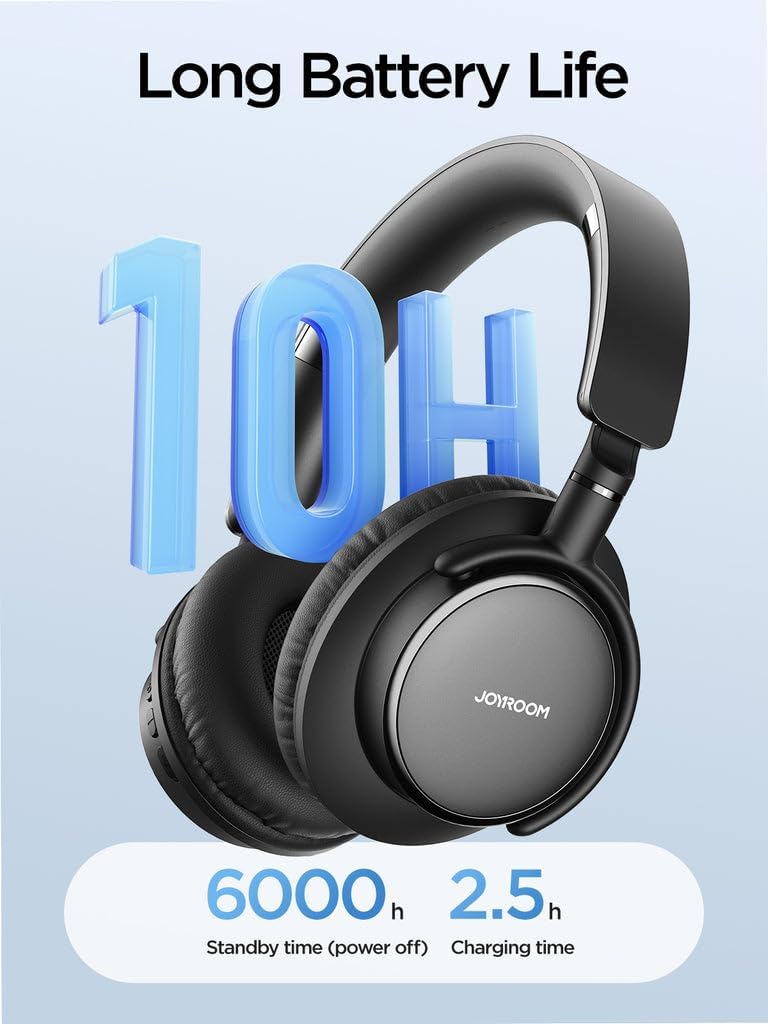
Image: Illustration highlighting the long battery life of the headphones, indicating 10 hours of playback and 2.5 hours for a full charge.
Wearing the Headphones
Adjust the headband to fit comfortably over your head. The earcups are designed to sit over your ears, providing a secure and comfortable fit. The headband is extendable, and the ear cushions are soft for prolonged use.

Image: A person wearing the headphones, demonstrating their comfortable fit. Insets show the extendable headband and the soft, comfortable ear cushions.
Operating Instructions
Power On/Off
- To Power On: Press and hold the Power button for 1 second.
- To Power Off: Press and hold the Power button for 1 second.
Bluetooth Pairing (Wireless Mode)
- Ensure the headphones are powered off.
- Press and hold the Power button for approximately 3-5 seconds until the indicator light flashes rapidly (usually blue/red), indicating pairing mode.
- On your device (smartphone, tablet, computer), enable Bluetooth and search for available devices.
- Select "Joyroom OH1" (or similar name) from the list of devices.
- Once paired, the indicator light will typically slow down its flashing or turn solid blue.

Image: Visual representation of the headphones supporting both wireless (Bluetooth) and wired modes, showing a phone connected wirelessly for a call.
Wired Mode
To use the headphones in wired mode, simply connect one end of the 3.5mm audio cable to the audio port on the headphones and the other end to your audio source. The headphones will automatically switch to wired mode, and the battery will not be consumed.
Controls Overview

Image: A close-up diagram illustrating the various control buttons and ports on the Joyroom headphones, along with their functions.
| Button/Port | Action | Function |
|---|---|---|
| Volume + / Prev | Click | Increase Volume |
| Press & hold for 1s | Previous Track | |
| On/Off | Press & hold for 1s | Power On/Off |
| Volume - / Next | Click | Decrease Volume |
| Press & hold for 1s | Next Track | |
| FM | Press & hold for 2s | Activate FM Radio (if supported by model) |
| Mic Indicator | Indicates microphone status | |
| Charging Port | For charging the headphones | |
| Audio Port | For wired audio connection |
Making and Receiving Calls
The built-in microphone allows for hands-free communication.
- Answer Call: Short press the Power button.
- End Call: Short press the Power button during a call.
- Reject Call: Press and hold the Power button for 2 seconds.
- Redial Last Number: Double-click the Power button.

Image: A person using the headphones, emphasizing the noise-cancelling microphone feature for clear calls in various environments.
Maintenance and Care
- Cleaning: Use a soft, dry cloth to clean the headphones. Do not use abrasive cleaners or solvents.
- Storage: When not in use, store the headphones in a cool, dry place, away from direct sunlight and extreme temperatures. The foldable design allows for compact storage.
- Water Exposure: These headphones are not waterproof. Avoid exposure to water, moisture, or rain.
- Battery Care: To prolong battery life, avoid fully discharging the battery frequently. Charge the headphones regularly, even if not in use for extended periods.
- Handling: Do not drop, disassemble, or attempt to repair the headphones yourself. This may void the warranty and cause damage.
Troubleshooting
| Problem | Possible Cause | Solution |
|---|---|---|
| Headphones do not power on. | Low battery. | Charge the headphones fully. |
| Cannot pair with device. | Headphones not in pairing mode; Bluetooth off on device; device too far. | Ensure headphones are in pairing mode (flashing indicator). Turn on Bluetooth on your device. Move device closer to headphones (within 10 meters). Clear previous Bluetooth connections on your device. |
| No sound or low volume. | Volume too low on headphones or device; incorrect audio source; headphones not connected. | Increase volume on both headphones and connected device. Ensure headphones are properly paired or the 3.5mm cable is fully inserted. Check if the correct audio output is selected on your device. |
| Sound distortion. | Interference; low battery; audio file quality. | Move away from sources of interference (Wi-Fi routers, other Bluetooth devices). Charge the headphones. Try a different audio file or source. |
| Microphone not working. | Microphone muted on device; headphones not selected as input device. | Check microphone settings on your device. Ensure headphones are selected as the audio input device. |
If the issue persists after trying these solutions, please contact customer support.
Product Specifications
| Feature | Detail |
|---|---|
| Brand | Joyroom |
| Model Number | OH1 |
| Connectivity | Bluetooth 5.0, Wired (3.5mm audio jack) |
| Ear Placement | Over Ear |
| Form Factor | Over Ear |
| Colour | Black |
| Impedance | 32 Ohm |
| Battery Life (Playback) | Approx. 10 hours (Wireless) |
| Charging Time | Approx. 2.5 hours |
| Standby Time (Power Off) | Approx. 6000 hours |
| Built-in Microphone | Yes |
| Foldable Design | Yes |
| Package Dimensions | 25 x 20 x 8.8 cm |
| Item Weight | 370 g |
| Country of Origin | China |
Warranty Information
Joyroom products are manufactured to the highest quality standards. This product comes with a standard manufacturer's warranty against defects in materials and workmanship from the date of purchase. Please refer to the warranty card included in your product packaging for specific terms and conditions, including warranty period and coverage details.
Please retain your proof of purchase for warranty claims. The warranty does not cover damage caused by misuse, accident, unauthorized modification, or normal wear and tear.
Extended warranty options may be available from third-party providers. For example, 1-Year Extended Warranty by Salama Care and 2-Year Extended Warranty by Salama Care are offered separately.
Customer Support
For further assistance, technical support, or warranty inquiries, please contact Joyroom customer service. You can typically find contact information on the official Joyroom website or through the retailer where you purchased the product.
Online Resources: Visit the official Joyroom store on Amazon for product information and updates: Joyroom Official Store
When contacting support, please have your product model number (OH1) and proof of purchase ready.
Documents and downloads
Ask a question about this manual
Ask about setup, troubleshooting, compatibility, parts, safety, or missing instructions. Manuals+ will review the question and use this page’s manual context to help answer it.