
1. Introduction
This manual provides essential information for the safe and efficient operation of your Panasonic TH-55MX750DX 4K Ultra HD Smart Google LED TV. Please read it thoroughly before using the television and retain it for future reference.
2. Safety Information
Observe the following safety precautions to prevent damage to the TV and personal injury:
- Power Source: Connect the TV only to an AC 220V, 50Hz power supply.
- Ventilation: Ensure adequate ventilation. Do not block ventilation openings.
- Water and Moisture: Do not expose the TV to rain or moisture. Do not place objects filled with liquids on the TV.
- Heat Sources: Keep the TV away from heat sources such as radiators, heat registers, stoves, or other apparatus that produce heat.
- Cleaning: Unplug the TV from the wall outlet before cleaning. Use a soft, dry cloth.
- Mounting: Follow instructions carefully when mounting the TV on a wall or stand.
- Children: Do not allow children to climb on the TV or stand.
3. What's in the Box
Carefully unpack the box and ensure all items are present:
- 1 x Panasonic TH-55MX750DX 4K Ultra HD Smart Google LED TV
- 1 x Remote Controller
- 1 x User Manual (this document)
- 2 x Table Top Stand components
- 1 x Warranty Card
- 1 x Wall Mount bracket set
- 2 x AAA Batteries (for remote control)
4. Setup
4.1 Attaching the Stand or Wall Mounting
Your TV can be placed on a table using the included stand or mounted on a wall. Choose the appropriate method for your installation.
- Table Top Stand: Attach the two table-top stand components to the designated slots at the bottom of the TV using the provided screws. Ensure they are securely fastened.
- Wall Mount: If wall mounting, use the included wall mount bracket set. Refer to the separate wall mount installation guide for detailed instructions. The VESA mount standard for this TV is 200 x 200 mm.

Image: Rear view of the television, illustrating the back panel and stand attachment points.
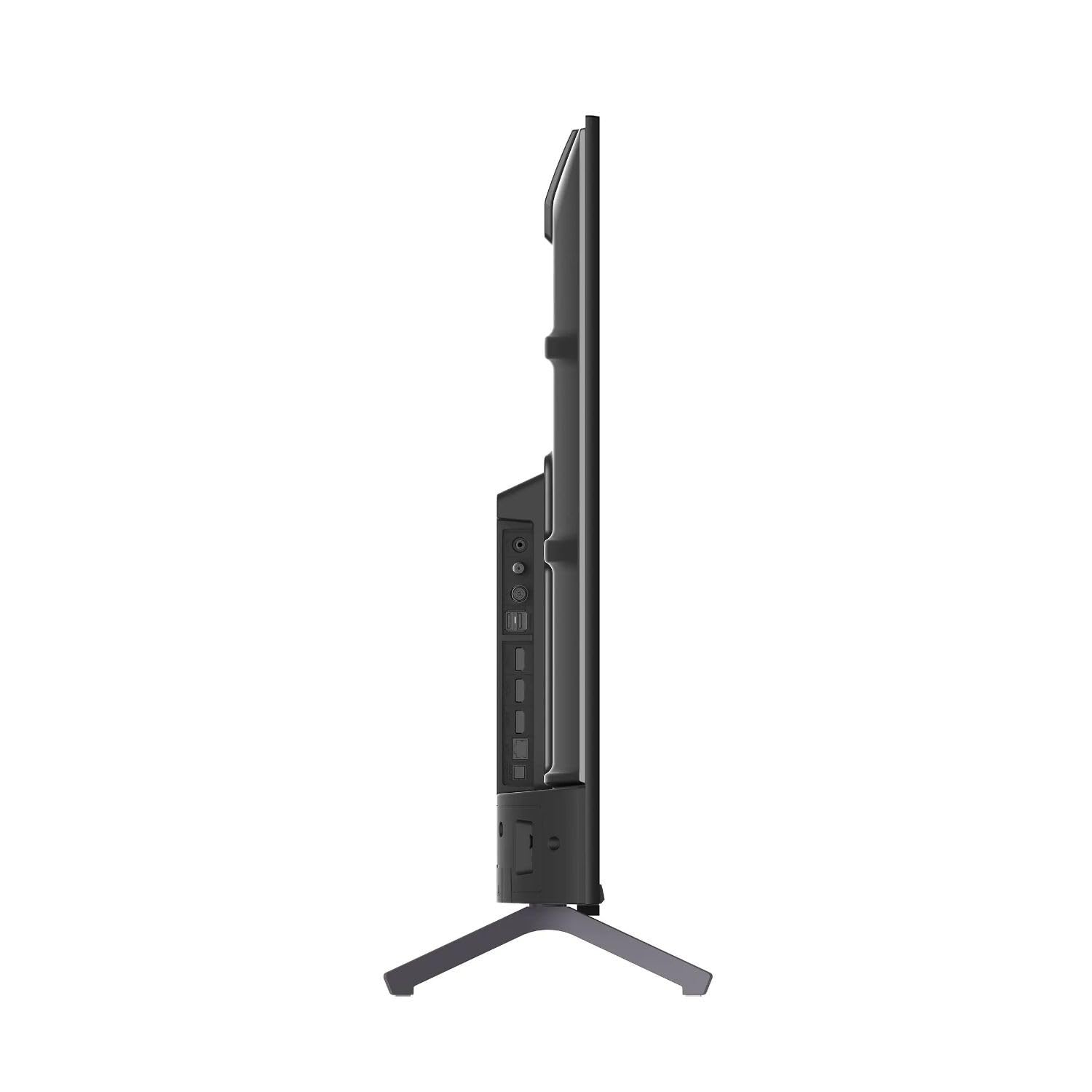
Image: Side profile of the television, highlighting its slim design and accessible side ports.
4.2 Connecting External Devices
Connect your external devices such as set-top boxes, gaming consoles, or USB drives to the TV's ports.
- HDMI Ports: The TV has 3 HDMI ports. Use HDMI cables to connect devices like Blu-ray players, gaming consoles, or cable/satellite boxes.
- USB Ports: The TV has 2 USB ports. Connect USB storage devices for media playback or software updates.
- Antenna/Cable: Connect your antenna or cable TV coaxial cable to the RF input if you are watching broadcast TV.
4.3 Power Connection
Once all devices are connected, plug the TV's power cord into a suitable AC 220V, 50Hz wall outlet.
4.4 Remote Control Setup
Insert the two AAA batteries into the remote control, ensuring correct polarity (+/-).

Image: The remote control, highlighting the voice control button for Google Assistant and dedicated hot keys for popular streaming services.
4.5 Initial Setup (Google TV)
Upon first power-on, the TV will guide you through the initial setup process:
- Language Selection: Choose your preferred language.
- Network Connection: Connect to your Wi-Fi network. You will need your Wi-Fi password.
- Google Account Sign-in: Sign in with your Google account to access Google TV features, apps, and personalized recommendations.
- Terms of Service: Accept the terms of service.
- Google Assistant Setup: Follow prompts to set up Google Assistant for voice control.
- Channel Scan: If using an antenna, the TV will scan for available channels.
5. Operating the TV
5.1 Basic Functions
- Power On/Off: Press the Power button on the remote control.
- Volume Control: Use the Volume +/- buttons.
- Channel Selection: Use the Channel +/- buttons or number pad.
- Input Source: Press the Input button to select HDMI, AV, or TV sources.
- Home Screen: Press the Home button to return to the Google TV home screen.
5.2 Navigating Google TV
The Google TV interface organizes your content from various streaming services and apps. Use the directional pad and OK button on your remote to navigate.

Image: The Google TV home screen, displaying popular streaming applications like YouTube, Netflix, Prime Video, and personalized content recommendations.
- For You Tab: Provides personalized recommendations based on your viewing history.
- Live Tab: Access live TV channels (if configured).
- Apps Tab: Browse and launch installed applications.
- Library Tab: Access your purchased movies and shows.
5.3 Voice Control with Google Assistant
Press the Google Assistant button on your remote and speak into the microphone to control your TV, search for content, get answers, and more.
- "Find action movies"
- "Open Netflix"
- "What's the weather like?"
- "Turn off the TV"
5.4 Using Built-in Apps
Your TV comes with pre-installed apps like Netflix, YouTube, and Prime Video. You can also download more apps from the Google Play Store.
- Use the dedicated hot keys on your remote for quick access to Netflix, Prime Video, and YouTube.
- Navigate to the "Apps" tab on the Google TV home screen to see all installed applications.
5.5 Screen Mirroring (Chromecast built-in)
Cast content from your compatible smartphone, tablet, or computer directly to your TV using Chromecast built-in. Ensure your device and TV are on the same Wi-Fi network.
- Open a Chromecast-enabled app (e.g., YouTube, Netflix) on your mobile device.
- Tap the Cast icon 🖨 and select your Panasonic TV from the list.
6. Maintenance
6.1 Cleaning the TV
- Screen: Gently wipe the screen with a soft, lint-free cloth. For stubborn marks, slightly dampen the cloth with water or a screen-cleaning solution (do not spray directly on the screen).
- Cabinet: Wipe the TV cabinet with a soft, dry cloth. Do not use abrasive cleaners, waxes, or solvents.
- Always unplug the TV before cleaning.
6.2 Software Updates
Your TV may receive software updates to improve performance and add new features. Ensure your TV is connected to the internet for automatic updates. You can also check for updates manually via the Settings menu.
7. Troubleshooting
If you encounter issues with your TV, refer to the following common solutions:
| Problem | Possible Solution |
|---|---|
| No power |
|
| No picture, but sound is present |
|
| No sound, but picture is present |
|
| Remote control not working |
|
| Wi-Fi connection issues |
|
8. Specifications
Detailed technical specifications for the Panasonic TH-55MX750DX TV:
| Feature | Detail |
|---|---|
| Model Name | TH-55MX750DX |
| Screen Size | 55 Inches (139 cm) |
| Display Technology | LED |
| Resolution | 4K Ultra HD (3840 x 2160) |
| Refresh Rate | 60 Hz |
| Operating System | Google TV |
| HDR Support | HDR10, HLG, Dolby Vision |
| Connectivity | Wi-Fi, 3 x HDMI, 2 x USB |
| Audio Output Mode | Stereo (2.0 channel) |
| Voice Assistant | Google Assistant built-in |
| Screen Mirroring | Google Cast (Chromecast) |
| Product Dimensions (D x W x H) | 122.7D x 26.1W x 77.8H Centimeters (with stand) |
| Item Weight | 17.6 Kilograms |
| VESA Mount Standard | 200 x 200 mm |
| Power Consumption | 0.5 Watts (Standby) |
| Line Voltage | 220 VAC 50 Hz |
| Included Components | TV Unit, Remote, User Manual, Table Top Stand, Warranty Card, Wall Mount |
9. Warranty and Support
Your Panasonic TH-55MX750DX TV comes with a comprehensive warranty and dedicated customer support.
- Warranty Period: 1 Year Comprehensive Warranty provided by Panasonic from the date of purchase.
- Contact Support: For assistance, contact Panasonic's toll-free number: 1800-108-1333.
- When contacting support, please provide your product's model name (TH-55MX750DX) and the seller's details mentioned on your invoice. The service center will arrange a convenient slot for service.


