1. Introduction
The PLASMARGON MIG200 is a versatile 3-in-1 welding machine designed for various welding tasks. It supports Flux-Cored MIG welding (gasless), ARC/MMA (Stick) welding, and Lift TIG welding. This machine operates on dual voltage (110V/220V) and provides up to 200A output, making it suitable for home DIY projects, auto repair, and light industrial applications.
This manual provides essential information for the safe and efficient operation, setup, and maintenance of your MIG200 welder.
2. Safety Information
WARNING: Welding can be dangerous. Always follow safety precautions to prevent serious injury or death.
- Electric Shock: Welding current can cause fatal electric shock. Ensure the machine is properly grounded. Do not touch live electrical parts. Wear dry welding gloves.
- Fumes and Gases: Welding fumes and gases can be hazardous to your health. Work in a well-ventilated area. Use a fume extractor if necessary.
- Arc Rays: Arc rays can burn eyes and skin. Wear a welding helmet with appropriate shade filter and protective clothing.
- Fire and Explosion: Welding sparks and hot metal can cause fires. Keep flammable materials away from the welding area. Have a fire extinguisher readily available.
- Burns: Hot metal and sparks can cause severe burns. Wear protective clothing, including welding gloves, long sleeves, and closed-toe shoes.
- Noise: Excessive noise can damage hearing. Wear ear protection.
Always read and understand all safety warnings and instructions before operating the welder.
3. Package Contents
Upon unpacking, verify that all components listed below are present and undamaged. If any items are missing or damaged, contact your supplier immediately.
- MIG200 Welding Machine
- MB-14AK MIG Welder Gun
- Ground Clamp
- Electrode Holder (for ARC/MMA welding)
- E71T-GS 0.030-inch (0.8mm) 1-pound Flux-Cored Wire
- Welding Cap
- Tapping Hammer
- Consumables and accessories (e.g., contact tips, nozzles)
Note: A Lift TIG welding torch is not included and must be purchased separately for TIG welding operations.

Image 3.1: The MIG200 welding machine shown with its standard included accessories, such as the MIG torch, ground clamp, electrode holder, flux-cored wire spool, welding cap, and tapping hammer.
4. Product Features
- 3-in-1 Multi-functional Welding: Supports Flux-Cored MIG (gasless), ARC/MMA (Stick), and Lift TIG welding modes.
- Dual Voltage Capability: Operates on both 110V and 220V power supplies, offering flexibility for various work environments.
- Efficient Welding Output: Provides up to 135 amps for MIG and 200 amps for ARC/MMA, capable of welding stainless steel, iron sheets, and low-carbon steel up to 1/2 inch thick. Compatible with 1-pound 0.8mm welding wire.
- LED Digital Display: Features an upgraded digital display for real-time current monitoring and visual feedback, enhancing precision and ease of use.
- Portable and Lightweight Design: Weighs approximately 13.6 pounds (6.12 kg) with a compact size (28 x 16 x 17 cm), equipped with ergonomic handles for easy transport.
- Adjustable Arc Force and Hot Start: For manual arc welding, these functions allow for improved arc ignition and stability.
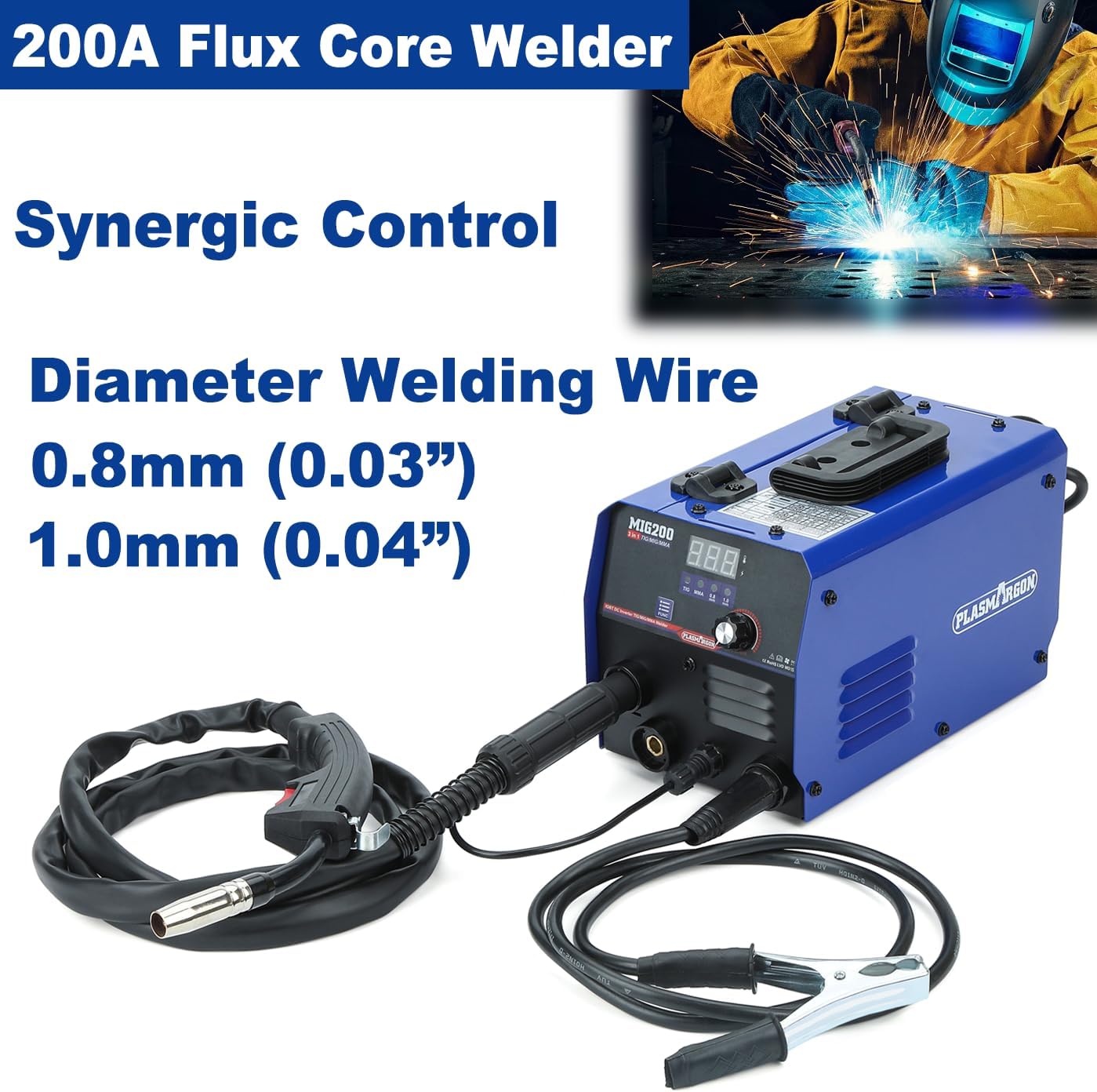
Image 4.1: Front panel of the MIG200 welder, highlighting the digital current display, function indicator, function setting button, current adjustment knob, ventilation window, MIG torch interface, MIG switch control, electrode holder connection, and earth clamp connection.

Image 4.2: The MIG200 welder from a side view, illustrating its compact dimensions (11 inches length, 6.3 inches width, 6.7 inches height) and integrated handle for portability.
5. Setup
5.1 Power Connection
- Ensure the welder is switched OFF before connecting to power.
- Connect the power cord to a suitable 110V or 220V AC power outlet. The machine automatically detects the input voltage.
- Ensure the power outlet is properly grounded and capable of supplying the required current (e.g., 20A for 220V, 30A for 110V).
5.2 Ground Clamp Connection
- Connect the ground clamp cable to the negative (-) terminal on the front panel of the welder.
- Securely attach the ground clamp to the workpiece or a sturdy metal workbench that is in direct electrical contact with the workpiece. Ensure a clean, bare metal contact point for optimal conductivity.
5.3 MIG Welding Setup (Flux-Cored, Gasless)
- Install Wire Spool: Open the side panel of the welder. Place the 1-pound flux-cored wire spool onto the spool holder. Ensure the wire unwinds smoothly.
- Feed Wire: Guide the wire through the wire feed mechanism. Ensure the wire is seated correctly in the drive roller groove (typically 0.8mm/0.030 inch). Adjust the tension roller to apply light pressure to the wire.

Image 5.1: The internal compartment of the MIG200 welder showing the easy installation process for the flux-cored wire spool and guiding the wire into the feeding mechanism.
- Connect MIG Torch: Connect the MIG torch cable to the designated MIG torch interface on the front panel.
- Purge Wire: With the machine powered on and in MIG mode, hold the MIG torch away from yourself and the workpiece. Press the trigger to feed the wire through the torch liner until it emerges from the contact tip. Trim any excess wire.
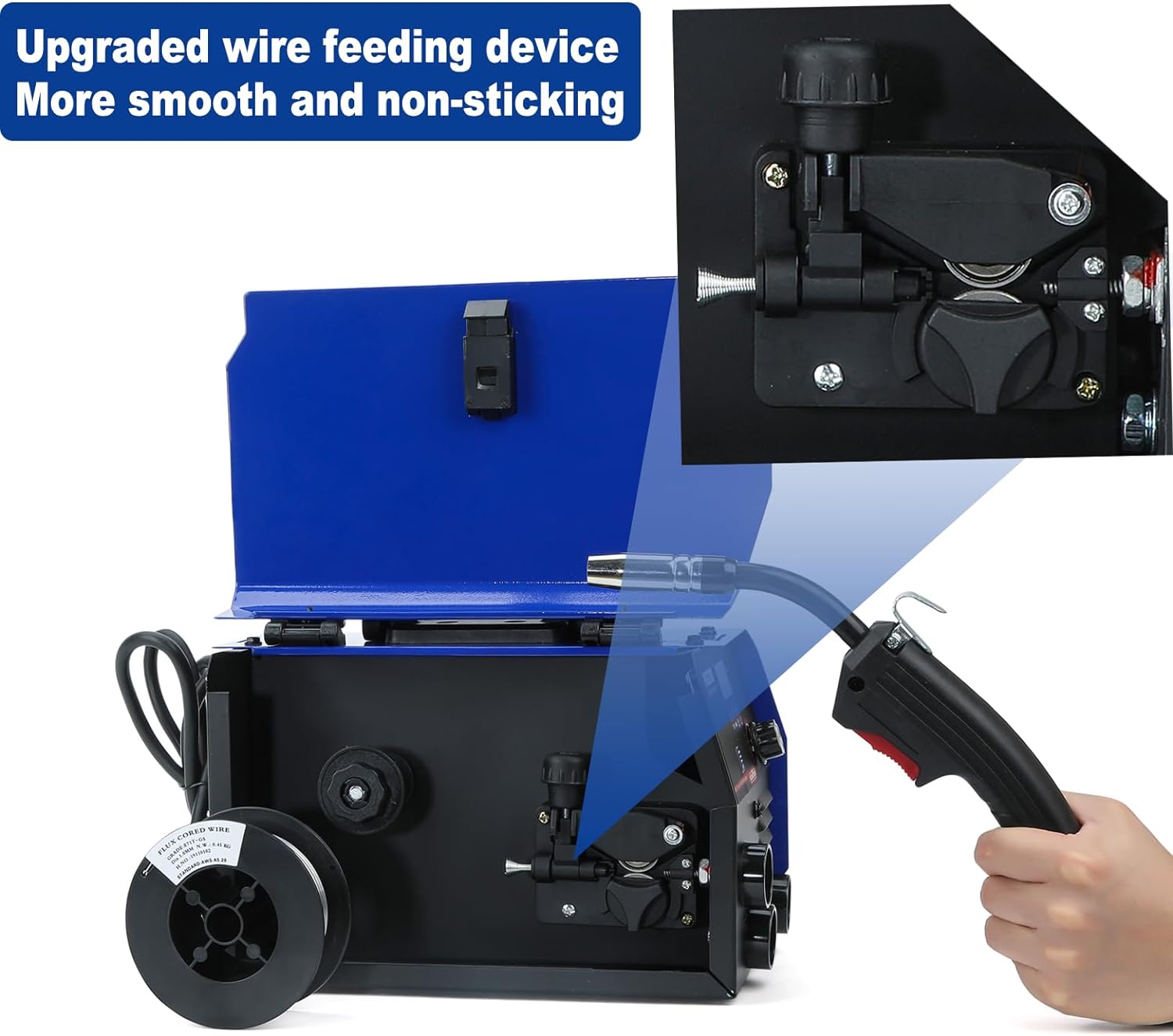
Image 5.2: A close-up view of the upgraded wire feeding device inside the MIG200 welder, designed for smooth and non-sticking wire delivery.
5.4 ARC/MMA (Stick) Welding Setup
- Connect the electrode holder cable to the positive (+) terminal on the front panel.
- Insert the desired welding electrode into the electrode holder.
5.5 Lift TIG Welding Setup
- Connect a compatible Lift TIG torch (not included) to the appropriate terminal (usually negative, consult torch manual).
- Ensure a suitable tungsten electrode is installed in the TIG torch.
- Connect a shielding gas cylinder (e.g., Argon) to the TIG torch if using gas-shielded TIG. For Lift TIG, gas flow is typically controlled manually or by the torch.
6. Operating Instructions
6.1 General Operation
- Turn on the welder using the power switch located on the rear panel.
- Use the
Related Documents - MIG200

ARCCAPTAIN MIG200 Inverter Welding Machine User Manual
Comprehensive user manual for the ARCCAPTAIN MIG200 Inverter Welding Machine, covering safety precautions, product overview, functions, performance and system characteristics, technical parameters, operation, installation, maintenance, troubleshooting, transportation, storage, wiring diagrams, and component lists.
Clarke MIG200 S-MULTI Inverter Welder: Operation & Maintenance Manual
Comprehensive operation and maintenance instructions for the Clarke MIG200 S-MULTI synergic inverter welder. Covers setup, safety, operation for MIG, MMA, TIG welding, troubleshooting, and maintenance.
ARCCAPTAIN MIG200 Fit Inverter Welding Machine User Manual
Comprehensive user manual for the ARCCAPTAIN MIG200 Fit Inverter Welding Machine. Covers safety, product introduction, operation for MIG, Spool gun, Flux-Cored, MMA, and TIG welding, technical parameters, maintenance, and troubleshooting.
MIG200 Welding Machine User Manual - Operation and Safety Guide
Comprehensive user manual for the MIG200 welding machine, detailing its features, safety precautions, technical specifications, installation, operation, and maintenance for MIG, MMA, and Lift TIG welding.
HZXVOGEN MIG185II Operation Instruction Manual - Welding Machine Guide
Comprehensive operation instruction manual for the HZXVOGEN MIG185II welding machine. Learn about features, applications, parameters, troubleshooting, and safety for this IGBT inverter welder.
JASIC MIG200 PFC Aparat za zavarivanje - Karakteristike i tehničke specifikacije
Detaljan pregled JASIC MIG200 PFC aparata za zavarivanje, uključujući ključne funkcionalnosti, tehničke specifikacije i standardnu opremu. Saznajte o industrijskom dizajnu, pametnoj kontroli i svestranim mogućnostima zavarivanja.