
Introduction
This manual provides essential information for the proper setup, operation, and maintenance of your Garmin ECHOMAP Ultra 106sv GN+ with Transducer. Please read these instructions thoroughly before using the device to ensure optimal performance and safety.
Setup
Unboxing and Initial Inspection
Carefully unpack all components and verify that all items listed below are present and undamaged. If any items are missing or damaged, contact Garmin customer support.
- ECHOMAP Ultra 106sv with Garmin Navionics+
- GT56UHD-TM transducer
- Power/data cable
- Tilt mount with quick release cradle
- Flush mount
- Protective cover
- Hardware
- Documentation
- 8-pin transducer to 12-pin sounder adapter cable

Mounting Options
The ECHOMAP Ultra 106sv offers versatile mounting solutions to suit your vessel's dashboard or console. You can choose between a tilt mount with a quick-release cradle for adjustable viewing angles or a flush mount for a sleek, integrated look.


Operating Instructions
Powering On/Off
To power on the device, press and hold the power button located on the unit's side until the screen illuminates. To power off, press and hold the power button again until the power options menu appears, then select 'Power Off' or 'Sleep'.
Navigating the Interface
The ECHOMAP Ultra 106sv features a responsive touchscreen display for intuitive navigation. You can tap, swipe, and pinch-to-zoom on the screen. Additionally, physical buttons on the side provide quick access to common functions and menu navigation.
Chartplotter Functions
Utilize the preloaded Garmin Navionics+ charts for detailed navigation. The device supports various chart views, including:
- Navigational Charts: Standard marine charts for safe passage.
- Fishing Charts: Detailed contour lines and depth information to identify prime fishing spots.
- 3D Charts: A three-dimensional perspective of the underwater terrain.

Sonar Functions
The included GT56UHD-TM transducer provides advanced sonar capabilities:
- Traditional Sonar: Classic sonar view for general depth and fish arches.
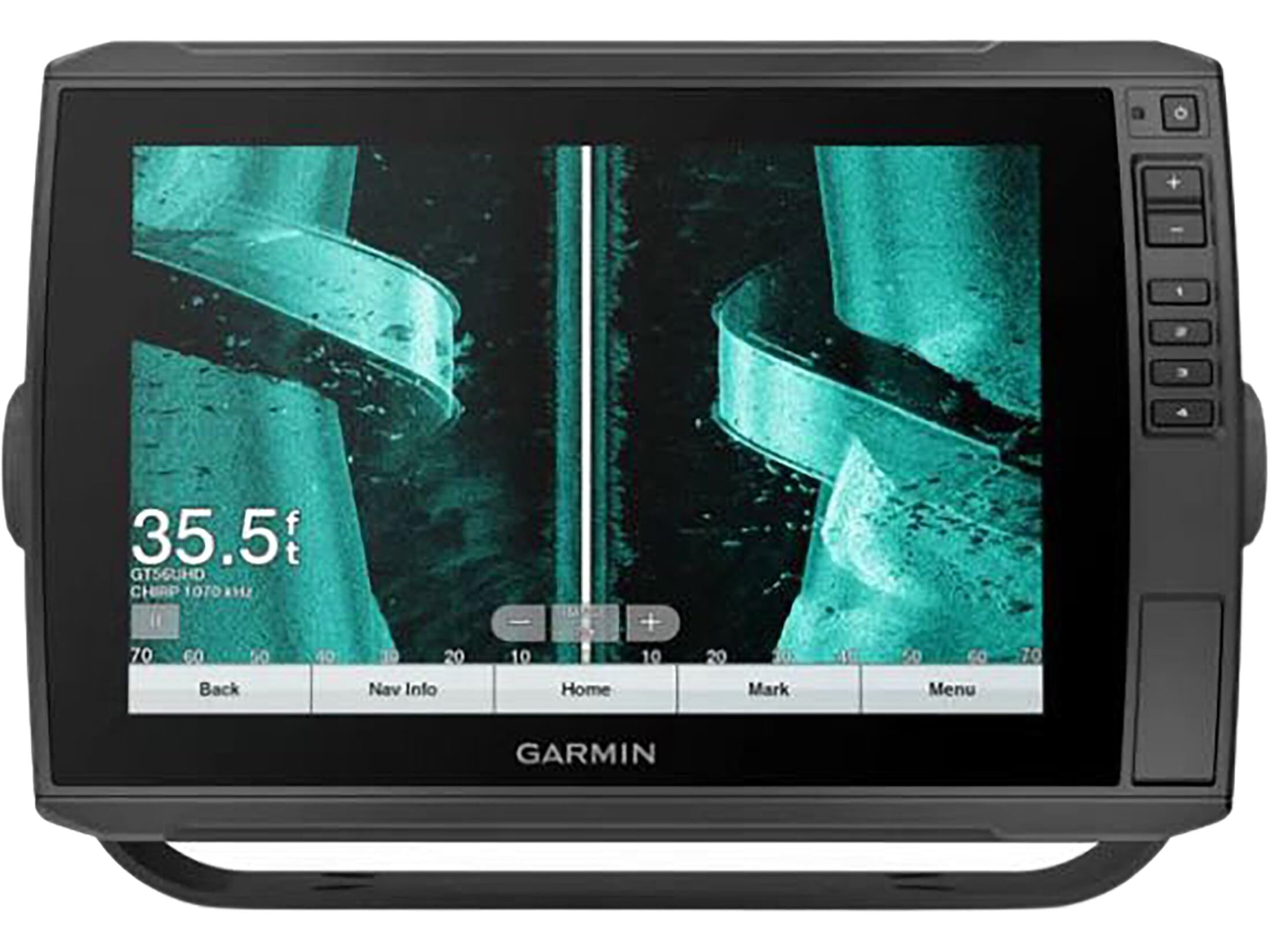
- ClearVü Sonar: Provides a clear, photographic image of what is below your boat.
- SideVü Sonar: Scans the sides of your boat for a wide view of underwater structures and fish.

Waypoints and Routes
Mark specific locations as waypoints by tapping the 'Mark' button on the screen or using the dedicated physical button. You can create and manage routes to navigate between multiple waypoints.
Maintenance
Cleaning the Display
To clean the display, use a clean, soft, lint-free cloth. If necessary, use a small amount of water or a mild glass cleaner. Avoid harsh chemicals or abrasive materials that could damage the screen.
Software Updates
Keep your ECHOMAP Ultra 106sv up-to-date by regularly checking for software updates. Updates can be performed via the ActiveCaptain app on your smartphone or tablet, which allows you to download and transfer updates to your chartplotter.
Troubleshooting
Common Issues
- No Power: Ensure the power/data cable is securely connected to both the device and the power source. Check the vessel's fuse.
- No Sonar Data: Verify the transducer is properly connected and submerged. Check sonar settings for correct frequency and range.
- GPS Signal Loss: Ensure the device has a clear view of the sky. Move away from tall structures or other electronics that may cause interference.
Contact Support
For further assistance or issues not covered in this manual, please visit the official Garmin support website or contact their customer service directly.
Specifications
| Feature | Specification |
|---|---|
| Brand | Garmin |
| Model Name | ECHOMAP Ultra 2 10 |
| Screen Size | 10 Inches |
| Display Type | LED |
| Item Weight | 4 Pounds |
| Mounting Type | Tilt Mount, Flush Mount |
| UPC | 753759285142 |
| Item Model Number | 010-02527-51 |
Warranty and Support
Your Garmin ECHOMAP Ultra 106sv GN+ with Transducer is covered by Garmin's standard limited warranty. For detailed warranty terms, product registration, and access to comprehensive support resources, please visit the official Garmin website: www.garmin.com/support.
For immediate assistance, you may also refer to the documentation included in your product packaging or contact Garmin customer service.