
1. Introduction
Thank you for choosing the BLACK+DECKER X1750 Steam Iron. This manual provides essential information for the safe and efficient operation, maintenance, and troubleshooting of your new appliance. Please read it thoroughly before first use and keep it for future reference.
Important Safety Instructions
- Always ensure the iron is unplugged before filling with water, cleaning, or when not in use.
- Do not leave the iron unattended while it is switched on or connected to the power supply.
- Keep the iron and its cord out of reach of children and pets.
- Use the iron only for its intended purpose, as described in this manual.
- Never immerse the iron, cord, or plug in water or other liquids.
- Do not operate the iron with a damaged cord or plug, or if it has been dropped or damaged.
2. Product Overview
The BLACK+DECKER X1750 Steam Iron is designed for efficient and convenient garment care. It features a ceramic soleplate for smooth gliding and various functions to simplify your ironing tasks.
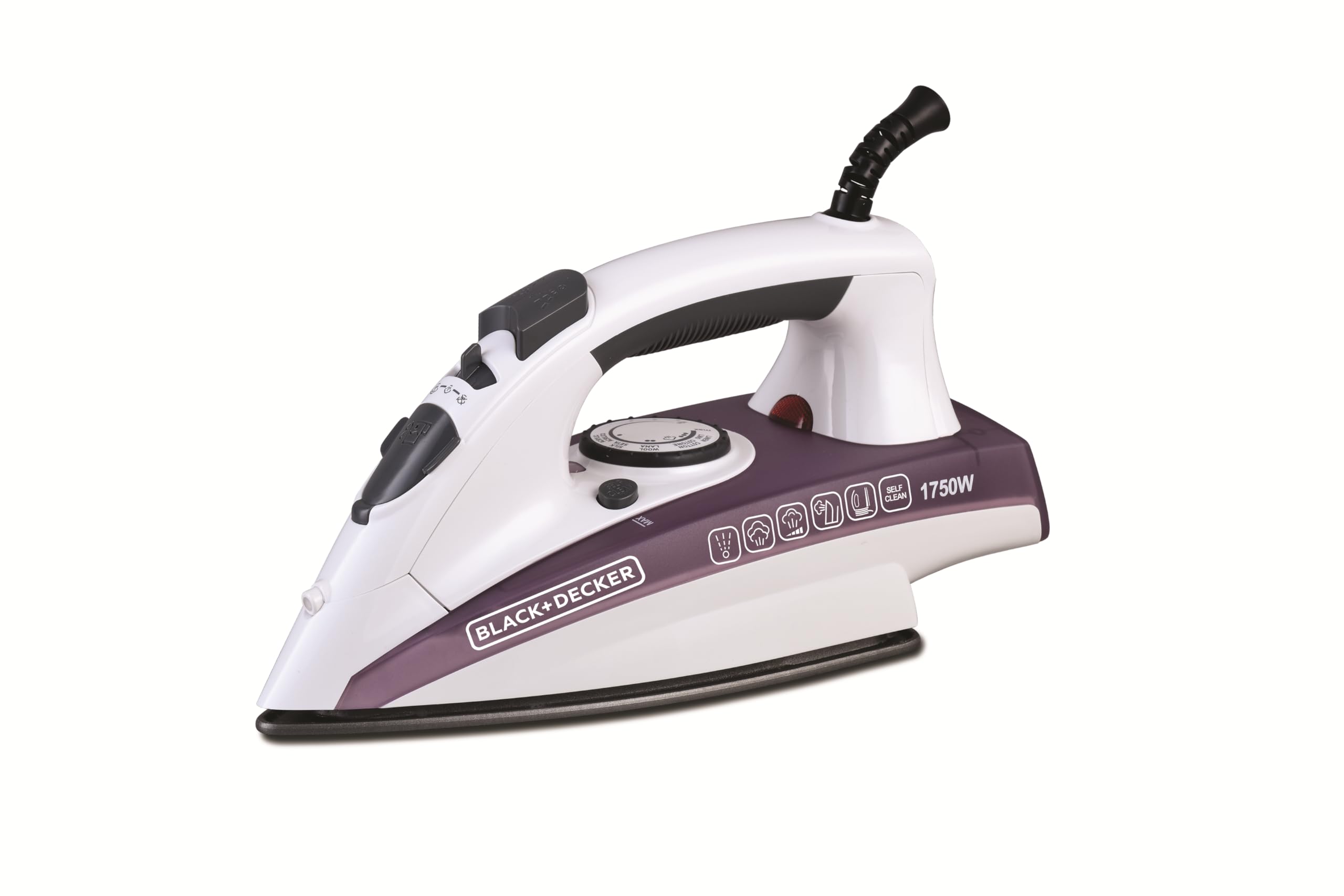
Figure 2.1: Side view of the BLACK+DECKER X1750 Steam Iron, showcasing its white and purple design and control panel.
Key Features:
- Ceramic Soleplate: Provides a non-stick surface for smooth gliding and even heat distribution.
- 1750W Power: Ensures rapid heating and powerful steam output.
- Temperature Control & LED Display: Allows precise temperature selection for different fabric types and easy monitoring.
- Anti-Drip System: Prevents water leakage at low temperatures.
- Self-Clean Function: Helps remove mineral deposits from the steam chamber.
- Automatic Shut-off: Enhances safety by turning off the iron when left unattended.
- Lightweight Design: Weighing 1.5 kg for comfortable handling.

Figure 2.2: Top view of the iron, highlighting the temperature dial, steam buttons, and LED display.

Figure 2.3: Close-up of the ceramic soleplate with steam vents, designed for efficient wrinkle removal.
3. Setup
Unpacking
- Carefully remove the iron from its packaging.
- Remove any protective films or stickers from the soleplate or body of the iron.
- Check that all components are present: the steam iron and this instruction manual.
Before First Use
- It is recommended to iron an old piece of fabric (e.g., a cotton cloth) for a few minutes to remove any manufacturing residues from the soleplate.
- Fill the water tank as described in the 'Operating Instructions' section.
4. Operating Instructions
Filling the Water Tank
- Ensure the iron is unplugged from the power outlet.
- Set the steam control to the 'Dry Ironing' position (no steam).
- Open the water filler cap.
- Using a measuring cup, carefully pour tap water into the water tank up to the 'MAX' fill line. Do not overfill.
- Close the water filler cap securely.
Temperature Setting
- Plug the iron into a suitable power outlet (220V, 60Hz).
- Turn the temperature control dial to the desired setting based on the fabric type. Refer to the fabric care labels on your garments.
- The LED indicator will illuminate, indicating that the iron is heating. It will turn off when the selected temperature is reached.
Steam Ironing
- Ensure the water tank is filled.
- Set the temperature dial to a steam-suitable setting (usually between '••' and '•••' or 'MAX'). Steam will only be produced at higher temperatures.
- Once the LED indicator turns off, indicating the iron is hot enough, adjust the steam control to the desired steam level.
- For an extra burst of steam to remove stubborn creases, press the 'Steam Shot' button.

Figure 4.1: The iron delivering a powerful steam shot to tackle tough wrinkles.

Figure 4.2: The iron generating continuous steam for effective ironing.
Dry Ironing
- Set the steam control to the 'Dry Ironing' position (no steam).
- Select the appropriate temperature for your fabric.
- Wait for the LED indicator to turn off before beginning to iron.
Vertical Steaming
- Hold the iron vertically, close to the garment (do not touch the fabric).
- Press the 'Steam Shot' button repeatedly to release bursts of steam, helping to remove wrinkles from hanging clothes or curtains.

Figure 4.3: Demonstrating vertical steaming on a hanging curtain, effectively removing creases.
Automatic Shut-off
For safety, the iron will automatically shut off if left motionless for a certain period:
- Approximately 30 seconds if left horizontally on its soleplate.
- Approximately 8 minutes if left vertically on its heel rest.
To reactivate the iron, simply move it. It will quickly reheat to the selected temperature.
5. Maintenance and Cleaning
Regular maintenance ensures optimal performance and extends the life of your iron.
Self-Clean Function
The self-clean function helps remove mineral deposits and impurities from the steam chamber and vents.
- Fill the water tank to the 'MAX' line.
- Set the steam control to 'Dry Ironing' and the temperature dial to 'MAX'.
- Plug in the iron and wait for the LED indicator to turn off.
- Unplug the iron.
- Hold the iron horizontally over a sink.
- Press and hold the 'Self-Clean' button. Hot water and steam will be expelled from the soleplate, carrying impurities.
- Gently rock the iron back and forth until the water tank is empty.
- Release the 'Self-Clean' button and place the iron on its heel rest to cool down.
Cleaning the Soleplate
- Allow the iron to cool completely.
- Wipe the soleplate with a damp cloth and a non-abrasive cleaner, if necessary.
- Do not use metallic scouring pads or harsh abrasives, as these can damage the ceramic coating.
Draining and Storage
- After each use, unplug the iron and allow it to cool.
- Empty any remaining water from the tank to prevent mineral buildup.
- Store the iron vertically on its heel rest in a safe, dry place.
6. Troubleshooting
If you encounter issues with your iron, refer to the following table for common problems and solutions.
| Problem | Possible Cause | Solution |
|---|---|---|
| Iron does not heat up. | Not plugged in; power outlet fault; automatic shut-off activated. | Check power connection; try another outlet; move the iron to reactivate. |
| No steam or insufficient steam. | Water tank empty; temperature too low; steam control set to 'Dry Ironing'; mineral buildup. | Fill water tank; set temperature to steam-suitable level; adjust steam control; perform self-clean. |
| Water leaks from soleplate. | Temperature too low for steam; water tank overfilled; water filler cap not closed properly. | Increase temperature; do not overfill; ensure cap is secure. |
| White flakes or brown stains on fabric. | Mineral deposits in the iron. | Perform self-clean function. Use distilled water if tap water is very hard. |
7. Specifications
| Specification | Detail |
|---|---|
| Model Number | X1750 |
| Power | 1750W |
| Voltage | 220V |
| Frequency | 60Hz |
| Soleplate Material | Ceramic |
| Product Dimensions (L x W) | 30 cm x 7 cm |
| Item Weight | 1.5 kg |
| Color | White/Purple |
| Special Features | Automatic Shut-off, Lightweight, Anti-Drip, Self-Clean |
| Included Components | Steam Iron, User Manual |
| Year of Manufacture | 2022 |
8. Warranty and Support
Warranty Information
This BLACK+DECKER X1750 Steam Iron comes with an official 2-year warranty from the date of purchase. This warranty covers manufacturing defects and faulty materials under normal household use. Please retain your proof of purchase for warranty claims.
The warranty does not cover damage resulting from misuse, neglect, accidental damage, unauthorized repairs, or normal wear and tear.
Customer Support
For technical assistance, warranty claims, or product inquiries, please contact BLACK+DECKER customer service through their official website or the contact details provided with your purchase documentation.
You can also visit the official BLACK+DECKER website for additional product information and support resources: www.blackanddecker.com


