
1. Introduction
Thank you for choosing the SENXIN K8 Wireless Lavalier Microphone. This device is designed to provide clear audio recording for various applications, including video shooting, live broadcasts, interviews, and online teaching. It features plug-and-play functionality, intelligent noise cancellation, and wireless transmission up to 20 meters (65 feet).
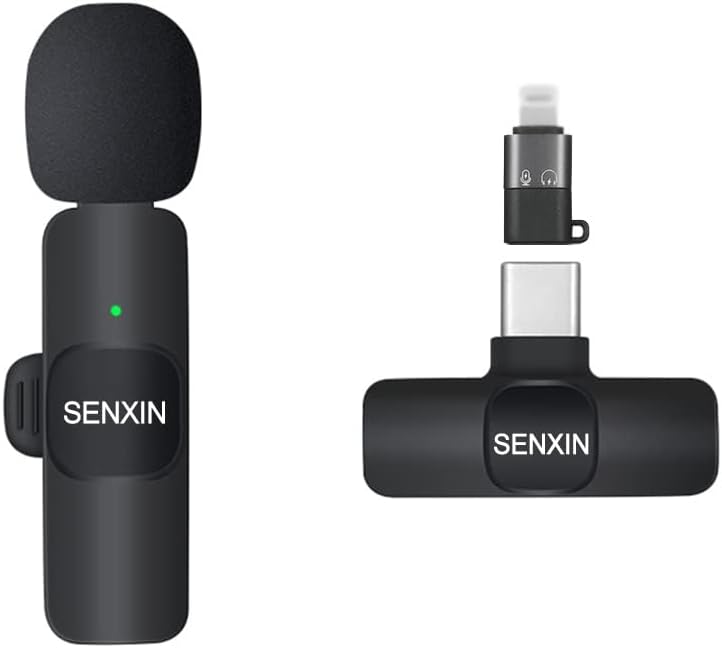
Image 1.1: The SENXIN K8 Wireless Lavalier Microphone (left) and its receiver (right), showcasing the compact design.
2. Package Contents
Please check the package to ensure all items are present:
- Microphone Transmitter (1 unit)
- Receiver (1 unit)
- Charging Cable (1 unit)
- User Manual (1 unit)
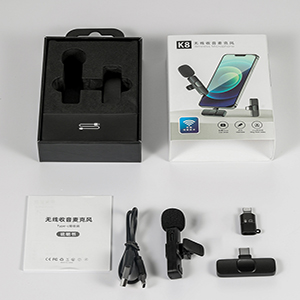
Image 2.1: The complete package contents, including the microphone, receiver, charging cable, and manual.
3. Product Overview
The SENXIN K8 system consists of a microphone transmitter and a receiver. Key components include:
- Collar Clip: For stable and reliable attachment of the microphone.
- Anti-spray Sponge: High-density sponge to prevent plosives and improve audio clarity.
- Receiver: Connects to your smartphone for barrier-free transmission and stable reception.

Image 3.1: Close-up of the microphone's collar clip, anti-spray sponge, and the receiver unit.
4. Setup Instructions
The SENXIN K8 Wireless Lavalier Microphone is designed for simple plug-and-play operation.
- Turn on the Microphone: Press and hold the power button on the microphone transmitter until the indicator light illuminates.
- Plug in the Receiver: Insert the receiver into your smartphone's charging port (USB Type-C for Android, Lightning for iPhone). The indicator light on the receiver will flash and then turn solid, indicating a successful connection.
- Start Recording: Open your camera or recording application and begin shooting or recording. No Bluetooth pairing or additional app installation is required.
Note: This product is intended for video and audio recording only. It is not compatible with phone calls or FaceTime.

Image 4.1: Visual guide for the two-step auto-pairing process: turning on the microphone and plugging in the receiver.
5. Operating Instructions
5.1 Key Features
- Intelligent Noise Cancellation: The microphone features a built-in noise reduction chip and 360° omni-directional radio, effectively recognizing original sound and providing clear recording even in noisy environments.
- Wireless Transmission: Utilizes 2.4GHz wireless technology for low latency and high interference immunity, transmitting clear audio up to 20 meters (65 feet) without obstructions.
- Long Battery Life: The built-in 60 mAh battery provides approximately 4-5 hours of continuous operation on a single charge. Charging time is approximately 1 hour.

Image 5.1: Summary of the microphone's core functionalities and performance metrics.
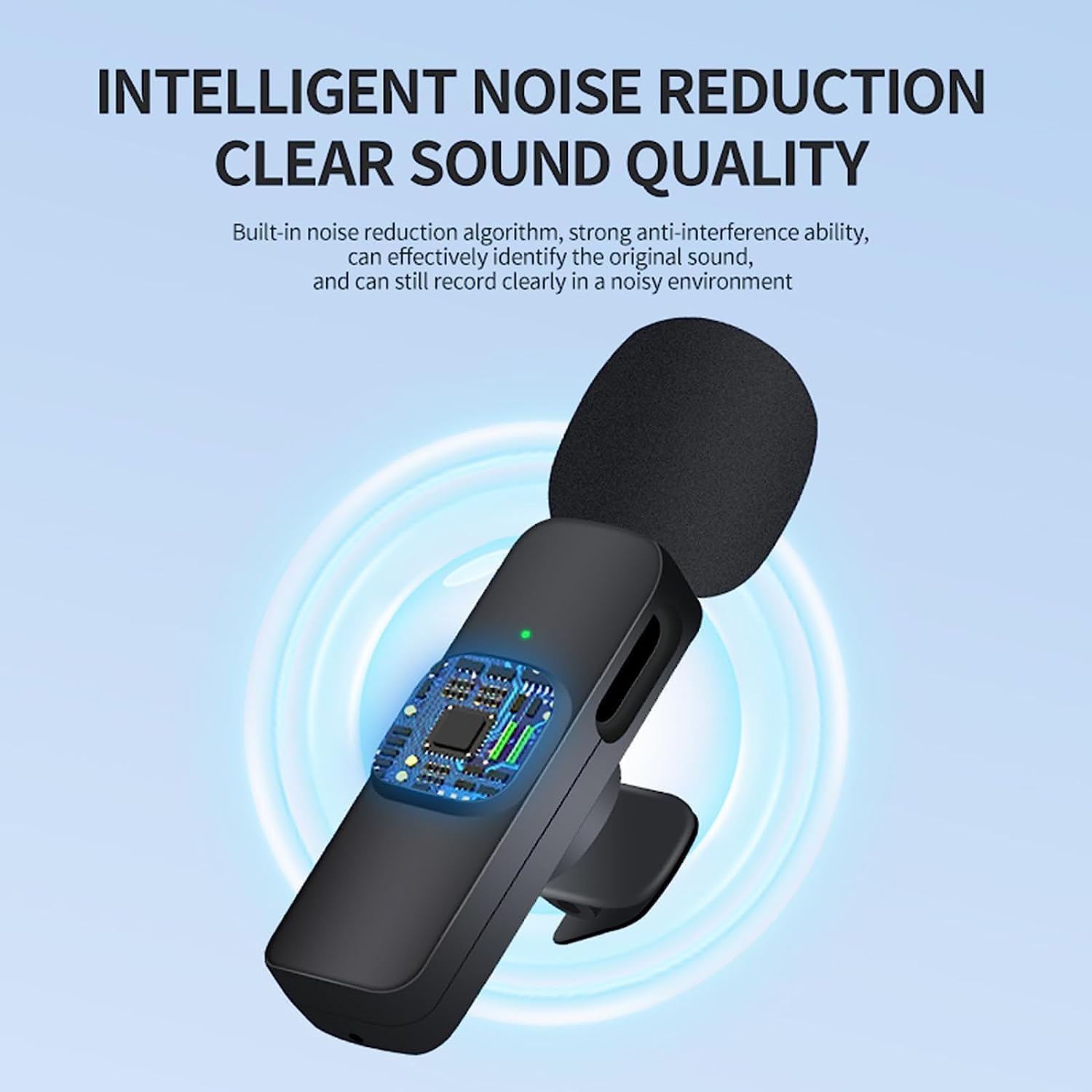
Image 5.2: Visual representation of the intelligent noise reduction technology, highlighting the internal processing chip.

Image 5.3: A graphical comparison demonstrating the effectiveness of smart noise reduction on audio quality.
5.2 Real-Time Monitoring
For real-time audio monitoring, you can plug a Type-C earphone into the receiver (if your receiver model supports this feature). This allows you to hear your own voice as it is being recorded.

Image 5.4: Illustration of connecting a Type-C earphone to the receiver for real-time audio monitoring.
5.3 Usage Scenarios
The SENXIN K8 is versatile and suitable for various recording needs:
- Online Classroom
- Vlog Creation
- Live Broadcasts
- Interviews
- Short Video Shooting
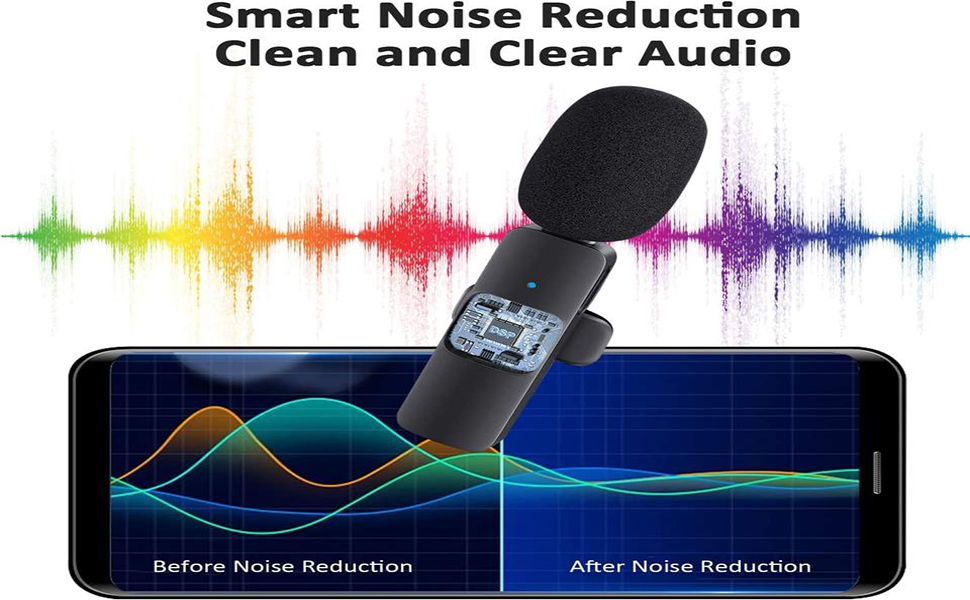
Image 5.5: Examples of the microphone being used in various professional and casual recording environments.
6. Maintenance
To ensure the longevity and optimal performance of your SENXIN K8 Wireless Lavalier Microphone, follow these maintenance guidelines:
- Cleaning: Use a soft, dry cloth to clean the microphone and receiver. Avoid using liquid cleaners or solvents.
- Storage: Store the device in a cool, dry place away from direct sunlight and extreme temperatures.
- Charging: Use the provided charging cable. Do not overcharge the battery.
- Handling: Avoid dropping or subjecting the device to strong impacts.
7. Troubleshooting
If you encounter issues with your SENXIN K8 microphone, please refer to the following common solutions:
- No Sound/Poor Audio Quality:
- Ensure the microphone is turned on and fully charged.
- Verify the receiver is securely plugged into your phone and its indicator light is solid.
- Check your phone's audio input settings to ensure the external microphone is selected.
- Ensure you are within the 20-meter (65-foot) transmission range and there are no significant obstructions.
- For Android users, note that Samsung phone compatibility may be lower. Test with different recording apps if issues persist.
- Intermittent Audio/Signal Dropouts:
- Reduce the distance between the microphone and receiver.
- Minimize physical obstructions between the devices.
- Avoid environments with strong 2.4GHz interference (e.g., multiple Wi-Fi networks, other wireless devices).
- Ensure the microphone battery is not low.
- Microphone Not Pairing:
- Ensure both the microphone and receiver are powered on.
- Unplug and re-plug the receiver into your phone.
- Restart your smartphone.
8. Specifications
| Feature | Specification |
|---|---|
| Model Number | K8 |
| Microphone Form Factor | Lavalier |
| Polar Pattern | Omnidirectional |
| Connectivity Technology | Wireless (2.4 GHz) |
| Wireless Transmission Range | Up to 20 meters (65 feet) without obstructions |
| Power Source | Battery Powered (1 Lithium Polymer battery included) |
| Battery Capacity | 60 mAh |
| Continuous Working Time | Approx. 4-5 hours |
| Charging Time | Approx. 1 hour |
| Signal-to-Noise Ratio | 65 dB |
| Material | Plastic |
| Compatible Devices | Smartphone (iPhone, Android) |
| Item Weight | 2.56 ounces |
| Package Dimensions | 5.71 x 3.23 x 1.22 inches |
9. Warranty and Support
For warranty information and customer support, please refer to the documentation included in your product package or contact SENXIN customer service directly through their official website or the retailer where the product was purchased.