1. Introduction
Thank you for choosing the Camzeb Outdoor Solar Wireless 2K Security Camera. This manual provides essential information for the proper installation, operation, and maintenance of your device. Please read it thoroughly before use and keep it for future reference.

Figure 1: Camzeb Outdoor Solar Wireless 2K Security Camera with solar panel and smartphone app view.
2. Package Contents
Please verify that all items listed below are included in your package:
- Surveillance Camera (1)
- Solar Panel (1)
- Security Camera Mounting Screws (set)
- Stickers (3)
- Type-C Cable (1)
- Japanese Instruction Manual (1) - Note: This digital manual serves as the English version.
- Solar Panel Mounting Screws (6 pieces)

Figure 2: All components included in the product package.
3. Product Specifications
| Feature | Specification |
|---|---|
| Brand | Camzeb |
| Model Number | RB-3PT2 |
| Color | White |
| Video Capture Resolution | 3 Megapixels (2K) |
| Connectivity Technology | Wireless (Wi-Fi) |
| Power Source | Solar Powered (Lithium Battery) |
| Installation Type | Ceiling or Wall Mount |
| Indoor/Outdoor Use | Outdoor Use |
| Special Features | HD Resolution, Infrared LED Auxiliary Light, PIR Human Detection, Infrared Monochrome Shooting, Full-Color Night Shooting, Two-Way Audio, Sound and Light Alarm, 360° Pan, 90° Tilt, Remote Control, IP65 Waterproof |
| Compatible Devices | Smartphone (Amazon Alexa, Google Assistant) |
| Storage Options | Cloud (6s free), Micro SD Card (up to 128GB) |
| Product Weight | 1.09 kg |
| Dimensions | 21.8 x 17.4 x 16.2 cm |
4. Setup Guide
4.1 Choosing an Installation Location
Select a location that receives ample sunlight for the solar panel and provides the desired surveillance coverage. Ensure the camera is within range of your 2.4GHz Wi-Fi network.

Figure 3: Example of outdoor installation for optimal solar charging and Wi-Fi signal.
4.2 Mounting the Camera and Solar Panel
- Attach the camera bracket to the desired wall or ceiling using the provided security camera mounting screws.
- Secure the camera onto the bracket.
- Mount the solar panel in a location that receives direct sunlight throughout the day, using the solar panel mounting screws.
- Connect the solar panel cable to the camera's charging port.

Figure 4: The camera and solar panel setup, highlighting the independent solar power system.
4.3 Initial Power-Up and App Connection
- Ensure the camera has sufficient charge from the solar panel or by using the Type-C cable for initial charging.
- Download the recommended mobile application (e.g., CloudEdge or Ubox, as indicated by product information) from your smartphone's app store.
- Follow the in-app instructions to add your new camera. This typically involves scanning a QR code on the camera or entering its device ID.
- Connect the camera to your 2.4GHz Wi-Fi network through the app.
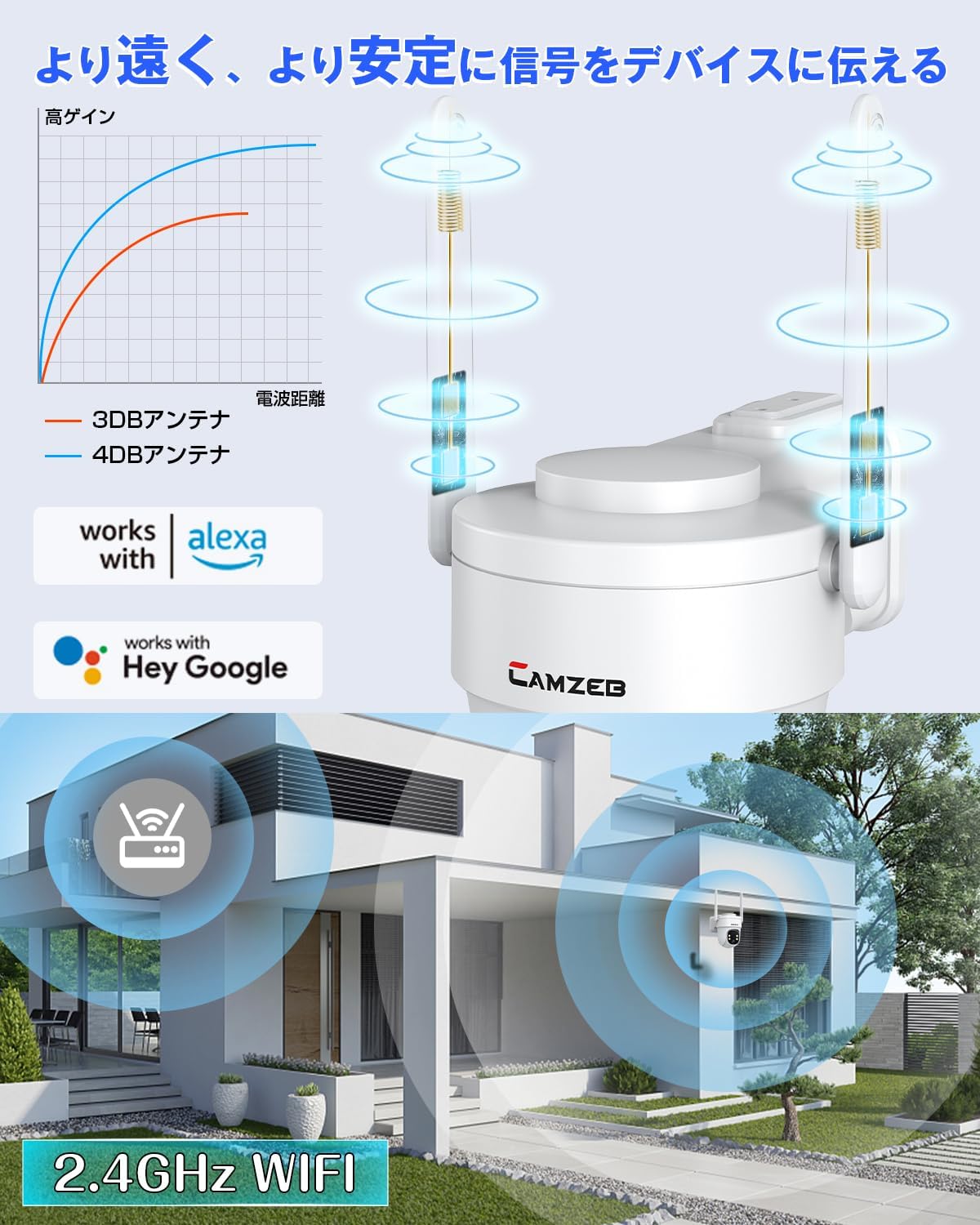
Figure 5: Illustration of Wi-Fi connectivity and smart home integration with Alexa and Google Assistant.
5. Operating Instructions
5.1 Live View and Playback
- Open the mobile application to access the live view of your camera.
- Use the app to pan (360°) and tilt (90°) the camera remotely to adjust the viewing angle.
- Access recorded footage from the cloud storage (6 seconds free) or the inserted Micro SD card (up to 128GB).

Figure 6: Remote pan and tilt control via the smartphone application.
5.2 Motion Detection and Alerts
- The camera features PIR (Passive Infrared) human detection to minimize false alarms.
- When motion is detected, the camera will automatically activate a powerful alarm sound and flashing lights to deter intruders.
- Real-time alerts will be sent to your smartphone.
- Recorded video clips of detected events are automatically uploaded to cloud storage.
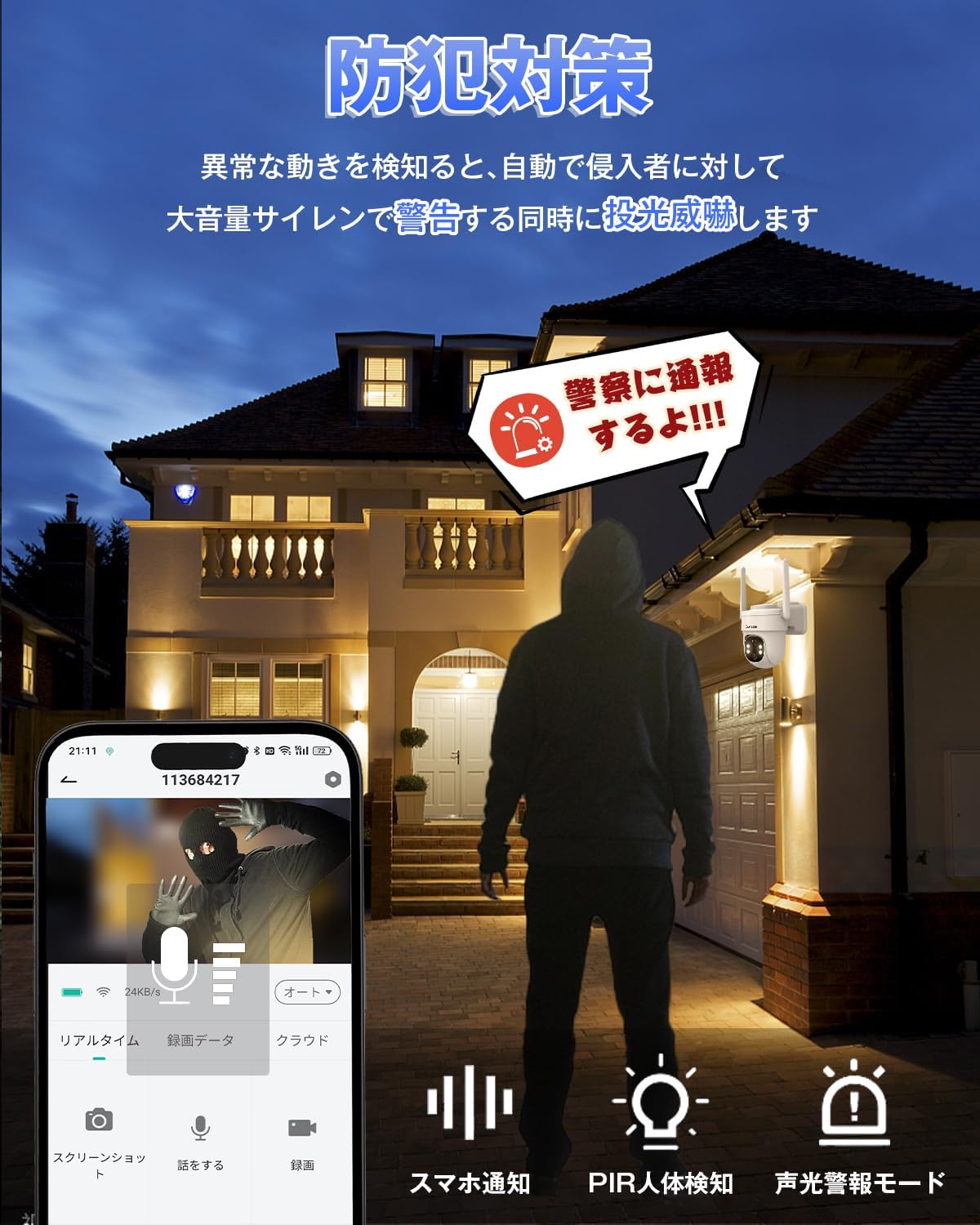
Figure 7: Motion detection triggering sound and light alarms, with smartphone notification.

Figure 8: PIR sensor accurately detecting human movement and filtering out irrelevant triggers like insects or leaves.
5.3 Two-Way Audio
- Utilize the built-in microphone and speaker for two-way communication through the app.
- This allows you to speak to visitors or deter unwanted individuals remotely.

Figure 9: Demonstrating the two-way audio communication feature with a delivery person.

Figure 10: Real-time two-way conversation with family members via the camera.
5.4 Night Vision Modes
- The camera automatically switches between day and night modes.
- Infrared Monochrome Night Vision: Provides clear black and white images in low light conditions using infrared LEDs.
- Full-Color Night Vision: Activates in very low light to provide natural color images, enhancing detail and identification.

Figure 11: Visual comparison of monochrome infrared night vision and full-color night vision.
5.5 Smart Home Integration
- The camera is compatible with Amazon Alexa and Google Assistant.
- Use voice commands to control the camera and view live feeds on compatible smart displays.

Figure 12: Multiple users can share and manage the camera, with voice control via Alexa and Google Assistant.
6. Maintenance
6.1 Cleaning
- Regularly wipe the camera lens and solar panel with a soft, damp cloth to ensure clear images and efficient charging.
- Do not use harsh chemicals or abrasive materials.
6.2 Battery Management
- The integrated solar panel continuously charges the internal lithium battery.
- In prolonged periods of low sunlight, the camera can be charged via the Type-C port.
- Monitor battery levels through the mobile application.
6.3 Weather Resistance
The camera has an IP65 waterproof rating, designed to withstand various outdoor weather conditions including rain and snow. However, avoid submerging the device in water.

Figure 13: The camera's IP65 rating ensures durability against water, snow, and high temperatures.
7. Troubleshooting
| Problem | Possible Cause / Solution |
|---|---|
| Camera not connecting to Wi-Fi |
|
| Poor image quality at night |
|
| Battery not charging / low battery |
|
| Frequent false alarms |
|
| No recording to SD card |
|
8. Warranty and Support
Your Camzeb Outdoor Solar Wireless 2K Security Camera comes with a 1-year product warranty from the date of purchase.
Camzeb is committed to 100% customer satisfaction. In the unlikely event of initial defects or malfunctions, please contact our customer support. We strive to provide prompt assistance and ensure your complete satisfaction.
For support, please refer to the contact information provided in your original purchase documentation or visit the official Camzeb website.


