
1. Introduction
Thank you for choosing the Juice BoomPRO-XL Wireless Bluetooth Speaker. This manual provides essential information for the safe and efficient use of your device. Please read it thoroughly before operation and retain it for future reference. The Juice BoomPRO-XL is designed to deliver powerful, 360-degree sound with its dual 10W speakers, offering an immersive audio experience. Its IPX5 splash-resistant rating makes it suitable for various environments, both indoors and outdoors.

Image 1.1: The Juice BoomPRO-XL speaker presented in its retail packaging. The packaging emphasizes key features such as 18 hours of playtime, a 10-meter Bluetooth range, and dual 10-watt speakers. It also highlights that the packaging is 100% recyclable.
2. Safety Information
- Do not expose the speaker to extreme temperatures, direct sunlight, or open flames.
- While the speaker is IPX5 splash-resistant, do not submerge it in water.
- Avoid dropping or subjecting the speaker to strong impacts.
- Do not attempt to disassemble, repair, or modify the speaker yourself. This will void the warranty.
- Use only the provided charging cable or a certified equivalent.
- Keep out of reach of children.
3. Package Contents
Please check that all items are present in the package:
- Juice BoomPRO-XL Wireless Bluetooth Speaker
- Charging Cable (USB-C to USB-A, typical for modern devices)
- User Manual (this document)
4. Product Overview
Familiarize yourself with the speaker's components and controls.
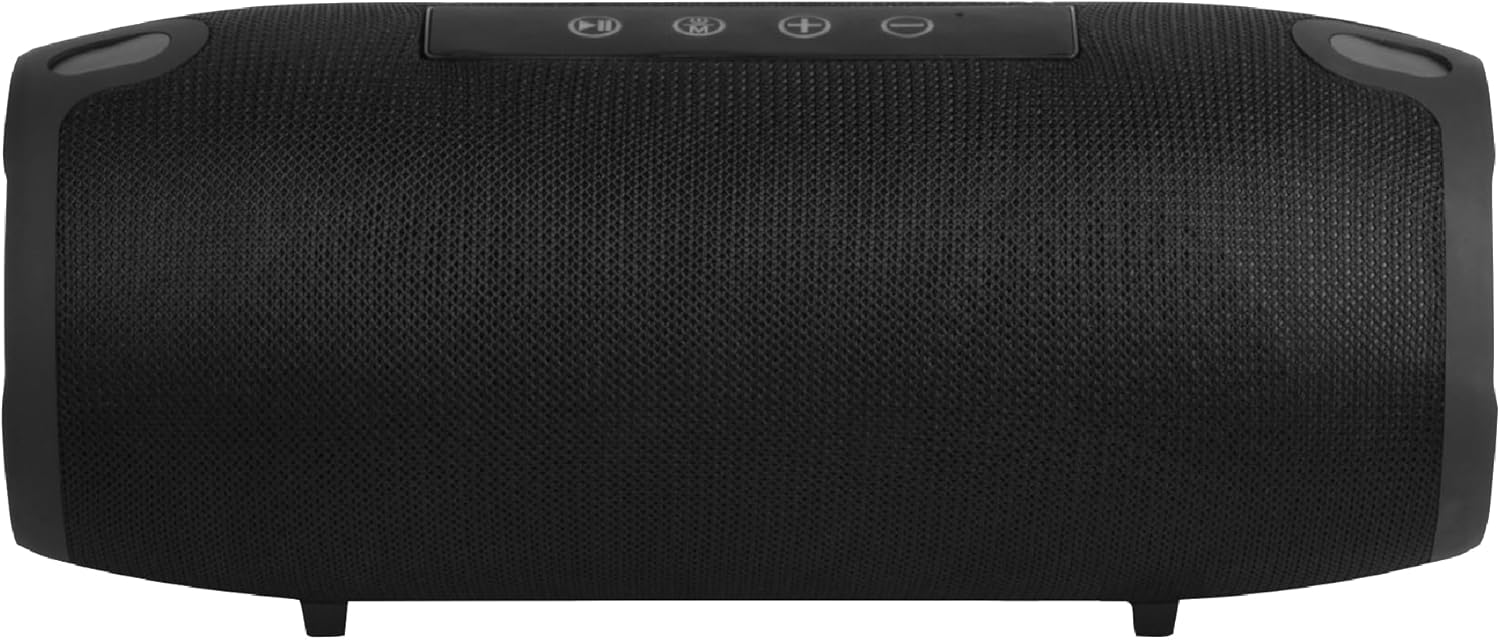
Image 4.1: Front view of the Juice BoomPRO-XL speaker. The main speaker grille covers the front, and the control panel is visible on the top surface.
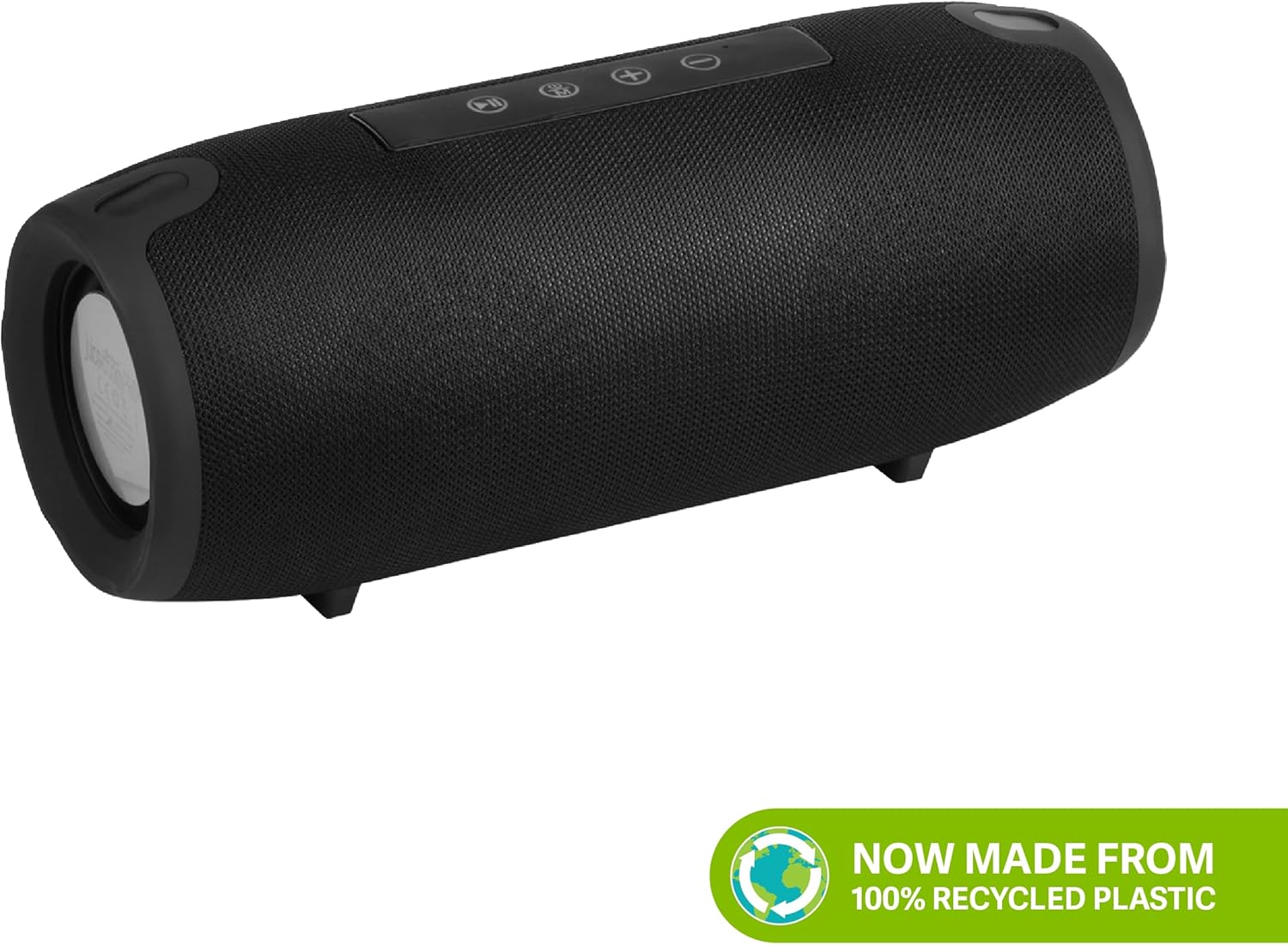
Image 4.2: Side view of the Juice BoomPRO-XL speaker. This view typically shows the passive radiators on the ends and may reveal the location of input ports (AUX, USB, Micro SD) under a protective flap.
Control Panel (Top)
- Power Button: Press and hold to turn on/off.
- Play/Pause Button: Press to play or pause music.
- Mode Button (M): Press to switch between Bluetooth, AUX, Micro SD, and USB-A input modes.
- Volume Up (+): Press to increase volume. Hold to skip to the next track.
- Volume Down (-): Press to decrease volume. Hold to go to the previous track.
Input Ports (Rear/Side, under protective flap)
- USB-C Charging Port: For charging the speaker.
- AUX Input (3.5mm): For wired connection to audio devices.
- Micro SD Card Slot: For playing music directly from a Micro SD card.
- USB-A Port: For playing music directly from a USB flash drive. Can also function as a power bank for emergency charging of other devices.
5. Setup
5.1 Charging the Speaker
- Locate the USB-C charging port, usually found under a protective rubber flap on the side or rear of the speaker.
- Connect the provided USB-C charging cable to the speaker's charging port.
- Connect the other end of the USB-A cable to a suitable USB power adapter (not included) or a computer's USB port.
- The charging indicator light (location varies, typically near the charging port or on the control panel) will illuminate to show charging status.
- A full charge takes approximately 4 hours. The indicator light will change or turn off once charging is complete.
Note: For optimal battery life, fully charge the speaker before first use.
5.2 Bluetooth Pairing
- Ensure the speaker is fully charged.
- Press and hold the Power button to turn on the speaker. A sound prompt will indicate it's powered on, and the Bluetooth indicator light will flash, signifying it's in pairing mode.
- On your mobile device (smartphone, tablet, etc.), go to the Bluetooth settings.
- Search for available devices. You should see "Juice BoomPRO-XL" in the list.
- Select "Juice BoomPRO-XL" to connect. Once paired, the speaker will emit a confirmation sound, and the Bluetooth indicator light will stop flashing and remain solid.
- The speaker will automatically attempt to reconnect to the last paired device when powered on, if that device is within range and has Bluetooth enabled.
Tip: The Bluetooth range is approximately 10 meters (33 feet) in an open environment. Obstacles may reduce this range.
5.3 Connecting via AUX, Micro SD, or USB-A
The Juice BoomPRO-XL supports multiple input methods:
- AUX Input: Connect a 3.5mm audio cable (not included) from your audio device's headphone jack to the speaker's AUX port. Press the 'M' (Mode) button until the speaker switches to AUX mode.
- Micro SD Card: Insert a Micro SD card (up to 32GB, formatted to FAT32) containing MP3 audio files into the Micro SD card slot. The speaker will automatically switch to Micro SD mode and begin playback, or you may need to press the 'M' button.
- USB-A Drive: Insert a USB flash drive (up to 32GB, formatted to FAT32) containing MP3 audio files into the USB-A port. The speaker will automatically switch to USB mode and begin playback, or you may need to press the 'M' button.
6. Operating Instructions
6.1 Power On/Off
- To Power On: Press and hold the Power button for approximately 2-3 seconds until you hear a power-on sound.
- To Power Off: Press and hold the Power button for approximately 2-3 seconds until you hear a power-off sound.
6.2 Music Playback Control
- Play/Pause: Press the Play/Pause button once.
- Next Track: Press and hold the Volume Up (+) button.
- Previous Track: Press and hold the Volume Down (-) button.
6.3 Volume Adjustment
- Increase Volume: Press the Volume Up (+) button repeatedly.
- Decrease Volume: Press the Volume Down (-) button repeatedly.
6.4 Call Handling (via Bluetooth)
When connected via Bluetooth, the speaker can manage phone calls:
- Answer Call: Press the Play/Pause button once.
- End Call: Press the Play/Pause button once during a call.
- Reject Call: Press and hold the Play/Pause button for 2 seconds.
7. Maintenance
7.1 Cleaning
- Ensure the speaker is powered off and disconnected from any power source before cleaning.
- Wipe the exterior with a soft, damp cloth. Do not use abrasive cleaners, alcohol, or chemical solvents.
- Do not allow water to enter any openings.
7.2 Storage
- Store the speaker in a cool, dry place away from direct sunlight and extreme temperatures.
- If storing for an extended period, charge the battery to approximately 50% every 3-6 months to preserve battery health.
7.3 Battery Care
- Avoid fully discharging the battery frequently.
- Do not leave the speaker connected to a charger for excessively long periods after it is fully charged.
- If the battery performance significantly degrades, contact customer support.
8. Troubleshooting
| Problem | Possible Cause | Solution |
|---|---|---|
| Speaker does not turn on. | Low battery. | Charge the speaker for at least 30 minutes. |
| Cannot pair via Bluetooth. | Speaker not in pairing mode; device too far; previously paired device connected. | Ensure speaker is in pairing mode (flashing blue light). Move device closer. Disconnect from other devices. Turn Bluetooth off/on on your device. |
| No sound. | Volume too low; incorrect input mode; audio source issue. | Increase speaker and device volume. Press 'M' button to select correct input mode (Bluetooth, AUX, SD, USB). Check audio source. |
| Sound distortion. | Volume too high; low battery; poor signal. | Reduce volume. Charge the speaker. Move device closer to speaker. |
| Speaker not charging. | Faulty cable/adapter; charging port issue. | Try a different USB-C cable and power adapter. Ensure the charging port is clean and free of debris. |
9. Specifications
| Model Name: | Juice BoomPRO-XL |
| Model Number: | JUI-SPKER-BMPROXL-BLK |
| Bluetooth Version: | (Not specified, assuming standard modern version) |
| Bluetooth Range: | Up to 10 meters (33 feet) |
| Speaker Output: | 2 x 10W (Total 20W) |
| Audio Channels: | 2.0 Surround Sound Configuration |
| Battery Type: | 1 Lithium-ion (included) |
| Playtime: | Up to 18 hours (at 50% volume) |
| Charging Time: | Approximately 4 hours |
| Water Resistance: | IPX5 (Splash-resistant) |
| Input Ports: | AUX (3.5mm), Micro SD Card Slot, USB-A Port |
| Dimensions (L x W x H): | 28 x 12 x 12 cm (11.02 x 4.72 x 4.72 inches) |
| Weight: | 1.115 kg (2.46 lbs) |
| Control Method: | Tactile Buttons |
10. Warranty and Support
10.1 Warranty Information
The Juice BoomPRO-XL Wireless Bluetooth Speaker comes with a 1-year Juice warranty from the date of purchase. This warranty covers manufacturing defects and workmanship under normal use. It does not cover damage caused by misuse, accidents, unauthorized modifications, or normal wear and tear. Please retain your proof of purchase for warranty claims.
10.2 Customer Support
For technical assistance, warranty claims, or any questions regarding your Juice BoomPRO-XL speaker, please contact Juice customer support. Refer to the official Juice website or your purchase documentation for the most up-to-date contact information.