
Introduction
Thank you for choosing the VEVOR 20L Mini Fridge. This portable appliance is designed for both cooling and warming, offering versatile storage for beverages, food, skincare products, and medicines. It features intelligent temperature control, quiet operation, and dual AC/DC power compatibility for use in various environments, including homes, offices, cars, and dorms. Please read this manual thoroughly before operation to ensure proper use, maintenance, and safety.
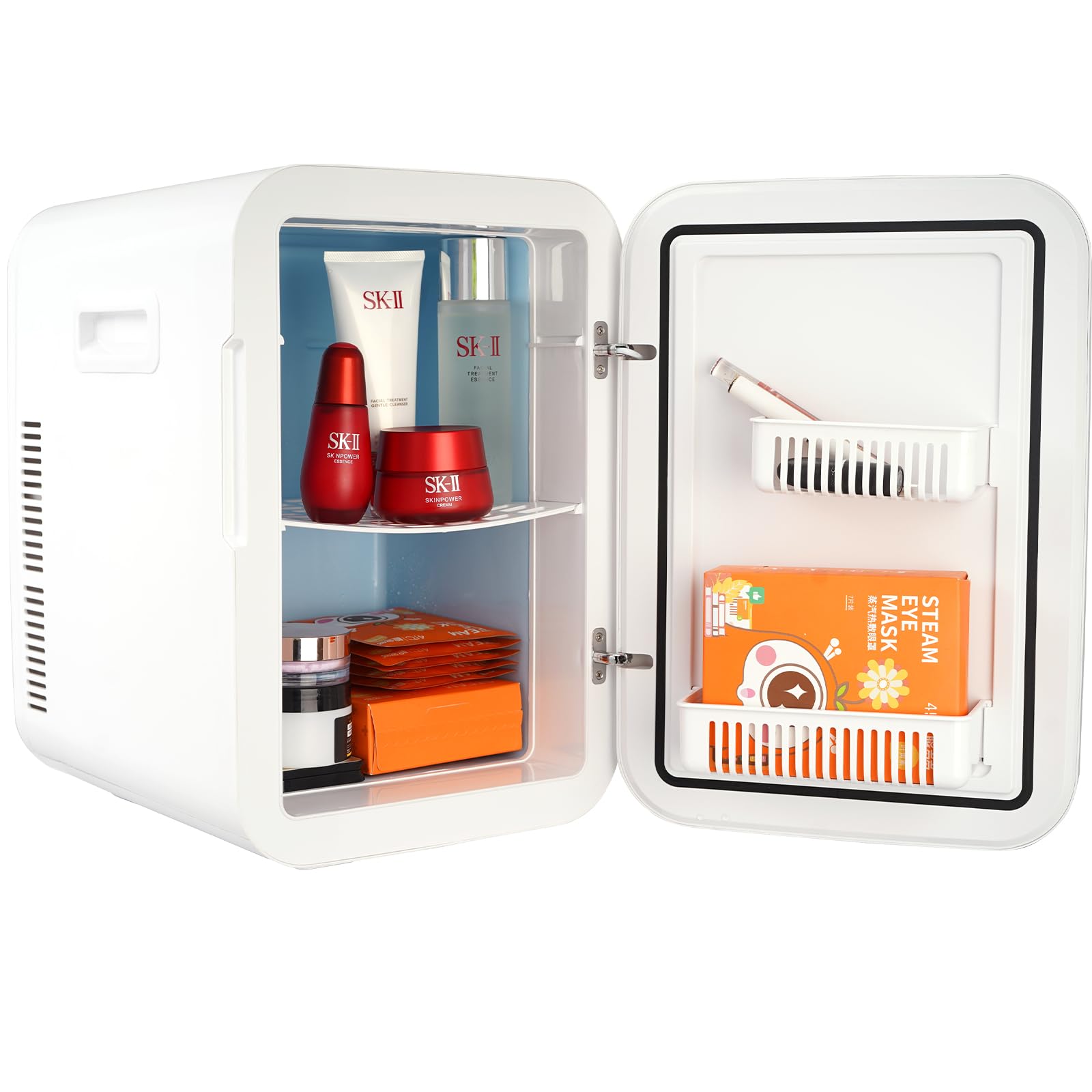
Figure 1: VEVOR 20L Mini Fridge in a typical usage environment.
Safety Instructions
To reduce the risk of fire, electric shock, or injury, always follow these basic safety precautions:
- Read all instructions before using the appliance.
- Do not immerse the appliance, cord, or plug in water or other liquids.
- Keep the appliance away from heat sources, direct sunlight, and flammable materials.
- Ensure proper ventilation around the unit. Do not block ventilation openings.
- Use only the provided power cords (AC and DC). Do not use damaged cords or plugs.
- Unplug the appliance from the power source before cleaning or when not in use.
- Do not attempt to repair or modify the appliance yourself. Contact qualified service personnel for repairs.
- This appliance is not intended for use by persons (including children) with reduced physical, sensory, or mental capabilities, or lack of experience and knowledge, unless they have been given supervision or instruction concerning use of the appliance by a person responsible for their safety.
- Children should be supervised to ensure that they do not play with the appliance.
Product Overview
The VEVOR 20L Mini Fridge is a compact and versatile appliance designed for both cooling and warming functions. It features a 20-liter capacity, capable of holding approximately 22 cans of 330ml beverages. The unit is equipped with an intelligent touch screen for precise temperature control and operates with low noise, making it suitable for various environments.
Key Features:
- Cooling & Warming Functions: Capable of cooling to 73.4°F (23°C) below ambient temperature and warming up to 140°F (60°C).
- Intelligent Temperature Control: Touch screen interface for precise temperature settings from -15.8°F to 149°F (-26.5°C to 65°C).
- Quiet Operation: Noise level below 45dB, ensuring minimal disturbance.
- Compact & Portable: Lightweight design (12.12 lbs / 5.5 kg) with integrated carrying handles.
- Versatile Power Options: Includes 12V DC car power cord and household AC power adapter.

Figure 2: The 20L capacity and dual AC/DC power options for versatile use.
Setup
1. Unboxing and Inspection:
- Carefully remove the mini fridge and all accessories from the packaging.
- Inspect the unit for any signs of damage during transit. If damage is found, do not operate and contact customer support.
- Ensure all components are present: Mini Fridge unit, AC power cord, DC car power cord.

Figure 3: Mini Fridge unit with included AC and DC power cords.
2. Placement:
- Place the mini fridge on a flat, stable surface.
- Allow at least 4 inches (10 cm) of space around all sides of the unit for proper ventilation. Do not place it in an enclosed cabinet without adequate airflow.
- Avoid placing the unit near direct heat sources or in direct sunlight.
3. Power Connection:
- For AC (Household) Use: Connect the AC power cord to the AC input port on the back of the fridge. Plug the other end into a standard 110V AC wall outlet.
- For DC (Car) Use: Connect the DC car power cord to the DC input port on the back of the fridge. Plug the other end into your vehicle's 12V cigarette lighter socket.
- Ensure the power cord is securely connected to both the fridge and the power source.

Figure 4: Rear panel with AC and DC power input ports.
Operating Instructions
1. Powering On/Off:
- Once connected to a power source, press the power button (U) on the touch screen to turn the unit on.
- Press the power button again to turn the unit off.
2. Selecting Cooling or Warming Mode:
- After powering on, the unit will typically default to the last used mode or a preset.
- Press the mode button (often indicated by a snowflake/sun icon or 'MODE') to switch between cooling and warming functions.
- The display will indicate the current mode and temperature.
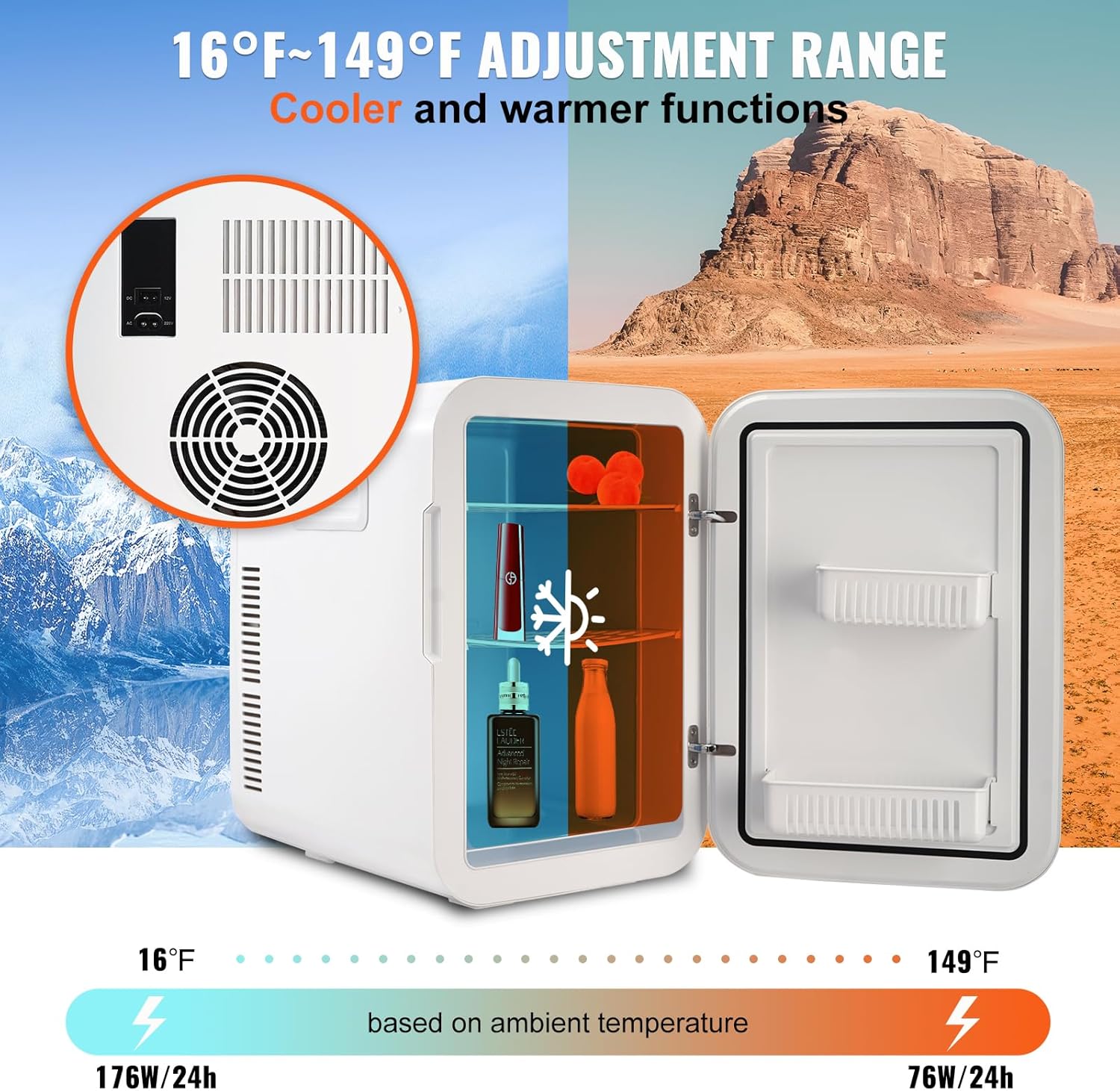
Figure 5: Illustration of cooling (down to 16°F) and warming (up to 149°F) capabilities.
3. Intelligent Temperature Control (Touch Screen):
- Use the up (^) and down (v) arrow buttons on the touch screen to adjust the desired temperature.
- The temperature can be set precisely within the range of -15.8°F to 149°F (-26.5°C to 65°C).
- The display will show the set temperature and the current internal temperature.
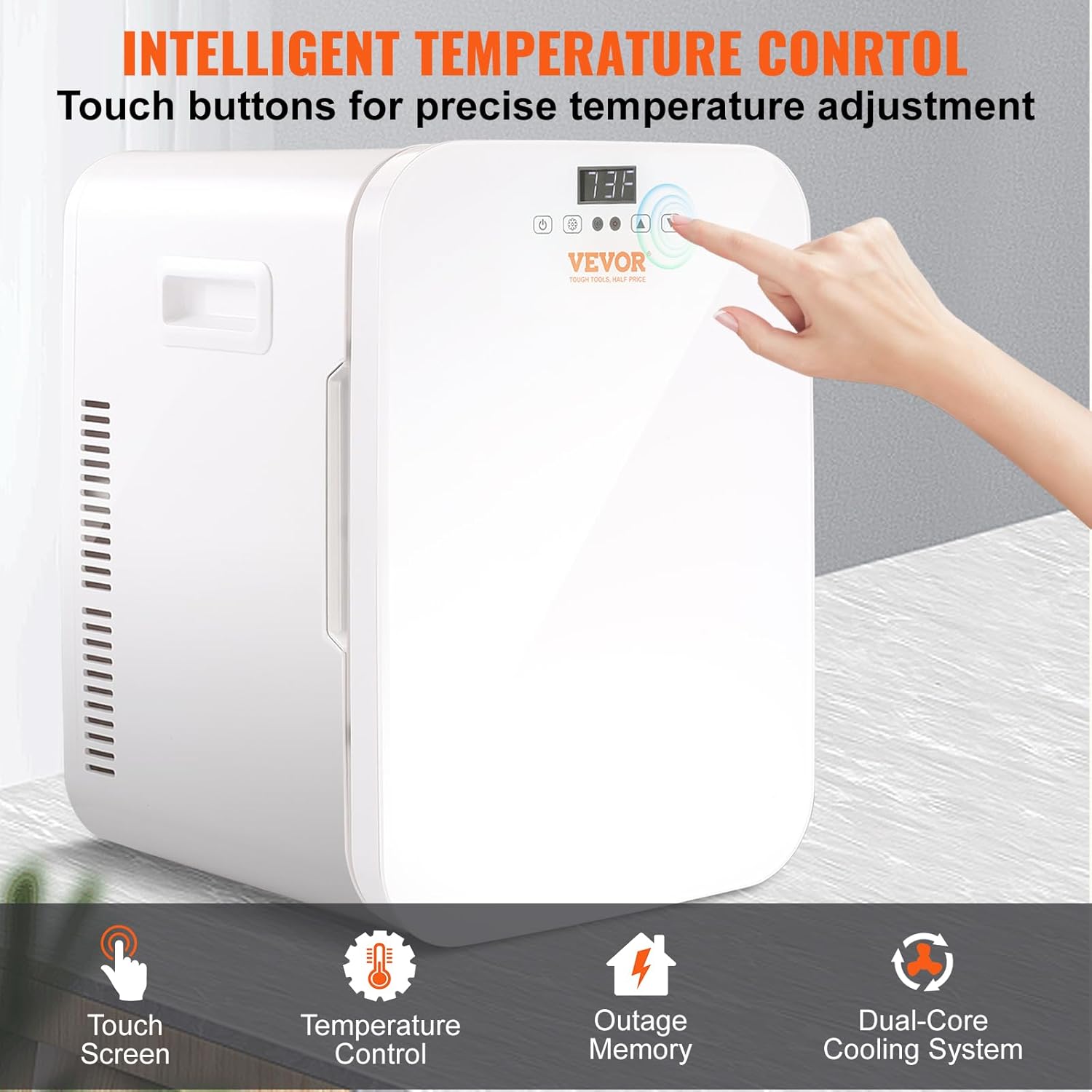
Figure 6: Touch screen interface for temperature adjustment.
4. Temperature Memory:
- The mini fridge is equipped with a temperature memory function. If power is interrupted, the unit will automatically restore the last set temperature when power is reconnected.
5. Quiet Operation:
- The unit operates at a low noise level (below 45dB), comparable to a quiet whisper, making it suitable for bedrooms, offices, and nurseries.

Figure 7: The mini fridge is designed for quiet operation.
Maintenance
1. Cleaning:
- Always unplug the appliance before cleaning.
- Wipe the exterior with a soft, damp cloth. For stubborn stains, use a mild detergent.
- Clean the interior with a soft cloth dampened with a mild soap solution. Rinse with a clean, damp cloth and dry thoroughly.
- Do not use abrasive cleaners, solvents, or harsh chemicals, as these can damage the surfaces.
- Ensure the ventilation openings are free from dust and debris. Use a soft brush or vacuum cleaner to clean them periodically.

Figure 8: Interior of the mini fridge, showing removable shelves for easy cleaning.
2. Storage:
- If storing the unit for an extended period, ensure it is clean and dry.
- Store in a cool, dry place, away from direct sunlight and extreme temperatures.
- It is recommended to leave the door slightly ajar to prevent odors and mold growth.
Troubleshooting
If you encounter issues with your VEVOR 20L Mini Fridge, please refer to the following table for common problems and solutions:
| Problem | Possible Cause | Solution |
|---|---|---|
| Unit does not power on. | No power supply; loose connection; faulty power cord. | Check power outlet/car socket. Ensure power cord is securely connected. Try a different power source or cord. |
| Unit is not cooling/warming effectively. | Blocked ventilation; ambient temperature too high/low; door not sealed properly; insufficient time. | Ensure ventilation openings are clear. Place unit in a suitable environment. Check door seal. Allow 2-3 hours for temperature stabilization. |
| Excessive noise. | Unit not on a flat surface; fan obstruction. | Place unit on a stable, flat surface. Check for any obstructions around the fan. |
| Condensation inside the unit. | High humidity; frequent door opening. | This is normal in humid conditions. Wipe away excess moisture periodically. Minimize door opening. |
If the problem persists after attempting these solutions, please contact VEVOR customer support for assistance.
Specifications
The following table outlines the technical specifications for the VEVOR 20L Mini Fridge:
| Feature | Specification |
|---|---|
| Model Name | 20L Compact Refrigerator |
| Capacity | 20 Liters (approx. 22 x 330ml cans) |
| Product Dimensions (D x W x H) | 11.02" x 13.97" x 16.14" (280mm x 355mm x 410mm) |
| Item Weight | 12.12 lbs (5.5 kg) |
| Cooling Temperature Range | Down to 16°F (-9°C) below ambient temperature (min -15.8°F / -26.5°C) |
| Warming Temperature Range | Up to 149°F (65°C) |
| AC Power Input | 110V, 60Hz |
| DC Power Input | 12V |
| Cooling Power Consumption (AC) | 70W |
| Warming Power Consumption (AC) | 60W |
| Cooling Power Consumption (DC) | 55W |
| Warming Power Consumption (DC) | 50W |
| Noise Level | ≤45dB |
| Defrost System | Frost Free |
| Certifications | CE Listed |
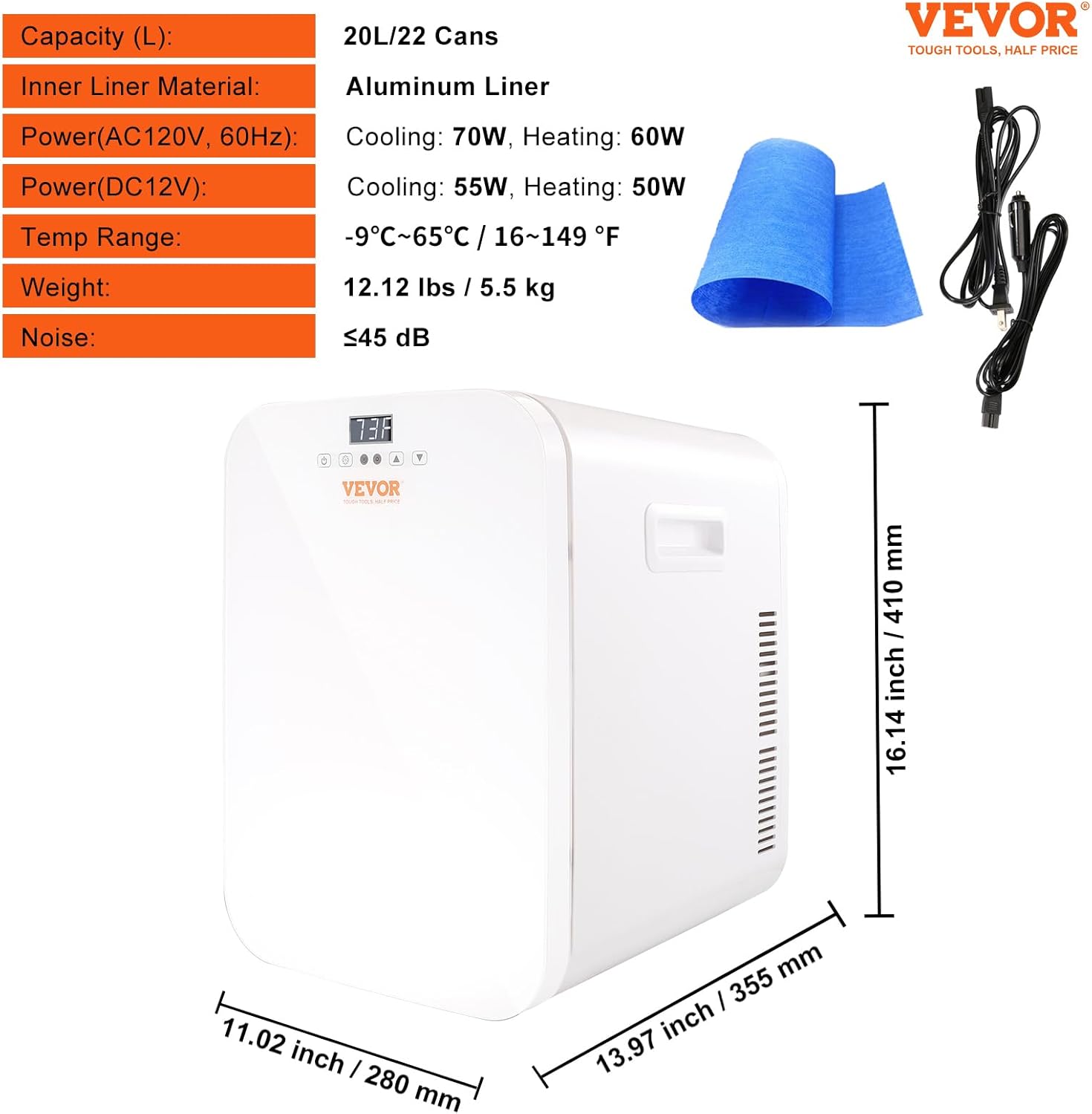
Figure 9: Dimensions and technical specifications overview.
Warranty and Support
Warranty Information:
This VEVOR 20L Mini Fridge comes with a 1-year warranty from the date of purchase. The warranty covers defects in materials and workmanship under normal use. It does not cover damage caused by misuse, accident, unauthorized modification, or improper installation.
Customer Support:
For technical assistance, warranty claims, or any questions regarding your VEVOR Mini Fridge, please contact VEVOR customer support. Refer to the official VEVOR website or your purchase documentation for the most current contact information.
When contacting support, please have your product model number (20L Compact Refrigerator) and proof of purchase readily available.