
1. Introduction
This user manual provides essential information for the safe and efficient operation of your Klwenas Maec Self-Cleaning Cat Litter Box. This innovative 2.4GHz Wi-Fi enabled litter box is designed to automate the litter cleaning process, offering a convenient solution for cat owners. It features advanced safety mechanisms, odor control, and smart app integration for enhanced pet care.

Figure 1: The Klwenas Maec Self-Cleaning Cat Litter Box in a typical home environment.
2. Safety Instructions
- Read all instructions before operating the appliance.
- Do not allow children or persons with reduced physical, sensory, or mental capabilities to operate the appliance without supervision.
- Ensure the appliance is placed on a stable, level surface.
- The litter box is equipped with 8 highly sensitive gravity sensors and an anti-pinch motor. It will not operate when a cat is detected inside or nearby. If an abnormality is detected during operation, the unit will stop immediately to ensure safety.
- Do not immerse the main unit (base) in water. Refer to the cleaning section for proper maintenance.
- Use only the provided power adapter.
- Keep hands and foreign objects clear of the rotating drum during operation.

Figure 2: Overview of the integrated safety mechanisms.
3. Package Contents
Verify that all components are present in the package:
- Self-Cleaning Cat Litter Box Main Unit (Base and Barrel)
- Power Adapter
- Garbage Bag (one roll)
- User Manual (this document)
- Intelligent Spray Deodorizer
- Purified Liquid (for deodorizer)
- Cat Litter Pad

Figure 3: All components included in the package.
4. Setup
4.1 Initial Placement and Assembly
- Place the litter box on a firm, level surface in a suitable location.
- Ensure the barrel is securely seated on the base.
- Insert the waste collection bag into the designated compartment in the base.
- Pour up to 6 liters of suitable cat litter into the drum. The unit is compatible with various types of cat litter, including tofu, mixed, bentonite, and mineral litter, provided the particle size is appropriate (≤0.12 Zoll, L≤0.59 inch).
- Place the included cat litter pad in front of the entrance to help reduce tracking.

Figure 4: Compatible cat litter types and recommended particle size.
4.2 Power Connection
Connect the power adapter to the power outlet on the back of the litter box and then plug it into a wall outlet. The unit will power on and perform an initial calibration cycle.
4.3 App Installation and Wi-Fi Connection
- Download the dedicated mobile application from your smartphone's app store (iOS or Android).
- Open the app and follow the on-screen instructions to create an account and add your device.
- Ensure your Wi-Fi network is 2.4GHz. The app will guide you through connecting the litter box to your home Wi-Fi network.
- Once connected, you can monitor and control the litter box remotely. The smart chip allows the litter box to function even without a network connection after initial setup.

Figure 5: App interface for real-time tracking and insights.
4.4 Intelligent Spray Deodorizer Setup
- Open the deodorizer unit.
- Insert 3 AAA batteries (not included) into the battery compartment.
- Insert the purified liquid bottle into the deodorizer unit.
- Close the deodorizer unit.
- Attach the deodorizer unit to the designated slot on the litter box. The deodorizer will automatically spray during barrel rotation for 4 seconds to neutralize odors.

Figure 6: Steps for installing the odor removal device.
5. Operating Instructions
5.1 Automatic Cleaning Cycle
The Klwenas Maec Self-Cleaning Cat Litter Box automatically initiates a cleaning cycle after your cat exits the unit and a preset delay has passed. The internal drum will rotate, sifting clean litter and depositing waste into the sealed trash collection box below. The ozone deodorizing technology will activate to neutralize odors.
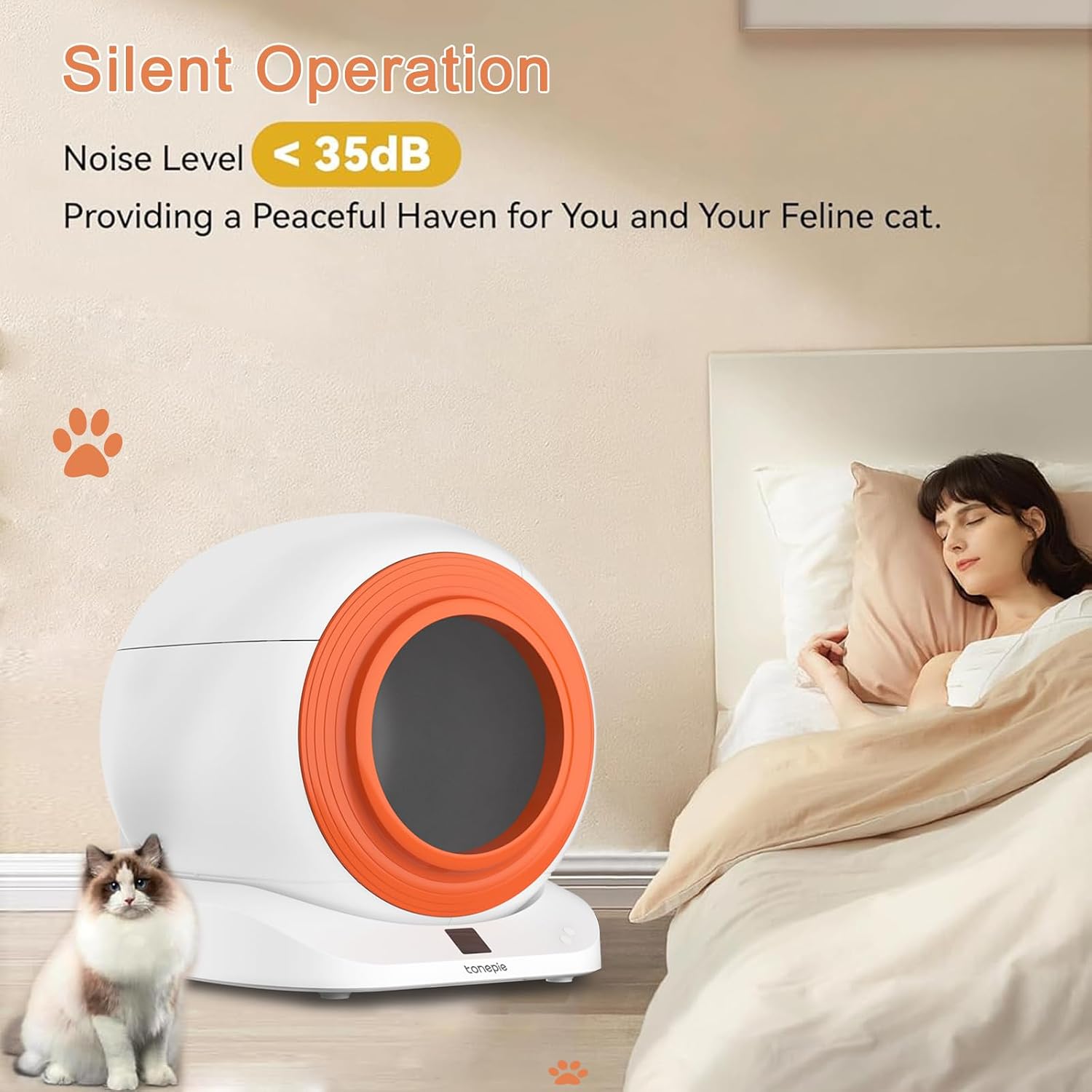
Figure 7: The litter box operates quietly, ensuring minimal disturbance.
5.2 Manual Control via App
Through the mobile application, you can:
- Initiate a cleaning cycle manually.
- Check the remaining amount of litter.
- Monitor the remaining space in the trash collection box.
- View the current machine status.
- Receive notifications on your phone regarding running messages and alerts.
5.3 Health Monitoring
The integrated smart health monitor tracks your cat's weight and frequency of use, providing insights into their health patterns via the app.
6. Maintenance
6.1 Emptying the Waste Collection Box
The 15L trash collection box can hold waste for approximately 15 to 28 days, depending on the number of cats and their habits. When the app indicates the box is full, or you notice an odor, remove the full bag, seal it, and replace it with a new one.
6.2 Cleaning the Unit
For deep cleaning, the unit features a 5-second quick disassembly design:
- Unplug the power adapter.
- Carefully detach the barrel from the base.
- The barrel is washable. You can rinse it with water. Ensure it is completely dry before reassembling.
- Wipe down the base with a damp cloth. Do not submerge the base in water.
- Reassemble the unit, ensuring all parts click securely into place.

Figure 8: Easy disassembly and cleaning process.
7. Troubleshooting
If you encounter issues with your Klwenas Maec Self-Cleaning Cat Litter Box, please refer to the following common solutions:
- Unit not operating: Check if the power adapter is securely connected. Ensure no cat is currently inside or near the unit, as safety sensors will prevent operation.
- Odor persists: Verify the intelligent spray deodorizer has purified liquid and fresh batteries. Ensure the waste collection box is not full and is properly sealed.
- Litter not sifting properly: Check the litter level. Ensure the litter type is compatible and not clumping excessively. Clean the sifting mechanism if necessary.
- App connectivity issues: Ensure your Wi-Fi network is 2.4GHz. Restart your router and the litter box. Re-attempt the app pairing process.
- Unusual noises: Disassemble and reassemble the unit to ensure all components are correctly aligned. Check for any obstructions in the drum.
For more detailed troubleshooting or persistent issues, consult the FAQ section within the mobile application or contact customer support.
8. Specifications
| Feature | Detail |
|---|---|
| Brand | Klwenas Maec |
| Model Name | Self-Cleaning Cat Litter Box |
| Item Model Number | ES34AAK |
| Dimensions (LxWxH) | 22.24 x 22.24 x 25.98 inches |
| Item Weight | 24.25 Pounds |
| Cat Weight Limit | 2.2 lb to 22 lb |
| Internal Capacity | 70 L |
| Trash Collection Box Capacity | 15 L |
| Litter Capacity | Up to 6 liters |
| Material | Acrylonitrile Butadiene Styrene (ABS) |
| Connectivity | 2.4GHz Wi-Fi, APP Control |
| Noise Level | <35dB |
| Deodorization | Ozone Deodorizing Technology |
9. Warranty and Support
The Klwenas Maec Self-Cleaning Cat Litter Box comes with a 1-year warranty from the date of purchase, covering manufacturing defects. Please retain your proof of purchase for warranty claims.
For technical support, warranty inquiries, or any questions regarding your product, please contact Klwenas Maec customer service. Contact information can typically be found on the product packaging or the official Klwenas Maec website.