
1. Introduction
This manual provides detailed instructions for the setup, operation, maintenance, and troubleshooting of your MelGeek Modern97 Wireless Mechanical Keyboard. Please read this manual thoroughly to ensure proper use and to maximize your keyboard's functionality.
2. Package Contents
Verify that all items are present in the package:
- 1 x MelGeek Mechanical Keyboard
- 1 x Type-C Cable
- 1 x Keycap Puller
- 1 x User Manual (this document)
- 1 x 2.4G Dongle
- 8 x Extra Keycaps

Image: The MelGeek Modern97 keyboard and its included accessories, such as the USB-C cable, 2.4G dongle, keycap puller, and extra keycaps.
3. Setup
3.1 Initial Charging
Before first use, connect the keyboard to a USB power source using the provided Type-C cable to ensure it is fully charged. The charging indicator will provide status feedback.
3.2 Connectivity Modes
The Modern97 keyboard supports three connection modes: 2.4G wireless, Bluetooth 5.1, and USB-C wired.
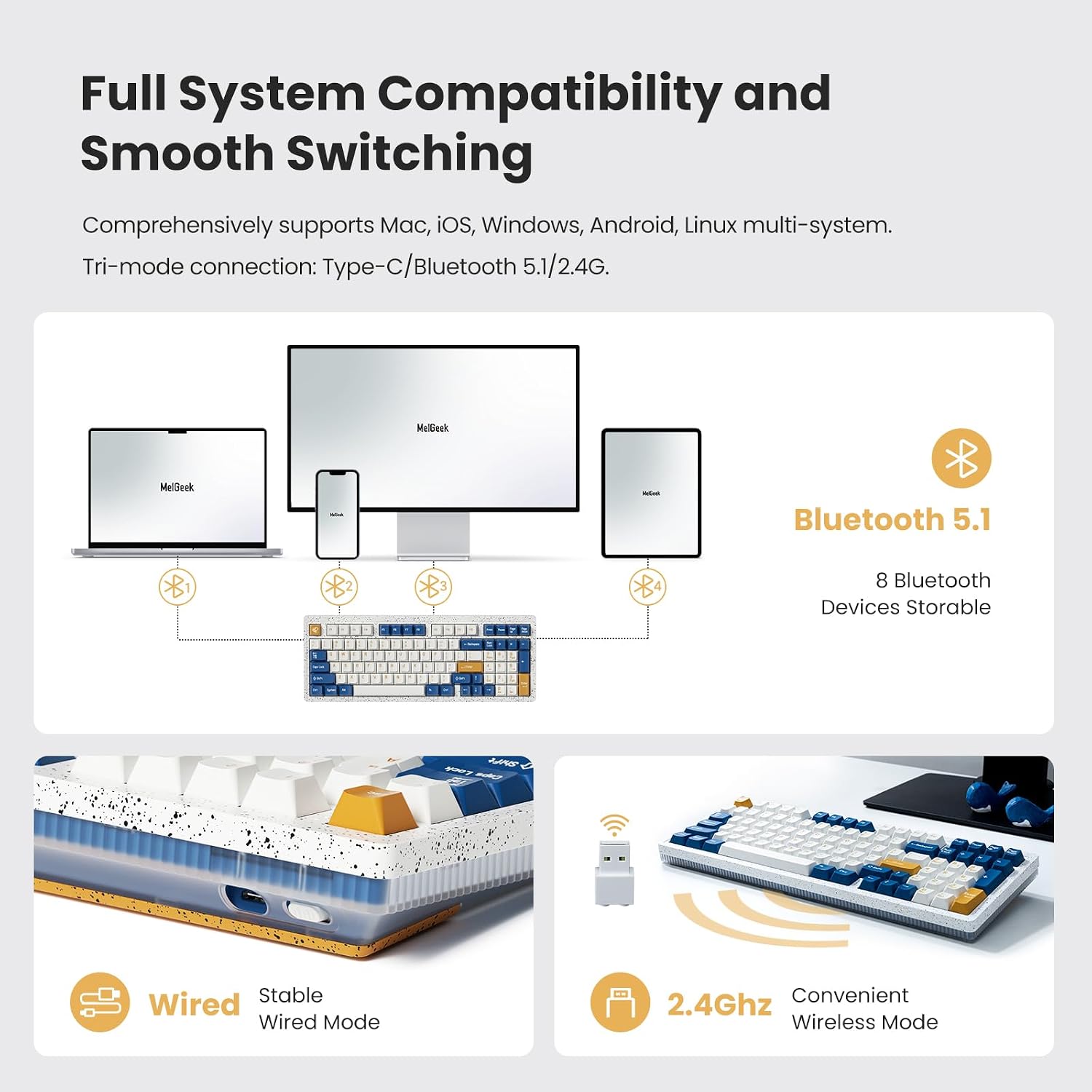
Image: A visual representation of the keyboard's multi-system compatibility and tri-mode connection options, including USB-C, Bluetooth 5.1, and 2.4G wireless.
3.2.1 USB-C Wired Mode
- Connect the provided Type-C cable to the keyboard's USB-C port.
- Connect the other end of the cable to an available USB port on your computer.
- The keyboard will be recognized automatically and is ready for use.
3.2.2 2.4G Wireless Mode
- Insert the 2.4G USB dongle into an available USB port on your computer.
- Ensure the keyboard's mode switch (usually located on the back or side) is set to 2.4G mode.
- The keyboard should automatically connect. If not, refer to the troubleshooting section.
3.2.3 Bluetooth 5.1 Mode
The Modern97 can store up to 8 Bluetooth devices.
- Ensure the keyboard's mode switch is set to Bluetooth mode.
- On your computer or device, enable Bluetooth and search for new devices.
- Select "MelGeek Modern97" from the list of available devices to pair.
- Follow any on-screen prompts to complete the pairing process.
4. Operating Instructions
4.1 Keyboard Layout
The Modern97 features a compact 97-key layout, retaining essential keys like the numeric keypad while optimizing desk space. This 90% layout provides full functionality in a smaller footprint compared to full-size keyboards.

Image: A visual comparison highlighting the space-saving design of the 97-key mechanical keyboard compared to a traditional full-size keyboard.
4.2 Gasket Mount Design
The keyboard incorporates an advanced Gasket Mount design with a built-in Poron switch mat, Poron foam, and silicone pad. This construction contributes to a soft typing feel and a pleasant acoustic profile.

Image: An exploded diagram showing the internal components of the keyboard, illustrating the gasket mount structure, Poron layers, and slotted PCB for enhanced typing feel and sound.
4.3 Hot-Swappable Switches
The Modern97 features a hot-swappable design, allowing users to easily change switches without soldering. This enables customization of typing feel and sound.
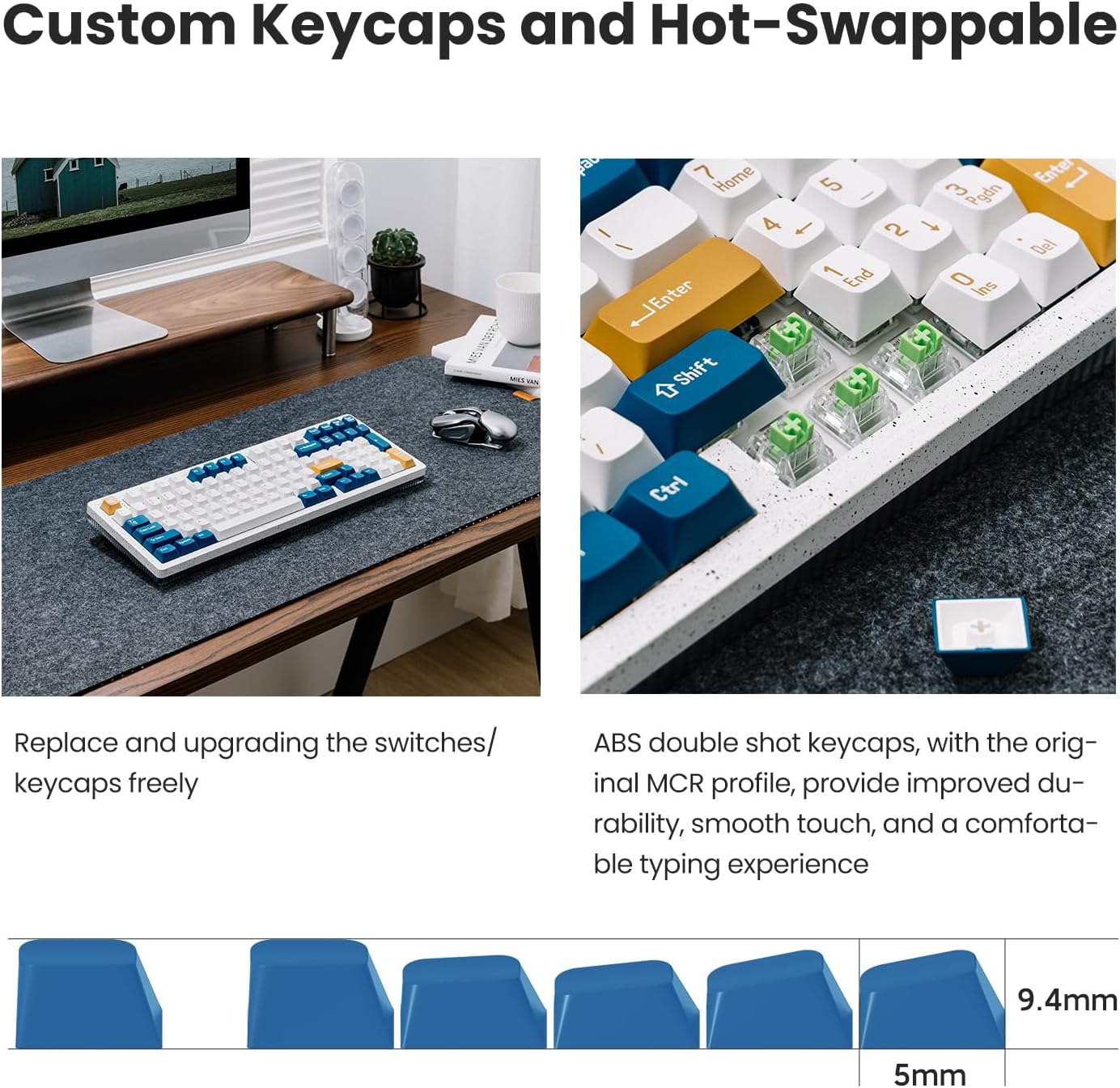
Image: A close-up showing the hot-swappable switch sockets and the process of removing a keycap and switch, demonstrating the ease of customization.
4.4 Customizable RGB Backlight
Each key on the Modern97 has individual RGB backlighting. You can customize lighting effects, colors, and brightness using the dedicated software (MG Hive) or through onboard shortcuts. The keyboard offers 8 different types of RGB lighting.
4.5 Programmable Macros with MG Hive
The MG Hive software allows for extensive customization, including programmable macros, key remapping, and LED control. This feature enhances workflow efficiency and personalizes the keyboard experience.

Image: A computer screen displaying the MG Hive software interface, showing options for key value assignment, LED customization, shortcuts, and macro programming.
5. Maintenance
5.1 Cleaning
To clean your keyboard:
- Disconnect the keyboard from all power sources.
- Use a soft, lint-free cloth slightly dampened with water or a mild cleaning solution to wipe the keycaps and chassis.
- For deeper cleaning, use the provided keycap puller to remove keycaps and clean underneath with compressed air or a small brush.
- Ensure the keyboard is completely dry before reconnecting.
5.2 Switch and Keycap Replacement
Utilize the included keycap and switch pullers for safe removal and installation of keycaps and switches. When replacing switches, ensure the new switches are compatible with the keyboard's 3-pin or 5-pin hot-swap sockets and align the pins carefully to avoid bending.
6. Troubleshooting
6.1 Connectivity Issues
- Wired Connection: Ensure the USB-C cable is securely connected to both the keyboard and the computer. Try a different USB port or cable.
- 2.4G Wireless: Verify the 2.4G dongle is properly inserted and the keyboard is set to 2.4G mode. Move the keyboard closer to the dongle to reduce interference.
- Bluetooth Connection: Ensure Bluetooth is enabled on your device and the keyboard is in pairing mode. Remove previous pairings and attempt to re-pair. Check the keyboard's battery level.
6.2 Keys Not Responding or Ghosting
- Individual Keys: If a specific key is not responding, try removing the keycap and switch to inspect for debris or damage. Re-seat the switch firmly.
- Ghosting: Ensure the keyboard firmware is up to date. If using wireless modes, try switching to wired mode to rule out wireless interference.
6.3 Backlight Issues
- If the backlight is not working or is dim, check the brightness settings via the keyboard's function keys or the MG Hive software.
- Ensure the keyboard has sufficient battery charge.
6.4 Software (MG Hive) Issues
- Ensure you have downloaded the correct version of MG Hive for your operating system from the official MelGeek website.
- Restart the software and/or your computer.
- If issues persist, reinstall the software.
7. Specifications
| Feature | Detail |
|---|---|
| Model | Modern97 |
| Layout | 97-Key (90% Layout) |
| Connectivity | 2.4G Wireless, Bluetooth 5.1, USB-C Wired |
| Polling Rate | <1ms (1000Hz) |
| Switches | Hot-Swappable, Pre-lubed Linear Switches (Kailh Custom Switch) |
| Keycaps | ABS Double-shot |
| Backlighting | Full Customizable RGB (16-Million Color) |
| Compatibility | Mac, iOS, Windows, Android, Linux |
| Battery | 1 Lithium Ion battery (included) |
| Product Dimensions | 12.84 x 4.78 x 1.24 inches (32.6 x 12.1 x 3.1 cm) |
| Item Weight | 3.6 pounds (1.63 kg) |
8. Warranty and Support
8.1 Warranty Information
MelGeek products are covered by a limited warranty against manufacturing defects. Please refer to the warranty card included in your package for specific terms and conditions, or visit the official MelGeek website for detailed warranty policy information.
8.2 Customer Support
For technical assistance, troubleshooting, or general inquiries, please contact MelGeek customer support through their official website or the contact information provided on your warranty card. When contacting support, please have your product model (Modern97) and purchase details ready.


