
1. Introduction
The ChunHee SL15-2 Solar Motion Sensor Alarm is an outdoor security device designed to deter unwanted animals and intruders from various outdoor areas. It features a 360° motion detection system, a loud 129dB siren with multiple sound options, including a recording function, and an activated strobe light. The device is powered by solar energy with an option for USB charging, offering flexible placement and continuous operation.

2. Package Contents
Please verify that all items are present in your package:
- 2 x ChunHee Solar Motion Sensor Alarm units
- 2 x Remote Controls
- 2 x USB Charging Cables
- Screws and Bolts for installation
- Instruction Manual (this document)
3. Product Features
- 360° Motion Detection: Equipped with three motion detection sensors, providing comprehensive coverage within a range of 16-26 feet.
- Loud Siren & Strobe Light: Features a 129dB siren and activated strobe light to effectively deter intruders and animals.
- Multiple Sound Options: Includes 13 default sounds such as dog barking and gunshot sounds.
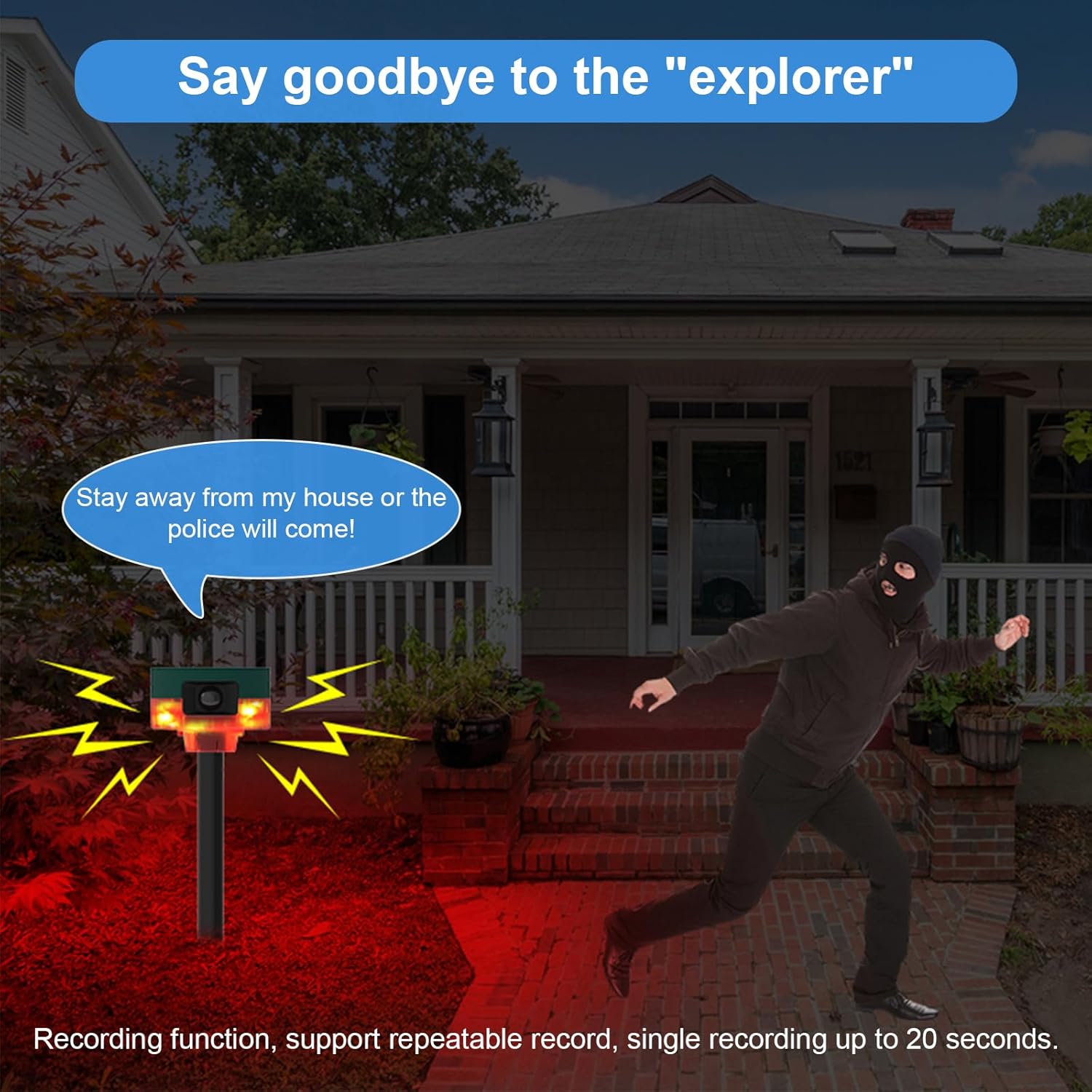
- Recording Function: Supports recording custom sounds up to 20 seconds in length.
- Flexible Power Supply: Utilizes a solar panel for charging and includes a USB charging option for convenience.
- Durable Design: IP65 waterproof rating ensures functionality in various weather conditions.
4. Product Components
Familiarize yourself with the main components of your alarm unit:

- Solar Panel: Located on top, charges the internal battery using sunlight.
- Motion Sensors: Three sensors provide 360° detection.
- Strobe LED: Flashes upon motion detection.
- DC Charging Port: For USB cable charging.
- Speaker: Emits alarm sounds.
- Knob Switch: Controls power and settings.
- Microphone: For recording custom sounds.
- Ground Insertion Pole: For ground installation.
- Rotating Bracket: For wall mounting and angle adjustment.
- Remote Control: For convenient operation.
5. Installation
The ChunHee Solar Motion Sensor Alarm offers two primary installation methods:

5.1. Ground Insertion
- Attach the alarm unit to the provided support pole.
- Insert the pole firmly into the ground in your desired location.
- Ensure the pole is stable and upright to prevent tipping.
5.2. Wall Mounting
- Secure the rotating bracket to a wall or fence using the provided screws and bolts.
- Attach the alarm unit to the rotating bracket.
- Adjust the angle of the alarm unit to optimize motion detection coverage.
6. Power Supply
The alarm unit can be powered and charged via two methods:

6.1. Solar Powered
The integrated solar panel on top of the unit charges the internal battery during daylight hours. For optimal performance, ensure the solar panel is exposed to direct sunlight for several hours daily.
6.2. USB Charging
For initial charging or during periods of low sunlight, use the provided USB cable to charge the unit via the DC charging port. Connect the USB cable to a standard USB power adapter (not included) or a computer USB port.
7. Operation
The ChunHee Solar Motion Sensor Alarm features three work modes and a customizable sound system.
7.1. Work Modes
Refer to the remote control or the knob switch on the unit to select the desired work mode. Specific details for each mode are typically outlined in the quick start guide included with the product.
7.2. Sound Selection
The alarm comes with 13 default sounds. Use the remote control or short press the designated button on the unit (as indicated in the components diagram) to cycle through the available sounds.
7.3. Recording Function
To record a custom sound (up to 20 seconds):
- Long press the recording button (refer to the components diagram for location).
- Speak clearly into the microphone.
- Release the button to stop recording. The recorded sound will now be part of the sound options.
7.4. Remote Control Usage
The remote control allows for convenient activation, deactivation, mode switching, and sound selection from a distance. Ensure the remote control has a clear line of sight to the alarm unit for optimal functionality.
7.5. Application Scenarios

8. Maintenance
- Cleaning: Periodically wipe the solar panel and motion sensors with a soft, damp cloth to ensure they remain free of dirt and debris, which can affect performance.
- Battery Care: For prolonged periods of storage, ensure the unit is fully charged. Recharge every few months to maintain battery health.
- Placement: Re-evaluate the placement periodically to ensure optimal sunlight exposure for the solar panel and effective motion detection coverage.
9. Troubleshooting
- Alarm not activating upon motion detection:
- Ensure the unit is powered on and in an active work mode. Check for obstructions blocking the motion sensors. Verify the detection range is appropriate for the area.
- Unit not charging:
- Ensure the solar panel is clean and receiving direct sunlight. If using USB charging, verify the cable and power adapter are functioning correctly.
- Sound is too low or not playing:
- Check the volume settings. Ensure the speaker is not obstructed. If a custom recording is used, re-record to ensure clarity.
- Remote control not working:
- Check the remote control's battery. Ensure there are no obstructions between the remote and the alarm unit.
10. Specifications
| Brand | ChunHee |
| Model Number | SL15-2 |
| Power Source | Solar Powered |
| Item Weight | 0.81 Kilograms |
| Motion Detection Range | 16-26 Feet |
| Motion Detection Angle | 360° |
| Mounting Type | Wall Mount, Ground Insertion |
| Sound Output | Up to 129dB |
| Waterproof Rating | IP65 |
11. Warranty and Support
For any questions, suggestions, or support needs regarding your ChunHee Solar Motion Sensor Alarm, please contact our customer service. We aim to respond to all inquiries within 24 hours.
Please retain your proof of purchase for any warranty claims.