
1. Product Overview
The GROOVYPETS Smart Automatic Anti-Bark Dog Collar (Model TC005) is designed to help manage and reduce excessive barking in dogs. It features an intelligent system that detects barking and applies corrective stimuli through sound, vibration, and static shock, with adjustable sensitivity levels to suit various dog temperaments and barking habits. The collar is rechargeable, waterproof, and suitable for dogs weighing 10lbs-110lbs with neck sizes from 6 to 24 inches.
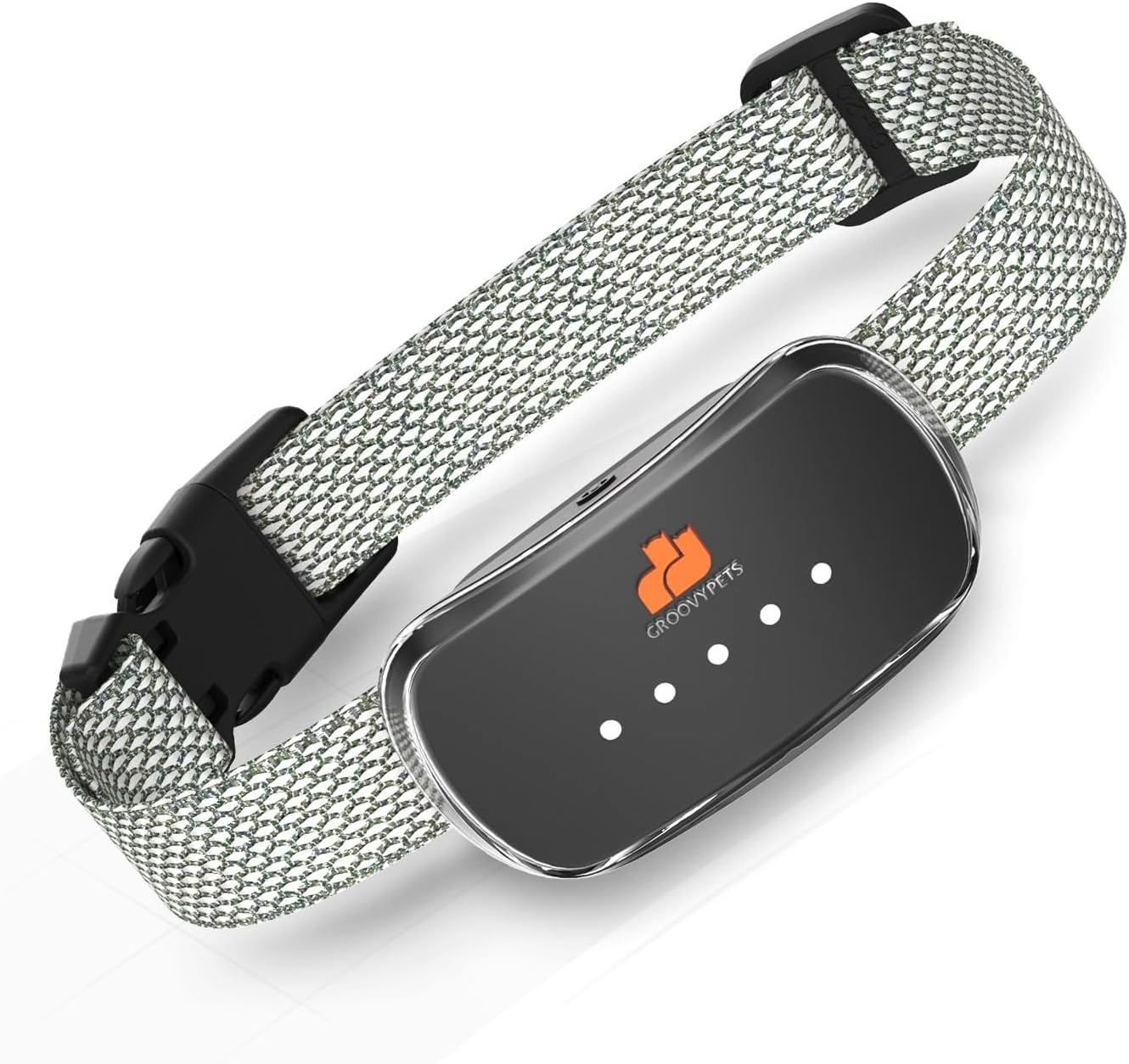
Image 1.1: The GROOVYPETS Smart Automatic Anti-Bark Dog Collar.
2. Setup
2.1 Unboxing and Components
Before first use, ensure all components are present:
- Anti-Bark Collar Unit
- Adjustable Nylon Strap
- USB Charging Cable
- Contact Points (various sizes)
- Silicone Protective Caps
- User Manual

Image 2.1: Components included with the GROOVYPETS Smart Automatic Anti-Bark Dog Collar.
2.2 Charging the Collar
The collar is equipped with a rechargeable battery. Charge the device fully before initial use.
- Locate the charging port on the collar unit, usually covered by a rubber flap for waterproofing.
- Open the rubber flap and connect the USB charging cable.
- Connect the other end of the USB cable to a suitable USB power adapter (not included) or a computer USB port.
- The indicator lights on the collar will show charging status. A full charge typically provides up to 12 days of battery life.
- Once fully charged, disconnect the cable and securely close the rubber flap to maintain waterproofing.
Video 2.1: Demonstrates the features of the GROOVYPETS bark training collar, including charging and sensitivity adjustment.
2.3 Attaching Contact Points and Protective Caps
Select the appropriate length of contact points based on your dog's fur length to ensure proper contact with the skin. Use the silicone protective caps for comfort and to prevent direct metal-to-skin contact if static shock is not desired or for sensitive dogs.
- Twist the desired contact points onto the collar unit.
- Place the silicone protective caps over the contact points if you wish to disable the static shock function or for added comfort.
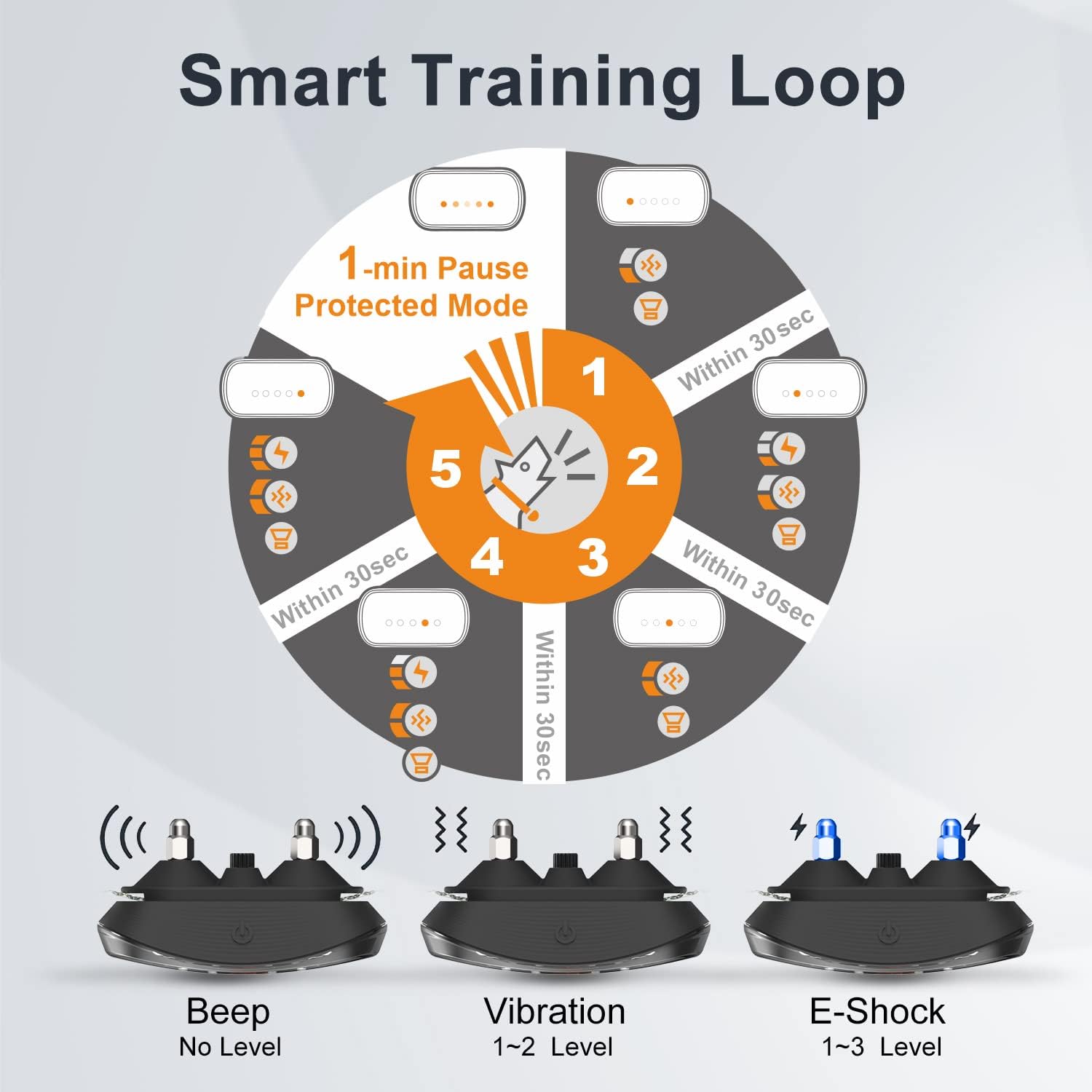
Image 2.2: The collar unit showing contact points and the option to use silicone protective caps.

Image 2.3: Illustration of how to disable the E-shock function using green silicone caps.

Image 2.4: The collar's safe design featuring black silicone protective sleeves for comfort.
2.4 Fitting the Collar
Proper fit is crucial for the collar's effectiveness and your dog's comfort.
- Adjust the nylon strap to ensure the collar unit sits snugly on your dog's neck, typically around the throat area.
- You should be able to fit one or two fingers comfortably between the collar and your dog's neck.
- The contact points should make consistent contact with the skin.
- The collar is designed for dogs with neck circumferences from 6 to 24 inches and weights from 10 to 110 lbs.

Image 2.5: The adjustable nylon strap allows for a perfect fit on various dog sizes.

Image 2.6: Visual guide showing the collar's suitability for various dog sizes and breeds.
3. Operation
3.1 Powering On/Off
To power on or off the collar, press and hold the power button located on the unit. The indicator lights will illuminate to confirm the status.
3.2 Adjusting Sensitivity Levels
The collar offers 5 levels of sensitivity to barking. Adjusting the sensitivity allows the collar to respond appropriately to your dog's barking volume and frequency.
- While the collar is on, tap the power button to cycle through the sensitivity levels.
- More illuminated lights indicate higher sensitivity (responds to quieter barks).
- Fewer illuminated lights indicate lower sensitivity (responds to louder barks).
- Choose a sensitivity level that prevents false triggers from other noises but effectively detects your dog's barks.
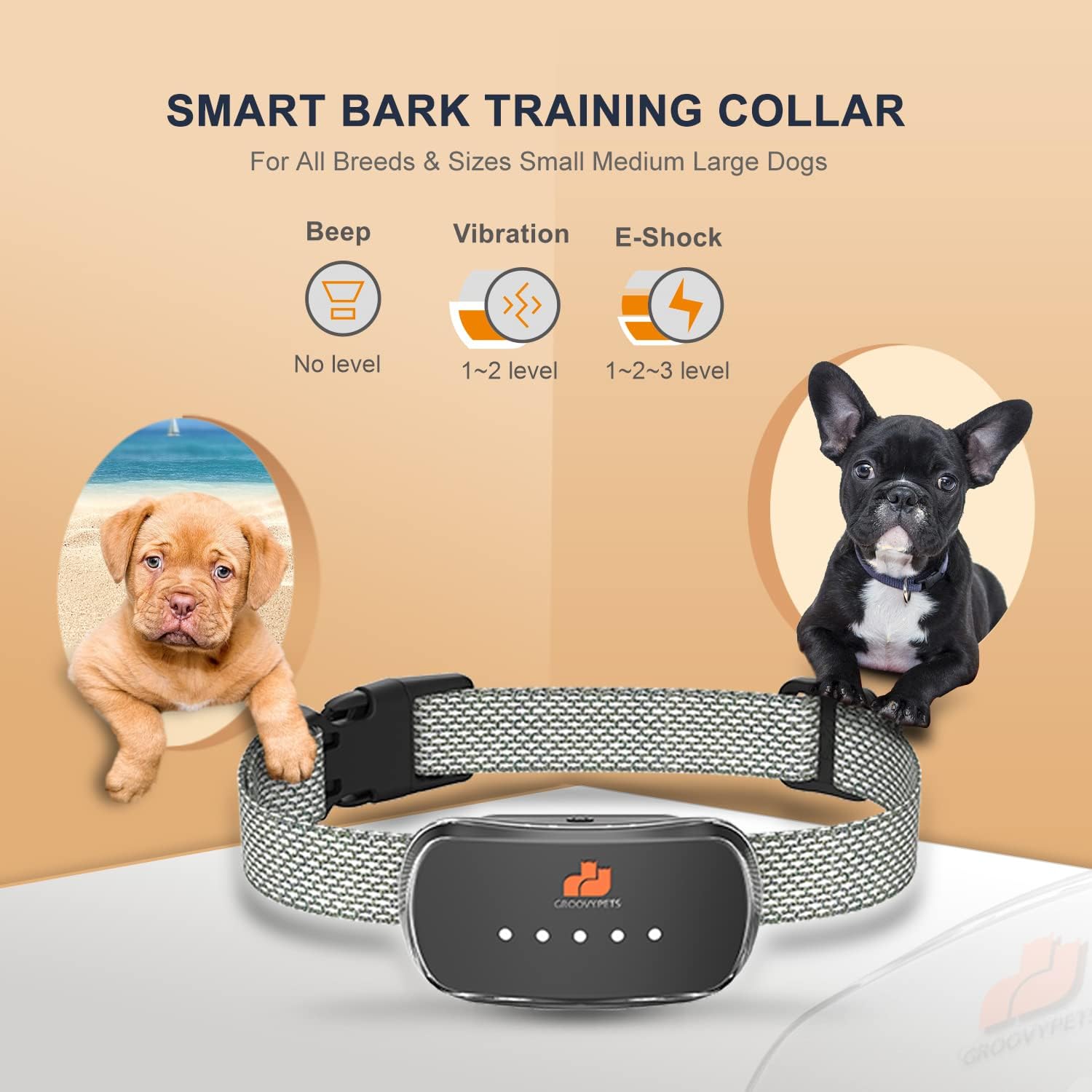
Image 3.1: Overview of the collar's three basic training methods: Beep, Vibration, and E-Shock.
3.3 Automatic Barking Control Modes
The collar operates automatically, progressing through corrective modes if barking continues. It features a smart training loop to prevent overcorrection.
- Levels 1-2 (Beep & Vibrate): The initial corrections involve a warning beep followed by vibration. These are designed to startle the dog without causing discomfort.
- Levels 3-5 (Beep, Vibrate & Static Shock): If barking persists, the collar will introduce a mild static shock in addition to the beep and vibration. The intensity of the static shock increases with each subsequent bark within a 30-second interval.
- Safety Pause: After 5 consecutive triggers within a cycle, the collar will enter a 1-minute non-action pause to prevent overcorrection, ensuring the dog's safety and well-being.

Image 3.2: Diagram illustrating the Smart Training Loop with progressive correction levels and a 1-minute protected pause.
Video 3.1: Demonstrates the GROOVYPETS Smart Dog Bark Collar in action, showing how it responds to barking.
4. Maintenance
4.1 Cleaning
Regularly clean the collar unit and strap to ensure hygiene and proper function.
- Wipe the collar unit with a soft, damp cloth. Avoid harsh chemicals.
- Clean the contact points to remove any dirt or debris that might impede contact with the dog's skin.
- The nylon strap can be hand-washed with mild soap and water. Ensure it is completely dry before reattaching to the unit.
4.2 Battery Care
To prolong battery life:
- Charge the collar fully when the battery indicator is low.
- Avoid overcharging or completely draining the battery for extended periods.
- If storing the collar for a long time, charge it to about 50% and recharge every few months.
4.3 Waterproofing
The collar has an IP67 waterproof rating, meaning it is protected against immersion in water up to 1 meter for up to 30 minutes. Ensure the charging port's rubber flap is securely closed before exposing the collar to water.
Image 4.1: The collar demonstrating its IP67 waterproof capability, suitable for various outdoor activities.
5. Troubleshooting
- Collar not activating:
- Ensure the collar is powered on and fully charged.
- Check the sensitivity level. Increase sensitivity if your dog's bark is quiet.
- Verify that the contact points are making proper contact with your dog's skin. Adjust the strap or use longer contact points if necessary.
- Test the collar by blowing air onto the sensor between the contact points. It should beep and vibrate.
- False activations:
- Decrease the sensitivity level.
- Ensure the collar is not too loose, allowing it to rub against other surfaces or your dog's movements to trigger it.
- Check for external noises that might be triggering the collar.
- Static shock not felt:
- Ensure silicone protective caps are not installed if static shock is desired.
- Verify contact points are making good skin contact.
- The static shock levels are progressive; it may take a few barks to reach higher levels.
6. Specifications
| Feature | Detail |
|---|---|
| Model Number | TC005 |
| Product Dimensions | 2.75 x 1.5 x 1 inches |
| Item Weight | 4.66 ounces |
| Battery Type | 1 Lithium Ion battery (included) |
| Battery Life | Up to 12 days (approximate) |
| Waterproof Rating | IP67 |
| Neck Size Compatibility | 6" - 24" |
| Dog Weight Compatibility | 10 lbs - 110 lbs |
| Material | Plastic |
| Closure Type | Buckle |
7. Warranty & Support
7.1 Product Warranty
This GROOVYPETS product comes with a 1-year warranty from the date of purchase. The warranty covers manufacturing defects and malfunctions under normal use. It does not cover damage caused by misuse, accidents, or unauthorized modifications.
For warranty claims, please retain your proof of purchase.
7.2 Customer Support
If you encounter any issues or have questions regarding your GROOVYPETS Smart Automatic Anti-Bark Dog Collar, please contact our customer support team. Refer to the contact information provided in the packaging or on the official GROOVYPETS website for assistance.
When contacting support, please have your product model number (TC005) and purchase date available.