
1. Introduction
This manual provides detailed instructions for the assembly, operation, and maintenance of your Lufeiya 40 inch Desk with Power Outlet and 32 inch Desk with Drawers Set. Please read this manual thoroughly before assembly and use to ensure proper setup and safe operation. Keep this manual for future reference.
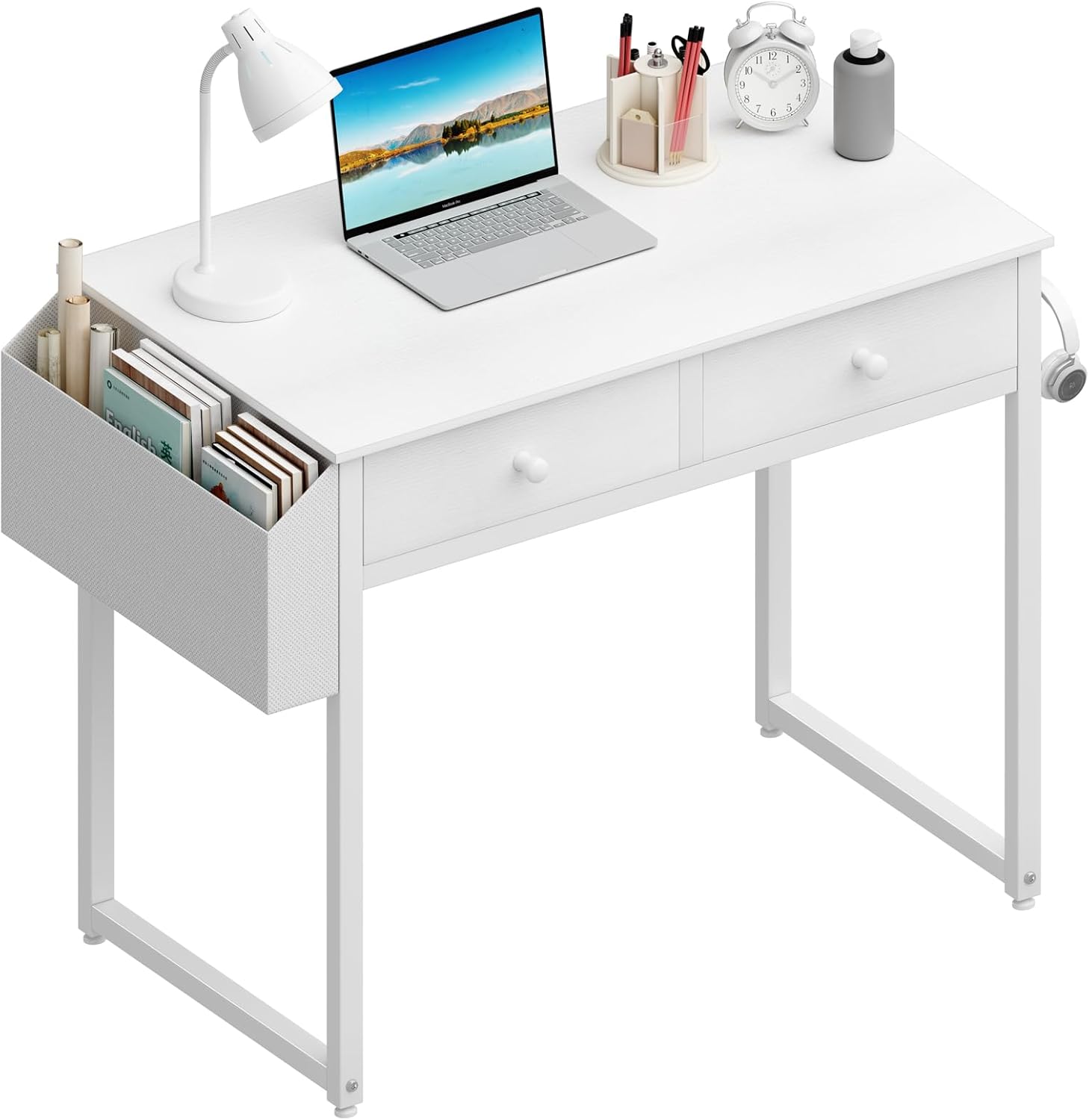
Image 1: The 32-inch desk component of the set, featuring two fabric drawers and a removable side storage pocket. A laptop, lamp, and various office supplies are displayed on its surface.
2. Safety Information
Please observe the following safety precautions:
- Assembly Caution: Exercise caution during assembly. Ensure all components are correctly aligned and securely fastened.
- Weight Capacity: Do not use the desk to support excessive weight. Distribute weight evenly across the desktop surface.
- Stability: Ensure the desk is placed on a stable, level surface to prevent tipping. Use the adjustable leg pads to compensate for uneven ground.
- Power Outlet (40-inch desk): For the 40-inch desk with a power outlet, ensure the power cord is not pinched or damaged. Do not overload the power outlet. Use only in dry indoor environments.
- Children: Keep small parts away from children during assembly. Do not allow children to climb on or play with the desk.
- Maintenance: Regularly check all fasteners to ensure they remain tight.
3. Package Contents
Before beginning assembly, verify that all parts are present and undamaged. The package includes:
- One (1) Lufeiya 40 inch Computer Desk with Power Outlet
- One (1) Lufeiya 32 inch Computer Desk with 2 Fabric Drawers
- All necessary hardware for assembly (screws, bolts, etc.)
- Assembly tools (e.g., Allen wrench)
- Instruction Manual
If any parts are missing or damaged, please contact customer service.
4. Setup and Assembly Instructions
Assembly is straightforward and typically takes 20-30 minutes. No additional tools are required beyond those provided.
General Assembly Steps:
- Unpack all components and lay them out on a clean, soft surface to prevent scratches.
- Identify all parts according to the parts list in the included instruction manual.
- Attach the desk legs to the desktop using the provided hardware. Ensure all screws are finger-tightened initially.
- For the 32-inch desk, insert the fabric drawers into their designated slots.
- For the 40-inch desk, ensure the power outlet unit is securely integrated into the desktop.
- Once all components are in place, fully tighten all screws with the provided tools. Do not overtighten.
- Attach the removable storage pocket and iron hook as desired.
- Adjust the leg pads to ensure the desk is stable and level on your floor.

Image 2: Visual representation of key desk features including the waterproof surface, robust metal frame construction, and adjustable leg pads designed for stability on uneven floors. These elements contribute to the desk's durability and ease of setup.
5. Product Features and Operation
5.1. 2-Tier Fabric Drawers (32-inch Desk)
The 32-inch desk features two fabric drawers, providing convenient storage for office supplies, documents, or personal items. These drawers are designed for easy access and organization, helping to keep your workspace tidy.

Image 3: A detailed view of the two fabric drawers, showcasing their capacity for organizing items such as pens, notebooks, and small accessories. The drawers are designed for practical storage.
5.2. Removable Storage Pocket
Both desks include a removable side storage pocket, offering additional space for books, magazines, or other frequently accessed items. This feature helps maximize desktop space and maintain organization.

Image 4: The removable storage pocket attached to the side of the desk, illustrating its utility for holding various items, thereby freeing up desktop surface area.
5.3. Iron Hook
An integrated iron hook is provided, typically located on the side of the desk. This hook is suitable for hanging headphones, bags, or other accessories, contributing to a clutter-free workspace.

Image 5: A close-up of the iron hook, demonstrating its use for hanging headphones, which helps keep the desktop clear and organized.
5.4. Integrated Power Outlet (40-inch Desk)
The 40-inch desk includes a built-in power outlet for convenient access to electrical power. To use, simply plug the desk's main power cord into a wall outlet. Ensure the power cord is fully inserted and not obstructed. Use the integrated outlets for charging devices or powering small electronics.
5.5. Adjustable Leg Pads
Each desk is equipped with adjustable leg pads. These can be rotated to fine-tune the desk's height and compensate for uneven floor surfaces, ensuring optimal stability and preventing wobbling.
6. Maintenance and Care
- Cleaning: Wipe the desk surfaces with a soft, damp cloth. Avoid harsh chemicals or abrasive cleaners, as these may damage the finish. The desktop surface is scratch-resistant and waterproof, making cleaning easier.
- Fabric Drawers: For the fabric drawers, spot clean with a mild detergent and water if necessary. Allow to air dry completely.
- Fasteners: Periodically check all screws and bolts to ensure they are tight. Retighten if necessary to maintain structural integrity.
- Avoid Extreme Conditions: Do not expose the desk to extreme temperatures or humidity.
7. Troubleshooting
- Desk Wobbles:
Ensure the desk is on a level surface. Adjust the leg pads by rotating them until the desk is stable.
- Drawers Not Sliding Smoothly:
Check that the fabric drawers are correctly inserted and not overloaded. Ensure no obstructions are present in the drawer slots.
- Power Outlet Not Working (40-inch desk):
Verify that the desk's main power cord is securely plugged into a functional wall outlet. Check for any visible damage to the cord or outlet unit. Do not attempt to repair electrical components yourself; contact a qualified technician or customer support.
- Missing Parts / Damaged Components:
Refer to the "Package Contents" section. If parts are missing or damaged upon arrival, contact Lufeiya customer service immediately for assistance.
8. Specifications
| Feature | Detail |
|---|---|
| Brand | Lufeiya |
| Desk Design | Computer Desk (Set of 2) |
| Dimensions (32-inch Desk) | 15.7"D x 31.5"W x 31"H |
| Color | White |
| Top Material Type | Engineered Wood |
| Base Material | Engineered Wood |
| Finish Type | Wood Finish |
| Special Features | Scratch Resistant, Waterproof Surface, Adjustable Leg Pads, Integrated Power Outlet (40-inch desk), Fabric Drawers (32-inch desk), Removable Storage Pocket, Iron Hook |
| Number of Drawers (32-inch Desk) | 2 (Fabric) |
| Required Assembly | Yes |
| Maximum Height | 31 Inches |
| Tabletop Thickness | 0.75 Inches |
9. Warranty and Support
Lufeiya provides a 2-year warranty guarantee for this product. This warranty covers manufacturing defects and quality problems. If you encounter any issues or have questions regarding your desk set within this period, please contact Lufeiya customer service for professional assistance. Easy and fast replacement is guaranteed for quality problems.
For support, please visit the Lufeiya Store on Amazon or refer to the contact information provided in your product packaging.


