
1. Introduction
This manual provides essential instructions for the safe and efficient operation of your ENERNOVA ETA PRO 1200W Portable Power Station. Please read this manual thoroughly before using the product and retain it for future reference. This device is designed to provide reliable power for various applications, including outdoor camping, RVs, and home emergency backup.
2. Safety Instructions
- Do not disassemble, repair, or modify the unit.
- Do not place the unit near heat sources or in direct sunlight for extended periods.
- Avoid exposure to rain or moisture.
- Keep the unit away from children and pets.
- Ensure proper ventilation during use and charging.
- Use only approved accessories and charging cables.
- In case of fire, use a dry powder fire extinguisher. Do not use water.
3. Package Contents
Upon unpacking, please verify that all the following items are included:
- 1 * ENERNOVA ETA PRO Portable Power Station
- 1 * AC Charge Cable
- 1 * Car Charge Cable
- 1 * User Manual
4. Product Overview
The ENERNOVA ETA PRO 1200W Portable Power Station features a robust design with multiple output ports and an intuitive display for monitoring power status.
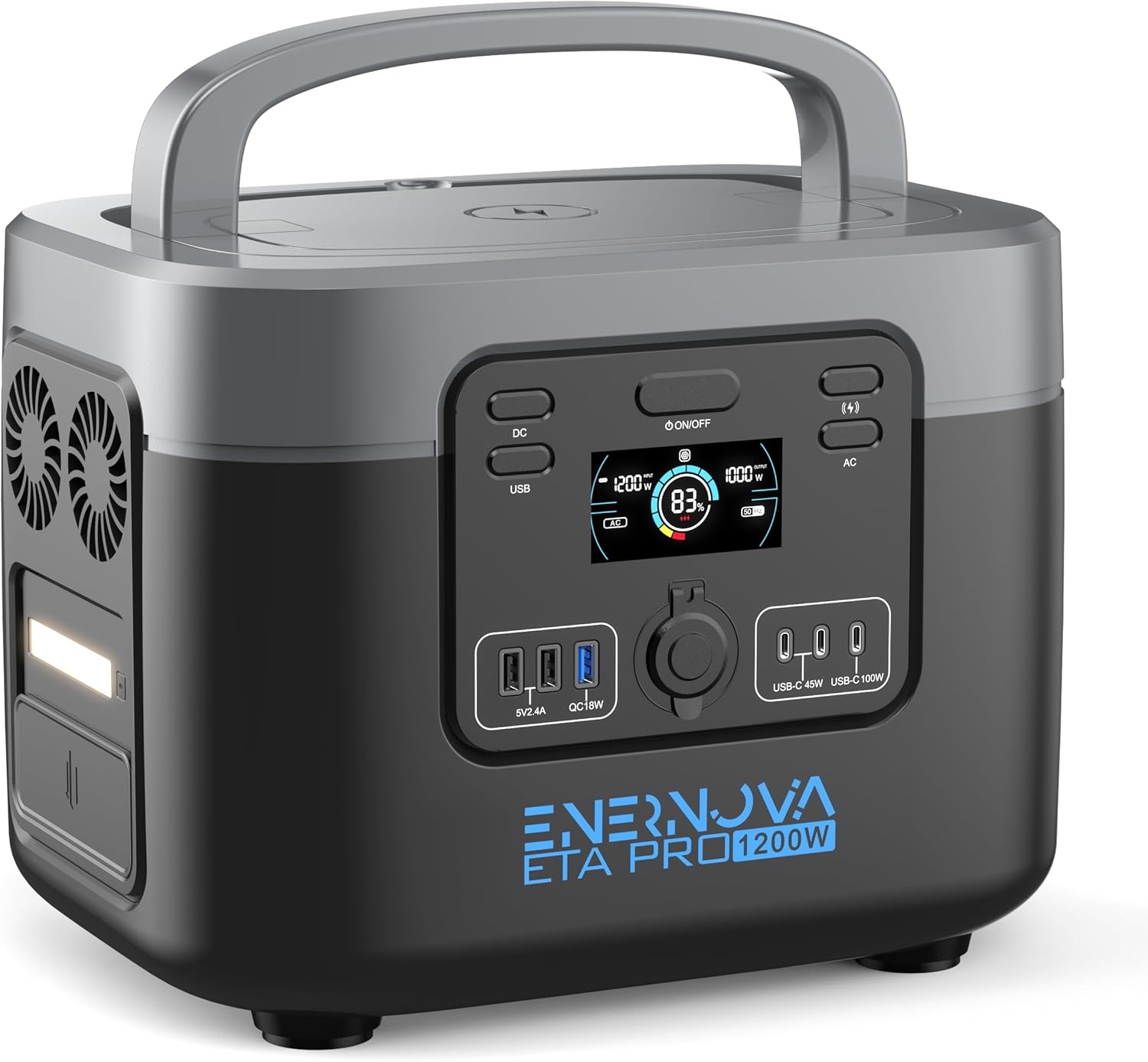
Image: Front view of the ENERNOVA ETA PRO 1200W Portable Power Station, showcasing the main display, AC outlets, USB ports, and car port.
4.1. Key Features
- 1200W AC Output: Provides stable power for various appliances.
- 1050Wh LiFePO4 Battery: Offers extended lifespan and durability.
- Fast Charging: Reaches full charge in approximately 1.5 hours via AC.
- EPS Function: Automatic switch to battery power within 30 milliseconds during outages.
- Multiple Output Ports: Includes AC, Type-C (PD 100W, PD 45W), USB-A, Carport, and Wireless charging.
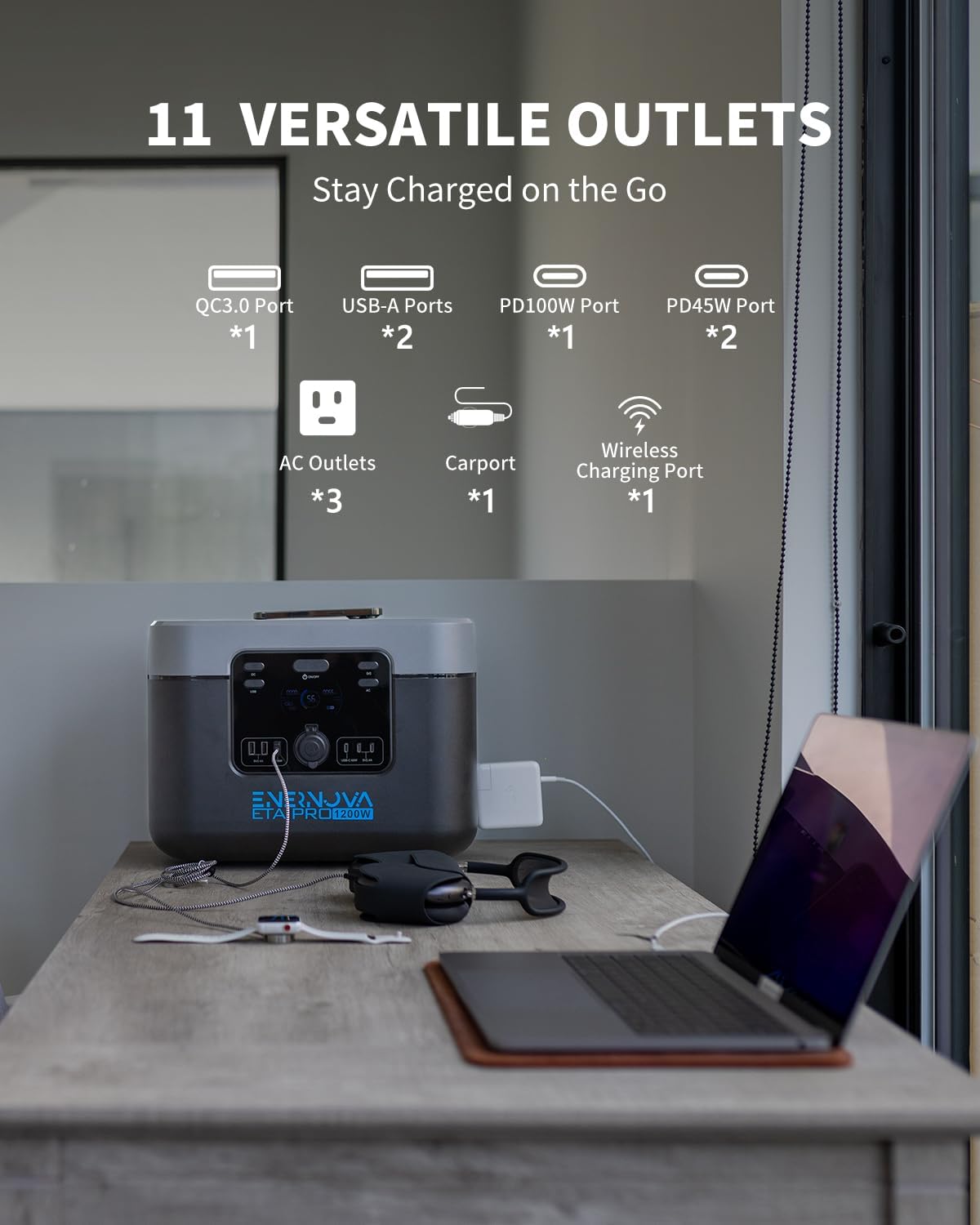
Image: The power station with labels indicating its 11 versatile outlets, including AC, USB-A, QC3.0, PD100W, PD45W, Carport, and Wireless Charging Port.
5. Setup
5.1. Initial Charging
Before first use, fully charge the power station. Connect the AC charging cable to the unit's input port and then to a standard wall outlet. The display will indicate charging status.
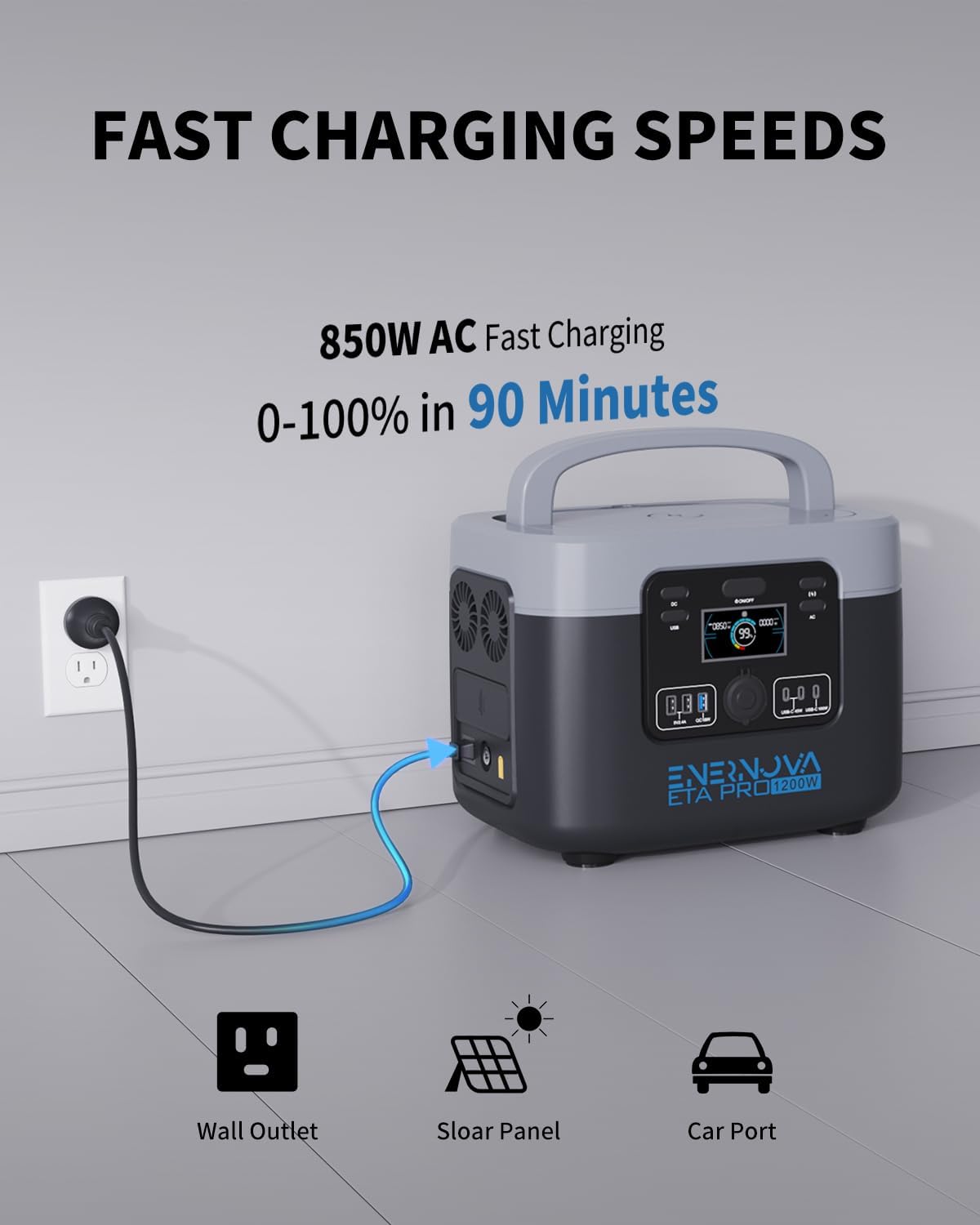
Image: The power station connected to a wall outlet for AC fast charging, illustrating the charging process.
The unit can achieve a full charge in approximately 1.5 hours using the AC fast charging plug.
6. Operating Instructions
6.1. Powering On/Off
Press and hold the main power button to turn the unit on or off. The LCD display will illuminate, showing battery level and output status.
6.2. Using AC Outputs
Press the AC button to activate the 110V/1200W AC outlets. Plug your devices into the AC ports. Ensure the total wattage of connected devices does not exceed 1200W.
6.3. Using DC/USB Outputs
Press the DC/USB button to activate the USB-A, Type-C, and Carport outputs. Connect your compatible devices. The unit features:
- 1 * Type-C PD 100W output
- 2 * Type-C PD 45W outputs
- 2 * USB-A outputs
- 1 * USB QC3.0 output
- 1 * 12.5V/8.3A carport
6.4. Wireless Charging
Place your Qi-compatible device on the wireless charging pad located on top of the unit to initiate charging.
6.5. EPS (Emergency Power Supply) Function
When the ETA PRO is connected to a wall outlet and devices are plugged into its outputs, power is supplied directly from the grid. In the event of a power outage, the unit automatically switches to its internal battery supply mode within 30 milliseconds, providing uninterrupted power to connected devices. This feature is ideal for critical devices like fish tanks, CPAP machines, and routers.

Image: The power station providing backup power to a computer monitor and other devices, demonstrating its EPS auto-switch capability during a power interruption.

Image: The power station in an outdoor setting, powering multiple devices like a slow cooker, juicer, coffee maker, and electric grill, highlighting its versatility.
7. Charging Methods
The ENERNOVA ETA PRO 1200W can be recharged using multiple methods:
- AC Wall Outlet: Connect the AC charging cable to a standard wall outlet. This method provides the fastest charge, reaching 0-100% in approximately 1.5 hours.
- Solar Panel (Optional): Connect compatible solar panels (up to 400W max input) to the unit's solar input port. Charging time varies based on sunlight intensity and panel wattage.
- Car Charger: Use the provided car charge cable to recharge the unit from your vehicle's 12V car port.
8. Maintenance
8.1. Battery Care
The LiFePO4 battery cells offer a lifespan of over 10 years and more than 3000 charge cycles. To maximize battery life:
- Avoid fully discharging the unit frequently.
- Recharge the unit at least once every 3-6 months if not in regular use.
- Store the unit in a cool, dry place, away from direct sunlight and extreme temperatures.
8.2. Cleaning
Use a dry, soft cloth to clean the exterior of the unit. Do not use liquid cleaners or immerse the unit in water.
9. Troubleshooting
- Unit not turning on: Ensure the battery is charged. If not, connect to an AC outlet for charging.
- No output from ports: Verify that the specific output (AC, DC/USB) is activated by pressing its respective button. Check if the device connected is within the power station's wattage limits.
- Charging slowly: Ensure you are using the original AC fast charging cable. For solar charging, check panel placement and sunlight intensity.
- Overload warning: Disconnect some devices to reduce the total power draw. The unit will automatically resume normal operation once the load is reduced.
10. Specifications

Image: The power station with its dimensions clearly marked: 16 inches (L), 11 inches (W), and 9 inches (H).
| Specification | Detail |
|---|---|
| Model Name | K5 |
| Brand | enernova |
| Wattage | 1200 watts |
| Output Wattage | 1200W (AC) |
| Battery Capacity | 1050Wh |
| Battery Type | LiFePO4 (LFP) |
| Voltage | 110 Volts |
| AC Fast Charging Time | Approx. 1.5 hours (0-100%) |
| Max Solar Input | 400W |
| Product Dimensions | 16"L x 11"W x 9"H |
| Item Weight | 34 Pounds |
| Special Feature | Lightweight, Portable, EPS Function |
11. Warranty and Support
The ENERNOVA ETA PRO Portable Power Station comes with a 5-year warranty. For warranty claims, technical support, or any inquiries, please contact ENERNOVA customer service through their official website or the retailer where the product was purchased. Please have your purchase receipt and product model number (K5) available when contacting support.


