
Introduction
The JWSCHESSUN Talking Chess Academy Electronic Chess Set is designed to provide an interactive and engaging chess experience for players of all levels. Featuring a powerful AI engine, an interactive voice teaching system, and magnetic chess pieces, this set offers multiple difficulty levels and learning tools to enhance your chess skills.

Image: The JWSCHESSUN Talking Chess Academy Electronic Chess Set, showcasing the board and pieces.
What's Included
The package contains the following items:
- Electronic Chess Board
- Chess Pieces (White and Black)
- Nylon Bag for storage
- Playing Cards (for learning piece movement or rules)
- Instruction Manual (this document)

Image: Close-up of the chess board's control panel, LCD display, and battery compartment, along with magnetic chess pieces.
Setup
- Insert Batteries: The chess set requires 4xAA batteries (not included). Locate the battery compartment on the underside of the board, open it, insert the batteries according to the polarity markings, and close the compartment securely.
- Place Chess Pieces: Arrange the magnetic chess pieces on their starting positions on the chess board. The magnetic base of each piece ensures stability during play.
- Power On: Press the "ON/OFF" button to power on the device. The LCD display will illuminate.
- Initial Settings: Upon first use or after a reset, you may need to select your preferred difficulty level or game mode. Refer to the "Operating Instructions" section for details on adjusting settings.
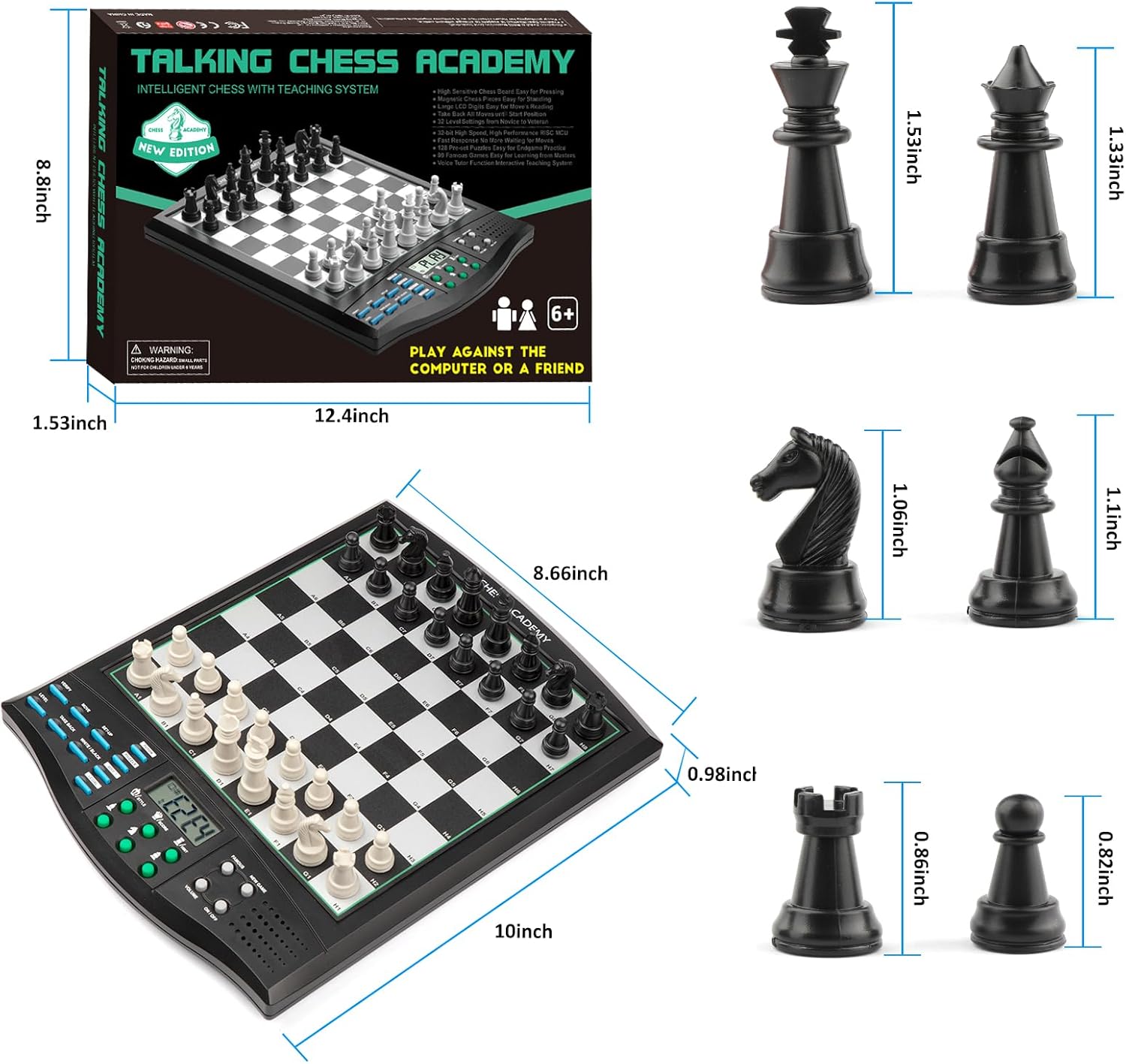
Image: Diagram showing the dimensions of the chess board and individual chess pieces.
Operating Instructions
Basic Play
- Making a Move: To make a move, lightly press down on the square of the piece you wish to move, then press down on the destination square. The board's high-sensitive sensors will register the move.
- AI Response: The 32-bit high-speed processor ensures a fast response from the AI, minimizing waiting time between moves.
- Adjusting Volume: Use the volume controls to adjust the sound level of the voice tutor and other audio prompts.
Interactive Teaching System (Voice Tutor)
The Voice Tutor function provides interactive guidance during gameplay:
- Voice Warnings: Receive voice warnings for poor moves, mistakes, or threats.
- Legal/Illegal Moves: The system announces whether a move is legal or illegal.
- Setup/Verify Positions: Voice announcements assist during game setup or when verifying piece positions.
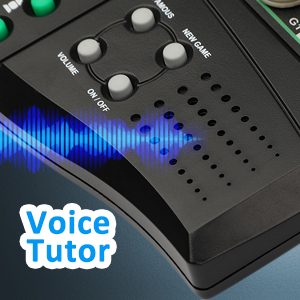
Image: Close-up of the chess board's control panel highlighting the "Voice Tutor" feature.
Learning and Practice Modes
- 128 Pre-set Puzzles: Practice endgame scenarios with 128 pre-set puzzles.
- 99 Famous Games: Learn from master strategies by replaying 99 famous chess games.
- 5 Mini-Chess Games: Novices can practice handling each type of piece in turn with 5 dedicated mini-chess games.
- 5 Fun Level Settings: Specific difficulty settings are available for beginners.
- Hint Function: Use the "HINT" button to receive suggestions for your next move.

Image: Close-up of the chess board's control panel highlighting the "128 Puzzles" feature.
Advanced Features
- Take Back Moves: Undo previous moves up to the starting position.
- Swap Sides with AI: Change sides with the AI opponent during a game.
- Chase Computer's Move: Follow the computer's moves to analyze its strategy.
- Game Save Function: The auto power-off and saving function allows you to resume games later.

Image: A young girl and an adult playing chess on the electronic chess set, demonstrating its interactive use.
Maintenance
- Cleaning: Wipe the chess board and pieces with a soft, dry cloth. Avoid using abrasive cleaners or solvents.
- Storage: Store the chess set in the provided nylon bag to protect it from dust and damage. Ensure the pieces are securely placed to prevent loss.
- Battery Care: Remove batteries if the device will not be used for an extended period to prevent leakage.
- Magnetic Pieces: The magnetic pieces are designed for durability. Handle them with care to maintain their magnetic properties.
Troubleshooting
- Device Not Powering On:
- Check if batteries are inserted correctly with the correct polarity.
- Ensure batteries are fresh and not depleted. Replace if necessary.
- Moves Not Registering:
- Ensure you are pressing lightly but firmly on both the origin and destination squares.
- Verify that the chess pieces are correctly placed on the squares.
- Voice Tutor Issues:
- Check the volume settings and adjust if too low.
- Ensure the Voice Tutor function is enabled (refer to control panel buttons).
- Pieces Not Sticking to Board:
- Confirm that the pieces are magnetic. If not, contact support.
- Ensure the board surface is clean and free from debris that might interfere with magnetism.
Specifications
| Brand Name | JWSCHESSUN |
| Model Number | 001 |
| Item Type Name | Electronic AI Chess Board Game |
| Material Type | Plastic |
| Number of Players | 1 - 2 |
| Item Dimensions | 10.08 x 8.66 x 0.98 inches |
| Item Weight | 1.62 Pounds |
| Batteries Required | Yes (4xAA, not included) |
| Minimum Age Recommendation | 72 Months (6 years) |
Safety Information
Warning: Choking Hazard - Small parts not suitable for children under 3 years.
Official Product Video
Video: An overview of the JWSCHESSUN Talking Chess Academy Electronic Chess Computer Board Game, demonstrating its features and interactive voice teaching system.
Warranty and Support
For warranty information or technical support, please refer to the contact details provided with your purchase documentation or visit the official JWSCHESSUN website. Specific warranty terms may vary by region and retailer.