
Introduction
Thank you for choosing the Aheaplus Twin Size Upholstered Headboard. This headboard is designed to enhance your bedroom with comfort, convenience, and modern features. It includes integrated power outlets, USB charging ports, customizable LED lighting, and practical storage shelves. This manual provides detailed instructions for assembly, operation, maintenance, and troubleshooting to ensure optimal use of your new headboard.
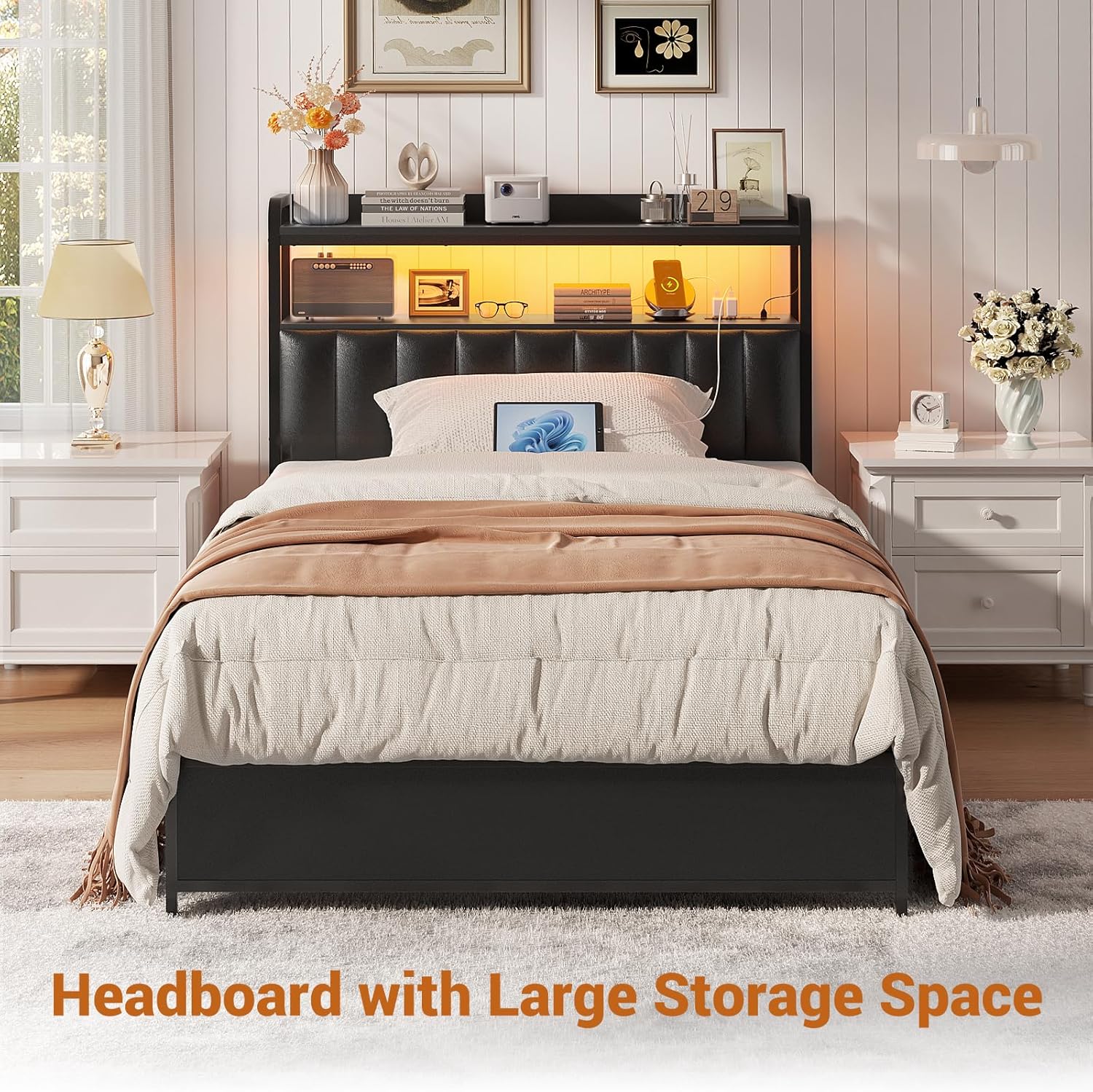
Image: Aheaplus Twin Size Headboard featuring storage and LED lights in a bedroom setting.
Setup and Assembly
The Aheaplus Headboard is designed for straightforward assembly. All necessary tools and hardware are included, along with clear, labeled instructions. We recommend reviewing all steps before beginning assembly.
Package Contents:
- Upholstered Headboard Panels
- Metal Frame Components
- 2-Tier Storage Shelf
- Power Outlet and USB Module
- LED Light Strip with Remote Control
- Adjustable Adapters for Bed Frame Connection
- Assembly Hardware (screws, bolts, Allen wrench)
- Instruction Manual
Assembly Steps:
- Unpack Components: Carefully remove all parts from the packaging and lay them out on a clean, soft surface to prevent scratches. Verify all components are present against the parts list in your included manual.
- Assemble Metal Frame: Follow the numbered steps in your manual to connect the metal frame components using the provided hardware. Ensure all connections are secure but do not fully tighten until the entire frame is assembled.
- Attach Upholstered Panels: Secure the upholstered headboard panels to the assembled metal frame.
- Install Storage Shelf: Mount the 2-tier storage shelf onto the frame as indicated in the instructions.
- Integrate Power Module: Install the power outlet and USB module into its designated slot on the shelf. Route the power cable as directed.
- Apply LED Lights: Adhere the LED light strip to the underside of the storage shelf. Connect it to the power module.
- Connect to Bed Frame: Use the adjustable adapters and included bed frame connectors to attach the headboard to your existing twin size bed frame. Adjust the height as needed to align with your mattress.
- Final Tightening: Once the headboard is in its desired position and connected to the bed frame, fully tighten all screws and bolts.
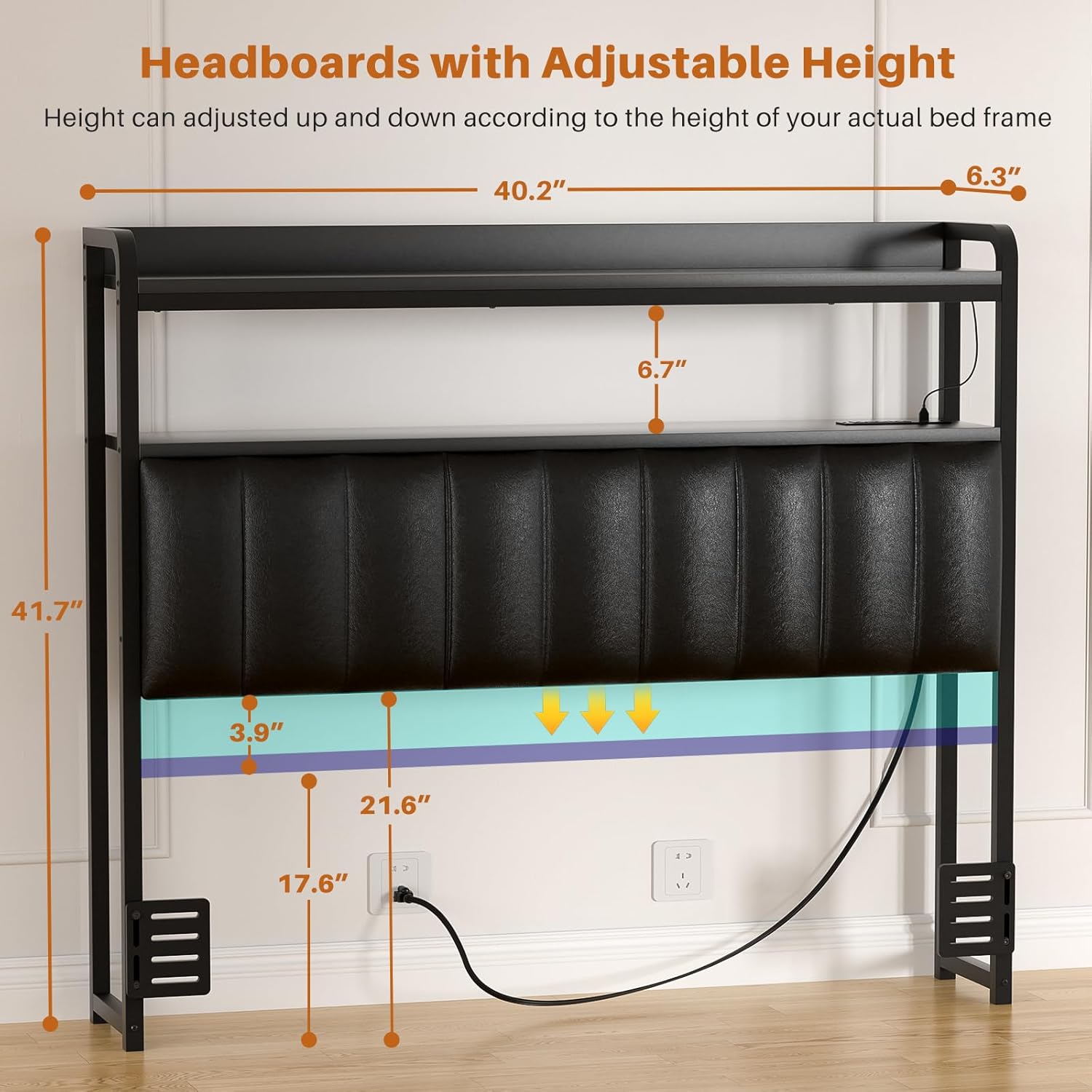
Image: Headboard dimensions and adjustable height mechanism.
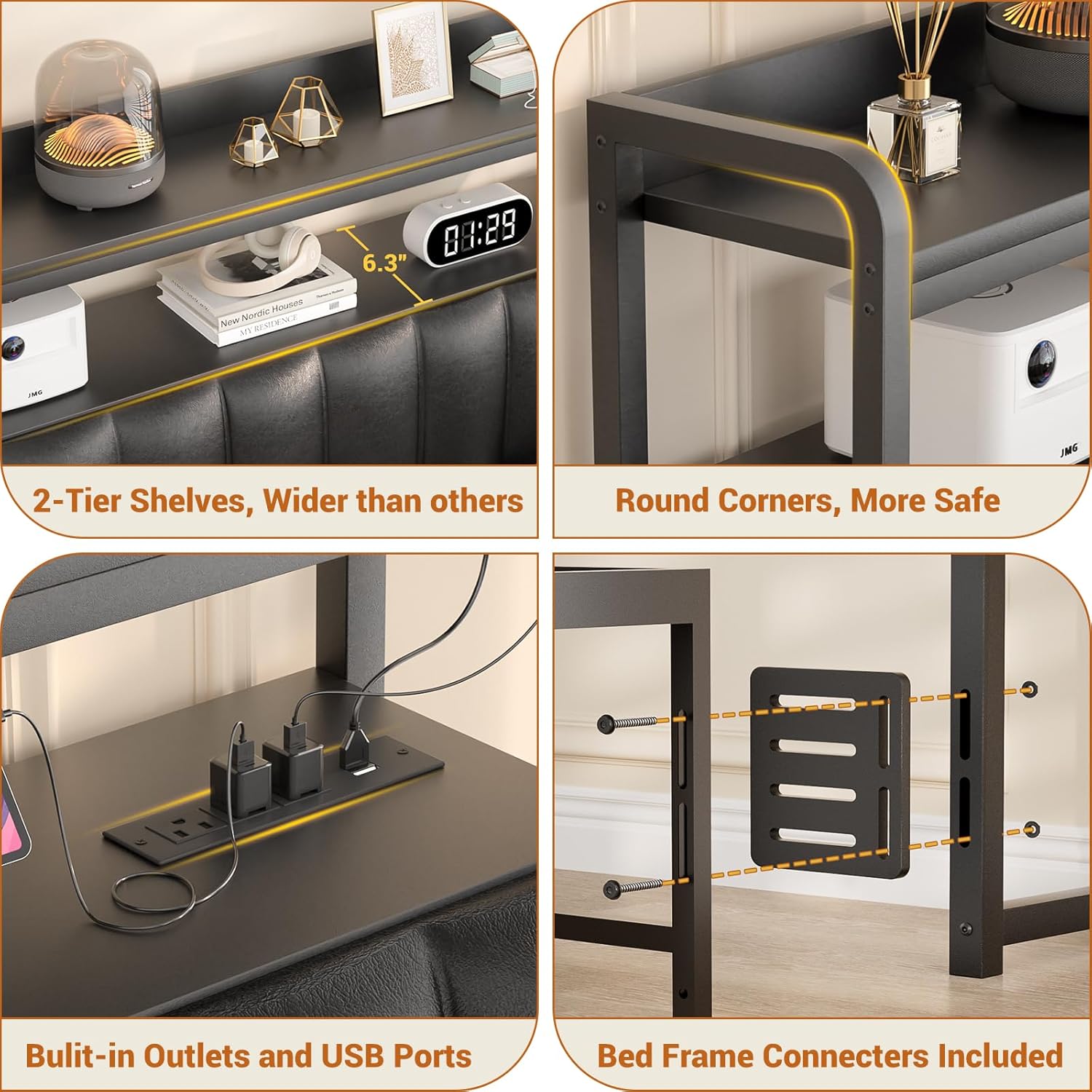
Image: Bed frame connectors for secure attachment.
Operation
Using the Integrated Charging Station:
The headboard features a built-in charging station for your convenience. It includes:
- 3 AC Outlets: For plugging in standard electronic devices.
- 2 USB Ports: For charging smartphones, tablets, and other USB-powered devices.
Simply plug the headboard's main power cable (6.56 feet long) into a wall outlet. You can then use the AC outlets and USB ports to power and charge your devices directly from your headboard.

Image: Integrated charging station with AC and USB ports.
Controlling the LED Lights:
The headboard is equipped with colorful RGB LED lights that offer a variety of customization options:
- Color Selection: Choose from over 60,000 colors to match your mood or room decor.
- Flashing Modes: Select from multiple dynamic flashing modes.
- Music Sync Function: The lights can change color and rhythm in sync with sound and music.
- Timer Functions: Set timers for the lights to turn on or off automatically.
Control the LED lights using the provided remote control or a compatible mobile application (refer to the specific LED light manual for app details, if applicable).

Image: RGB LED lights with remote control functionality.
Utilizing the Storage Shelf:
The 2-tier storage shelf provides ample space for various items such as phones, glasses, alarm clocks, books, or small decorative items. The design helps keep your bedside area organized and clutter-free.
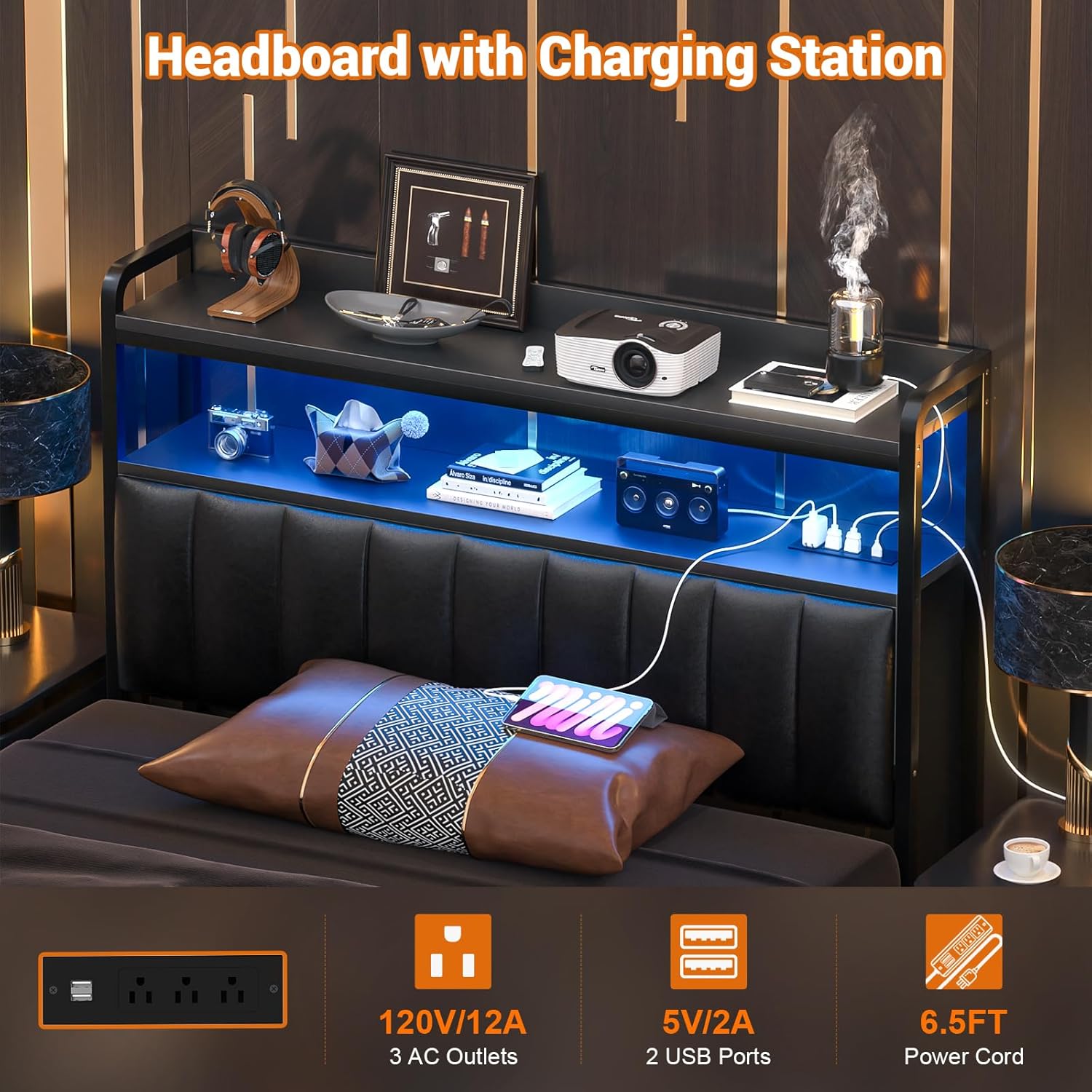
Image: Two-tier storage shelf with various items.
Maintenance
To maintain the appearance and longevity of your Aheaplus Headboard, follow these simple care instructions:
- Cleaning the Upholstery: The PU leather upholstery is easy to clean. Wipe with a dry cloth to remove dust. For spills or stains, use a slightly damp cloth with mild soap and water, then immediately wipe dry. Avoid harsh chemicals or abrasive cleaners.
- Cleaning the Frame and Shelves: Wipe the metal frame and wood shelves with a dry or slightly damp cloth.
- Electrical Components: Ensure the power outlets, USB ports, and LED lights are kept dry and free from dust. Do not attempt to clean electrical components with liquids.
- Regular Checks: Periodically check all screws and bolts to ensure they remain tight and secure.
Troubleshooting
If you encounter any issues with your headboard, please refer to the following common solutions:
| Problem | Possible Cause | Solution |
|---|---|---|
| No power from outlets/USB ports | Headboard not plugged in; circuit breaker tripped; faulty connection. | Ensure the headboard's power cable is securely plugged into a working wall outlet. Check your home's circuit breaker. Verify all internal connections of the power module are secure. |
| LED lights not working | LED strip not connected; remote control battery low/dead; power issue. | Check the connection of the LED strip to the power module. Replace the remote control battery. Ensure the headboard is receiving power. |
| Headboard feels wobbly or unstable | Loose connections; improper attachment to bed frame. | Tighten all assembly screws and bolts. Ensure the adjustable adapters are securely fastened to both the headboard and your bed frame. |
| Headboard height does not clear mattress/topper | Mattress/topper height exceeds maximum adjustable height. | While the headboard is height adjustable, some mattress and topper combinations may exceed its maximum range. Consider using bed risers for your bed frame if additional height is required for clearance. |
Specifications
| Feature | Detail |
|---|---|
| Size | Twin |
| Brand | Aheaplus |
| Style | Upholstered |
| Special Features | With Storage Space, with LED Light, with Power Outlet |
| Mounting Type | Free standing (with bed frame connectors) |
| Upholstery Fabric Type | Leather (PU Leather) |
| Product Dimensions | 6.3"W x 41.34"H |
| Included Components | Bed Frame Connectors, LED Light Strip, Power Module |
| Color | Black |
| Material | Leather, Wood, Iron |
| Item Weight | 21.6 pounds |
| Power Outlets | 3 AC Outlets (120V/12A) |
| USB Ports | 2 USB Ports (5V/2A) |
| Power Cord Length | 6.56 FT |
| LED Features | 60,000+ colors, multiple flashing modes, music sync, timer functions |
Warranty and Customer Support
Aheaplus is committed to providing high-quality products and excellent customer service. This headboard comes with a Lifetime Assistance Warranty.
For any questions, concerns, or assistance with assembly, operation, or troubleshooting, please do not hesitate to contact our experienced customer support team. We are available to help you before and after your purchase.
Please refer to your purchase documentation or the Aheaplus official website for contact information.
Product Video
Video: Aheaplus Headboard for Bed Frame. This video demonstrates the key features and functionality of the Aheaplus Headboard, including its integrated storage, charging capabilities, and dynamic LED lighting.