1. Product Overview
The ULANZI MT-79 is a versatile and portable extendable tripod designed for cameras, video lights, and smartphones. Constructed from durable aluminum alloy, it offers stability and adjustable height for various photography and videography needs. Its compact design makes it suitable for travel and outdoor use, providing a reliable support system for your equipment.
2. Package Contents
Verify that all components are present in the package:
- ULANZI MT-79 Tripod (1 Piece)
- Note: Additional accessories such as smartphone mounts or Bluetooth clickers are not included and must be purchased separately.
3. Setup Instructions
3.1 Unfolding the Tripod Legs
- Gently pull the tripod legs outwards until they are fully extended and locked into position. Ensure the legs are spread wide enough to provide a stable base.
- Confirm the anti-slip floor mats on the leg ends are making full contact with the surface for maximum stability.
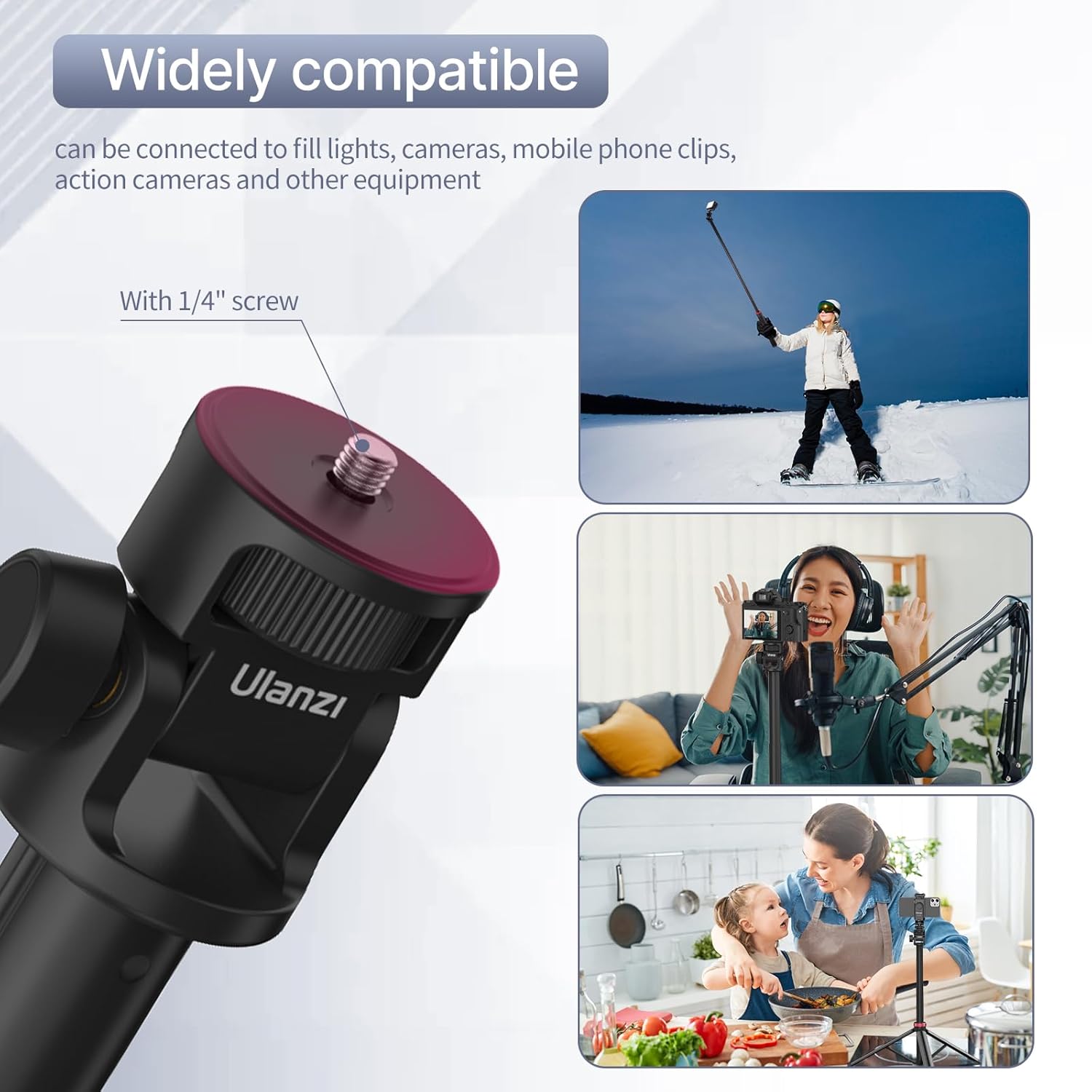
Image 1: The ULANZI MT-79 tripod with its legs extended, highlighting the anti-slip floor mats and the aluminum alloy construction for stability. The diagram also points out the ball head locking knob and tripod locking knob.
3.2 Attaching Devices
- Locate the 1/4" screw on the ball head of the tripod.
- Carefully screw your camera, video light, or smartphone clip onto the 1/4" screw until it is securely fastened.
- Ensure the device is firmly attached before proceeding.

Image 2: A close-up view of the 1/4" screw on the ULANZI MT-79 tripod, illustrating its wide compatibility with various devices such as fill lights, cameras, and mobile phone clips.
4. Operating Instructions
4.1 Adjusting Tripod Height
- To extend the tripod, twist the tripod locking knob counter-clockwise to loosen.
- Pull the telescopic sections upwards to achieve the desired height. The tripod can extend up to 207 cm (81 inches).
- Once the desired height is reached, twist the tripod locking knob clockwise to secure the sections firmly in place.
- Caution: Always ensure the tripod is stable at extended heights, especially with heavier devices.
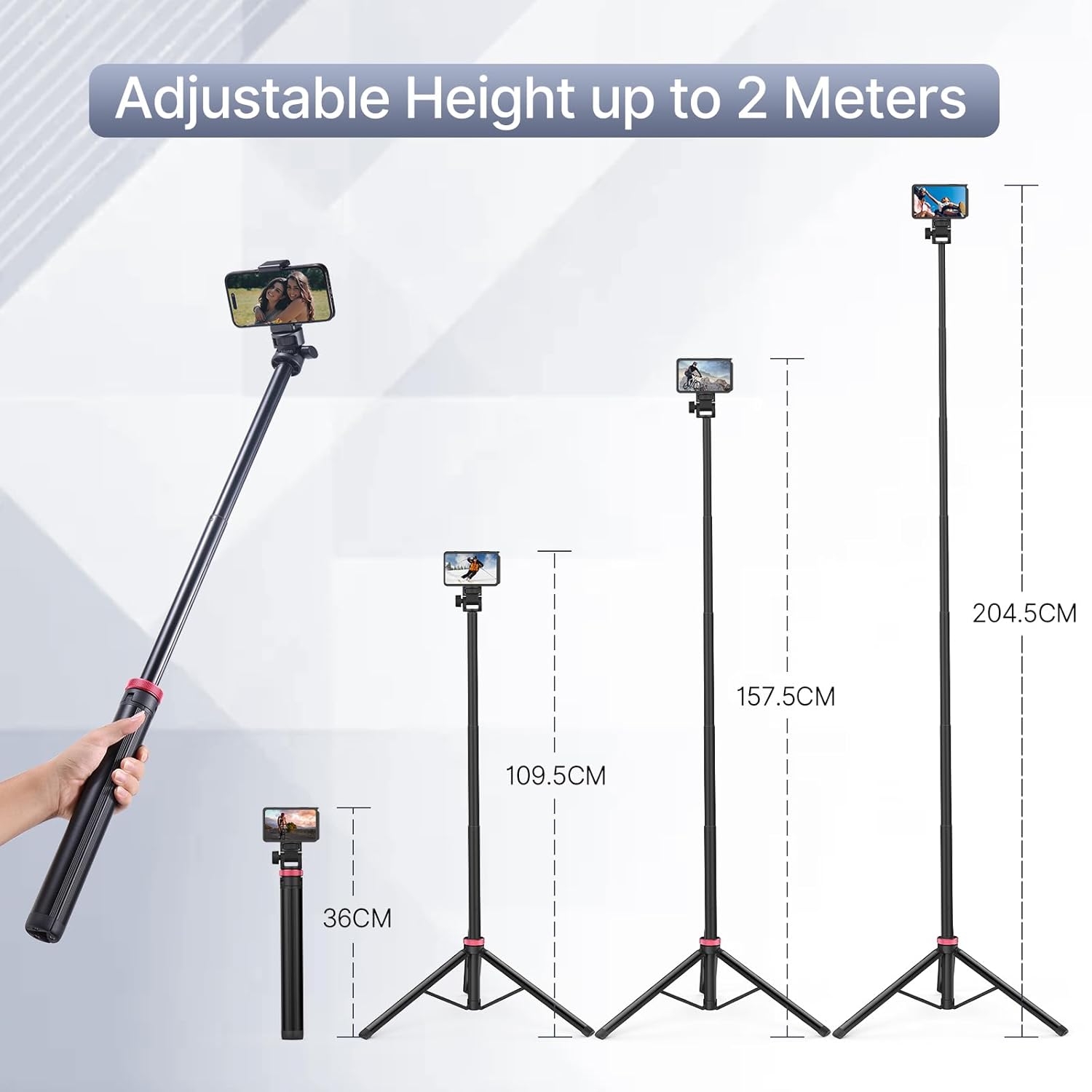
Image 3: The ULANZI MT-79 tripod showcasing its adjustable height capabilities, ranging from a compact 36cm to an extended 204.5cm (approximately 2 meters or 81 inches), with a smartphone attached.
4.2 Adjusting Ball Head Angle
- Loosen the ball head locking knob to allow free movement of the ball head.
- Adjust your attached device to the desired angle. The ball head supports 180° vertical rotation.
- Tighten the ball head locking knob clockwise to secure the device in position.
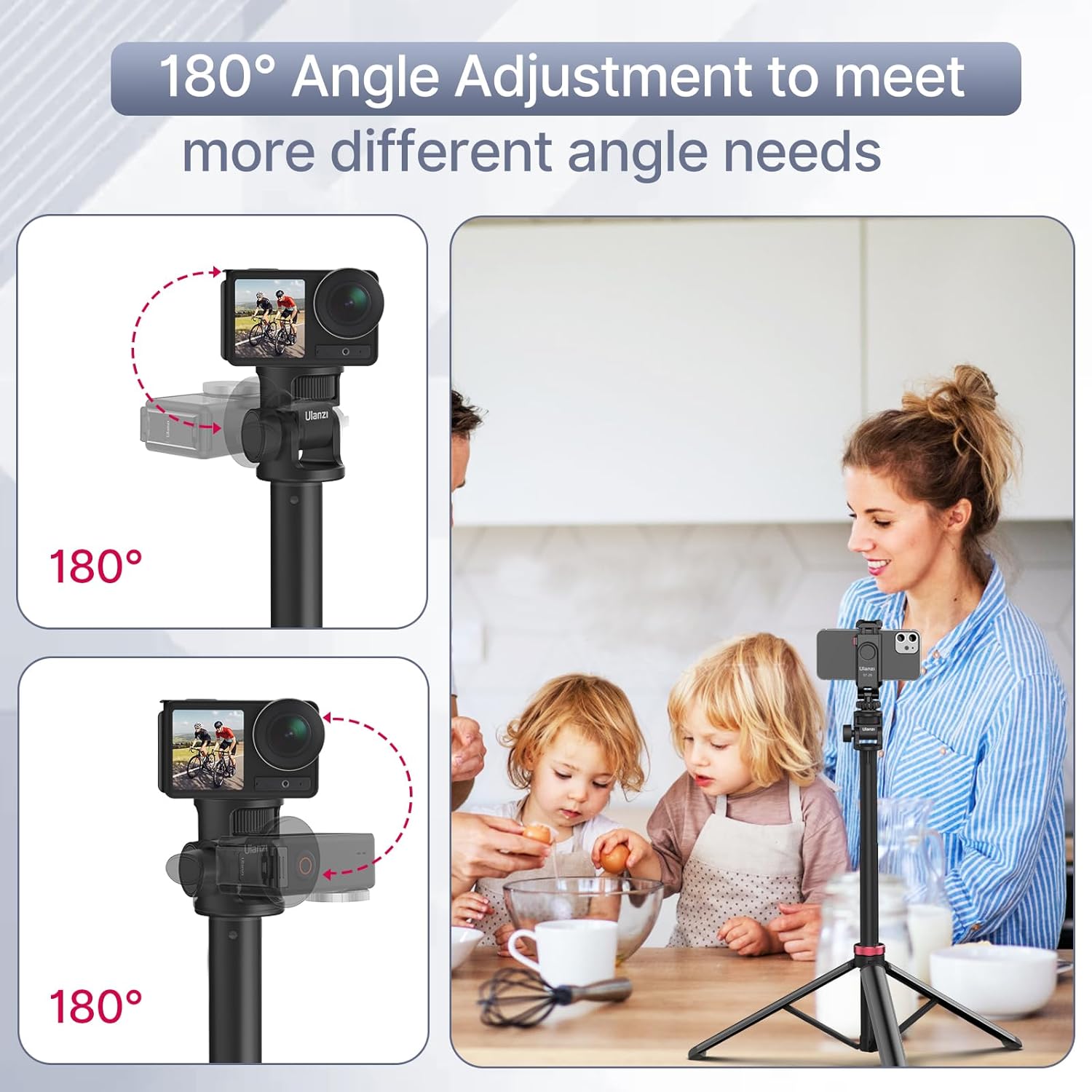
Image 4: This image demonstrates the 180° angle adjustment feature of the ULANZI MT-79 tripod's ball head, allowing for flexible positioning of attached devices like action cameras and smartphones.
5. Maintenance
- Cleaning: Wipe the tripod with a soft, dry cloth after each use to remove dust and dirt. For stubborn grime, use a slightly damp cloth and then dry thoroughly. Avoid harsh chemicals or abrasive cleaners.
- Storage: Store the tripod in a cool, dry place away from direct sunlight and extreme temperatures. Ensure it is fully collapsed and clean before storage.
- Inspection: Periodically check all screws, knobs, and leg locks for tightness. Tighten any loose components to maintain stability and safety.
- Lubrication: The telescopic sections and ball head mechanism are designed for smooth operation. Avoid applying lubricants unless specifically instructed by the manufacturer, as this may attract dust and impair function.
6. Troubleshooting
| Problem | Possible Cause | Solution |
|---|---|---|
| Tripod is unstable or wobbly. | Legs not fully extended or locked; uneven surface; excessive weight. | Ensure legs are fully extended and tripod locking knob is tightened. Place on a flat, stable surface. Do not exceed recommended weight capacity. |
| Device attached to ball head moves or sags. | Ball head locking knob is loose; device not securely mounted. | Tighten the ball head locking knob firmly. Ensure the device is properly screwed onto the 1/4" mount. |
| Telescopic sections are difficult to extend or retract. | Dust or debris inside sections; locking knob too tight. | Clean the sections carefully. Loosen the tripod locking knob sufficiently before adjusting height. |
7. Specifications
- Model: MT-79
- Material: Aluminum Plastic
- Maximum Extendable Height: Approximately 207 cm (81 inches)
- Minimum Collapsed Height: Approximately 36 cm
- Product Dimensions (LxWxH): 5.3 x 36.5 x 207 Centimeters (fully extended)
- Item Weight: 550 g
- Ball Head Rotation: 360° (horizontal), 180° (vertical)
- Mounting Screw: 1/4"
- Compatible Devices: Camera, Camera Video Light, Smartphone
- Color: Black and Red
- Country of Origin: China
8. Warranty and Support
For warranty information and customer support, please refer to the official ULANZI website or contact your local distributor. Keep your purchase receipt as proof of purchase for any warranty claims.
Manufacturer/Importer Contact:
33/06, Industrial Area, Site-2, Loni Road, Ghaziabad, Uttar Pradesh, India-201007Customer Care: 1800121000251


