
SecuFirst CWL401W
SecuFirst 2K Wireless Outdoor Surveillance System
Model: CWL401W | Brand: SecuFirst
Introduction
The SecuFirst 2K Wireless Outdoor Surveillance System provides a comprehensive solution for monitoring your property, children, pets, or front door. This system features a 7-inch touchscreen monitor and a 2K 3-megapixel outdoor camera, designed for ease of use without requiring internet or mobile phone connectivity for basic operation. It offers advanced features like AI motion detection, two-way audio, and local storage, with optional remote access via a dedicated mobile application.

Figure 1: SecuFirst 2K Wireless Outdoor Surveillance System components.
This system allows you to free your hands to watch live surveillance video directly on the 7-inch touchscreen. You can talk, listen, and play recordings directly from the monitor. The wireless surveillance system includes one indoor monitor and one outdoor surveillance camera, suitable for both indoor and outdoor use. It can function as a video baby monitor, pet camera, front door surveillance camera, or elderly care camera. The system is expandable to support up to 4 cameras on this single monitor.
One of the key advantages is its independence from internet, Wi-Fi, or mobile phone connections for core functionality. The camera is pre-paired with the monitor, allowing live video to be viewed within seconds of powering on, even without an internet connection. The wireless range between the outdoor video security camera and the monitor can reach up to 300 meters in open areas.
While designed for standalone operation, the system also supports optional remote access. By connecting the monitor to the internet via an Ethernet cable or Wi-Fi, you can download the free "Observer HD+" app to view live video, listen, talk, and play recordings from your smartphone or tablet anywhere in the world.
The 2K 3-megapixel wireless surveillance cameras feature a durable IP66 weatherproof metal housing, ensuring reliability in various outdoor conditions. They offer sharp night vision and an intercom function. The integrated AI + PIR thermal motion detector ensures accurate recording, storing footage on the included 64GB local storage. There are no hidden costs, and the storage can be expanded up to a 128GB Micro SD card or an external hard drive/USB stick up to 2TB.
Package Contents
Please check the box for the following items:
- 1x Outdoor Camera
- 1x 7-inch Touchscreen Monitor
- 2x AC Power Adapters (1.8m)
- 1x Power Extension Cable (1.8m)
- 1x 64GB MicroSD Card (pre-installed in monitor)
- 1x Ethernet Cable

Figure 2: Product packaging.
Product Overview
7-inch Touchscreen Monitor

Figure 3: Monitor components and ports.
The monitor features a responsive touchscreen interface, allowing intuitive control similar to a tablet or smartphone. Key components include:
- Monitor Touchscreen: For live view, playback, and settings navigation.
- Recording Indicator: Lights up when recording is active.
- Power Indicator: Shows power status.
- Monitor Microphone: For two-way audio communication.
- Power Button: Press and hold for 3 seconds to power on/off.
- Antenna Connector: For wireless signal reception.
- USB Jack: For external storage (up to 2TB USB stick/HDD).
- Speaker: For audio output.
- Monitor Stand: Integrated stand for desktop placement.
- Ethernet Connection (Network Jack): For optional internet connectivity.
- SD Card Slot: For MicroSD card storage (64GB card included).
- Power Jack: For connecting the AC power adapter.
- Reset Button: For system reset (press for 10 seconds).
Outdoor Camera

Figure 4: Camera components and features.
The outdoor camera is built with a robust metal housing and is IP66 weatherproof rated. Key features include:
- Antenna: For wireless signal transmission to the monitor.
- Adjustable Camera Stand: For flexible mounting and positioning.
- AC Net Cable: For connecting to the power adapter.
- Power Status LED: Indicates camera power status.
- IR LEDs: Infrared LEDs for night vision.
- Light Sensor: Detects ambient light for automatic day/night mode switching.
- Passive Infrared (PIR) Motion Sensor: Detects heat signatures for accurate motion detection.
- Audio Speaker: For two-way audio output.
- Microphone: For audio input.
- Antenna Connector (Rear of Camera): For attaching the antenna.
Setup Guide
Initial Setup
- Unpack Components: Carefully remove all items from the packaging and ensure all listed components are present.
- Insert MicroSD Card: The 64GB MicroSD card is typically pre-installed in the monitor. If not, locate the SD card slot on the monitor and insert the card until it clicks into place.
- Connect Camera Power: Connect the camera's AC net cable to one of the provided AC power adapters. Plug the adapter into a standard power outlet.
- Connect Monitor Power: Connect the monitor's power jack to the other AC power adapter. Plug this adapter into a standard power outlet.
- Power On: Press and hold the power button on the monitor for approximately 3 seconds until the screen powers on.
The camera and monitor are pre-paired at the factory. Once both are powered on, the live video feed from the camera should appear on the monitor within a few seconds. No complex network configuration is required for local viewing.
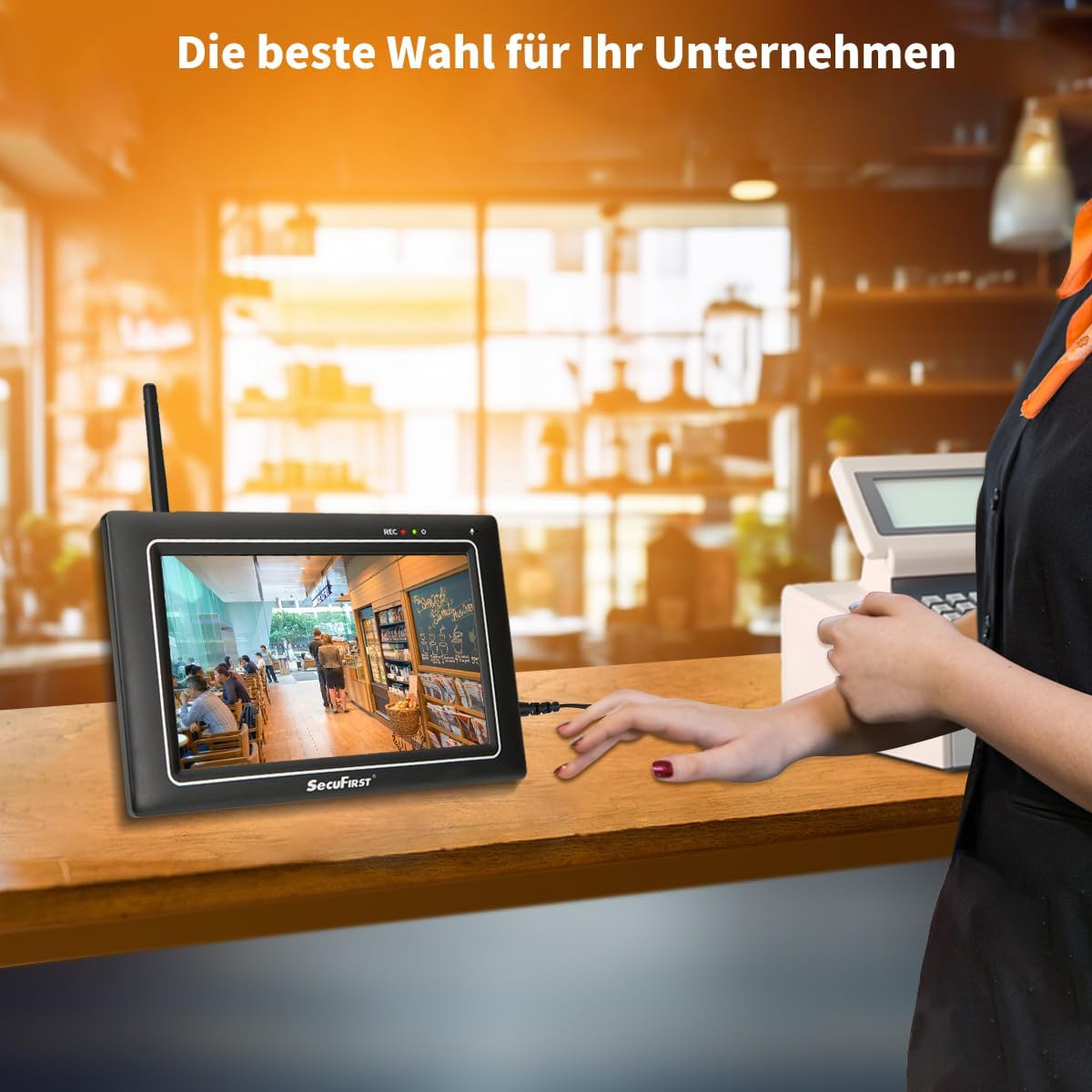
Figure 5: The camera is designed for outdoor use and requires simple power connection.
Mounting the Camera
Choose a suitable location for the outdoor camera, ensuring it has a clear view of the area you wish to monitor and is within range of the monitor. Use the adjustable camera stand and screws to securely mount the camera to a wall or other stable surface. Ensure the power cable is routed safely and protected from the elements.
Operating Instructions
Live View and Recording
Once powered on, the monitor will automatically display the live feed from the connected camera(s). The system continuously records to the inserted MicroSD card when motion is detected or based on your recording settings.
Two-Way Audio
The system supports two-way audio communication. Tap the microphone icon on the monitor's touchscreen to speak through the camera's speaker. You can also hear audio from the camera's microphone through the monitor's speaker.
Playback Recordings
To view recorded footage, navigate to the playback section on the monitor's touchscreen. You can browse recordings by date and time. The monitor allows you to easily review captured events.

Figure 6: Playback interface on the monitor.
Motion Detection and Alerts
The camera features an AI + PIR thermal motion detector for precise motion sensing. You can configure motion detection zones and sensitivity settings directly on the monitor. When motion is detected, the system can trigger an alarm siren sound on the monitor and initiate recording.
Optional App Connectivity (Observer HD+)
For remote viewing and advanced features, connect the monitor to your home network via the Ethernet port or Wi-Fi. Then, download the free "Observer HD+" app from your smartphone's app store (available on iOS and Android).
- Connect Monitor to Internet: Use an Ethernet cable or configure Wi-Fi settings on the monitor to connect it to your router.
- Download App: Search for "Observer HD+" in the App Store (iOS) or Google Play Store (Android) and install it on your smartphone or tablet.
- Pair Device: Follow the in-app instructions to add your SecuFirst system. This typically involves scanning a QR code displayed on the monitor or entering a device ID.
- Remote Access: Once paired, you can view live video, listen, talk, receive push notifications, and play back recordings from anywhere with an internet connection.

Figure 7: Remote monitoring via the Observer HD+ app.

Figure 8: Detailed view of the Observer HD+ app interface.
Storage Management
The system comes with a 64GB MicroSD card for local storage of recordings. This provides ample space for continuous or motion-activated recording without any subscription fees.
Storage Expansion: You can expand the storage capacity by replacing the included MicroSD card with a larger one (up to 128GB). Additionally, the monitor supports external storage devices such as USB sticks or external hard drives up to 2TB via the USB port.
When the storage is full, the system will automatically overwrite the oldest recordings to make space for new ones (loop recording).
System Expansion
The SecuFirst 2K Wireless Surveillance System is designed to be expandable. You can add up to three additional cameras (sold separately) to the existing monitor, for a total of four cameras. The monitor can display multiple camera feeds simultaneously (e.g., quad view).

Figure 9: The system supports up to 4 cameras.
To add new cameras, refer to the monitor's settings menu for camera pairing instructions. New cameras will need to be paired with the monitor to establish a connection.
Care and Maintenance
- Cleaning: Use a soft, dry cloth to clean the monitor and camera surfaces. For stubborn dirt, a slightly damp cloth can be used, but avoid harsh chemicals or abrasive cleaners.
- Weather Protection: While the camera is IP66 weatherproof, ensure its mounting location provides some protection from extreme weather conditions (e.g., direct heavy rain, snow, or prolonged direct sunlight) to maximize its lifespan.
- Cable Management: Periodically check all cables for wear or damage. Ensure they are securely fastened and not exposed to potential hazards.
- Software Updates: Check the manufacturer's website or the Observer HD+ app for any available firmware updates for your system to ensure optimal performance and security.
Troubleshooting
| Problem | Possible Cause | Solution |
|---|---|---|
| No image on monitor | Camera or monitor not powered on; Camera out of range; Camera not paired. | Ensure both camera and monitor are plugged in and powered on. Move camera closer to monitor. If issue persists, re-pair the camera (refer to monitor settings). |
| Poor image quality | Weak signal; Lens dirty; Insufficient lighting. | Relocate camera or monitor for better signal. Clean camera lens. Ensure adequate lighting for clear images, especially at night. |
| No recording | MicroSD card full or not inserted; Recording settings incorrect. | Check MicroSD card insertion and capacity. Format or replace card if necessary. Verify recording settings (e.g., motion detection sensitivity, schedule). |
| Cannot connect to app | Monitor not connected to internet; Incorrect pairing steps; App version outdated. | Ensure monitor has a stable internet connection (Ethernet or Wi-Fi). Re-attempt pairing process carefully. Update the Observer HD+ app to the latest version. |
Technical Specifications
| Feature | Specification |
|---|---|
| Video Capture Resolution | 2K (3 Megapixel) |
| Color | 1 Monitor + 1 White Camera |
| Number of Items | 2 |
| Wireless Communication Technology | Wi-Fi |
| Mounting Type | Screw |
| Night Vision Range | 20 meters |
| Material | Metal camera body, matte black plastic monitor casing |
| Voltage | 12 Volts |
| Wattage | 12 Watts |
| Item Dimensions (L x W x H) | 20 x 14.2 x 7.8 cm |
| Manufacturer | ALC Electronics B.V. |
| Item Weight | 1.6 Kilograms |
| Item Model Number | CWL401W |
| Light Source Type | Infrared |
| Special Features | 2K Outdoor Video Camera, 7-inch Touchscreen Monitor, Night Vision, Two-Way Audio, Motion Sensor |
| Specific Uses | Surveillance |
| Batteries Included? | No |
| Batteries Required? | No |
| Recommended Uses for Product | Indoor and Outdoor Safety Protection |
| Model Name | Outdoor Video Camera with 7-inch Touchscreen Monitor |
| Connectivity Technology | Wireless |
| Indoor/Outdoor Use | Outdoor |
| Compatible Devices | Smartphone |
| Power Source | Corded Electric |
| Communication Protocol | Wi-Fi |
| Installation Type | Wall Mount |
Warranty and Support
For warranty information and technical support, please contact the manufacturer directly. Keep your purchase receipt as proof of purchase.
Manufacturer Contact Information:
- Company: ALC Electronics B.V.
- Address: Ericssonstraat 2, 5121 ML Rijen, The Netherlands
- Telephone: 0031 85 00 80 88
- Email: info@secufirst.eu
- Website: www.secufirst.eu | www.alcelectronics.eu

Figure 10: Manufacturer contact details on packaging.
Related documentsCWL401W


Ask a question about this manual
Ask about setup, troubleshooting, compatibility, parts, safety, or missing instructions. Manuals+ will review the question and use this page’s manual context to help answer it.