1. Setup and Installation
1.1 Unboxing and Component Check
Carefully remove all components from the packaging. Ensure you have the LG SQC2 Soundbar, the Wireless Subwoofer, a remote control, batteries, an optical cable, and power cables for both units. Wall mounting brackets and a template are also included for optional installation.
1.2 Physical Placement
Place the soundbar directly in front of your TV, centered for optimal audio projection. Ensure there are no obstructions in front of the soundbar's speakers. The wireless subwoofer can be placed anywhere in the room, ideally near a power outlet and within range of the soundbar for wireless connection.

Figure 1: Front view of the LG SQC2 Soundbar, showcasing its sleek design and speaker grilles.
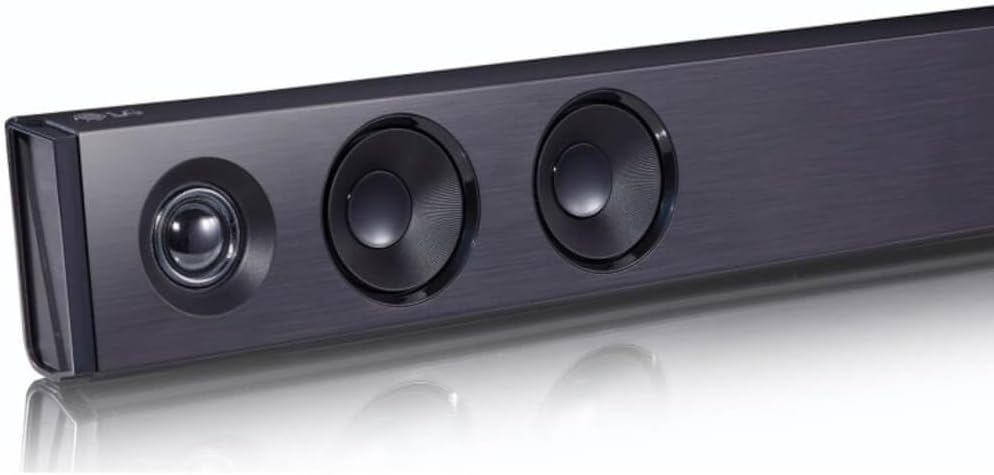
Figure 2: Angled view of the LG SQC2 Soundbar, highlighting the individual speaker drivers.

Figure 3: Top view of the LG SQC2 Soundbar, showing the integrated control buttons.

Figure 4: The LG SQC2 Wireless Subwoofer, designed to provide enhanced bass.
1.3 Connecting to Your TV
The LG SQC2 Soundbar primarily uses an Optical Audio port for connection to your TV. An optical cable is included for this purpose.
- Connect one end of the optical cable to the OPTICAL IN port on the back of the soundbar.
- Connect the other end of the optical cable to the OPTICAL OUT port on your TV.
- Plug the soundbar's power cable into an AC outlet.
- Plug the wireless subwoofer's power cable into an AC outlet.
- Turn on the soundbar and TV. Select the optical input on your TV's audio settings.
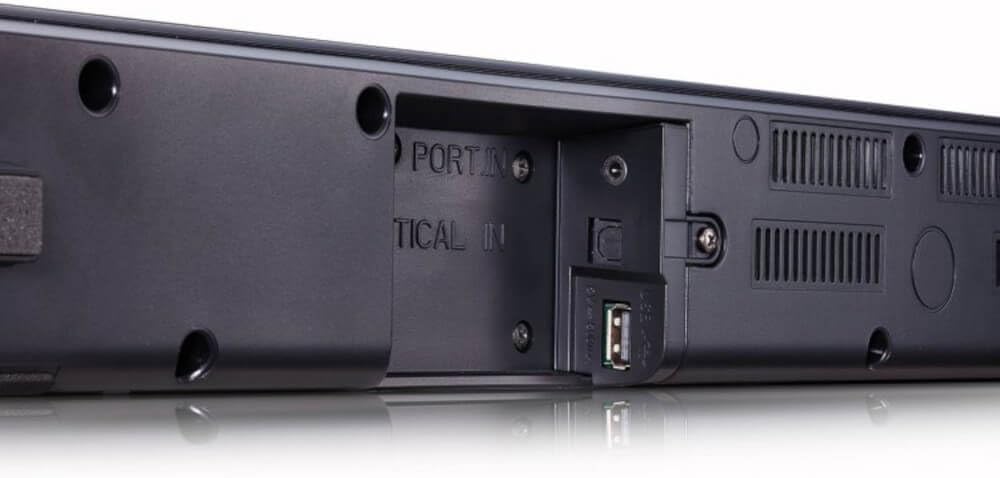
Figure 5: Rear view of the LG SQC2 Soundbar, indicating the Optical In and USB ports for connectivity.
1.4 Wireless Subwoofer Pairing
The wireless subwoofer should automatically pair with the soundbar upon powering on. If pairing does not occur automatically, refer to the troubleshooting section or the full user manual for manual pairing instructions.
1.5 Wall Mounting (Optional)
If you choose to wall-mount the soundbar, use the included brackets and mounting template. Ensure the wall material can support the weight of the soundbar and follow all safety guidelines provided in the full user manual.
2. Operating Instructions
2.1 Power On/Off and Volume Control
Use the power button on the soundbar or the remote control to turn the unit on or off. Adjust the volume using the '+' and '-' buttons on the soundbar or remote. The soundbar's display will show the current volume level.
2.2 Input Selection
Press the 'F' (Function) button on the soundbar or the input selection button on the remote to cycle through available input sources: Optical, Bluetooth, and USB.
2.3 Bluetooth Connectivity
To connect a Bluetooth device (e.g., smartphone, tablet):
- Select the Bluetooth input on the soundbar. The display will show 'BT'.
- On your device, enable Bluetooth and search for 'LG SQC2'.
- Select the soundbar from the list to pair. Once connected, 'PAIRED' will appear on the soundbar's display.
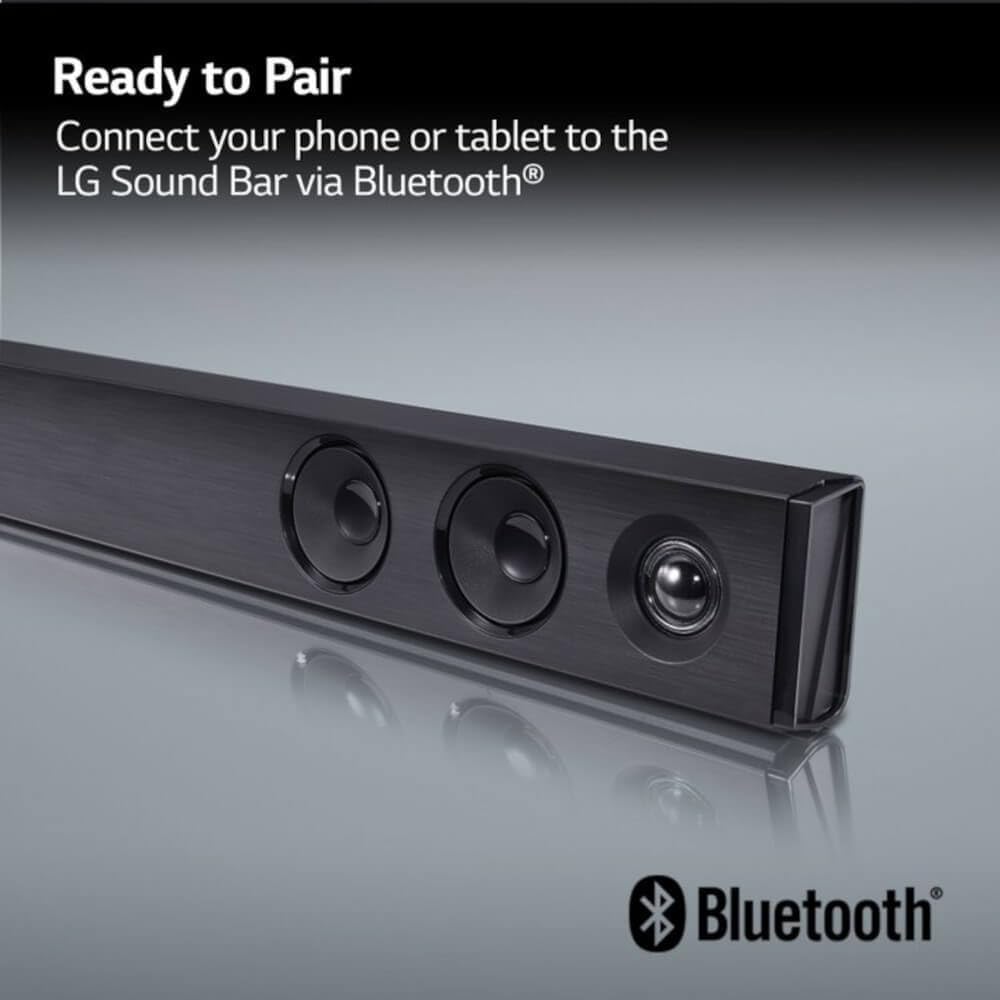
Figure 6: The LG Soundbar displaying 'Ready to Pair' for Bluetooth connection, indicated by the Bluetooth logo.
2.4 Adaptive Sound Control and Auto Sound Engine
The soundbar features Adaptive Sound Control, which automatically adjusts audio settings for crystal clear dialogue based on the content being played. The Auto Sound Engine provides the appropriate sound balance for an enhanced listening experience.
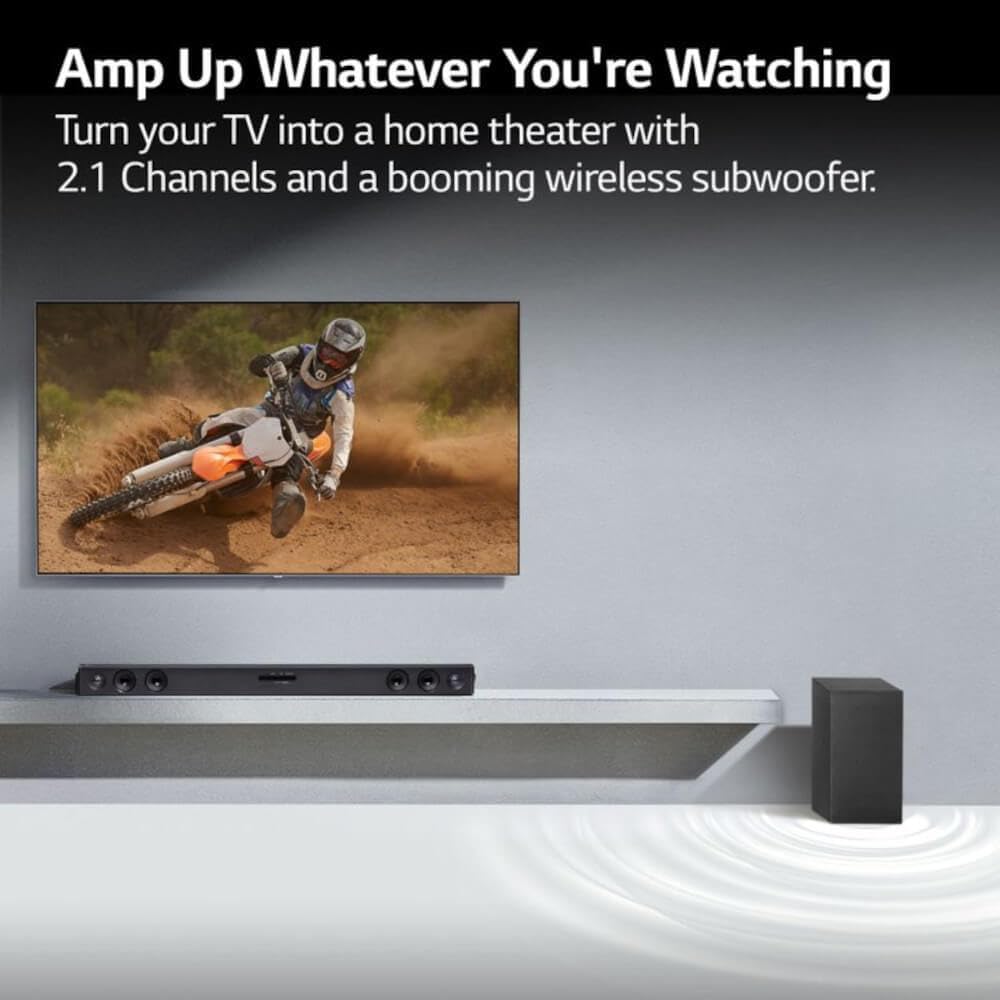
Figure 7: The LG Soundbar and Wireless Subwoofer positioned to enhance the cinematic audio experience from a television.
3. Maintenance
To ensure the longevity and optimal performance of your LG SQC2 Soundbar and Wireless Subwoofer, follow these maintenance guidelines:
- Cleaning: Use a soft, dry cloth to clean the surfaces of the soundbar and subwoofer. Avoid using liquid cleaners, aerosols, or abrasive materials, as these can damage the finish or internal components.
- Ventilation: Ensure that the ventilation openings on the soundbar and subwoofer are not blocked. Proper airflow prevents overheating.
- Placement: Avoid placing the units in direct sunlight, near heat sources, or in areas with high humidity or dust.
- Power: Disconnect the power cables from the wall outlet if the units will not be used for an extended period.
4. Troubleshooting
If you encounter issues with your LG SQC2 Soundbar, refer to the following common troubleshooting steps:
- No Sound:
- Check all cable connections (power, optical).
- Ensure the correct input source is selected on the soundbar.
- Verify that the TV's audio output is set to external speakers (optical).
- Increase the volume on both the soundbar and the TV.
- Subwoofer Not Pairing:
- Ensure both the soundbar and subwoofer are powered on.
- Check the indicator light on the subwoofer; if it's blinking, it's searching for a connection.
- If necessary, manually pair by pressing the PAIRING button on the back of the wireless subwoofer. The indicator light should turn solid green when connected.
- Distorted Audio:
- Reduce the volume to see if distortion decreases.
- Check for interference if using Bluetooth. Move the soundbar or device closer.
- Ensure the optical cable is securely connected and not damaged.
For more detailed troubleshooting or persistent issues, please consult the full user manual or contact LG customer support.
5. Specifications
- Model Name:
- SQC2
- Material:
- Metal, Plastic
- Speaker Type:
- Subwoofer (System includes Soundbar and Wireless Subwoofer)
- Special Feature:
- Bass Boost, Adaptive Sound Control, Auto Sound Engine
- Recommended Uses For Product:
- For Televisions, Home Theater Setup, TV Audio Enhancement, Living Room Entertainment, Movie Watching
- Compatible Devices:
- Smartphone, Tablet, MP3 Player, Laptop, Desktop
- Surround Sound Channel Configuration:
- 2.1
- Color:
- Black
- Wireless Communication Technology:
- Bluetooth
- Speaker Size:
- 1 Inches (for soundbar drivers)
- Power Source:
- Corded Electric
- Bluetooth Range:
- 10 Meters
- Subwoofer Connectivity Technology:
- Wireless
- Speaker Maximum Output Power:
- 100 Watts
- Connectivity Technology:
- Bluetooth, Optical Audio
- Audio Output Mode:
- Stereo
- Mounting Type:
- Tabletop Mount (Wall mountable with included hardware)
6. Warranty Information
The LG SQC2 Soundbar with Wireless Subwoofer comes with a Limited Warranty. For detailed information regarding warranty coverage, terms, and conditions, please refer to the warranty card included in your product packaging or visit the official LG website.
7. Customer Support
Should you require further assistance with setup, operation, troubleshooting, or any other inquiries regarding your LG SQC2 Soundbar, please visit the official LG support website or contact LG customer service directly. Contact information can typically be found on the LG website or in your product documentation.