
Samsung DVE53BB8700VA3
Samsung Bespoke 7.6 cu. ft. Ultra Capacity Electric Dryer User Manual
Model: DVE53BB8700VA3
1. Introduction
This manual provides essential information for the safe and efficient operation, maintenance, and troubleshooting of your Samsung Bespoke 7.6 cu. ft. Ultra Capacity Electric Dryer. Please read this manual thoroughly before using the appliance and retain it for future reference.
Key Features
- Bespoke Design: A sleek, flat-panel design with premium finishes.
- AI Smart Dial: Simplifies the control panel, learns and recommends favorite cycles.
- Ultra Capacity: 7.6 cu. ft. drum for fewer loads.
- Super Speed Dry: Dries a full load in approximately 30 minutes.
- WiFi Connected with SmartThings: Remote control and alerts via smartphone.

Figure 1: Front view of the Samsung Bespoke Electric Dryer.
2. Safety Information
Your safety and the safety of others are very important. We have provided many important safety messages in this manual and on your appliance. Always read and obey all safety messages.
General Safety Warnings
- Do not store or use gasoline or other flammable vapors and liquids in the vicinity of this or any other appliance.
- Do not allow children to play on or in the appliance. Close supervision of children is necessary when the appliance is used near children.
- Do not reach into the appliance if the drum is moving.
- Always disconnect the appliance from the power supply before attempting any service or cleaning.
- Keep the area around the exhaust opening and adjacent surrounding areas free from the accumulation of lint, dust, and dirt.
3. Setup and Installation
Proper installation is crucial for the performance and safety of your dryer. Refer to the separate installation guide for detailed instructions. Below are general considerations.
Location Requirements
- Install the dryer on a firm, level floor.
- Ensure adequate clearance for proper air circulation and maintenance.
- The dryer must be properly vented to the outside.
Electrical Requirements
This electric dryer requires a 240V, 30A dedicated circuit. Consult a qualified electrician for proper installation.

Figure 2: Front view of the dryer, showing its sleek design.

Figure 3: Side view of the dryer, illustrating its depth.
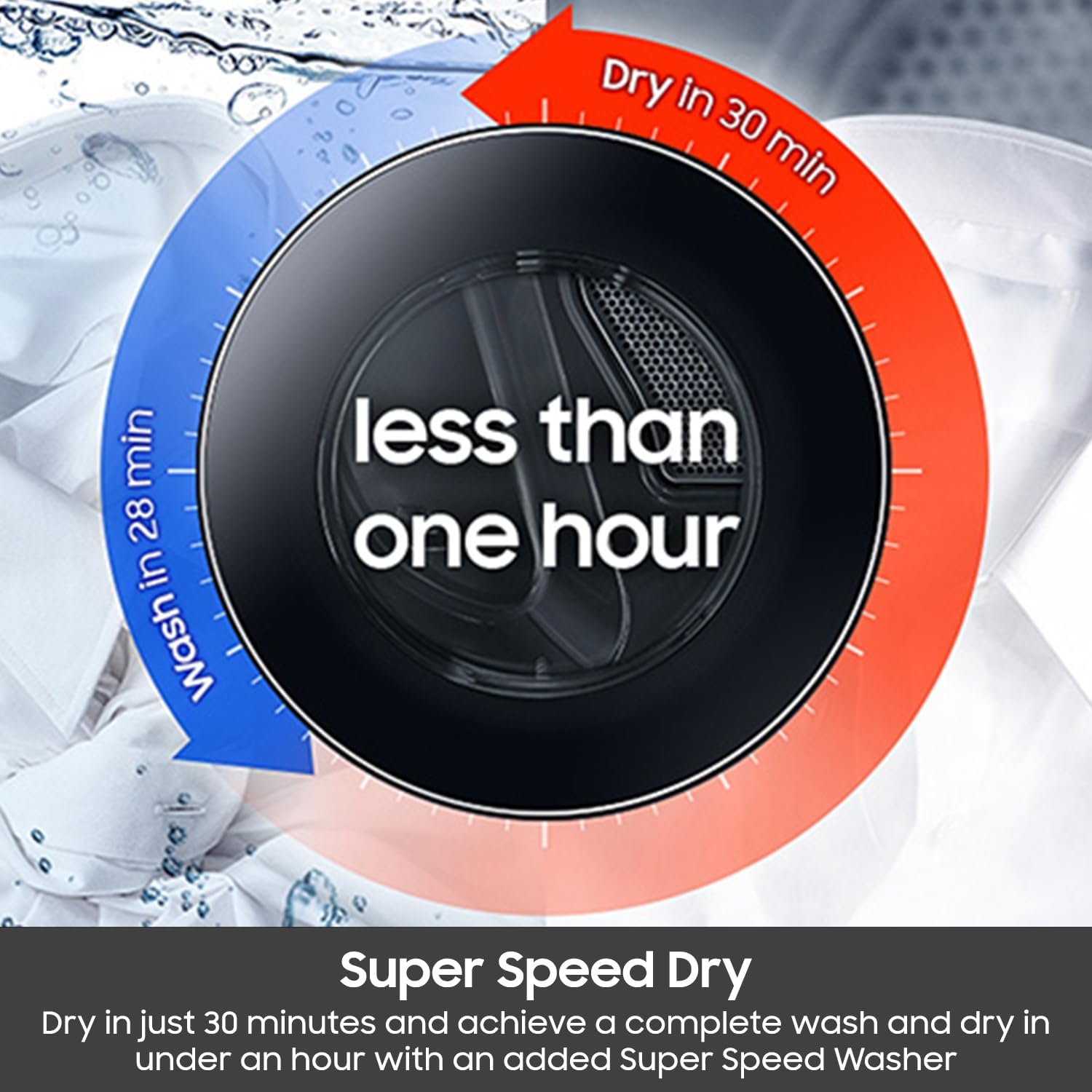
Figure 4: Rear view of the dryer, highlighting connection points for power and venting.
4. Operating Instructions
Your Samsung Bespoke Electric Dryer is designed for intuitive use with its AI Smart Dial and various drying cycles.
Using the AI Smart Dial
The AI Smart Dial simplifies cycle selection by learning your preferences and recommending frequently used cycles. Rotate the dial to browse available cycles and press to select.

Figure 5: Close-up of the AI Smart Dial and digital display.
Drying Cycles
- Normal: For cottons, linens, and mixed loads.
- Heavy Duty: For sturdy fabrics like work clothes or jeans.
- Bedding: Optimized for bed sheets and light duvets.
- Perm Press: Reduces wrinkles in synthetic fabrics.
- Super Speed Dry: Dries a full load quickly (approx. 30 minutes).
- Delicates: Gentle drying for lingerie and delicate items.
- Steam Sanitize+: Uses steam and high heat to sanitize items.
- Wrinkle Away: Reduces wrinkles with steam, minimizing the need for ironing.
- Steam Refresh: Reduces odors and refreshes clothes with steam.
- Activewear: Optimized for training and gym wear.
- Time Dry: Allows setting a custom drying time.
- Air Fluff: Tumbles items without heat.
SmartThings Connectivity
Connect your dryer to the Samsung SmartThings app for remote control, cycle alerts, and scheduling. This feature allows you to monitor your laundry from anywhere.
Video 1: Demonstrating various features and settings of the Samsung Bespoke dryer, including the AI Smart Dial and different drying cycles.
5. Maintenance
Regular maintenance ensures optimal performance and extends the lifespan of your dryer.
Cleaning the Lint Filter
Clean the lint filter before or after every load to maintain drying efficiency and prevent fire hazards. Pull the filter out, remove accumulated lint, and reinsert it.
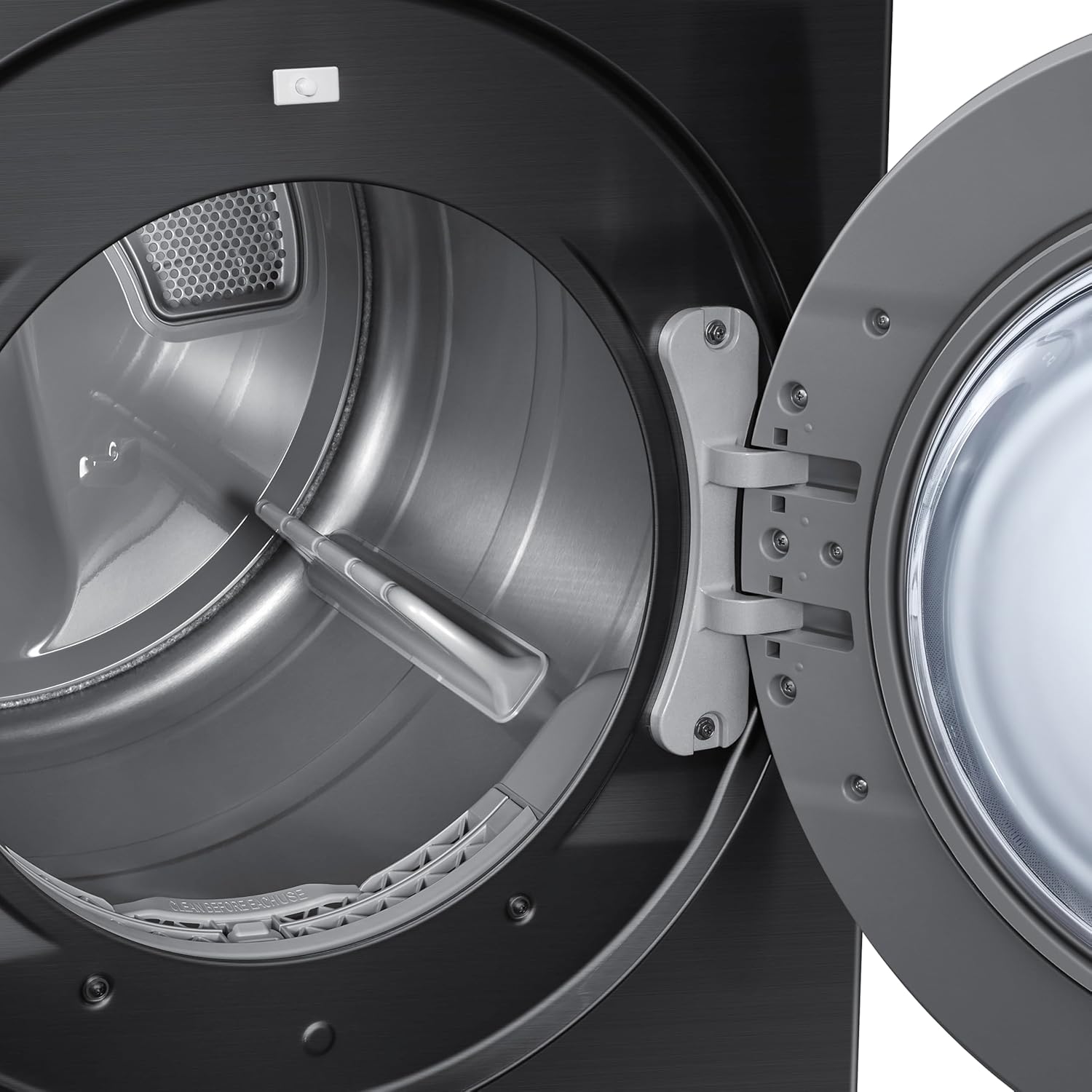
Figure 6: Removing the lint filter for cleaning.
Video 2: Demonstrating the ease of cleaning the lint trap in the Samsung Bespoke dryer.
Cleaning the Exhaust Vent
Periodically inspect and clean the exhaust vent to prevent lint buildup, which can restrict airflow and cause overheating. This may require professional assistance.
Cleaning the Dryer Interior
Wipe the interior of the dryer drum with a damp cloth as needed. For stubborn stains, use a mild, non-abrasive cleaner.
6. Troubleshooting
Before contacting service, review the following common issues and solutions:
| Problem | Possible Cause | Solution |
|---|---|---|
| Dryer does not start | Power cord unplugged; circuit breaker tripped; door not closed properly. | Check power connection; reset breaker; ensure door is latched. |
| Clothes not drying completely | Clogged lint filter; overloaded dryer; improper cycle selection; restricted exhaust vent. | Clean lint filter; reduce load size; select appropriate cycle; check and clear exhaust vent. |
| Excessive noise | Foreign objects in drum; dryer not level. | Remove objects; level the dryer using adjustable feet. |
| Wrinkled clothes | Clothes left in dryer too long after cycle; overloaded dryer. | Remove clothes promptly; use Wrinkle Away cycle; reduce load size. |
7. Specifications
| Feature | Detail |
|---|---|
| Model Number | DVE53BB8700VA3 |
| Brand | Samsung |
| Capacity | 7.6 Cubic Feet |
| Product Dimensions (D x W x H) | 31.4"D x 27"W x 38.75"H |
| Access Location | Front Load |
| Color | Brushed Black |
| Material | Stainless Steel |
| Special Features | AI Smart Dial, Super Speed Dry, Smart Connectivity |
| UPC | 887276657240 |
8. Warranty and Support
Warranty Information
This Samsung Electric Dryer comes with a One (1) Year Parts and Labor warranty from the date of purchase. Please retain your proof of purchase for warranty claims. The warranty covers defects in materials or workmanship under normal household use.
Customer Support
For technical assistance, troubleshooting not covered in this manual, or warranty service, please contact Samsung Customer Service. You can find contact information on the official Samsung website or in your product registration materials.
Online resources and FAQs are also available at www.samsung.com/us/support/.
Related documentsDVE53BB8700VA3


Ask a question about this manual
Ask about setup, troubleshooting, compatibility, parts, safety, or missing instructions. Manuals+ will review the question and use this page’s manual context to help answer it.