
1. Introduction
Thank you for choosing the DSP Hair Clipper and Trimmer Kit. This professional barber set is designed for versatile hair and beard cutting, offering precision and convenience for both professional barbers and home users. This manual provides essential information for the safe and effective use of your new grooming tools.
2. Safety Information
Please read all safety instructions carefully before use.
- Always unplug the device before cleaning.
- Do not use near water or in wet conditions.
- Keep away from heat sources.
- Do not use while sleeping or unconscious.
- Keep out of reach of children.
- Ensure the device is fully charged before use to prevent pulling hair.
3. Package Contents
Your DSP Hair Clipper and Trimmer Kit includes the following items:
- 1 x Professional Hair Clipper (Model 91208)
- 1 x Precision Detail Trimmer (Model 91209)
- 4 x Clipper Guide Combs (3mm, 6mm, 10mm, 13mm)
- 3 x Trimmer Guide Combs (1.5mm, 3.0mm, 4.5mm)
- 1 x Hair Cutting Scissors
- 1 x Hair Thinning Scissors
- 1 x Haircut Cape
- 1 x Cleaning Brush
- 1 x Blade Oil
- 2 x USB Charge Cables
- 2 x Instruction Manuals

Image: The complete DSP Hair Clipper and Trimmer Kit, showcasing both devices, various guide combs, scissors, cape, and maintenance accessories.
4. Product Overview
Professional Hair Clipper (Model 91208)
- Cordless Operation: Offers freedom of movement.
- Long Runtime: Up to 210 minutes (3.5 hours) of continuous use.
- Quick Charge: Fully charges in approximately 3 hours.
- LED Display: Shows battery level and lubrication reminders.
- Powerful Motor: Equipped with a durable copper motor for superior performance.
- Adjustable Blade: Side lever for precise cutting length adjustments (0.8mm to 2.0mm).

Image: DSP Hair Clipper (Model 91208) with its adjustable blade and various guide comb sizes.
Precision Detail Trimmer (Model 91209)
- Cordless Design: Ideal for detailing and edging.
- Extended Runtime: Provides up to 120 minutes (2 hours) of use.
- Efficient Charging: Reaches full charge in about 2.5 hours.
- LED Display: Indicates battery status and oiling needs.
- T-Blade: Designed for zero-gap precision, perfect for fades and intricate designs.

Image: DSP Precision Detail Trimmer (Model 91209) highlighting its T-blade for precise trimming.
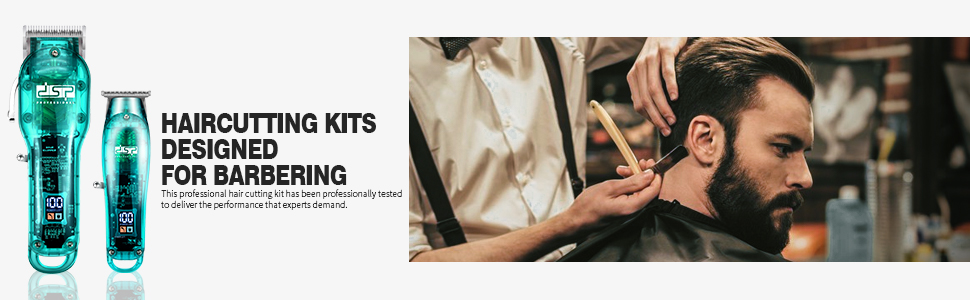
Image: Close-up of the LED display on a DSP device, indicating battery percentage and a reminder to oil the blades.
5. Setup
- Unpack: Carefully remove all components from the packaging.
- Initial Charge: Before first use, fully charge both the clipper and trimmer using the provided USB cables. The LED display will indicate charging progress and full charge.
- Clipper (Model 91208): Approximately 3 hours.
- Trimmer (Model 91209): Approximately 2.5 hours.
- Oil Blades: Apply 2-3 drops of the included blade oil to the blades of both devices. Turn on the devices for a few seconds to distribute the oil, then wipe off any excess.
- Attach Guide Comb: Select the desired guide comb and securely snap it onto the blade of the clipper or trimmer. Ensure it is firmly attached before use.
6. Operating Instructions
6.1 General Operation
- Power On/Off: Use the power switch located on the side of each device to turn it on or off.
- LED Display: Monitor the battery level and oil reminder on the LED screen during use.
6.2 Using the Hair Clipper (Model 91208)
- Select Comb: Choose the appropriate guide comb for your desired hair length.
- Adjust Blade: Use the side lever to fine-tune the cutting length from 0.8mm to 2.0mm for blending and fading.
- Cutting Hair: Hold the clipper with the blade teeth pointing upwards. Start cutting from the bottom of the head, moving upwards against the direction of hair growth. Use smooth, overlapping strokes.
6.3 Using the Precision Detail Trimmer (Model 91209)
- Select Comb: For beard trimming or longer detailing, attach one of the 1.5mm, 3.0mm, or 4.5mm guide combs. For zero-gap precision, use without a comb.
- Edging and Detailing: Use the T-blade for creating sharp lines around the neckline, sideburns, and beard. Hold the trimmer at a slight angle and use light pressure.
- Beard Trimming: Move the trimmer in the direction of hair growth for a uniform trim, or against for a closer cut.
Video: Official product demonstration of the DSP Hair Clipper and Trimmer Kit in use for professional barbering tasks, showcasing its features and performance.
7. Maintenance
- Clean Blades: After each use, turn off and unplug the device. Use the cleaning brush to remove any loose hair from the blades.
- Oil Blades: Regularly apply 2-3 drops of blade oil to the blades. This is crucial for maintaining blade sharpness and preventing hair pulling. The LED display will remind you when lubrication is needed.
- Store Properly: Store the clipper and trimmer in a dry, cool place, away from direct sunlight and moisture.
8. Troubleshooting
- Device not turning on: Ensure the device is fully charged. Check the USB cable and power source.
- Blades pulling hair: The blades may be dull or require lubrication. Clean the blades thoroughly and apply blade oil. Ensure the battery is sufficiently charged.
- Reduced cutting performance: Clean the blades, apply oil, and ensure the device is fully charged. If issues persist, contact customer support.
9. Specifications
| Feature | Clipper (Model 91208) | Trimmer (Model 91209) |
|---|---|---|
| Battery Type | 2000mAh Lithium-Ion | 800mAh Lithium-Ion |
| Charging Time | 3 hours | 2.5 hours |
| Runtime | 3.5 hours (210 minutes) | 2 hours (120 minutes) |
| Blade Material | Stainless Steel | |
| Motor | Powerful Copper Motor | Powerful Copper Motor |
| Display | LED (Battery Level, Oil Reminder) | |
10. Warranty and Support
Your DSP Hair Clipper and Trimmer Kit comes with a 365-day warranty from the date of purchase. For any questions, technical assistance, or warranty claims, please contact our technical support team. We are dedicated to providing excellent service and support.
Contact information can typically be found on the product packaging or the official DSP website.