

1. Introduction
The GQ GMC-800 is an advanced nuclear radiation detector designed for personal and group use. It accurately detects ionizing nuclear radiation, including Beta, Gamma, and X-ray. Engineered to meet USA national standards (NIST & NRC), this device offers quick, sensitive, and precise readings with an easy-to-use interface. Its portable design makes it suitable for both indoor and outdoor environments.

The GQ GMC-800 is designed to comply with USA NIST & NRC standards for nuclear radiation detection, including Beta, Gamma, and X-ray.
2. What's in the Box
Upon unboxing your GQ GMC-800, please ensure all the following items are present:
- Main Unit (GQ GMC-800 Geiger Counter)
- Type-C Cable (for data transfer and charging)
- Quick Start Guide
- Safety Reference Card
This video demonstrates the unboxing of the GQ GMC-800 Geiger Counter, showcasing the main unit, Type-C cable, quick start guide, and safety reference card.
3. Setup and Initial Use
The GQ GMC-800 is designed for immediate use. Follow these steps for initial setup:
- Charging the Device: Connect the provided Type-C cable to the device and a compatible USB power source. The device features a rechargeable and replaceable Lithium Ion battery.
- Power On: Press and hold the power button (usually indicated by a power symbol) until the screen illuminates and the GQ Electronics logo appears.
- Initial Stabilization: After powering on, allow the device approximately 3 minutes for the readings to stabilize and provide accurate measurements. During this period, the CPM (Counts Per Minute) reading may fluctuate before settling.

The ergonomic design of the GQ GMC-800 includes a Type-C port for charging and data transfer, and it is designed to be anti-drop, handheld, portable, and standable.
4. Operating Instructions
The GMC-800 offers multiple functions accessible via its user-friendly interface.
4.1. Multifunctional Modes
The device supports various measurement modes, easily switchable with a single shortcut key press:
- Traditional Geiger Counter (Dose Rate): Displays instantaneous radiation flux in units like CPM (Counts Per Minute), µSv/h (microsieverts per hour), mR/h (milliroentgens per hour), and CPS (Counts Per Second). This mode is ideal for identifying radiation sources at a specific location.
- Dosimeter Function: Provides real-time and accumulated radiation dose data, crucial for monitoring personal exposure.
- Radiation Monitoring (Graphic): Offers a graphical representation of radiation levels over time, allowing for continuous monitoring of an area.
- History: Accesses stored data for review and analysis, with memory for up to 10 years of data.

The multi-functional display of the GQ GMC-800 allows users to switch between Dose Rate, Dosimeter, Graphic, and History modes for comprehensive radiation monitoring.
4.2. Alarm Types and Threshold Settings
The GMC-800 features five types of radiation alarms to ensure user awareness, including for vision-impaired and hearing-impaired users. Alarm types include:
- Visual LED Indicator
- Audio Beep
- Vibration
- Voice Alert
- Color Bar Indication on screen
Users can set custom alarm level thresholds. To adjust alarm thresholds:
- Navigate to 'Menu' using Key1 (usually the left arrow button).
- Select 'User' from the main menu.
- From the 'User' sub-menu, select 'Alarm'.
- Scroll down the list using Key3 (down arrow) and select 'Threshold'.
- Use Key4 (right arrow) to scroll right through the digits.
- Use Key3 (down arrow) to decrease the digits and Key2 (up arrow) to increase the digits.
- Confirm the setting using Key4 (right arrow) to save and exit.

The GQ GMC-800 provides five distinct alarm types: Visual LED, Audio, Vibration, Voice, and Color Bar Indication, ensuring comprehensive alert options for all users.
This video demonstrates how to set the alarm threshold on the GQ GMC-800 Geiger Counter, guiding users through the menu navigation and digit adjustment process.
4.3. User-Friendly Interface (UI)
The device features a large, clear TFT color LCD display that is readable even under direct sunlight. It offers user-selectable color change schemes and customized light/dark modes for optimal visual comfort and preference.

The user-friendly interface of the GQ GMC-800 features a large color LCD visible under sunlight, user-selectable color schemes, and customized light and dark modes for enhanced readability.
This video demonstrates the dark color mode feature of the GQ GMC-800 Geiger Counter, highlighting how to switch between light and dark display settings for user preference.
4.4. Data Handling and Advanced Features
The GMC-800 is equipped with advanced features for comprehensive data management:
- Built-in Clock and Memory: For data storage and saving, retaining information for extended periods.
- History Data Preview: Allows users to review past measurements directly on the device.
- Free Data Processing Software: Available for further analysis on a PC.
- Firmware Updates: Ensures the device remains up-to-date with the latest functionalities and improvements.
- Free Online Data Storage: Provides an option for cloud-based data backup.
- Open Communication Protocol: For advanced users and custom integrations.
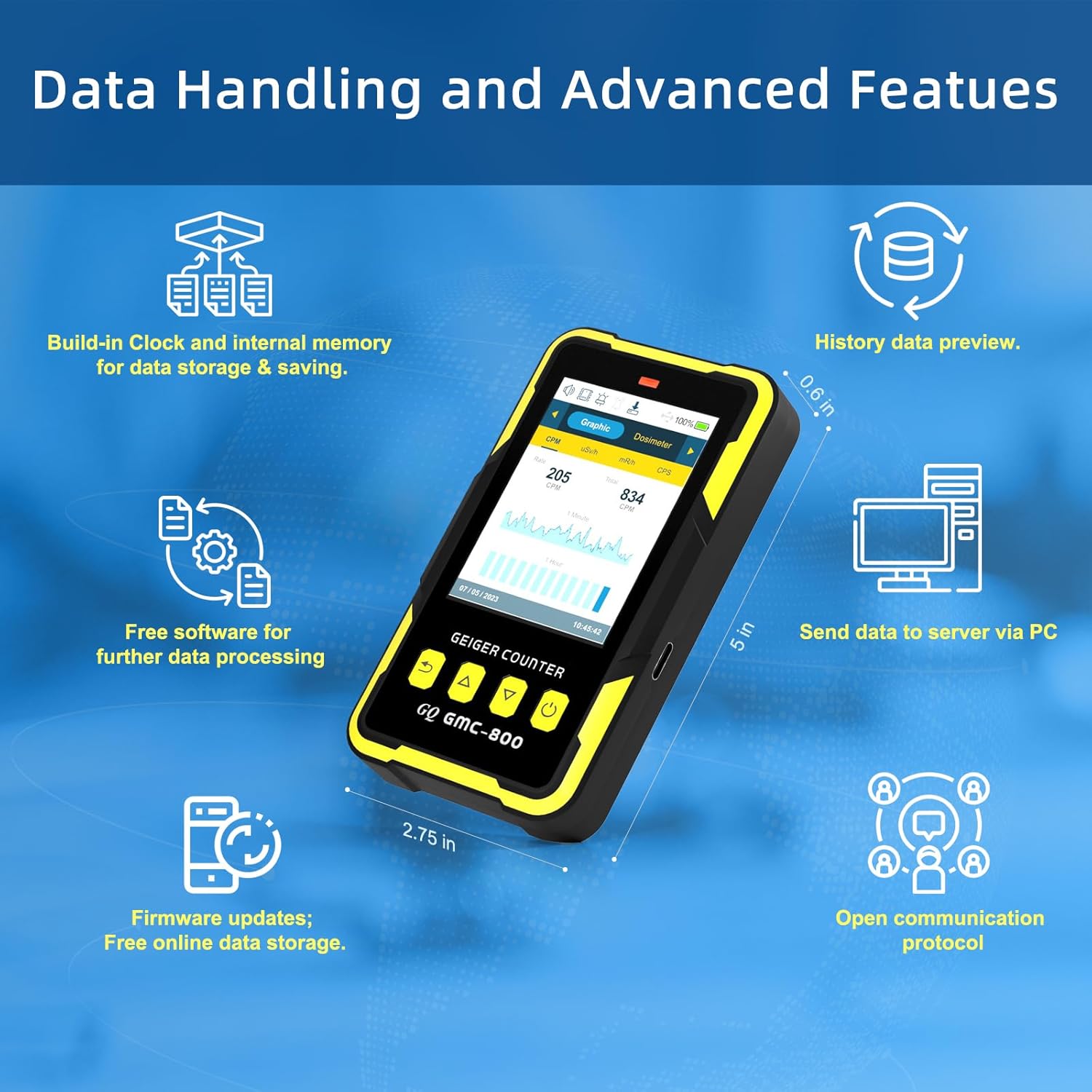
The GQ GMC-800 offers robust data handling capabilities, including built-in memory, free data processing software, firmware updates, online data storage, and an open communication protocol.

The GMC-800 supports free applications and software for monitoring and analyzing radiation data, including integration with GMCMap for global data sharing.
5. Maintenance and Care
To ensure the longevity and optimal performance of your GQ GMC-800, follow these maintenance guidelines:
- Cleaning: Use a soft, dry cloth to clean the device. Avoid using harsh chemicals or abrasive materials.
- Battery Care: The device uses a rechargeable and replaceable Lithium Ion battery. For best battery life, avoid fully discharging the battery frequently. Recharge as needed using the provided Type-C cable.
- Storage: Store the device in a cool, dry place away from direct sunlight and extreme temperatures.
- Handling: The device is designed to be anti-drop, but avoid unnecessary impacts or rough handling to protect internal components.
6. Troubleshooting
If you encounter issues with your GQ GMC-800, consider the following common solutions:
- No Power/Device Not Turning On: Ensure the battery is sufficiently charged. Connect the device to a power source using the Type-C cable and try powering on again.
- Inconsistent Readings: Allow the device to stabilize for at least 3 minutes after powering on. Ensure there are no strong electromagnetic interferences nearby. Readings can naturally fluctuate based on ambient radiation levels.
- Alarm Not Functioning: Check the alarm settings in the 'User' menu to ensure the alarm is enabled and the threshold is set appropriately. Verify speaker volume and vibration settings.
- Display Issues: If the screen is dim or unreadable, adjust the backlight settings in the 'Display' menu. Ensure the device is not exposed to extreme temperatures.
For persistent issues not covered here, please refer to the full user guide (PDF) or contact GQ Electronics LLC customer support.
7. Specifications
| Feature | Detail |
|---|---|
| Product Dimensions | 2.75 x 4.92 x 0.59 inches; 8.78 ounces |
| Item Model Number | GMC-800 |
| Batteries | 1 Lithium Ion battery required (included) |
| Date First Available | October 6, 2023 |
| Manufacturer | GQ Electronics LLC |
| ASIN | B0CKM5FJQX |
| Country of Origin | USA |
8. Warranty and Support
For detailed warranty information and customer support, please refer to the official GQ Electronics LLC website or the full user guide provided with your product. GQ Electronics LLC is committed to providing high-quality products and reliable support.
You can also find the User Guide (PDF) online: Official User Guide


