1. Introduction
Thank you for choosing the RadioShack TWS Bluetooth Wireless Earbuds, Model 100128651 (Snow). These earbuds are designed to provide a high-quality, wireless audio experience with convenience and comfort. This manual will guide you through the setup, operation, and maintenance of your new earbuds.
2. Package Contents
Please ensure all items are present in your package:
- RadioShack TWS Bluetooth Wireless Earbuds (Left and Right)
- Charging Case
- USB Type-C Charging Cable
- Multiple Sizes of Ear Tips

3. Product Overview
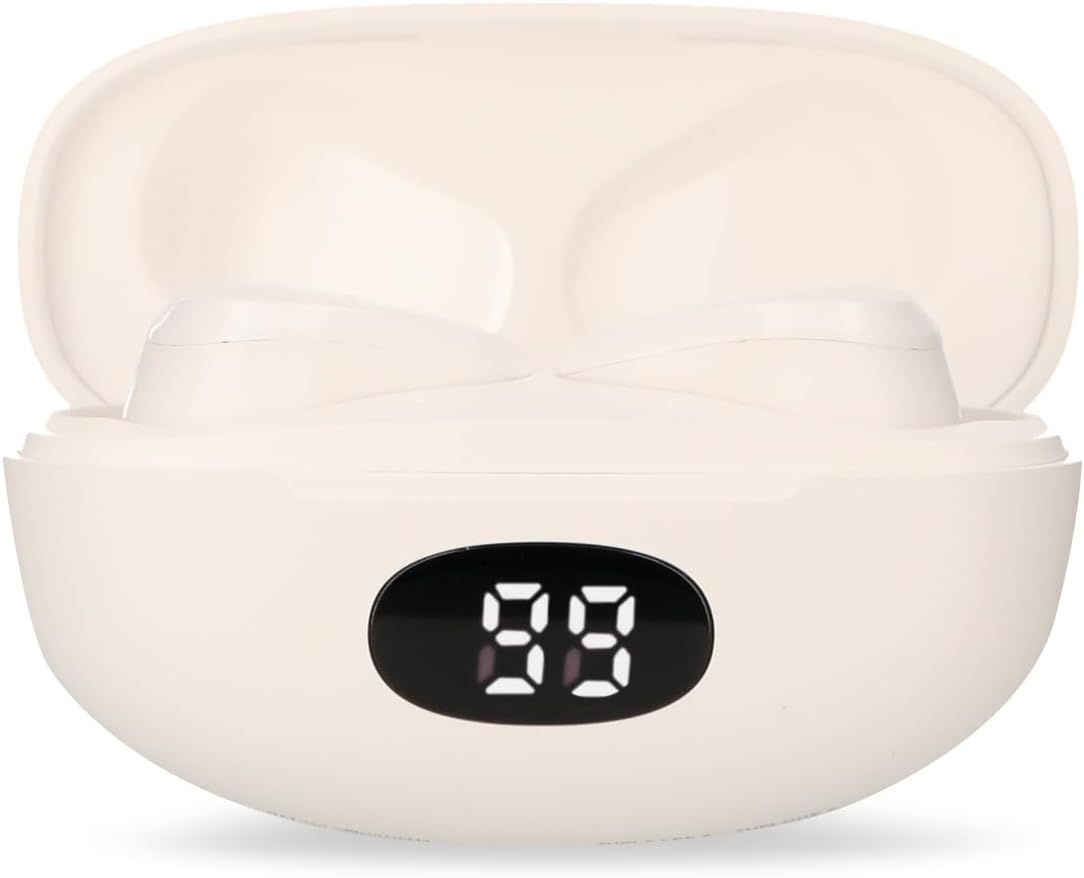
Familiarize yourself with the components of your RadioShack TWS Bluetooth Wireless Earbuds.


4. Setup
4.1 Charging the Earbuds and Case
- Initial Charge: Before first use, fully charge the earbuds and charging case.
- Charging the Case: Connect the provided USB Type-C cable to the charging port on the case and the other end to a USB power source (e.g., computer, wall adapter). The LED display on the case will indicate charging status.
- Charging the Earbuds: Place the earbuds into the charging case. Ensure they are correctly seated; the earbuds will automatically begin charging. The LED display on the case will show the earbuds' charging status.
- Charge Time: A full charge for both the earbuds and case typically takes up to 1.5 hours.
4.2 Bluetooth Pairing
- Power On: Open the charging case. The earbuds will automatically power on and enter pairing mode. You may hear an audible prompt.
- Activate Bluetooth: On your mobile device (smartphone, tablet, etc.), go to the Bluetooth settings and ensure Bluetooth is enabled.
- Select Device: Search for available Bluetooth devices. Select "RadioShack Snow" or a similar name from the list.
- Connect: Once selected, your device should connect to the earbuds. A confirmation sound or message may indicate successful pairing.
- Reconnect: After initial pairing, the earbuds will automatically connect to the last paired device when removed from the charging case and Bluetooth is active on your device.
5. Operating Instructions
The RadioShack TWS Earbuds feature a multifunction touch button for easy control.
5.1 Power On/Off
- Power On: Open the charging case, and the earbuds will power on automatically. Alternatively, press and hold the touch area on both earbuds for approximately 3 seconds.
- Power Off: Place the earbuds back into the charging case and close the lid. They will power off automatically. Alternatively, press and hold the touch area on both earbuds for approximately 5 seconds.
5.2 Music Playback
- Play/Pause: Tap the touch area on either earbud once.
- Next Track: Double-tap the touch area on the right earbud.
- Previous Track: Double-tap the touch area on the left earbud.
5.3 Call Management
- Answer/End Call: Tap the touch area on either earbud once.
- Reject Call: Press and hold the touch area on either earbud for approximately 2 seconds.
5.4 Volume Control
- Increase Volume: Triple-tap the touch area on the right earbud.
- Decrease Volume: Triple-tap the touch area on the left earbud.
5.5 Voice Assistant
- Activate Voice Assistant: Press and hold the touch area on either earbud for approximately 2 seconds (when not on a call).
6. Maintenance
To ensure the longevity and optimal performance of your earbuds, follow these maintenance guidelines:
- Cleaning: Use a soft, dry, lint-free cloth to clean the earbuds and charging case. Do not use abrasive cleaners, alcohol, or chemical solvents.
- Ear Tips: Regularly remove and clean the ear tips with a damp cloth. Ensure they are completely dry before reattaching.
- Charging Contacts: If charging issues occur, gently clean the charging contacts on both the earbuds and inside the case with a dry cotton swab.
- Storage: When not in use, store the earbuds in their charging case to protect them from dust and damage. Store in a cool, dry place.
- Avoid Water: These earbuds are not waterproof. Avoid exposure to water, moisture, or extreme temperatures.
7. Troubleshooting
If you encounter any issues with your earbuds, refer to the following common problems and solutions:
| Problem | Possible Cause | Solution |
|---|---|---|
| Earbuds not pairing | Earbuds are not in pairing mode or Bluetooth is off on device. | Ensure earbuds are out of the case and Bluetooth is enabled on your device. Forget previous pairings and try again. |
| No sound from earbuds | Volume too low, earbuds not connected, or media paused. | Increase volume on both earbuds and device. Check Bluetooth connection. Ensure media is playing. |
| One earbud not working | Low battery, connection issue, or earbud not properly seated in case. | Place both earbuds back in the case, close, then reopen. Ensure both are charged. Re-pair if necessary. |
| Charging case not charging | Faulty cable, power source, or dirty charging port. | Try a different USB-C cable and power adapter. Clean the charging port. |
| Poor audio quality | Distance from device, interference, or low battery. | Move closer to your device. Avoid environments with strong Wi-Fi or other Bluetooth signals. Charge earbuds. |
8. Specifications
Detailed technical specifications for the RadioShack TWS Bluetooth Wireless Earbuds, Model 100128651 (Snow):
- Model Name: Snow
- Model Number: 100128651
- Connectivity: Wireless, Bluetooth
- Bluetooth Version: 5.1
- Wireless Range: Up to 10 meters (33 feet)
- Earbud Battery: 3.7V DC, 30 mAh (each)
- Charging Case Battery: 3.7V DC, 250 mAh
- Charging Input (Earbuds): 5V DC, 30 mA
- Charging Input (Case): 5V DC, 220 mA
- Charging Port: USB Type-C
- Full Charge Time: Approximately 1.5 hours
- Earbud Playback Time: Up to 4 hours (continuous)
- Total Playback Time (with case): Up to 12 hours
- Control Method: Touch
- Microphone: Included (for hands-free calls)
- Special Features: Voice Assistant support, Ergonomic Design, Passive Noise Cancellation
- Compatibility: iOS and Android devices
- UPC: 7503038212252
- Package Dimensions: 17.7 x 8.5 x 4.7 cm
- Package Weight: 150 g
9. Warranty and Support
RadioShack products are manufactured with quality and reliability in mind. For warranty information, please refer to the documentation provided at the time of purchase or visit the official RadioShack website for your region.
For technical support or customer service, please contact:
- Website: www.radioshack.com.mx
- Phone: 55 2582 0999
Please have your model number (100128651) and proof of purchase ready when contacting support.


