
1. Introduction
This manual provides essential information for the safe and efficient operation, installation, and maintenance of your Hisense Cooling Expert 5-in-1 Convertible 1.5 Ton 3 Star Inverter Split AC. Please read this manual thoroughly before using the appliance and retain it for future reference.
2. Safety Information
WARNING: To reduce the risk of fire, electric shock, or injury, observe the following basic precautions:
- Ensure the AC is installed by a qualified technician according to local electrical codes and this manual.
- Do not operate the AC with wet hands or when standing on a wet surface.
- Do not insert fingers or objects into the air inlet/outlet.
- Keep the outdoor unit clear of obstructions to ensure proper airflow.
- Disconnect power before cleaning or performing any maintenance.
- Do not attempt to repair the unit yourself. Contact authorized service personnel.
- Use only the specified refrigerant (R-32).
3. Product Overview
The Hisense Cooling Expert AC is designed for efficient cooling and improved air quality. It features inverter technology for energy saving and a 5-in-1 convertible mode for versatile operation.
Key Features
- 5-in-1 Convertible Mode: Allows conversion into fan, dehumidifier, dry mode, or auto mode.
- Auto Cleanser: Automatically cleans the indoor unit to improve air quality and extend unit life.
- PM 2.5 Filter: Helps remove fine particulate matter from the air.
- Copper Condenser: Durable and corrosion-resistant for extended lifespan.
- Inverter Technology: Adjusts compressor speed for energy efficiency.
- Stabilizer Free Operation: Operates across a wide voltage range without an external stabilizer.
- Long Air Throw: Ensures even cooling or heating across large rooms.
- Sleep Mode: Automatically adjusts temperature for comfortable sleep.
Included Components
- 1 x Indoor Unit
- 1 x Outdoor Unit
- 1 x Remote Control
- User Manual
- Warranty Card
- 3 Meter Copper Pipe
- 3 Meter Connecting Cable
Product Visuals
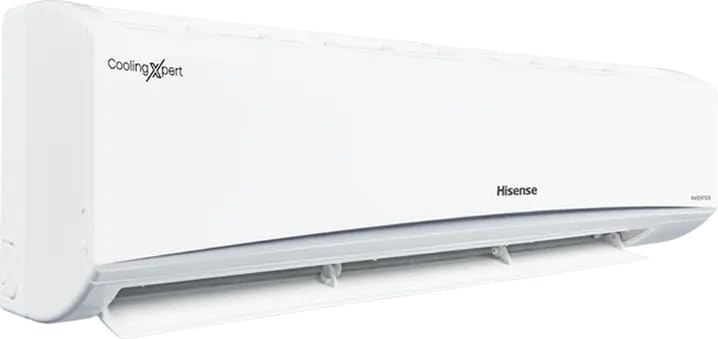
Figure 3.1: Front view of the Hisense Cooling Expert indoor unit.
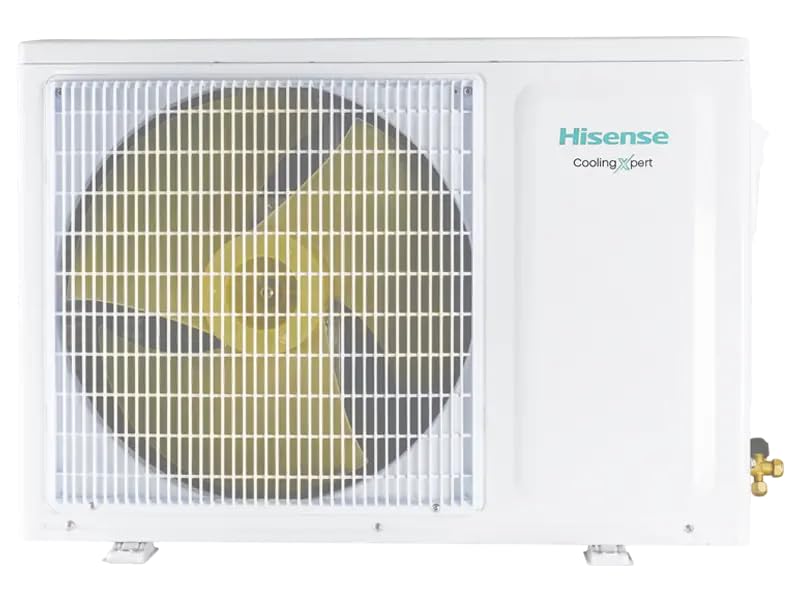
Figure 3.2: Front view of the Hisense Cooling Expert outdoor unit.
Product Overview Video
Video 3.1: An overview of the Hisense Inverter Split AC, including unboxing and component identification. This video provides a visual guide to the product and its parts.
4. Setup and Installation
IMPORTANT: Installation of this air conditioner requires specialized tools and knowledge. It must be performed by a certified and qualified technician to ensure proper function, safety, and warranty validity.
General Installation Steps (for reference by qualified technicians):
- Site Selection: Choose appropriate locations for both indoor and outdoor units, ensuring proper airflow, drainage, and structural support.
- Mounting Plate Installation: Securely mount the indoor unit's back plate on the wall.
- Drilling Wall Hole: Drill a hole through the wall for refrigerant piping and drainage.
- Refrigerant Piping Connection: Connect the copper pipes between the indoor and outdoor units. Ensure proper flaring and tightening to prevent leaks.
- Drainage Pipe Installation: Connect the drain hose to ensure proper water removal from the indoor unit.
- Electrical Wiring: Connect the power supply and communication cables according to the wiring diagram provided in the full installation manual.
- Vacuuming and Test Operation: Evacuate the refrigerant lines to remove air and moisture, then perform a test run to check for proper operation and refrigerant levels.
Refer to the detailed installation guide provided with the product for specific instructions and diagrams. The video in Section 3.3 also provides a visual reference for some installation aspects.
5. Operating Instructions
Your Hisense AC is controlled via the provided remote control. Ensure batteries are correctly inserted before use.
Basic Operation
- Power On/Off: Press the ON/OFF button on the remote control.
- Temperature Adjustment: Use the TEMP UP/DOWN buttons to set your desired temperature.
- Mode Selection: Press the MODE button to cycle through available modes: Auto, Cool, Dry, Fan, Heat (if applicable).
- Fan Speed: Adjust fan speed using the FAN button.
Special Modes
- 5-in-1 Convertible Mode: This feature allows you to adjust the AC's capacity to suit your needs, saving energy. Consult the remote control's specific button or menu option for activating and selecting sub-modes (e.g., Fan, Dehumidifier, Dry, Auto).
- Sleep Mode: Activates a quiet operation mode that gradually adjusts the temperature for optimal sleeping comfort and energy efficiency.
- Auto Cleanser: This function can be activated via the remote control to initiate an automatic cleaning cycle of the indoor unit's coil. Refer to your remote control's specific button or menu for this feature.
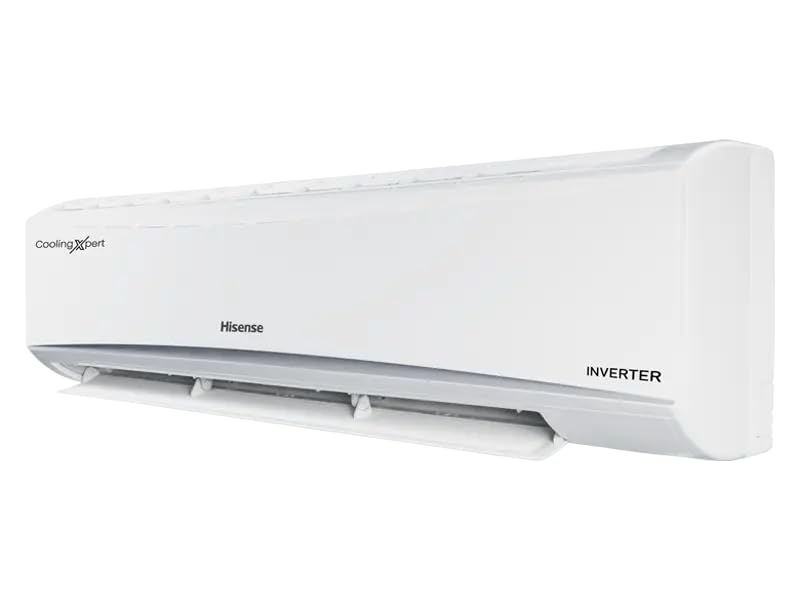
Figure 5.1: Indoor unit with louvers open, indicating airflow during operation.
6. Maintenance
CAUTION: Always turn off the power supply to the AC unit before performing any cleaning or maintenance.
Auto Cleanser Function
Your Hisense AC is equipped with an Auto Cleanser feature that helps maintain the cleanliness of the indoor unit's evaporator coil. Activate this function periodically as recommended in the full user manual to prevent mold and bacteria buildup, ensuring fresh and healthy air.
Filter Cleaning
- Frequency: Clean the air filters every two weeks or more frequently if the unit is used heavily or in dusty environments.
- Procedure: Open the front panel of the indoor unit, remove the air filters. Wash them with lukewarm water and a mild detergent. Rinse thoroughly and allow them to dry completely in a shaded area before re-installing.
- PM 2.5 Filter: The PM 2.5 filter may require specific cleaning or replacement. Refer to the detailed manual for instructions.
Outdoor Unit Cleaning
Periodically check the outdoor unit for any obstructions (leaves, debris) around the condenser coils and fan. Gently remove any debris. Do not spray water directly onto the electrical components.
7. Troubleshooting
Before contacting service, please check the following common issues:
| Problem | Possible Cause | Solution |
|---|---|---|
| AC does not start | No power supply; Remote control batteries dead; Circuit breaker tripped. | Check power connection; Replace batteries; Reset circuit breaker. |
| Insufficient cooling | Dirty air filters; Doors/windows open; Temperature setting too high; Outdoor unit obstructed. | Clean air filters; Close doors/windows; Lower temperature setting; Clear obstructions. |
| Water leakage from indoor unit | Clogged drain pipe; Improper installation. | Clear drain pipe; Contact a qualified technician for inspection. |
| Unusual noise | Loose parts; Fan obstruction; Refrigerant issue. | Check for loose parts; Clear obstructions; Contact service if noise persists. |
| Remote control not working | Dead batteries; Obstruction between remote and AC. | Replace batteries; Ensure clear line of sight to indoor unit. |
If the problem persists after checking these points, please contact Hisense customer support.
8. Specifications
| Feature | Detail |
|---|---|
| Brand | Hisense |
| Model Name | ATC503HIB |
| Model Number | KSN108D34UEZ3 |
| Capacity | 1.5 Tons |
| BEE Star Rating | 3 Star |
| Inverter Type | Has Inverter |
| Refrigerant | R-32 |
| Noise Level | 43 Decibels |
| Voltage | 207 Volts |
| Wattage | 569 Watts |
| Annual Energy Consumption | 569 Watts |
| Product Dimensions (D x W x H) | 29D x 80W x 23H Centimeters |
| Colour | White |
| Installation Type | Split System |
| Controller Type | Remote Control |
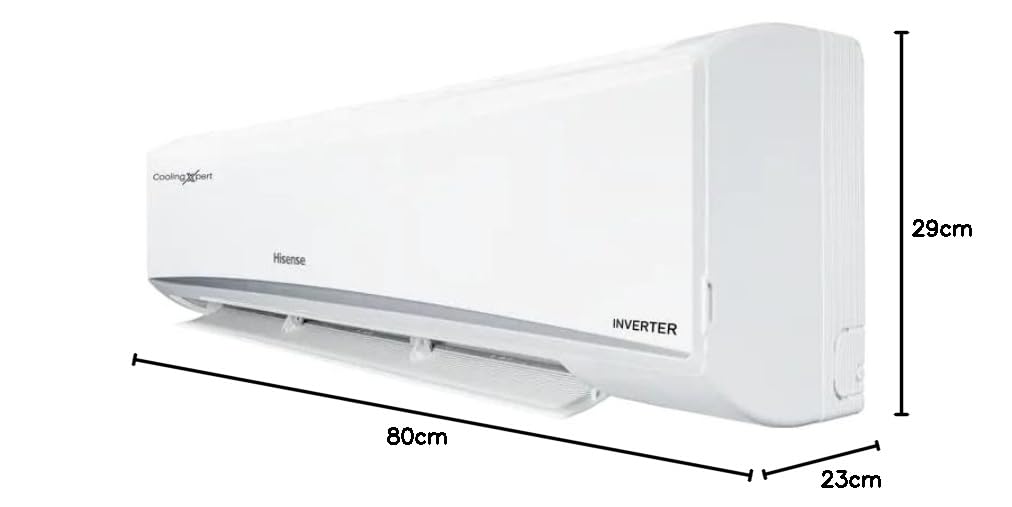
Figure 8.1: Dimensions of the Hisense Cooling Expert indoor unit.
9. Warranty and Support
Warranty Information
Your Hisense Cooling Expert AC comes with the following warranty:
- 1 Year Comprehensive Warranty on the entire unit.
- 10 Years Compressor Warranty.
Please retain your purchase receipt and warranty card for any warranty claims. The warranty terms and conditions are detailed in the warranty card included with your product.
Customer Support
For technical assistance, service requests, or any inquiries regarding your Hisense AC, please contact Hisense customer support through their official website or the contact details provided in your warranty documentation.