
HUBBLE CONNECTED HCSNPCLT
HUBBLE CONNECTED Nursery Pal Cloud Touch Smart Baby Monitor User Manual
Model: HCSNPCLT
Introduction
The HUBBLE CONNECTED Nursery Pal Cloud Touch Smart Baby Monitor offers advanced monitoring capabilities for parents. Featuring patented Dual Mode technology, it allows simultaneous operation in both Wi-Fi and non-Wi-Fi modes, providing flexibility and security. The system includes a 5-inch HD touchscreen parent unit and a Wi-Fi enabled camera.
Key features include:
- Crystal Clear HD Quality with Next Level Connectivity and Convenience.
- Patented Dual Mode for secure Wi-Fi and non-Wi-Fi viewing.
- 5-inch HD touchscreen parent unit and HubbleClub app for flexible viewing.
- Interactive parent unit with educational games, stories, and videos for toddlers.
- Integrated room temperature monitor, infrared night vision, and two-way talk.
- Preloaded nature sounds, lullabies, and bedtime stories.

Figure 1: Overview of the Nursery Pal Cloud Touch Smart Baby Monitor's key features.
What's in the Box
Your HUBBLE CONNECTED Nursery Pal Cloud Touch package includes the following components:
- 5" Nursery Pal Touch Screen Parent Unit and Protective Bumper
- Full HD Wi-Fi Camera with Magnetic Stand
- Power Adapters (x2)
- Quick Start Guide
- User Manual (this document)
- Warranty Information

Figure 2: Contents of the Nursery Pal Cloud Touch package.
Setup
1. Powering On
- Connect the power adapter to the camera unit and plug it into a power outlet.
- Connect the second power adapter to the parent unit and plug it into a power outlet.
- Press and hold the power button on the parent unit for a few seconds to turn it on.

Figure 3: The parent unit, camera, and HubbleClub app interface.
2. Dual Mode Connectivity
The Nursery Pal Cloud Touch features patented Dual Mode technology, allowing you to monitor your baby in two ways:
- Wi-Fi Mode: Connect the camera to your home Wi-Fi network to view the live feed simultaneously on the 5-inch HD touchscreen parent unit and via the HubbleClub app on your smartphone or tablet.
- Non-Wi-Fi Mode: For enhanced privacy and security, the camera can function as a traditional video monitor through a local connection directly to the parent unit, without requiring a Wi-Fi network.

Figure 4: Dual Mode Viewing options for the baby monitor.
Operating the Monitor
Parent Unit Controls
- Pan, Tilt, and Zoom: Use the directional buttons on the parent unit to remotely adjust the camera's view. The digital pan, tilt, and zoom feature allows you to get a closer look at your baby.
- Brightness Adjustment: Adjust the screen brightness for optimal viewing, especially useful for low light conditions at night.
- Two-Way Talk: Press and hold the microphone button on the parent unit to speak to your baby through the camera's speaker. Release the button to listen.
- Night Vision: The camera automatically activates infrared night vision in low light conditions, providing a clear black and white image of your baby.
- Room Temperature Monitor: The parent unit displays the room temperature detected by the camera, helping you ensure your baby's comfort.
Preloaded Content
The innovative touchscreen parent unit doubles as an interactive console, offering a variety of preloaded content:
- Soothing Sounds: Access a selection of nature sounds to help calm your baby.
- Lullabies: Play gentle lullabies to aid in sleep.
- Bedtime Stories: Engage your child with preloaded bedtime stories.
- Educational Games & Videos: The parent unit provides interactive games and videos suitable for toddlers, growing with your child.

Figure 5: Interactive content available on the parent unit.
HubbleClub App Integration
Enhance your monitoring experience by downloading the HubbleClub app on your smartphone or tablet. The app provides additional features and insights:
- Unlimited Live Streaming to ensure you're always connected.
- Your Recordings Live in the Cloud (subscription may be required).
- Share and download precious moments.
- Set Your BabyZone and Receive Activity Alerts.
- Access Nursery Rhymes, Bedtime Stories & Personalized Recordings.
- Track Progressions on the Baby Growth Tracker.
- Routinely Log and Manage Data on Feeding, Pumping, Diapers, and more.
- Membership into the HubbleClub Community for parenting tips and support.
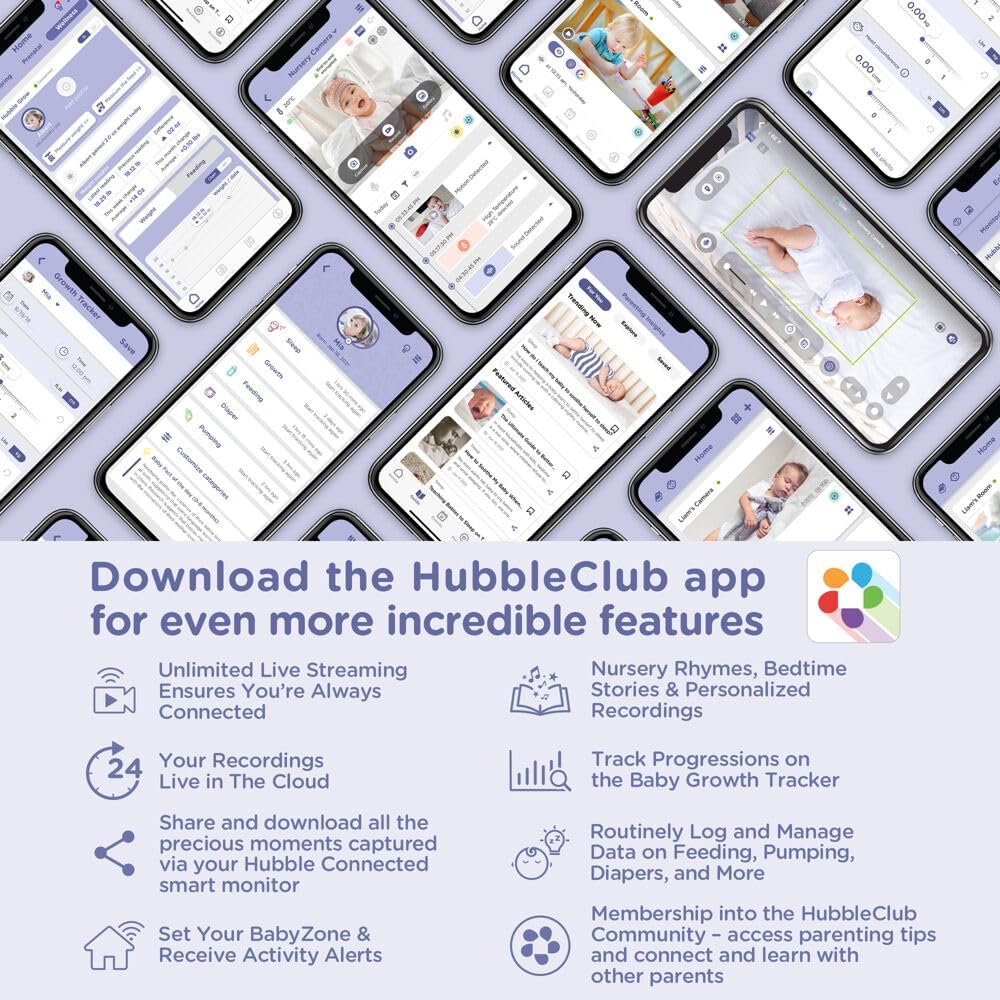
Figure 6: The HubbleClub app offers comprehensive features for baby monitoring and parenting support.
Maintenance
To ensure the longevity and optimal performance of your Nursery Pal Cloud Touch monitor, follow these maintenance guidelines:
- Cleaning: Gently wipe the parent unit and camera with a soft, dry cloth. Do not use abrasive cleaners or solvents.
- Storage: If storing the device for an extended period, ensure it is fully charged and stored in a cool, dry place.
- Battery Care: For the parent unit's rechargeable battery, avoid extreme temperatures and prolonged periods of full discharge or full charge.
Troubleshooting
If you encounter any issues with your Nursery Pal Cloud Touch monitor, please refer to the following common solutions:
| Problem | Possible Solution |
|---|---|
| No power on parent unit/camera | Ensure power adapters are securely plugged into both the unit and a working electrical outlet. Check if the power button is held long enough to turn on. |
| No image/sound from camera | Verify both units are powered on and within range. Check Wi-Fi connection if in Wi-Fi mode. Re-pair the camera and parent unit if necessary (refer to quick start guide for pairing instructions). |
| Poor image quality | Ensure the camera lens is clean. Adjust the brightness settings on the parent unit. Check for obstructions between the camera and parent unit. |
| Interference/Static | Move the monitor away from other electronic devices (e.g., microwaves, cordless phones) that may cause interference. Ensure both units are within optimal range. |
| Parent unit battery not holding charge | Ensure the power adapter is functioning correctly. Allow sufficient time for charging. Battery life may decrease over time with regular use. |
For more detailed troubleshooting or persistent issues, please consult the full user manual or contact customer support.
Specifications
| Feature | Detail |
|---|---|
| Brand | HUBBLE CONNECTED |
| Model Number | HCSNPCLT |
| Material | Plastic |
| Color | Single Camera with WiFi |
| Compatible Devices | Smartphones, Tablets |
| Item Weight | 1.15 Pounds |
| UPC | 810074830942 |
| Product Dimensions | 3.3 x 3.3 x 5.4 inches |
| Power Source | Rechargeable Battery Powered (Parent Unit) |
| Voltage | 3.8 Volts |
| Wattage | 7 watts |
| Mounting Type | Tabletop Mount |
| Special Features | 2-Way Audio, HD Resolution, Portable |
| Usage | Baby Monitoring, Nursery |
Warranty and Support
HUBBLE CONNECTED products are designed with quality and reliability in mind. For detailed warranty information, please refer to the warranty card included in your product package or visit the official HUBBLE CONNECTED website.
For customer support, technical assistance, or to explore more products, please visit the HUBBLE CONNECTED Store on Amazon or their official support channels.
Related documentsHCSNPCLT


Ask a question about this manual
Ask about setup, troubleshooting, compatibility, parts, safety, or missing instructions. Manuals+ will review the question and use this page’s manual context to help answer it.