1. Introduction
This manual provides essential information for the safe and efficient use of your Aiwa A65QUHDX3-GTV 65-inch QLED 4K Ultra HD Google Smart TV. Please read these instructions thoroughly before operating the television and retain them for future reference.
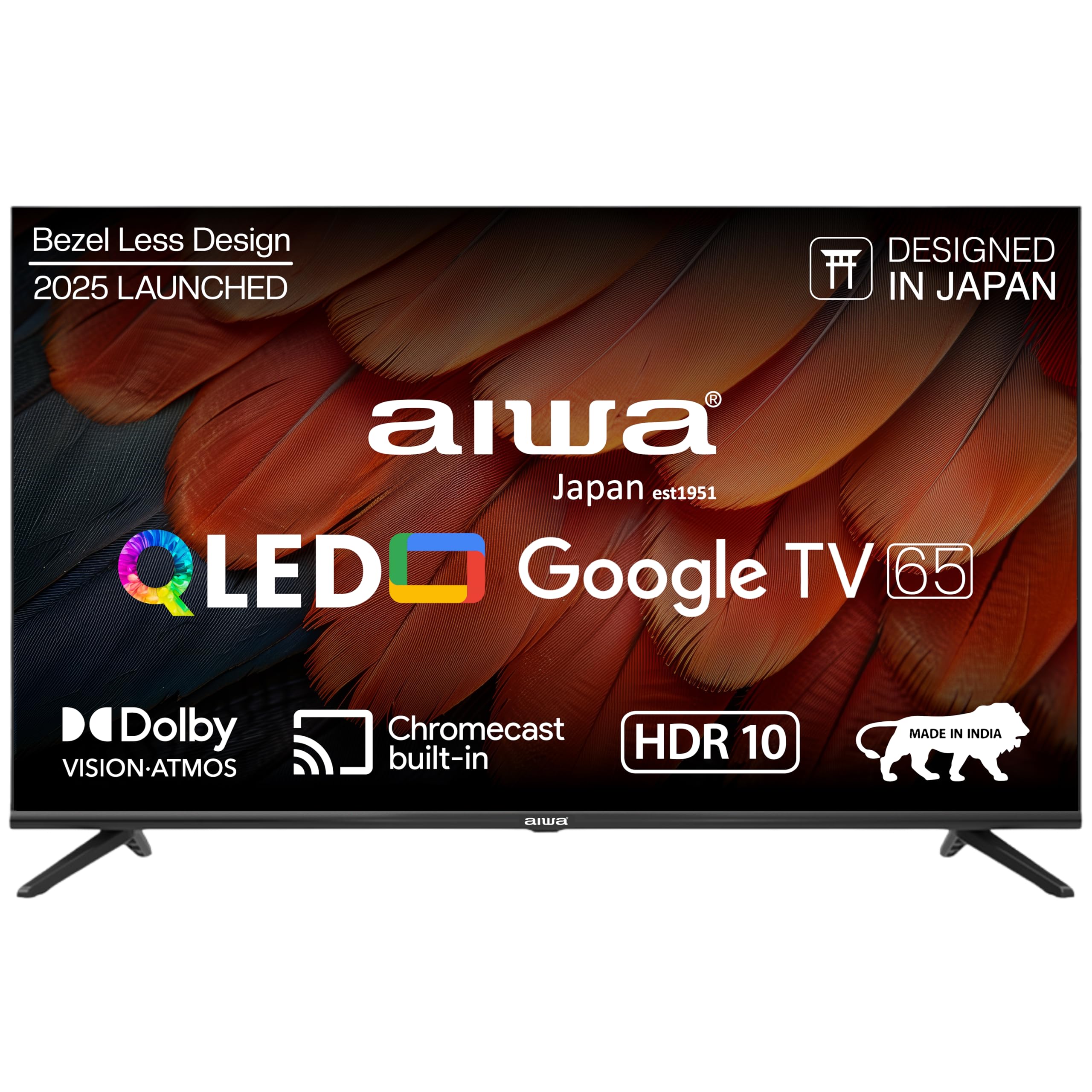
Figure 1.1: Front view of the Aiwa A65QUHDX3-GTV 65-inch QLED Smart TV.

Figure 1.2: Aiwa A65QUHDX3-GTV showcasing its ultra sleek design.
2. Safety Information
Always adhere to the following safety precautions to prevent electric shock, fire, or damage to the television:
- Do not expose the television to rain or moisture.
- Do not open the television casing. Refer all servicing to qualified personnel.
- Ensure proper ventilation. Do not block ventilation openings.
- Avoid placing the television near heat sources or in direct sunlight.
- Use only the power cord supplied with the television.
- Keep batteries out of reach of children.
3. What's in the Box
Verify that all components are present upon unboxing:
- 1N LED TV
- 4N Screws for stand/wall mount
- 1N Remote Control
- 2N AAA Batteries (for remote control)
- 1N User Manual with Warranty Card
- 1N Set Table Stand
- 1N Wallmount bracket
4. Setup
4.1 Physical Installation
Your Aiwa TV supports both table-top and wall-mount installations. Choose the method suitable for your environment.
Table Stand Installation
- Carefully place the TV screen-down on a soft, flat surface to prevent damage.
- Attach the provided table stands to the designated slots at the bottom of the TV using the included screws.
- Ensure the stands are securely fastened.
- Carefully lift the TV to its upright position on a stable surface.
Wall Mount Installation
If using the wall mount, follow the instructions provided with the wall mount kit. Professional installation is recommended for wall mounting.

Figure 4.1: Dimensions of the Aiwa A65QUHDX3-GTV 65-inch QLED Smart TV.
4.2 Connecting Peripherals
The TV features an array of ports for various devices. Refer to the back panel image for port locations.

Figure 4.2: Rear view of the TV displaying connectivity ports.

Figure 4.3: Detailed view of the TV's connectivity ports including LAN, HDMI, USB, Antenna In, and AV In.
- HDMI Ports (x3): Connect Blu-ray players, gaming consoles, set-top boxes, or other HDMI-enabled devices.
- USB Ports (x2): Connect USB storage devices for media playback or software updates.
- LAN Port: Connect an Ethernet cable for a wired internet connection.
- Antenna In: Connect an antenna or cable TV signal.
- AV In: Connect older devices using composite video and stereo audio cables.
- Bluetooth: Pair wireless headphones, soundbars, or other Bluetooth devices.
- Wi-Fi: Connect to your home wireless network for internet access.
4.3 Initial Power On and Setup Wizard
- Connect the power cord to the TV and then to a power outlet.
- Press the power button on the remote control or on the TV itself.
- Follow the on-screen instructions to complete the initial setup, including language selection, network connection, and Google account sign-in.
5. Operating Instructions
5.1 Remote Control
The included smart remote control allows for easy navigation and voice commands.

Figure 5.1: Smart Remote Control with dedicated quick access buttons for streaming services and voice control functionality.
- Power Button: Turns the TV on or off.
- Navigation Pad: Use the directional buttons to move through menus and the center button to select.
- Back Button: Returns to the previous screen.
- Home Button: Accesses the Google TV home screen.
- Volume Up/Down: Adjusts the audio volume.
- Mute Button: Mutes or unmutes the sound.
- Voice Assistant Button: Activates Google Assistant for voice commands.
- Quick Access Buttons: Dedicated buttons for Netflix, Prime Video, YouTube, and Disney+Hotstar.
5.2 Google TV Interface
Your Aiwa Smart TV runs on Google TV, offering a personalized content experience.

Figure 5.2: Google TV home screen displaying a wide range of applications and content.

Figure 5.3: Google TV interface with personalized content suggestions.
- Content Recommendations: The TV provides personalized suggestions based on your viewing history and preferences.
- Watchlist: Add movies and shows to your watchlist for later viewing.
- Personal Profile: Create individual profiles for each user to receive tailored content.
- Kids Profile: Set up a dedicated profile for children with age-appropriate content and parental controls.
- Google Assistant: Use voice commands to search for content, control smart home devices, and get information.
- Built-in Chromecast: Cast content directly from your smartphone or tablet to the TV.
5.3 Picture and Sound Settings
Adjust picture and sound settings to optimize your viewing experience.
Picture Modes
Access picture settings through the TV menu to select from various modes:
- Vivid: Enhances colors and brightness for a dynamic picture.
- Standard: Default setting suitable for most content.
- Sport: Optimizes motion and color for sports broadcasts.
- Movie: Provides a cinematic experience with accurate colors.
- User: Allows custom adjustment of brightness, contrast, color, and sharpness.
- Energy Saving: Reduces power consumption by adjusting brightness.
The QLED display supports Dolby Vision and HDR10 for enhanced contrast and color depth.

Figure 5.4: Explanation of Quantum Dot nanocrystals technology for vibrant picture quality.

Figure 5.5: Crysta Tech Vision for enhanced detail and Black Reflect anti-glare technology.
Sound Modes
Select sound modes to match your content:
- Standard: General audio setting.
- Sport: Enhances dialogue and crowd noise for sports.
- Movie: Provides a rich, immersive audio experience.
- Music: Optimizes audio for music playback.
The TV features Aiwa Signature Sound and Dolby Atmos for high-fidelity audio.

Figure 5.6: Aiwa Signature Sound, crafted to perfection in Japan, for high fidelity audio.
6. Maintenance
6.1 Cleaning the TV
- Always unplug the TV before cleaning.
- Use a soft, dry cloth to wipe the screen and cabinet.
- For stubborn marks, lightly dampen the cloth with water or a mild, non-abrasive screen cleaner.
- Do not use alcohol, benzene, thinners, or other volatile substances.
6.2 Software Updates
Your Google TV may receive automatic software updates. Ensure your TV is connected to the internet to receive the latest features and security patches. You can also manually check for updates in the TV's settings menu.
7. Troubleshooting
If you encounter issues with your TV, refer to the following common solutions:
| Problem | Possible Solution |
|---|---|
| No power / TV does not turn on | Ensure the power cord is securely connected to both the TV and the power outlet. Check if the power outlet is working. Try pressing the power button on the TV itself. |
| No picture / Poor picture quality | Check cable connections (HDMI, Antenna). Ensure the correct input source is selected. Adjust picture settings (brightness, contrast, mode). For antenna, rescan channels. |
| No sound / Low sound | Check volume level and ensure TV is not muted. Verify audio cable connections if using external speakers. Check sound settings and sound mode. |
| Remote control not working | Replace batteries in the remote control. Ensure there are no obstructions between the remote and the TV's IR sensor. Re-pair the Bluetooth remote if applicable. |
| Smart TV features not working / Slow performance | Check internet connection (Wi-Fi or LAN). Restart the TV by unplugging it for a few minutes. Clear app cache or reinstall problematic apps. Ensure software is up to date. |
| Casting issues (Chromecast) | Ensure your casting device and TV are on the same Wi-Fi network. Restart both the TV and the casting device. |
8. Specifications
Detailed technical specifications for the Aiwa A65QUHDX3-GTV:
| Feature | Detail |
|---|---|
| Brand | Aiwa |
| Model | A65QUHDX3 |
| Screen Size | 65 Inches |
| Display Technology | QLED |
| Resolution | 4K Ultra HD (3840 x 2160 Pixels) |
| Refresh Rate | 60 Hz |
| Viewing Angle | 178 Degrees |
| Operating System | Google TV |
| RAM Memory | 2 GB |
| Storage Capacity | 16 GB |
| Graphics Coprocessor | Mali-450 GPU |
| Connectivity | Wi-Fi (Dual band), Bluetooth (2-way), HDMI 2.0 (x3), USB 2.0 (x2), LAN (x1) |
| Audio Output Power | 24 Watts |
| Audio Features | Aiwa Signature Sound, Dolby Atmos, Stereo Audio |
| Special Features | 4K Ultra HD, Built-in Apps, Voice Control, HDR10, Google OS, Flat Screen, Miracast, Smart Features, Dolby Vision, Crysta Tech Vision, Black Reflect |
| Product Dimensions (with stand) | 10 x 9.8 x 83 cm (approx. 145.2 cm width, 89.6 cm height) |
| Item Weight | 18.6 kg |
| Power Source | AC 220 Volts |
| Wattage | 150 Watts |
9. Warranty and Support
9.1 Warranty Information
Your Aiwa A65QUHDX3-GTV television comes with a manufacturer's warranty. Please refer to the included Warranty Card for detailed terms, conditions, and duration of the warranty period.
9.2 Customer Support
For technical assistance, installation services, or any product-related inquiries, please contact Aiwa customer support:
- Customer Service Helpline: 1800-120-5619
- Service is available across 19000+ pincodes in India.

Figure 9.1: Aiwa provides installation and service support across India.


