
Introduction
This instruction manual provides comprehensive guidance for the safe and efficient use of your De'Longhi Dinamica Plus ECAM380.95.TB automatic coffee machine. Please read all instructions carefully before operating the appliance and retain this manual for future reference.

Image: The De'Longhi Dinamica Plus ECAM380.95.TB coffee machine, showcasing its sleek design and integrated milk carafe.
Safety Information
Always observe basic safety precautions when using electrical appliances to reduce the risk of fire, electric shock, and/or injury to persons.
- Do not immerse the appliance, power cord, or plug in water or other liquids.
- Ensure the voltage indicated on the appliance corresponds to your main voltage.
- Keep the appliance out of reach of children.
- Unplug the appliance from the outlet when not in use and before cleaning.
- Do not operate any appliance with a damaged cord or plug, or after the appliance malfunctions or has been damaged in any manner.
- Use only accessories recommended by the manufacturer.
Product Overview
Familiarize yourself with the main components of your De'Longhi Dinamica Plus coffee machine.
- Bean Hopper: For whole coffee beans.
- Water Tank: Removable tank for fresh water.
- Milk Carafe (LatteCrema System): For preparing milk-based beverages.
- Coffee Spouts: Adjustable for different cup sizes.
- Drip Tray: Collects excess water and coffee drips.
- 3.5-inch TFT Color Display: Intuitive touch screen for selecting and customizing drinks.
- Grinder Adjustment Dial: Located inside the bean hopper, for adjusting coffee grind fineness.
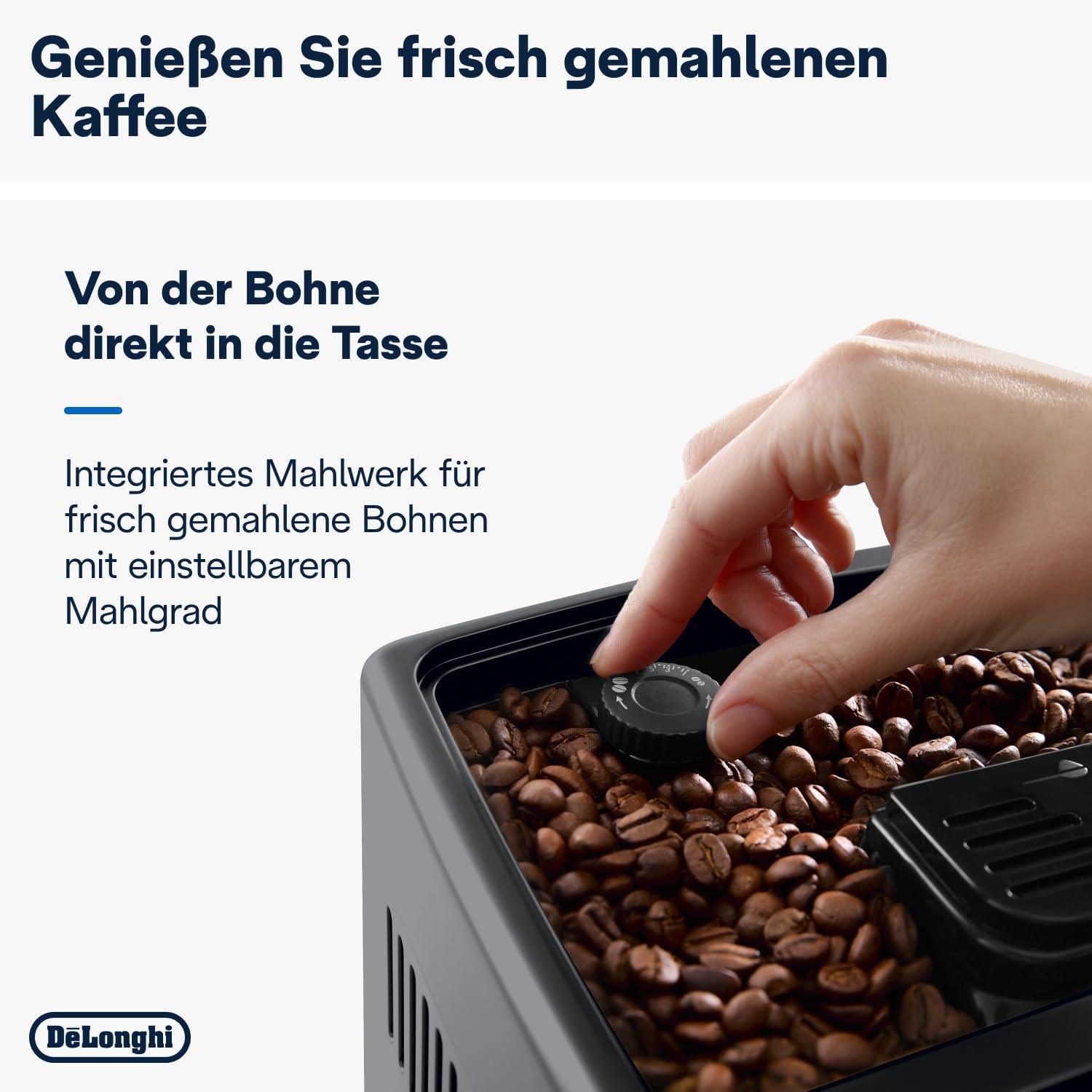
Image: Front view of the De'Longhi Dinamica Plus, highlighting the display and LatteCrema milk system.
Setup
First Use
- Unpacking: Remove all packaging materials and ensure all components are present.
- Rinsing: Rinse the water tank, milk carafe, and drip tray with fresh water.
- Filling Water Tank: Fill the water tank with fresh tap water up to the MAX level.
- Filling Bean Hopper: Open the bean hopper lid and pour coffee beans into the hopper.
- Power On: Plug the appliance into a power outlet and press the ON/OFF button. The machine will perform an automatic rinse cycle.

Image: A hand adjusting the grinder fineness dial within the coffee bean hopper.
Operating Instructions
Making Coffee
- Ensure the water tank is filled and the bean hopper contains coffee beans.
- Place one or two cups under the coffee spouts.
- On the 3.5-inch TFT color display, select your desired coffee beverage (e.g., Espresso, Coffee, Long).
- The machine will automatically grind the beans and brew your coffee.
- You can customize strength and volume via the display before brewing.
Making Milk-Based Beverages (LatteCrema System)
- Fill the milk carafe with fresh cold milk.
- Attach the milk carafe to the machine's milk spout.
- Place a cup under the coffee and milk spouts.
- On the display, select your desired milk-based beverage (e.g., Cappuccino, Latte Macchiato, Flat White).
- The machine will automatically froth the milk and dispense it, followed by the coffee.
- The LatteCrema Hot technology ensures fine, velvety milk foam. You can choose between 3 foam textures: dense, creamy, or light.
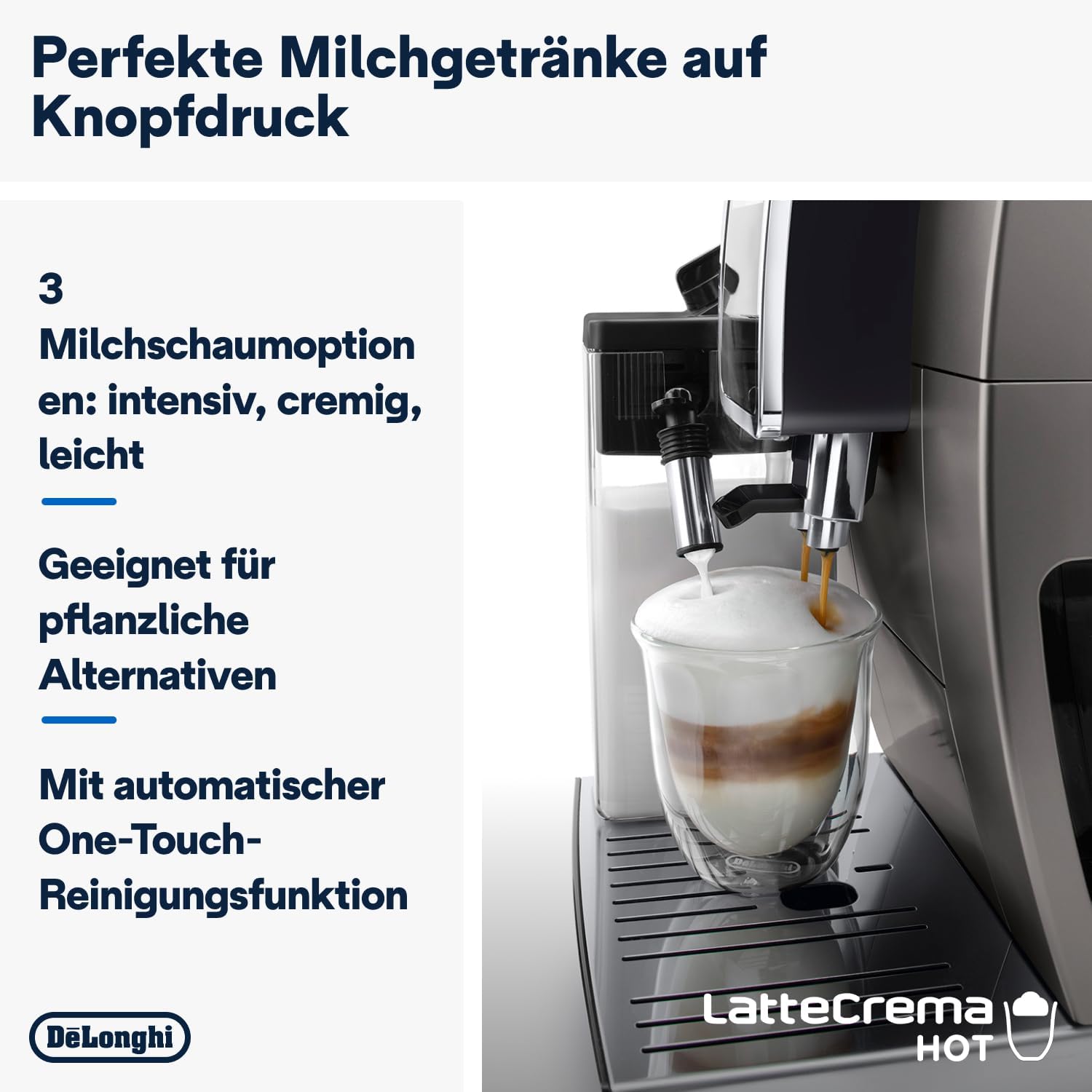
Image: The De'Longhi Dinamica Plus actively frothing milk into a glass, demonstrating the LatteCrema system.
Smart One-Touch Technology
The machine's Smart One-Touch technology automatically sorts your most frequently consumed beverages to the homepage of the display, providing quick access to your favorites.

Image: A finger selecting an option on the intuitive TFT full-touch color display of the coffee machine.
Maintenance
Daily Cleaning
- Drip Tray: Empty and clean the drip tray daily.
- Milk Carafe: After each use, perform the automatic cleaning cycle for the LatteCrema system by pressing the clean button on the carafe. Store the carafe in the refrigerator when not in use.
- Coffee Spouts: Wipe the coffee spouts with a damp cloth.
Weekly Cleaning
- Brewing Unit: Remove the brewing unit (refer to the manual for specific instructions) and rinse it under running water. Allow it to air dry before reinserting.
- Bean Hopper: Clean any coffee residue from the bean hopper.
Descaling
The machine will indicate when descaling is required. Follow the on-screen instructions and use a De'Longhi descaling solution. Regular descaling is crucial for maintaining machine performance and longevity.
Troubleshooting
| Problem | Possible Cause | Solution |
|---|---|---|
| Coffee is not hot enough. | Cups are cold; machine not preheated; temperature setting too low. | Preheat cups; run a rinse cycle; adjust coffee temperature in settings. |
| Milk does not froth correctly. | Milk carafe dirty; milk type unsuitable; milk too warm. | Clean the milk carafe thoroughly; use cold, fresh milk (dairy or plant-based alternatives suitable for frothing). |
| "Add Water" message appears. | Water tank empty or not inserted correctly. | Fill the water tank and ensure it is correctly seated. |
| "Add Beans" message appears. | Bean hopper empty. | Fill the bean hopper with coffee beans. |
Specifications
- Model Number: ECAM380.95.TB
- Brand: De'Longhi
- Power: 1450 Watts
- Voltage: 240 Volts
- Water Tank Capacity: 1.8 Liters
- Dimensions (L x W x H): 42.9 x 23.6 x 34.8 cm
- Weight: 9.5 Kilograms
- Material: Titanium
- Special Features: Adjustable height coffee spout, coffee pot function (up to 6 cups), LatteCrema Hot milk system, Smart One Touch technology, 3.5-inch TFT Full Touch color display.

Image: Diagram showing the dimensions of the De'Longhi Dinamica Plus coffee machine.
Warranty and Support
For warranty information and customer support, please refer to the warranty card included with your product or visit the official De'Longhi website. Keep your proof of purchase for warranty claims.