Introduction
Thank you for choosing the Infinix A620 Earbuds Pro 2. These true wireless stereo earbuds offer high-quality sound, active noise cancellation, wireless charging, and up to 30 hours of playback time with the charging case. This manual provides essential information to help you get the most out of your device.
Package Contents
Ensure all items are present in your package:
- Infinix A620 Earbuds Pro 2 (Left and Right Earbuds)
- Charging Case
- USB Type-C Charging Cable
- User Manual (This document)
- Ear Tips (various sizes, if included)
Setup
1. Initial Charging
Before first use, fully charge the earbuds and the charging case. Place the earbuds into the charging case and close the lid. Connect the USB Type-C cable to the charging port on the case and a power source. The indicator lights on the case will show the charging status.
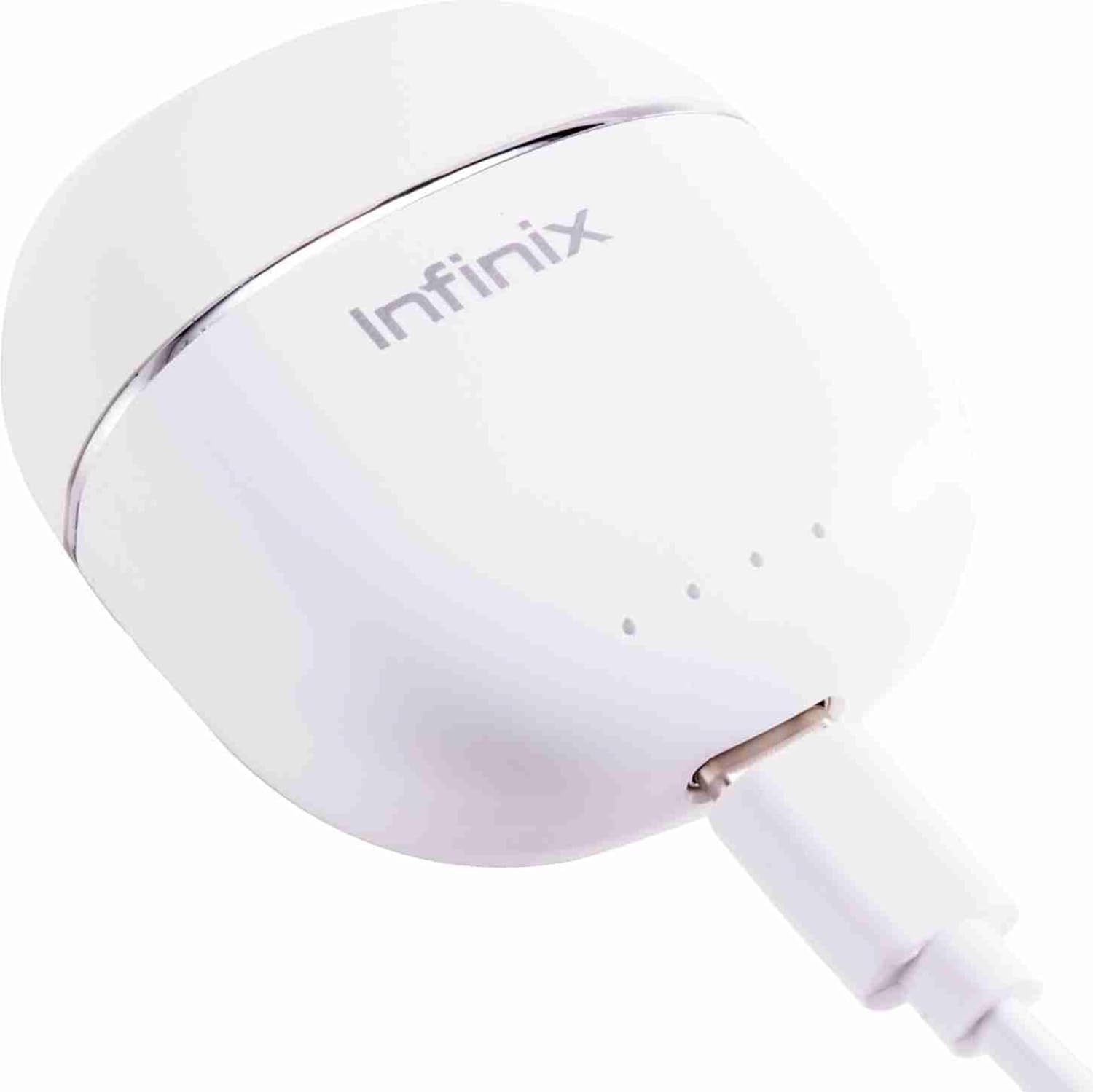
Image: The Infinix A620 Earbuds Pro 2 charging case with a USB-C cable inserted into its charging port, indicating the charging process.
The case also supports wireless charging. Place the case on a compatible wireless charging pad.
2. Bluetooth Pairing
- Open the charging case. The earbuds will automatically enter pairing mode, indicated by flashing lights (if applicable, refer to specific LED behavior in a separate section if available).
- On your device (smartphone, tablet, laptop), enable Bluetooth.
- Search for "Infinix A620 Pro 2" or a similar name in the list of available Bluetooth devices.
- Select the device name to connect. Once connected, a voice prompt or indicator light will confirm successful pairing.
- For subsequent use, the earbuds will automatically connect to the last paired device when removed from the case.

Image: The Infinix A620 Earbuds Pro 2 resting inside their open charging case, illustrating their ready state for initial setup or use.
Operating Instructions
Power On/Off
- Power On: Open the charging case, or take the earbuds out of the case. They will power on automatically.
- Power Off: Place the earbuds back into the charging case and close the lid. They will power off automatically.
Touch Controls
The earbuds feature touch-sensitive areas for control. Specific functions may vary slightly, but common controls include:
- Play/Pause: Single tap on either earbud.
- Next Track: Double tap on the right earbud.
- Previous Track: Double tap on the left earbud.
- Answer/End Call: Single tap on either earbud.
- Reject Call: Press and hold on either earbud for 2 seconds.
- Activate Voice Assistant: Triple tap on either earbud.
- Toggle ANC/Transparency Mode: Press and hold on either earbud for 2 seconds (when not on a call).
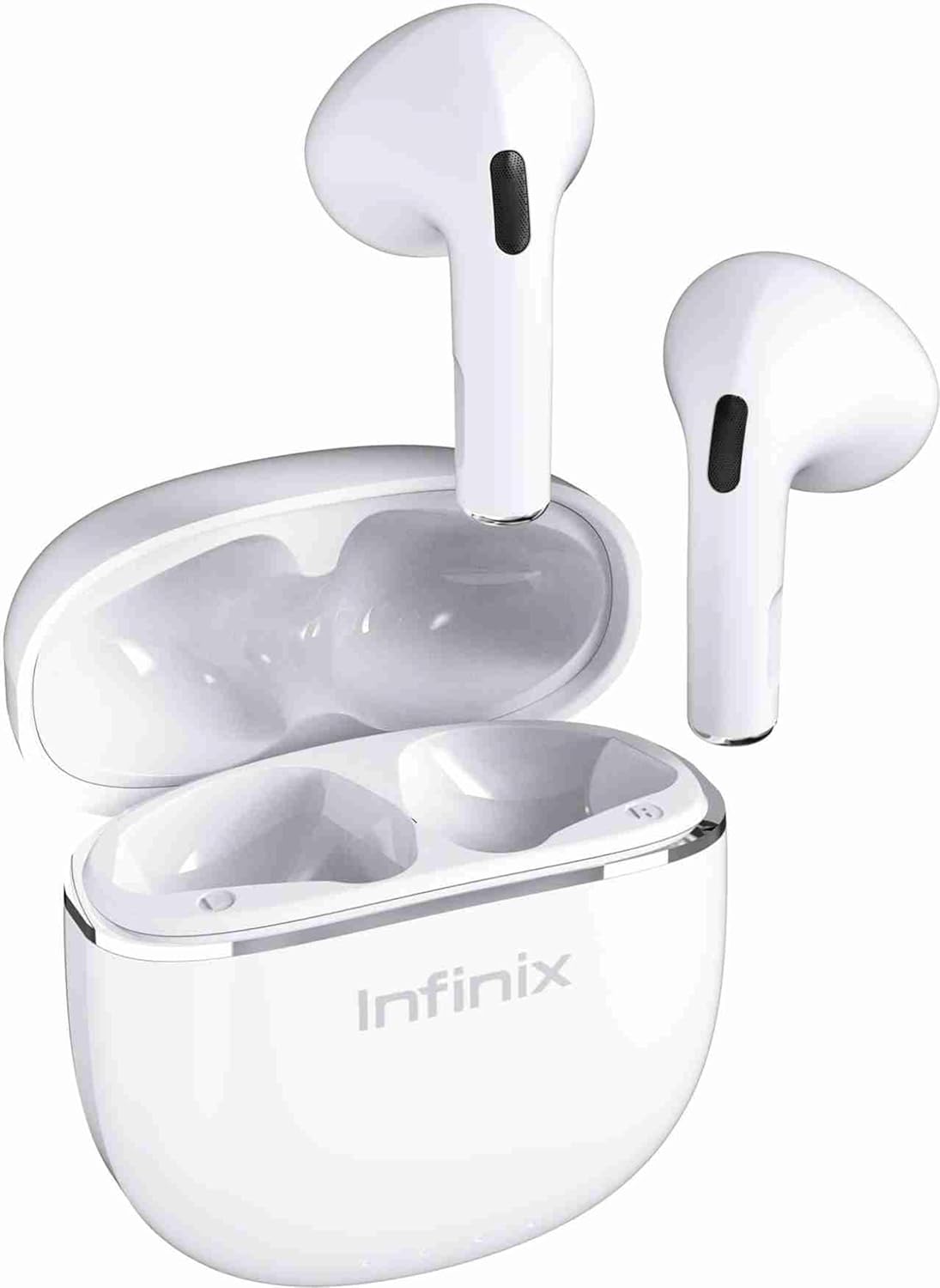
Image: A pair of Infinix A620 Earbuds Pro 2 displayed outside their charging case, highlighting their ergonomic design and touch control areas.
Active Noise Cancellation (ANC)
The Infinix A620 Earbuds Pro 2 feature Active Noise Cancellation to reduce ambient noise. To toggle between ANC, Transparency Mode (if available), and normal mode, press and hold the touch sensor on either earbud for approximately 2 seconds. A voice prompt will confirm the mode change.

Image: A technical diagram showcasing the 13mm audio driver for enhanced sound, AI Environmental Noise Cancellation (ENC) for clear calls, and Bluetooth V5.3 connectivity with a 10-meter range.
Maintenance
Cleaning
Regular cleaning helps maintain sound quality and hygiene.
- Use a soft, dry, lint-free cloth to wipe the earbuds and charging case.
- Gently remove any earwax or debris from the earbud mesh and ear tips using a clean, dry cotton swab or a small, soft brush.
- Do not use abrasive materials, alcohol, or chemical cleaners.
Charging and Battery Care
To prolong battery life:
- Charge the earbuds and case regularly, even if not in use for extended periods.
- Avoid fully draining the battery frequently.
- Use the provided USB Type-C cable or a certified wireless charger.
- Avoid extreme temperatures during charging and storage.
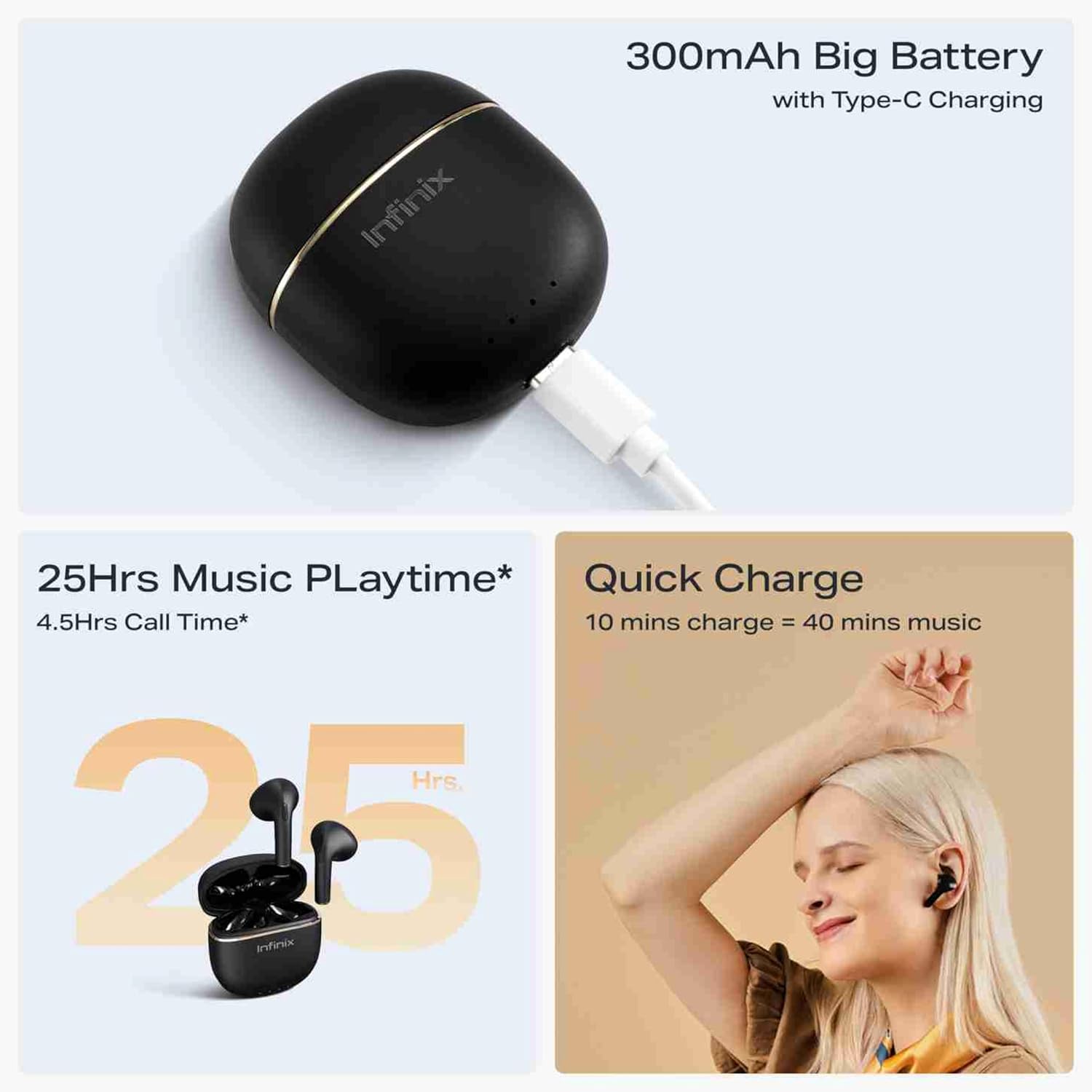
Image: An infographic detailing the 300mAh battery capacity with Type-C charging, offering 25 hours of music playtime and a quick charge function (10 minutes charge for 40 minutes music).
Storage and Water Resistance
- Always store the earbuds in their charging case when not in use to protect them and keep them charged.
- The earbuds are not water resistant. Avoid exposure to water, sweat, rain, or excessive moisture to prevent damage.

Image: A visual representation highlighting the premium build quality, comfortable and secure fit of the earbuds, and their splash-proof design.
Correction Note: While some marketing images may suggest splash resistance, the official specifications state the product is "not water resistant". Please avoid exposure to liquids.
Troubleshooting
Earbuds Not Pairing or Connecting
- Ensure both earbuds are charged.
- Make sure Bluetooth is enabled on your device.
- Place the earbuds back in the case, close the lid, wait a few seconds, then open it again to re-enter pairing mode.
- Try forgetting the device ("Infinix A620 Pro 2") from your device's Bluetooth settings and re-pairing.
- Ensure the earbuds are within the 10-meter Bluetooth range of your device.
No Sound or Low Volume
- Check the volume levels on both your connected device and the earbuds.
- Ensure the earbuds are properly seated in your ears.
- Clean any debris from the earbud mesh.
- Try restarting your connected device.
Charging Issues
- Verify the charging cable is securely connected to both the case and the power source.
- Ensure the power source is active.
- If using wireless charging, ensure the case is correctly positioned on the charging pad.
- Clean the charging contacts on both the earbuds and inside the case.
One Earbud Not Working
- Place both earbuds back into the charging case, close the lid, and then open it again.
- Ensure both earbuds are charged.
- Try resetting the earbuds (refer to manufacturer's specific reset instructions if available, otherwise a general reset might involve holding touch sensors for an extended period while in the case).
Specifications
| Feature | Detail |
|---|---|
| Model Name | Infinix Earbuds Pro 2 A620 |
| Brand | Infinix |
| Connectivity Technology | Wireless (Bluetooth) |
| Bluetooth Version | 5.3 |
| Wireless Range | 10 meters (approx.) |
| Form Factor | In-Ear |
| Noise Control | Active Noise Cancellation (ANC) |
| Control Method | Touch |
| Battery Capacity (Case) | 300mAh |
| Playtime | Up to 25 hours (with charging case) |
| Charging | USB Type-C, Wireless Charging |
| Item Weight | 10 grams (earbuds) |
| Material | Plastic |
| Water Resistance | Not Water Resistant |
| Compatible Devices | Tablets, Laptops, Mobile Phones |
| Included Components | Charging Case |
Warranty and Support
For warranty information and technical support, please refer to the warranty card included in your product packaging or visit the official Infinix website. Keep your proof of purchase for any warranty claims.
Official Infinix Store: Infinix Store on Amazon


