
1. Introduction
Thank you for choosing the AUDERWIN 294 LED Split Solar Motion Sensor Outdoor Lights. This product is designed to provide efficient and reliable outdoor illumination using solar power, featuring a motion sensor for enhanced security and convenience. Please read this manual thoroughly before installation and use to ensure optimal performance and longevity of your lights.

Figure 1: Overview of the AUDERWIN 294 LED Split Solar Motion Sensor Outdoor Lights.
2. Safety Information
- Ensure all components are securely fastened during installation to prevent accidental falls.
- Do not disassemble or modify the product. Unauthorized modifications may lead to malfunction or injury.
- Keep the solar panel clean to ensure efficient charging.
- Avoid placing the light in areas with excessive heat or direct exposure to fire.
- This product is designed for outdoor use and is IP67 waterproof. However, avoid submerging it in water.
- Dispose of batteries and electronic components according to local regulations.
3. Package Contents
Verify that all items are present in your package:
- AUDERWIN 294 LED Split Solar Motion Sensor Outdoor Light (2 units)
- Solar Panel (2 units)
- Mounting Screws and Anchors
- User Manual (this document)
4. Product Features
- High Efficiency Solar Charging: Equipped with monocrystalline laminated solar panels for fast charging (4-5 hours for full charge) and extended working time (12-20 hours).
- Bright Illumination: Features 294 LEDs providing 2600 lumens of bright, evenly distributed light.
- Long Lifespan: High-quality chips and an 1800mAh battery, combined with a durable solar panel, ensure a lifespan of over 5 years.
- IP67 Professional Waterproof: Tightly sealed using ultrasonic technology, offering 360-degree protection against rain, snow, and insects.
- Split Design for Flexible Installation: The solar panel and light board are connected by a long cable, allowing for separate placement to optimize sunlight exposure for the panel and light coverage for the fixture.
- Sensitive Motion Sensor: Detects motion within a 120° range, activating the light for security and convenience.
- Adjustable Components: The solar panel can be adjusted 360 degrees and the light fixture 180 degrees for optimal positioning.
5. Setup and Installation
Follow these steps for proper installation of your solar motion sensor lights:
- Unpack and Inspect: Carefully remove all components from the packaging and inspect for any damage.
- Initial Charge: Before the first use, ensure the solar panel is exposed to direct sunlight for at least 6-8 hours to fully charge the internal battery. It is recommended to cover the solar panel and turn on the light to test the product before permanent placement.
- Choose Installation Location:
- Select a location for the solar panel that receives maximum direct sunlight throughout the day, free from obstructions like trees or buildings.
- Choose a location for the light fixture where illumination is desired, such as a porch, patio, yard, garage, or fence. The optimum installation height is typically 5-8 feet for effective motion detection.
- Mount the Solar Panel: Use the provided screws and anchors to securely mount the solar panel in your chosen location. Adjust its angle to face the sun directly.
- Mount the Light Fixture: Using the provided screws and anchors, mount the light fixture. The split design allows the light to be placed in a shaded area while the solar panel is in direct sunlight.
- Connect Components: Connect the cable from the solar panel to the light fixture. Ensure the connection is secure and waterproof.
- Adjust Light Angle: Adjust the angle of the light fixture (up to 180 degrees) to direct illumination where needed.

Figure 2: Example of split installation, allowing the solar panel to be placed in an unobstructed, sunny location.

Figure 3: Installation methods for the AUDERWIN solar light.
6. Operating Instructions
The AUDERWIN solar motion sensor light features multiple operating modes to suit various needs. These modes are typically controlled via a button on the light fixture or a remote control (if included). Refer to the specific product packaging for remote control instructions if applicable.

Figure 4: Optimal installation height for motion sensor effectiveness.
Lighting Modes:
| Function Mode | When Motion is Detected | When No Motion is Detected |
|---|---|---|
| Mode 1 | 100% output (2600 LM) for 20 seconds | Turns off |
| Mode 2 | 10% output (260 LM) continuously | 10% output (260 LM) continuously |
| Mode 3 | 100% output (2600 LM) for 20 seconds | 3% output (78 LM) continuously |
| Mode 4 | Flashes | Turns off |
Table 1: Operating Modes for the AUDERWIN Solar Light.
To switch between modes, press the mode button on the light fixture. Cycle through the modes until you reach your desired setting.
7. Maintenance
Regular maintenance ensures the optimal performance and longevity of your solar lights.
- Clean Solar Panel: Periodically wipe the solar panel with a soft, damp cloth to remove dust, dirt, leaves, or snow. A clean panel ensures maximum sunlight absorption and charging efficiency.
- Check Connections: Occasionally inspect the cable connections between the solar panel and the light fixture to ensure they remain secure and free from damage.
- Clear Obstructions: Ensure that no new obstructions (e.g., growing foliage) are blocking sunlight from reaching the solar panel.
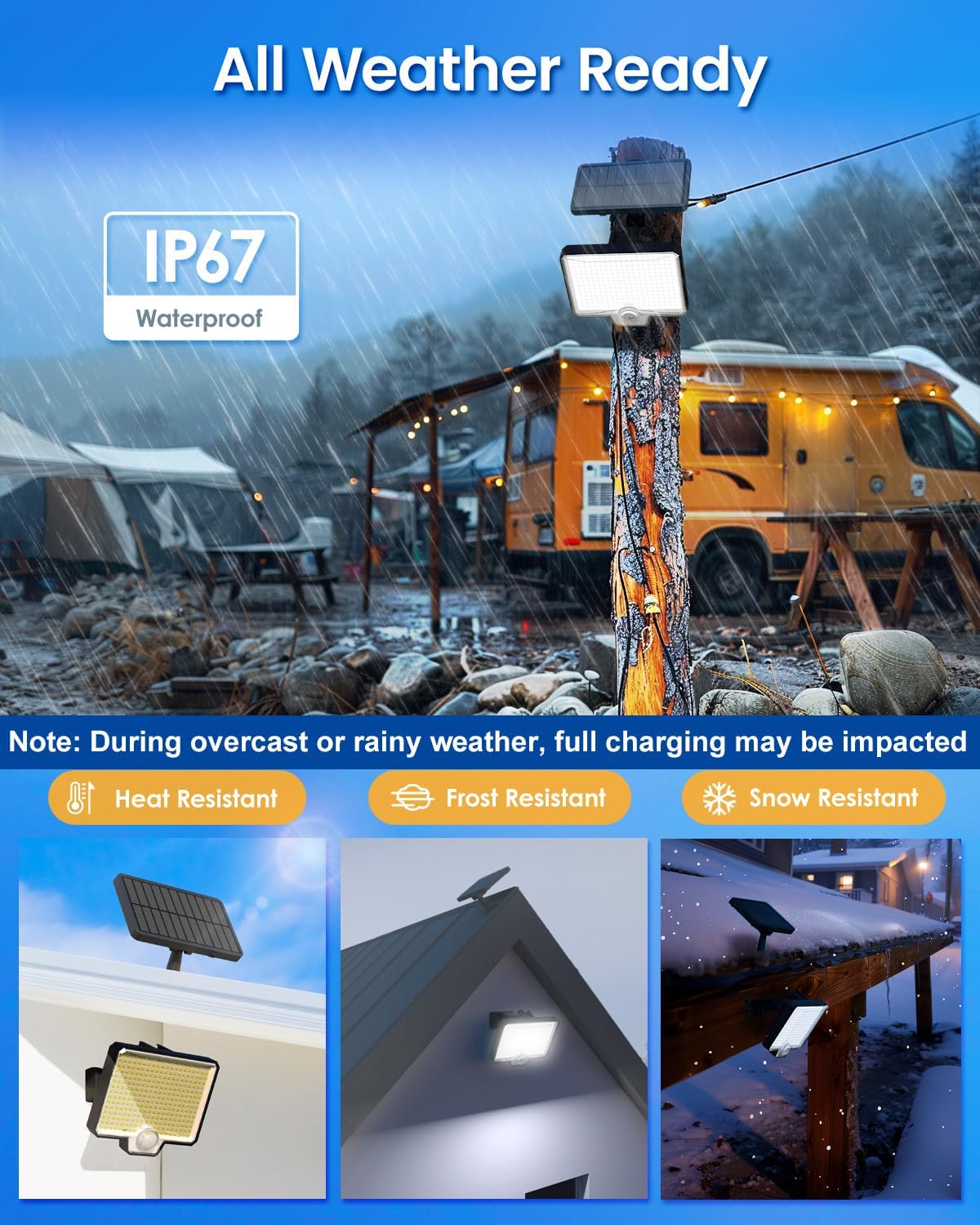
Figure 5: The AUDERWIN solar light is designed for all-weather use, but regular cleaning of the solar panel is recommended.
8. Troubleshooting
If you encounter issues with your AUDERWIN solar lights, refer to the following common problems and solutions:
| Problem | Possible Cause | Solution |
|---|---|---|
| Light does not turn on at night. |
|
|
| Light is dim or only stays on for a short period. |
|
|
| Motion sensor is not detecting movement. |
|
|
Table 2: Common Troubleshooting Steps.
9. Specifications
| Feature | Detail |
|---|---|
| Brand | AUDERWIN |
| Model Number | 8753 |
| Light Source | 294 LED |
| Brightness | 2600 Lumens |
| Battery Capacity | 1800mAh |
| Charging Time | 4-5 hours (direct sunlight) |
| Working Time | 12-20 hours (depending on mode) |
| Water Resistance | IP67 Waterproof |
| Motion Sensor Angle | 120° |
| Material | Acrylonitrile Butadiene Styrene |
| Product Dimensions | 5"L x 6"W x 8"H |
| Installation Type | Wall Mount |
| Power Source | Solar Powered |
Table 3: Product Specifications.
10. Warranty and Support
AUDERWIN provides a 12-month worry-free warranty for this product. If you encounter any issues or have questions regarding your AUDERWIN 294 LED Split Solar Motion Sensor Outdoor Lights, please contact our friendly customer service team for assistance.
For support, please refer to the contact information provided on your product packaging or the official AUDERWIN website.