
1. Introduction
This instruction manual provides essential information for the safe and efficient use of your OPTONICA LED Bulb, model 1778. Please read this manual thoroughly before installation and retain it for future reference. This LED bulb is designed to provide pleasant, neutral white light (4500K) with high energy efficiency and a long operational lifespan.
2. Safety Information
Always observe the following safety precautions to prevent injury or damage:
- Power Off: Always ensure the power supply to the fixture is switched off before installing, removing, or cleaning the bulb.
- Correct Base: Use only in fixtures compatible with an E27 screw base.
- Voltage: Ensure the operating voltage of your fixture matches the bulb's specified voltage (230V~).
- Non-Dimmable: This bulb is not dimmable. Do not use it with dimmer switches, as this may cause damage to the bulb or dimmer.
- Indoor Use: This bulb is intended for indoor use in dry environments unless otherwise specified by the fixture.
- Handling: Do not handle the bulb with wet hands. Avoid touching the bulb surface immediately after use, as it may be hot.
- Disposal: Dispose of LED bulbs according to local regulations for electronic waste. Do not dispose of with general household waste.
3. Product Overview
The OPTONICA LED Bulb 1778 is a high-performance, energy-efficient lighting solution. It features a standard E27 screw base and provides a neutral white light suitable for various applications.
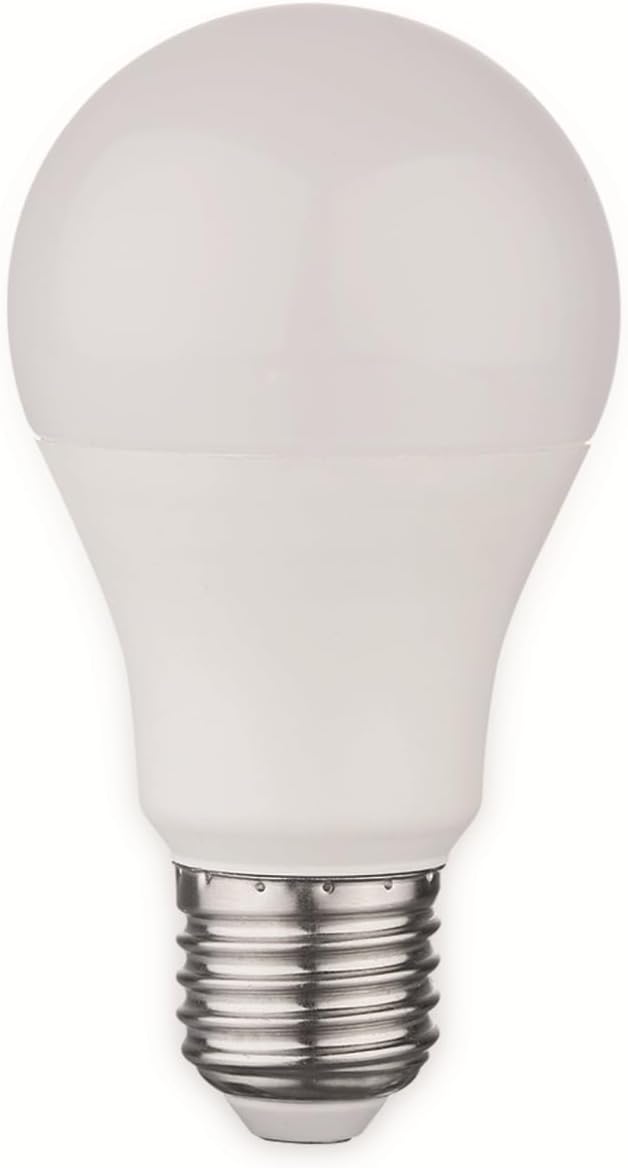
Figure 1: OPTONICA LED Bulb 1778 with E27 base. This image shows a white, frosted LED bulb with a standard E27 screw-in base, designed for general lighting purposes.
Key Features:
- Energy Efficient: Consumes only 10.5W while providing light equivalent to a 70W incandescent bulb.
- Neutral White Light: 4500K color temperature for a balanced and comfortable illumination.
- Long Lifespan: Designed for an average lifespan of 25,000 hours.
- Instant On: Provides full brightness immediately upon switching on.
4. Setup and Installation
Follow these steps to install your LED bulb:
- Turn Off Power: Locate the light switch or circuit breaker controlling the fixture and turn off the power completely. This is crucial for safety.
- Remove Old Bulb (if applicable): If replacing an existing bulb, allow it to cool down completely before carefully unscrewing it counter-clockwise from the fixture.
- Install New Bulb: Gently screw the OPTONICA LED Bulb 1778 clockwise into the E27 socket until it is snug. Do not overtighten.
- Restore Power: Turn the power back on at the switch or circuit breaker.
- Test: Turn on the light switch to ensure the bulb functions correctly.
If the bulb does not light up, ensure it is screwed in properly and that the power supply is active. Refer to the Troubleshooting section for further assistance.
5. Operation
Operating the OPTONICA LED Bulb 1778 is straightforward:
- Switch On/Off: Use the standard wall switch connected to your light fixture to turn the bulb on or off.
- Instant Brightness: The bulb will reach full brightness almost instantly upon being switched on.
- Non-Dimmable: This bulb is designed for on/off operation only and is not compatible with dimmer switches. Attempting to use it with a dimmer may cause flickering, damage, or premature failure.
6. Maintenance
The OPTONICA LED Bulb 1778 requires minimal maintenance:
- Cleaning: Before cleaning, always turn off the power to the fixture and allow the bulb to cool. Wipe the bulb with a soft, dry, or slightly damp cloth. Do not use abrasive cleaners or solvents.
- Replacement: Due to its long lifespan, frequent replacement is not expected. When replacement is necessary, follow the installation steps in Section 4.
7. Troubleshooting
If you encounter issues with your OPTONICA LED Bulb, refer to the following common problems and solutions:
| Problem | Possible Cause | Solution |
|---|---|---|
| Bulb does not light up. |
|
|
| Bulb flickers. |
|
|
If the problem persists after trying these solutions, contact customer support.
8. Specifications
| Brand: | Optonica |
| Model Number: | 1778 (Also referred to as 1355 in some specifications) |
| Base Type: | E27 |
| Power Consumption: | 10.5 W |
| Incandescent Equivalent: | 70 W |
| Luminous Flux: | 1055 lm |
| Color Temperature: | 4500 K (Neutral White) |
| Color Rendering Index (CRI): | > 80 Ra |
| Beam Angle: | 270° |
| Operating Voltage: | 230 V~ |
| Energy Efficiency Class: | F (EEK Spectrum: A - G) |
| Weighted Energy Consumption: | 11 kWh/1000 h |
| Dimmable: | No |
| Average Lifespan: | 25,000 hours |
| Switching Cycles: | > 100,000 |
| Ignition Time: | < 0.1 s |
| Start-up Time to 60%: | < 1 s |
| Mercury Content: | 0.0 mg |
| Material: | Aluminum |
| Shape: | A60 (Globe) |
| Dimensions (Ø x H): | 60 x 110 mm |
| Weight: | 40 g |
9. Warranty and Support
For information regarding warranty coverage, returns, or technical support, please refer to the retailer or manufacturer's official website where the product was purchased. Keep your proof of purchase for any warranty claims.
Manufacturer: Optonica
Contact: Refer to Optonica's official channels for customer service.


