
Rollei 23024
Contents
Rollei Easy Traveler XL Carbon Tripod Instruction Manual
Model: 23024
1. Introduction
The Rollei Easy Traveler XL Carbon Tripod is designed for photographers seeking a stable, lightweight, and compact support solution. This manual provides essential information for the safe and effective use of your tripod, including setup, operation, maintenance, and troubleshooting.
Key features include a 10 kg load capacity, durable carbon fiber construction, a compact folded length of 50 cm, and a versatile ball head with an effortless locking mechanism. It also offers a monopod function and integrated features like a smartphone holder and bubble level.
2. Safety Information
- Always ensure all locking mechanisms are securely fastened before mounting equipment or adjusting the tripod.
- Do not exceed the maximum load capacity of 10 kg to prevent damage to the tripod or attached equipment.
- Avoid exposing the tripod to extreme temperatures, direct sunlight for prolonged periods, or corrosive substances.
- When carrying the tripod, ensure legs are folded and secured to prevent accidental opening.
- Be cautious when extending or retracting legs to avoid pinching fingers.
- Keep the tripod away from children to prevent accidents.
3. Package Contents
Verify that all items are present in your package:
- Rollei Easy Traveler XL Carbon Tripod with Ball Head
- 3 x Allen Keys
- Carrying Bag
4. Setup
4.1 Unfolding the Tripod
- Grasp the tripod legs and gently pull them outwards until they click into their desired angle. The tripod offers multiple leg angle stops.
- Extend the leg segments by unlocking the twist locks on each leg. Start with the thickest segment and work your way down. Securely tighten each twist lock after extending.
- Adjust the leg length to achieve the desired height and stability. Use the integrated bubble level on the ball head to ensure the tripod is level.
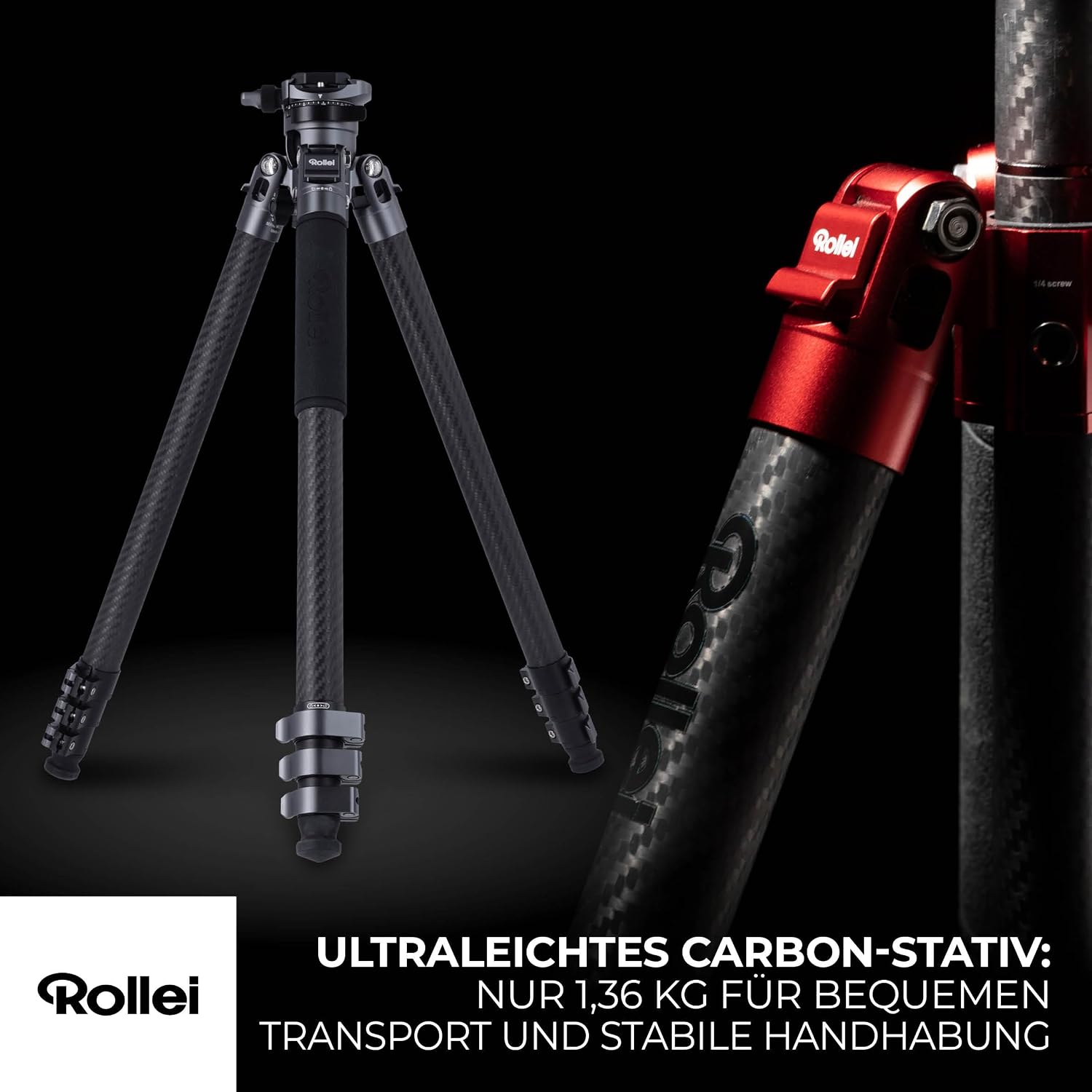
Image: The Rollei Easy Traveler XL Carbon Tripod fully extended, showcasing its lightweight design and stable stance.
4.2 Attaching Your Camera
- Ensure the quick release plate is securely attached to your camera's tripod mount.
- Loosen the quick release clamp on the ball head.
- Slide the quick release plate with your camera into the clamp.
- Tighten the quick release clamp firmly to secure your camera.

Image: Close-up view of the ball head with a camera attached, demonstrating the effortless locking function for secure positioning.
4.3 Using the Center Column
The center column can be extended for additional height or inverted for low-angle shots. To extend, loosen the center column lock and pull the column upwards. To invert, fully remove the center column, flip it, and reinsert it from below. Securely tighten the lock after adjustment.

Image: The tripod extended to its maximum height of 166 cm, illustrating its versatility for various shooting perspectives.
5. Operating
5.1 Adjusting the Ball Head
The ball head allows for flexible camera positioning. Loosen the main locking knob to adjust the camera angle. Once the desired position is achieved, tighten the knob firmly to secure the camera.
5.2 Monopod Function
One of the tripod legs can be detached and combined with the center column to form a monopod. To do this, unscrew the designated leg (usually marked) from the tripod shoulder. Then, unscrew the center column from the main chassis and attach it to the detached leg. This provides a portable monopod for situations requiring quick mobility.
5.3 Integrated Smartphone Holder
A smartphone holder is conveniently stored within the center column. To access it, unscrew the bottom cap of the center column. The holder can then be used to securely mount a smartphone for photography or video recording.
5.4 Accessory Threads
The tripod shoulder features two 1/4" accessory threads. These can be used to attach various accessories such as external monitors, LED lights, or microphones, expanding your creative possibilities.

Image: Detail of the tripod shoulder, highlighting the 1/4 inch accessory threads for attaching additional equipment.
6. Maintenance
- Cleaning: Wipe down the tripod with a soft, damp cloth after each use, especially if used in dusty, sandy, or wet environments. Avoid harsh chemicals.
- Lubrication: Periodically check leg locks and ball head for smooth operation. If necessary, apply a small amount of silicone-based lubricant to moving parts, avoiding excessive application.
- Storage: Store the tripod in its carrying bag in a dry, cool place away from direct sunlight.
- Inspection: Regularly inspect all screws, bolts, and locking mechanisms for tightness. Use the provided Allen keys to tighten any loose components.
7. Troubleshooting
| Problem | Possible Cause | Solution |
|---|---|---|
| Tripod is unstable. | Leg locks not fully tightened; legs not spread evenly; uneven ground. | Ensure all leg locks are securely tightened. Adjust leg angles for even spread. Use integrated spikes on uneven terrain. |
| Camera slips on ball head. | Ball head locking knob not tightened enough; quick release plate not secured. | Firmly tighten the ball head locking knob. Ensure the quick release plate is properly seated and clamped. |
| Leg segments are stiff to extend/retract. | Dirt or debris in leg locks; lack of lubrication. | Clean leg segments and locks. Apply a small amount of silicone lubricant if necessary. |
| Monopod leg difficult to detach. | Thread is tight or cross-threaded. | Ensure you are unscrewing the correct leg. Apply gentle, consistent force. Do not force if resistance is high. |
8. Specifications
| Feature | Detail |
|---|---|
| Brand | Rollei |
| Model Number | 23024 |
| Material | Carbon Fiber |
| Color | Red |
| Item Weight | 1.34 kg (2.95 lbs) |
| Maximum Load Capacity | 10 kg (22 lbs) |
| Maximum Height | 166 cm (65.4 inches) |
| Folded Length | 50 cm (19.7 inches) |
| Tripod Head Type | Ball Head |
| Compatible Devices | Camera, Camcorder, Smartphone, Tablet |
| Special Features | Non-slip feet, Lightweight design, Integrated bubble level, Monopod function, Hidden smartphone holder, 1/4" accessory threads |
| Included Components | Tripod, 3 Allen keys, Carrying bag |
9. Warranty Information
The Rollei Easy Traveler XL Carbon Tripod comes with a 2-year warranty for spare parts availability. For specific warranty terms and conditions, please refer to the official Rollei website or contact customer support.
10. Support
For technical assistance, product inquiries, or warranty claims, please contact Rollei customer support:
- Phone: +49 40 270 750 277 (Monday-Friday, 10:00 AM - 4:00 PM CET)
- Website: Visit the official Rollei website for FAQs and contact forms.
Rollei offers free returns within 14 days and a 24-month exchange guarantee. Please retain your proof of purchase for warranty services.
Ask a question about this manual
Ask about setup, troubleshooting, compatibility, parts, safety, or missing instructions. Manuals+ will review the question and use this page’s manual context to help answer it.