1. Introduction
This manual provides instructions for the safe and efficient installation, operation, and maintenance of your Maclean MC-462 Adjustable Under-Desk Keyboard Tray. Please read this manual thoroughly before use and retain it for future reference.
2. Safety Information
- Ensure all components are present and undamaged before assembly.
- Do not exceed the maximum weight capacity of 5 kg (11 lbs).
- Install on a stable desk surface.
- Keep hands clear of moving parts during adjustment.
- This product is intended for indoor use only.
3. Package Contents
Verify that all parts are included in your package. If any parts are missing or damaged, please contact customer support.
- Keyboard Tray
- Mounting Clamps (C-clamps)
- Sliding Rails
- Height Adjustment Mechanism
- All necessary screws and tools
4. Installation Instructions
4.1. Prepare Your Workspace
Clear the area under your desk where the keyboard tray will be installed. Ensure the desk surface is clean and free of obstructions.
4.2. Attach Sliding Rails to Tray
Secure the sliding rails to the underside of the keyboard tray using the provided screws. Ensure they are aligned correctly for smooth operation.
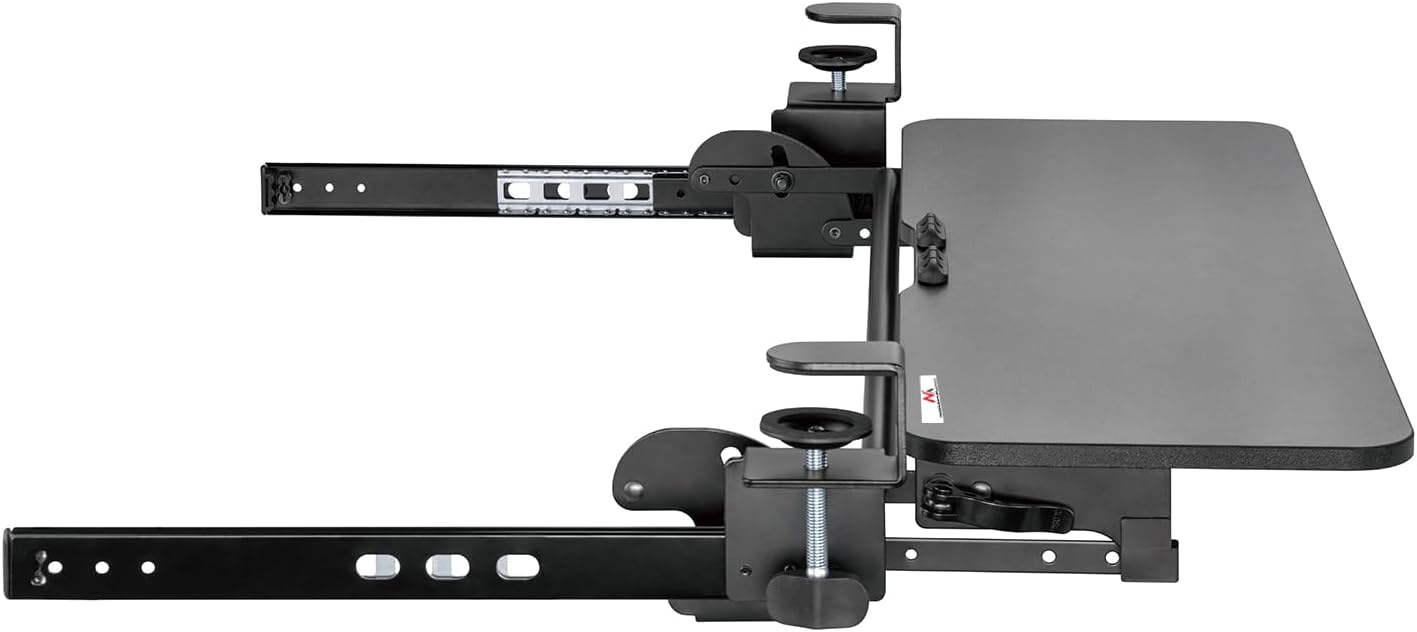
Image: Underside view of the keyboard tray showing the sliding rails and the height adjustment mechanism.
4.3. Mount Clamps to Desk
Position the C-clamps on the edge of your desk. Tighten the clamps securely to ensure a stable mount for the keyboard tray. Ensure the desk thickness is compatible with the clamps.

Image: Detail of the C-clamp securely fastened to the desk edge.
4.4. Attach Tray Assembly to Clamps
Slide the assembled keyboard tray and rails into the mounting brackets of the C-clamps. Ensure the tray is fully engaged and locked into place.
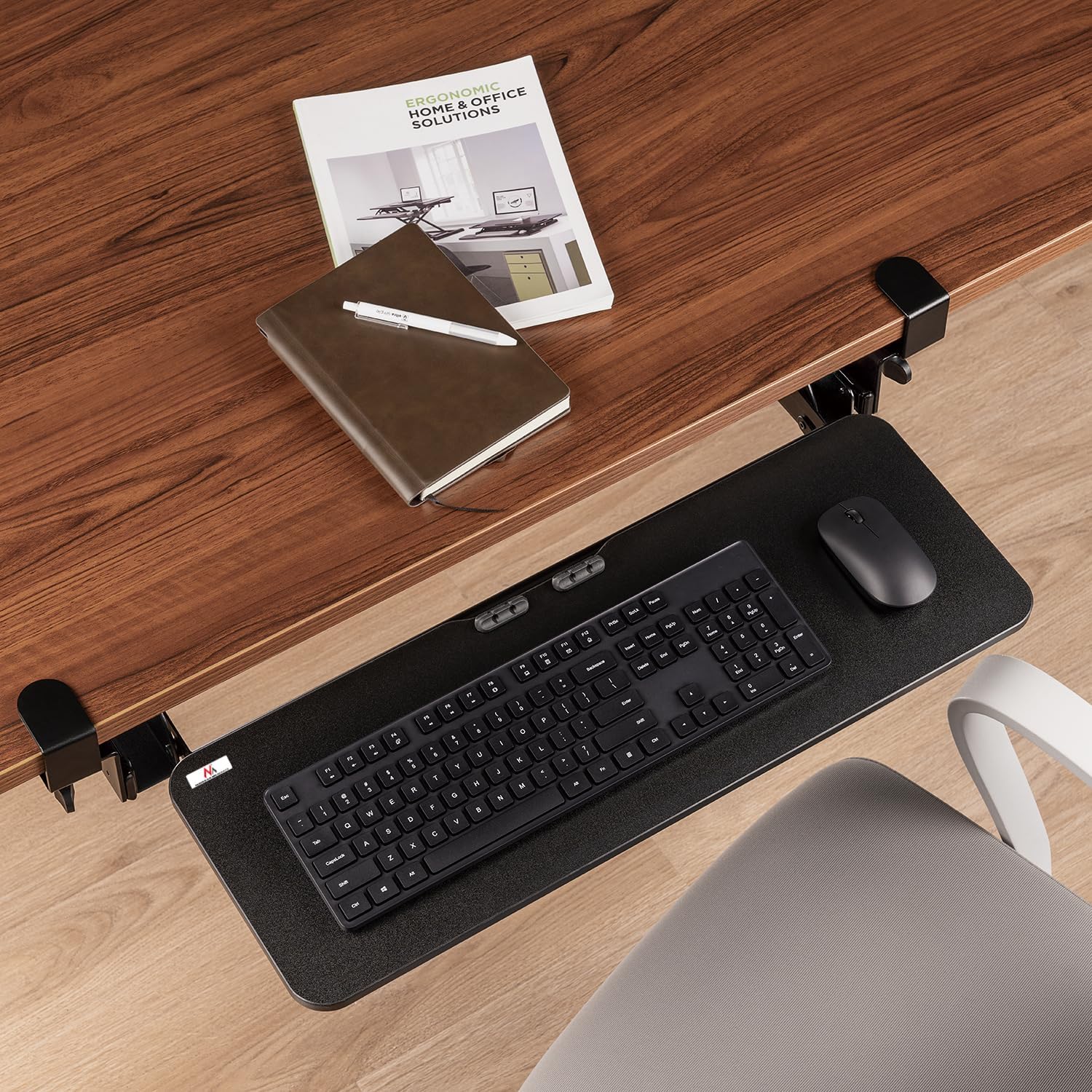
Image: The Maclean MC-462 keyboard tray fully installed under a desk, ready for use.
4.5. Verify Dimensions
Refer to the dimension diagram to ensure proper fit and clearance for your setup.

Image: Detailed technical drawing with all key dimensions of the keyboard tray and its mounting system.
5. Operating Instructions
5.1. Adjusting Height
To adjust the height of the keyboard tray, locate the locking lever (as shown in the image). Release the lever, adjust the tray to your desired ergonomic height, and then firmly re-engage the lever to lock it in place.

Image: The height adjustment lever, used to secure the tray at a specific vertical position.

Image: User adjusting the height of the keyboard tray by manipulating the lever and moving the tray.
5.2. Sliding the Tray
The keyboard tray can be slid in and out from under the desk. Gently pull the tray towards you to extend it, and push it away to retract it. Ensure no cables or objects obstruct its movement.

Image: User extending the keyboard tray from under the desk.
6. Maintenance
- Cleaning: Wipe the tray and mechanism with a soft, damp cloth. Avoid abrasive cleaners.
- Inspection: Periodically check all screws and clamps to ensure they remain tight. Retighten if necessary.
- Lubrication: If the sliding mechanism becomes stiff, apply a small amount of silicone-based lubricant to the rails.
7. Troubleshooting
- Tray not sliding smoothly: Check for obstructions on the rails. Ensure rails are clean. Apply lubricant if needed.
- Tray not holding height: Ensure the height adjustment lever is fully engaged and tightened.
- Tray feels unstable: Verify that the C-clamps are securely tightened to the desk. Ensure the desk surface is stable.
8. Specifications
| Feature | Specification |
|---|---|
| Brand | Maclean |
| Model Number | MC-462 |
| Tray Dimensions | 67 x 24 cm (approx. 26.4 x 9.4 inches) |
| Max Load Capacity | 5 kg (11 lbs) |
| Color | Black |
| Height Adjustment | Adjustable with locking mechanism |
| Mounting Type | C-clamp (under-desk) |
9. Warranty and Support
For warranty information or technical support, please refer to the documentation included with your purchase or contact Maclean customer service directly.