
Lenovo Wired ANC Headset Gen 2 (UC)
Lenovo Wired ANC Headset Gen 2 (UC) User Manual
Model: Wired ANC Headset Gen 2 (UC) | Model Number: 4XD1M39029
1. Introduction
This manual provides detailed instructions for the use and maintenance of your Lenovo Wired ANC Headset Gen 2 (UC). This headset is designed for professional use, offering active noise cancellation and versatile connectivity for a seamless communication experience.
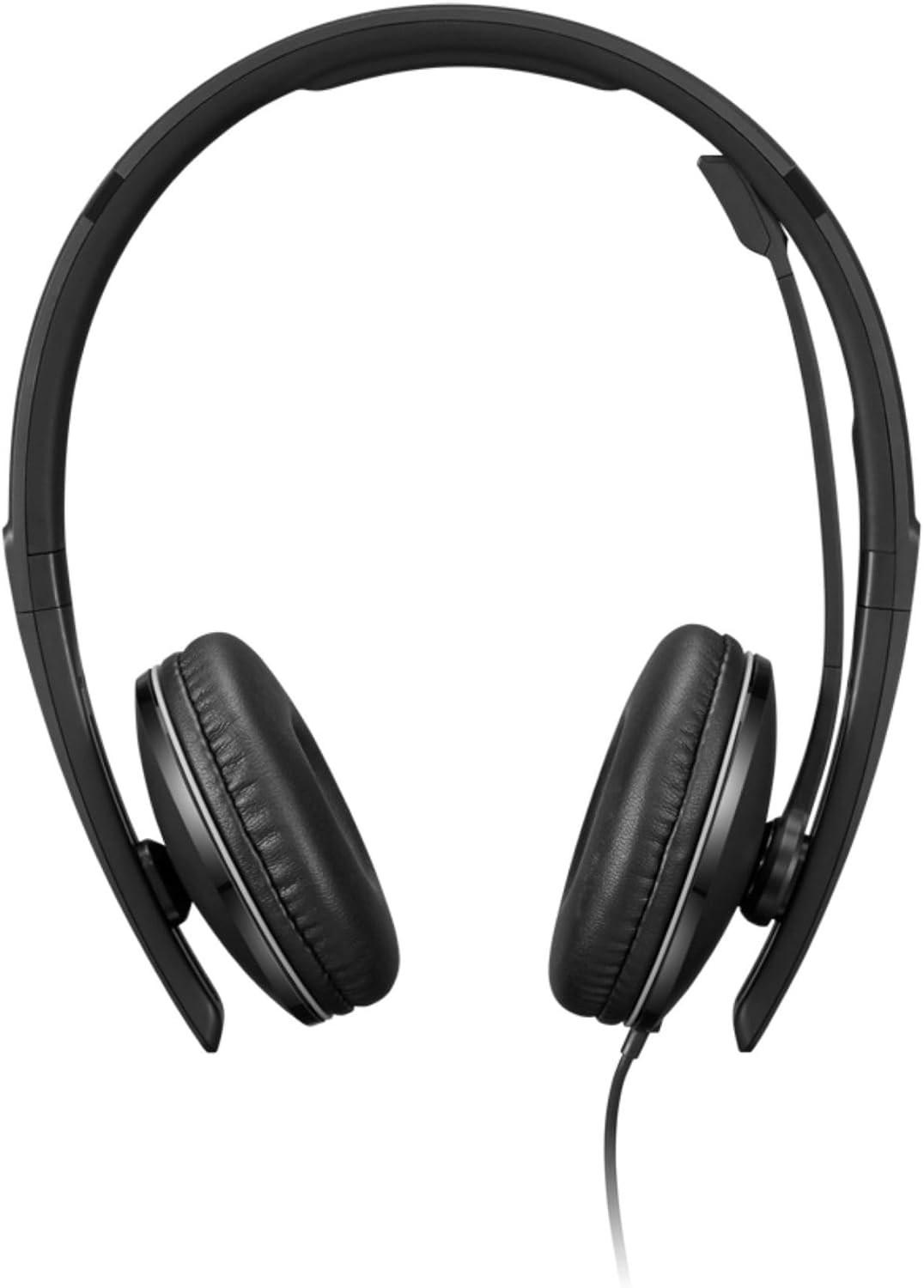
Image 1.1: Front view of the Lenovo Wired ANC Headset Gen 2 (UC).
2. Package Contents
Verify that all items are present in your product package:
- Lenovo Wired ANC Headset Gen 2 (UC)
- USB-C to USB-A Converter Cable

Image 2.1: The headset with its inline control unit, USB-C connector, and USB-A adapter.
3. Product Overview
3.1 Headset Components

Image 3.1: Key components of the headset, including headband padding, replaceable earcups, talk microphone, and hidable double-sided boom.
- Headband Padding: Provides comfort during extended use.
- Replaceable Earcups: Large on-ear leatherette earcups for comfort and noise dampening.
- Talk Microphone: A premium noise-canceling microphone located on a hidable boom.
- Hidable Double-Sided Boom: The microphone boom can be positioned on either side or retracted when not in use.
- USB-C Connector: For direct connection to compatible devices.
- USB-A Adapter: Allows connection to devices with USB-A ports.
3.2 Inline Control Box
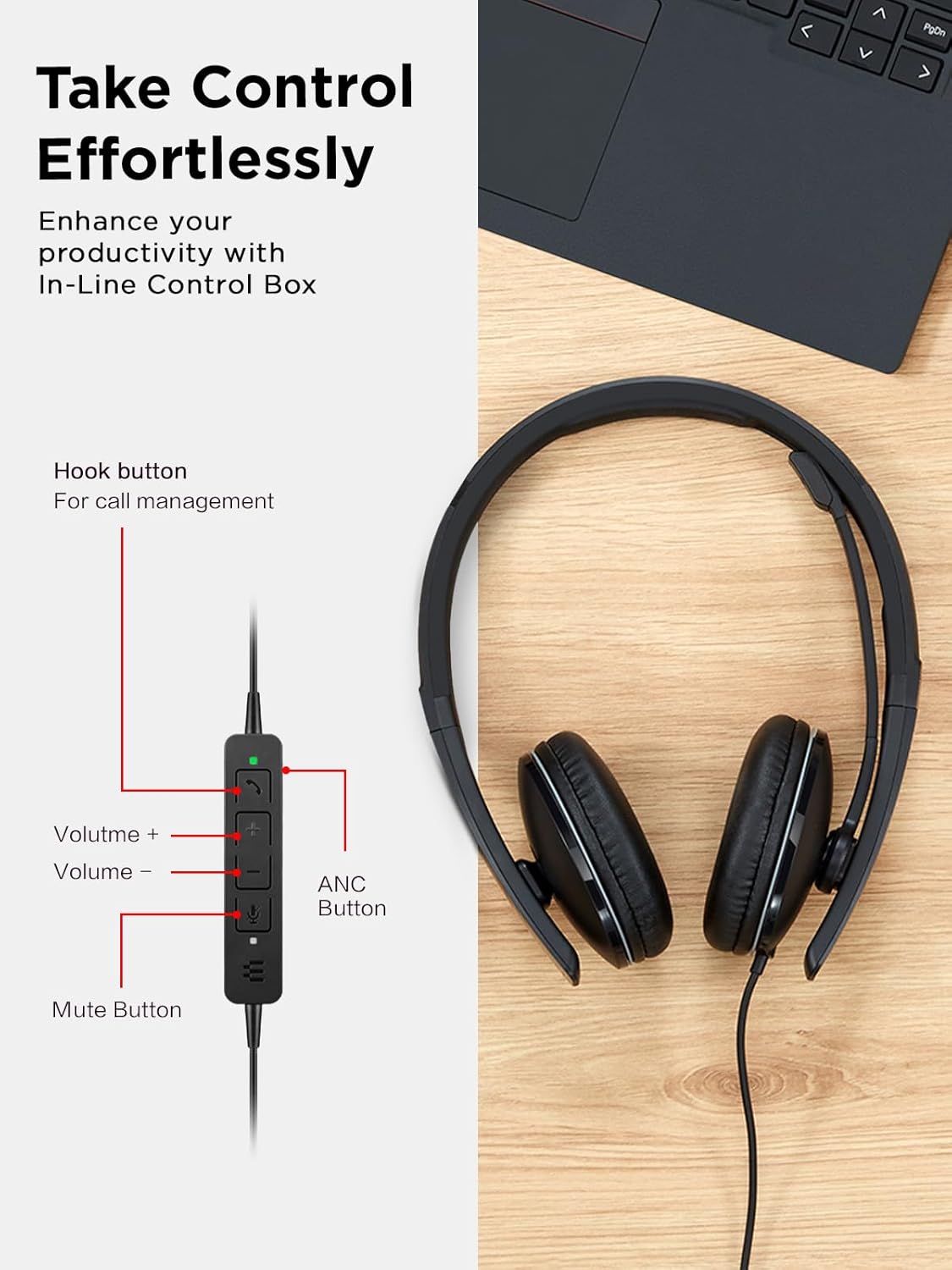
Image 3.2: The inline control box with labeled buttons for call management, volume, mute, and ANC.
- Hook Button: For answering and ending calls.
- Volume + Button: Increases audio volume.
- Volume - Button: Decreases audio volume.
- Mute Button: Mutes or unmutes the microphone.
- ANC Button: Activates or deactivates Active Noise Cancellation.
4. Setup
4.1 Connecting the Headset
The Lenovo Wired ANC Headset Gen 2 (UC) offers flexible connectivity via USB-C or USB-A.
- For USB-C Connection: Plug the USB-C connector directly into a compatible USB-C port on your computer, tablet, or smartphone.
- For USB-A Connection: Attach the provided USB-C to USB-A converter to the USB-C connector of the headset, then plug the USB-A end into a compatible USB-A port on your device.

Image 4.1: The headset showing its USB-C connector and the USB-A adapter for universal compatibility.
The headset is plug-and-play, meaning it should be recognized automatically by most operating systems without requiring additional driver installation.
5. Operating Instructions
5.1 Adjusting the Headset
- Adjust the headband for a comfortable fit on your head.
- Position the microphone boom. It can be rotated and extended to place the microphone near your mouth for optimal voice pickup. The boom can be worn on either the left or right side.

Image 5.1: Side view of the headset with the microphone boom extended for use.
5.2 Basic Functions
- Answering/Ending Calls: Press the Hook Button on the inline control box.
- Adjusting Volume: Use the Volume + and Volume - buttons on the inline control box.
- Muting Microphone: Press the Mute Button on the inline control box. An indicator light on the control box may show the mute status.
- Active Noise Cancellation (ANC): Press the ANC Button to toggle active noise cancellation on or off. ANC helps filter out background noise for improved focus.

Image 5.2: A user engaged in a video conference call while wearing the headset, demonstrating its use in a professional setting.
6. Maintenance
Proper care ensures the longevity and optimal performance of your headset.
- Cleaning: Use a soft, dry cloth to clean the headset. Do not use liquid cleaners or aerosols.
- Storage: Store the headset in a cool, dry place when not in use. Avoid extreme temperatures.
- Earcup Replacement: The earcups are replaceable. Refer to the Lenovo support website for instructions on how to replace them if necessary.
- Cable Care: Avoid sharp bends or excessive pulling on the cable to prevent damage.
7. Troubleshooting
If you encounter issues with your headset, refer to the following common solutions:
| Problem | Solution |
|---|---|
| No audio from headset |
|
| Microphone not working |
|
| Active Noise Cancellation (ANC) not effective |
|
| Headset not recognized by device |
|
8. Specifications
| Feature | Detail |
|---|---|
| Model Name | Wired ANC Headset Gen 2 (UC) |
| Model Number | 4XD1M39029 |
| Connectivity Technology | Wired (USB-C, USB-A via adapter) |
| Noise Control | Active Noise Cancellation (ANC) |
| Microphones | 3 (1 on mic boom, 2 on earcups for feedback ANC) |
| Audio Driver Type | Dynamic Driver |
| Frequency Range | Headphones: 20 Hz - 20 kHz; Microphone: 200 Hz - 8 kHz |
| Impedance | 1 Ohm |
| Sensitivity | 86 dBSPL |
| Compatible Devices | Computers, Tablets, Telephones, Smartphones |
| Item Weight | 408 Grams (14.4 ounces) |
| Product Dimensions | 8.9 x 7.6 x 3 inches |
| Material | Plastic or aluminum (inferred) |
| UPC | 195892090441 |

Image 8.1: Visual representation of the headset's three microphones and Active Noise Cancellation technology.
9. Warranty and Support
For warranty information and technical support, please visit the official Lenovo support website or contact your local Lenovo service provider. Keep your proof of purchase for warranty claims.
Online Support: www.lenovo.com/support