
Introduction
Thank you for purchasing the Volkano Cosmic Series Bluetooth Headphones VK-2013-BK. These headphones are designed to provide a comfortable and immersive audio experience with wireless convenience. Featuring a folding design, soft ear cushions, and a padded headband, they offer versatility for various uses. This manual provides essential information for setting up, operating, and maintaining your headphones.
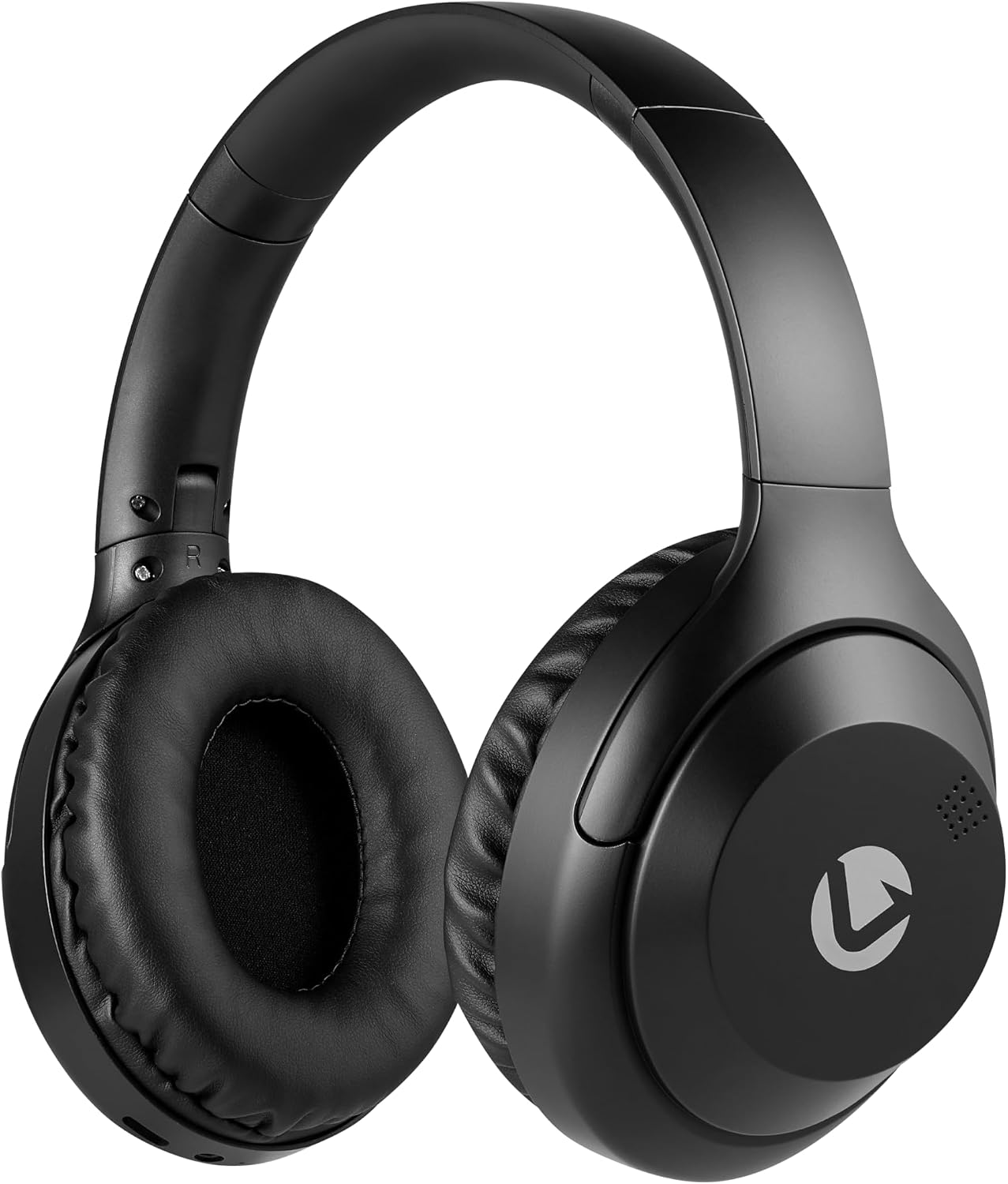
Front view of the Volkano Cosmic Series Bluetooth Headphones.
Package Contents
Please ensure all items are present in your package:
- Volkano Cosmic Series Bluetooth Headphones
- USB Charging Cable
- 3.5mm AUX Cable
- Instruction Manual

Image showing the folding headphones and the included USB charging cable and AUX cable.
Product Overview
Familiarize yourself with the various parts and controls of your headphones:

Side view of the headphones, highlighting the control panel.
- Power / Multi-function Button: Used for powering on/off, play/pause, answering/ending calls.
- Volume Up / Next Track Button: Short press for volume up, long press for next track.
- Volume Down / Previous Track Button: Short press for volume down, long press for previous track.
- Mode Button: Switches between Bluetooth, FM Radio, and Micro SD card modes.
- Micro USB Charging Port: For charging the headphones.
- 3.5mm AUX Input: For wired connection to audio devices.
- Micro SD Card Slot: For playing audio directly from a Micro SD card.
- Microphone: For hands-free calling.
- LED Indicator: Displays power, charging, and Bluetooth status.

Overview of key features including Bluetooth, FM Radio, SD Card, Aux Input, and Hands-free calling.
Setup
Charging the Headphones
- Connect the small end of the USB charging cable to the Micro USB port on the headphones.
- Connect the larger end of the USB charging cable to a USB power source (e.g., computer USB port, USB wall adapter).
- The LED indicator will illuminate red during charging.
- Once fully charged, the LED indicator will turn off or change color (refer to specific product behavior if different).
Power On/Off
- To Power On: Press and hold the Power / Multi-function Button for approximately 3 seconds until the LED indicator flashes blue.
- To Power Off: Press and hold the Power / Multi-function Button for approximately 3 seconds until the LED indicator turns off.
Bluetooth Pairing
- Ensure the headphones are powered off.
- Press and hold the Power / Multi-function Button for approximately 5-7 seconds until the LED indicator flashes blue and red alternately. This indicates pairing mode.
- Enable Bluetooth on your audio device (smartphone, tablet, computer).
- Search for available Bluetooth devices.
- Select "Volkano Cosmic" or similar name from the list of devices.
- Once paired, the LED indicator will flash blue slowly.
Operating Instructions
Music Playback (Bluetooth Mode)
- Play/Pause: Short press the Power / Multi-function Button.
- Next Track: Long press the Volume Up / Next Track Button.
- Previous Track: Long press the Volume Down / Previous Track Button.
- Volume Up: Short press the Volume Up / Next Track Button.
- Volume Down: Short press the Volume Down / Previous Track Button.
Call Functions
- Answer/End Call: Short press the Power / Multi-function Button.
- Reject Call: Long press the Power / Multi-function Button.
- Redial Last Number: Double-press the Power / Multi-function Button.
FM Radio Mode
- Press the Mode Button to switch to FM Radio mode.
- Long press the Power / Multi-function Button to automatically scan and save available FM stations.
- Short press the Volume Up / Next Track Button or Volume Down / Previous Track Button to switch between saved stations.
AUX Mode (Wired Connection)
- Connect one end of the 3.5mm AUX cable to the AUX input port on the headphones.
- Connect the other end of the 3.5mm AUX cable to the audio output jack of your device.
- The headphones will automatically switch to AUX mode.
- Control playback and volume directly from your connected audio device.

Connecting the headphones via the 3.5mm AUX cable for a wired audio experience.
Micro SD Card Mode
- Insert a Micro SD card (with audio files) into the Micro SD card slot on the headphones.
- Press the Mode Button to switch to Micro SD card mode.
- The headphones will automatically begin playing audio files from the card.
- Use the Play/Pause, Next Track, Previous Track, and Volume buttons as in Bluetooth mode.
Maintenance
Cleaning
- Wipe the headphones with a soft, dry cloth.
- Do not use abrasive cleaners, alcohol, or chemical solvents.
- Keep the charging port and other openings free from dust and debris.
Storage
- Store the headphones in a cool, dry place away from direct sunlight and extreme temperatures.
- When not in use for extended periods, charge the headphones at least once every three months to maintain battery health.
- The folding design allows for compact storage.
Troubleshooting
| Problem | Possible Cause | Solution |
|---|---|---|
| Headphones do not power on. | Low battery. | Charge the headphones fully. |
| Cannot pair via Bluetooth. | Headphones not in pairing mode; Bluetooth off on device; device too far. | Ensure headphones are in pairing mode (flashing blue/red). Turn on Bluetooth on your device. Move device closer to headphones (within 10 meters). |
| No sound. | Volume too low; incorrect mode; device not connected. | Increase headphone and device volume. Ensure correct mode (Bluetooth, AUX, SD). Verify successful Bluetooth connection or AUX cable insertion. |
| FM radio reception is poor. | Weak signal; environmental interference. | Move to an open area. Re-scan for stations. |
Specifications
| Feature | Detail |
|---|---|
| Brand | Volkano |
| Model Number | VK-2013-BK |
| Model Name | Cosmic 2.0 Series |
| Connectivity Technology | Wireless (Bluetooth) / Wired (3.5 mm Jack) |
| Wireless Technology | Bluetooth |
| Ear Placement | Over Ear |
| Form Factor | Over Ear |
| Impedance | 32 Ohms |
| Frequency Response | 20 KHz |
| Sensitivity | 95 dB |
| Noise Control | None |
| Enclosure Material | Polyurethane (PU) |
| Specific Uses For Product | Entertainment |
| Headphone Folding Features | Foldable |
| Built-in Media | FM Radio, Micro SD Card Slot |
| Manufacturer | SMD Technologies LLC |
Warranty and Support
Warranty Information
Volkano products are backed by a 1-year limited warranty. This warranty reflects our commitment to quality and dependable performance. For additional coverage, you may be eligible to register your product for an extended 12-month warranty, totaling 24 months of coverage.
Customer Support
Should you have any questions or require assistance with your Volkano Cosmic Series Bluetooth Headphones, please contact Volkano customer support. Your satisfaction is important to us.
For more information or to register your product, please visit the official Volkano page or contact their support channels as indicated on their website or product packaging.