
CHiQ L32G7V
CHIQ L32G7V 32-inch HD Google TV User Manual
Model: L32G7V
1. Introduction
Thank you for purchasing the CHIQ L32G7V 32-inch HD Google TV. This manual provides essential information for the safe and efficient use of your television. Please read it thoroughly before operating the device and retain it for future reference.
2. Safety Information
Observe the following safety precautions to prevent fire, electric shock, or injury:
- Do not expose the TV to rain or moisture.
- Do not open the TV casing; refer all servicing to qualified personnel.
- Ensure proper ventilation around the TV.
- Avoid placing the TV on unstable surfaces.
- Unplug the TV during lightning storms or when unused for long periods.
- Keep small parts, like batteries, out of reach of children.
3. Package Contents
Verify that all items are present in the package:
- CHIQ L32G7V 32-inch HD Google TV
- Bluetooth Remote Control
- User Manual (this document)
- Power Cable
- Screws for stand attachment
- TV Stand components
- AAA Batteries (2x) for remote control

Image: The CHIQ L32G7V television shown alongside its remote control and a table detailing specifications such as model number, dimensions, resolution, power, and package contents.
4. Product Overview
4.1. Front View

Image: Front view of the CHIQ L32G7V television, highlighting its frameless design and Google TV branding.
4.2. Dimensions
The following dimensions are provided for planning placement and installation:
- With Stand: 724 mm (Width) x 180 mm (Depth) x 471 mm (Height)
- Without Stand: 724 mm (Width) x 84 mm (Depth) x 425 mm (Height)

Image: Technical drawing showing the precise dimensions of the CHIQ L32G7V television, both with and without its stand, including width, height, and depth measurements.
4.3. Connectivity Ports
The CHIQ L32G7V offers various ports for connecting external devices:
- HDMI 1.4: 2 ports
- USB 2.0: 1 port
- LAN (Ethernet): 1 port
- CI+ Slot: 1 port
- AV Input: 1 port
- Digital Audio Output: 1 port
- ANT (Antenna/Cable): 2 ports
- Earphone Jack: 1 port
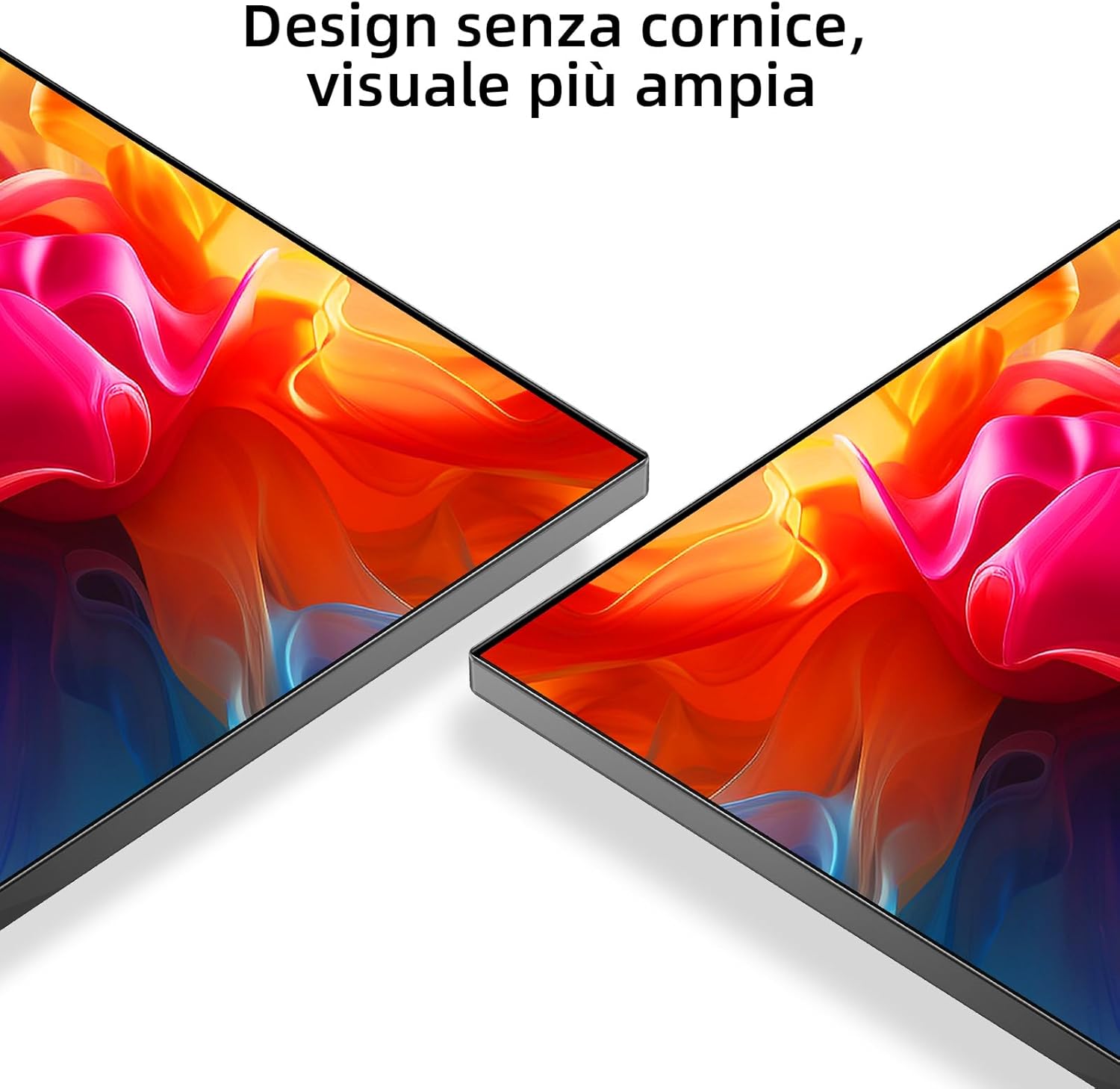
Image: Rear view of the CHIQ L32G7V television, illustrating the placement of various input and output ports for external device connections.
5. Setup
5.1. Attaching the Stand
- Carefully place the TV face down on a soft, flat surface to prevent screen damage.
- Align the stand components with the designated slots on the bottom of the TV.
- Secure the stand using the provided screws. Ensure they are tightened firmly.

Image: A close-up view of the television's stand, showing its design and how it supports the display.
5.2. Wall Mounting
The TV supports VESA wall mounts with a pattern of 200x200mm (M6 screws). Consult a professional for wall mounting to ensure safety and proper installation.
5.3. Connecting Peripherals
Connect your devices (e.g., Blu-ray player, game console, soundbar) to the appropriate ports on the back of the TV using HDMI, USB, or AV cables.
5.4. Initial Power On and Google TV Setup
- Connect the power cable to the TV and a power outlet.
- Press the power button on the remote control or the TV.
- Follow the on-screen instructions to complete the initial Google TV setup, including language selection, network connection (Wi-Fi 2.4G/5G), and Google account login.
6. Operating Instructions
6.1. Remote Control Functions
The Bluetooth remote control allows navigation and control of your TV. Insert the two AAA batteries into the remote control, observing polarity.

Image: A detailed view of the CHIQ L32G7V television's remote control, showing its buttons and layout.
6.2. Google TV Interface
Google TV organizes your content from various streaming services and apps into a personalized home screen. Use the remote's navigation buttons to browse content, access apps, and adjust settings.

Image: A visual representation of the Google TV interface, displaying a selection of popular streaming applications available on the platform.
6.3. Connecting to Wi-Fi
Navigate to Settings > Network & Internet to connect your TV to a Wi-Fi network. The TV supports dual-band Wi-Fi (2.4G/5G).
6.4. Using Chromecast Built-in
Chromecast built-in allows you to cast content from your compatible mobile devices or computer to the TV. Ensure your device is on the same Wi-Fi network as the TV.
6.5. Audio Settings
The TV features Dolby Audio with 2 x 8W speakers. Access audio settings to select from available sound modes (e.g., News, Movies, Night, Music) to optimize your listening experience.
6.6. App Management
Access the Google Play Store to download and manage over 5,000 applications. You can also use the Smart Home mobile application for multi-sharing features.
7. Maintenance
7.1. Cleaning the TV
- Always unplug the TV before cleaning.
- Use a soft, dry cloth to wipe the screen and casing.
- For stubborn marks, lightly dampen the cloth with water or a specialized screen cleaner. Do not spray liquid directly onto the TV.
- Avoid abrasive cleaners or solvents.
7.2. Storage
If storing the TV for an extended period, disconnect it from power, pack it in its original packaging if possible, and store it in a dry, dust-free environment.
8. Troubleshooting
This section addresses common issues you might encounter. If the problem persists, contact customer support.
| Problem | Possible Solution |
|---|---|
| No power | Ensure the power cable is securely connected and the power outlet is functional. Try a different outlet. |
| No picture, but sound is present | Check the input source. Ensure external devices are powered on and connected correctly. |
| No sound, but picture is present | Check volume levels and mute settings. Verify audio output settings if using external speakers. |
| Remote control not working | Replace batteries. Ensure no obstructions between the remote and the TV. Re-pair the Bluetooth remote if necessary. |
| Wi-Fi connection issues | Restart your router and the TV. Check Wi-Fi password. Ensure the TV is within range of the router. |
9. Specifications
| Feature | Detail |
|---|---|
| Model Number | L32G7V |
| Screen Size | 32 inches |
| Display Technology | LED |
| Resolution | 1366 x 768 pixels (HD) |
| Refresh Rate | 60 Hz |
| Operating System | Google TV |
| Audio Output | 2 x 8W speakers, Dolby Audio |
| Connectivity | Wi-Fi 5G, Bluetooth, HDMI 1.4 (x2), USB 2.0 (x1), LAN (x1), CI+ (x1), AV (x1), Digital Audio Out (x1), ANT (x2), Earphone (x1) |
| Power Supply | AC100-240V, 50-60Hz |
| Power Consumption (SDR) | 27 W |
| Energy Efficiency Class | F |
| Dimensions (with stand) | 724 x 180 x 471 mm |
| Dimensions (without stand) | 724 x 84 x 425 mm |
| Wall Mount Standard | VESA 200x200mm (M6) |
For detailed energy information, refer to the EU EPREL database: https://eprel.ec.europa.eu/qr/1520204
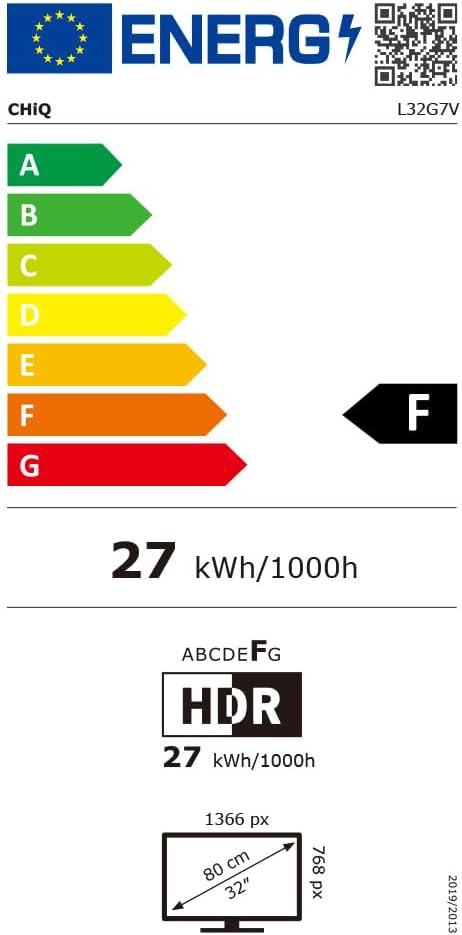
Image: The EU Energy Label for the CHIQ L32G7V television, indicating its energy efficiency class F and power consumption of 27 kWh/1000h.
10. Warranty and Support
CHiQ offers the following warranty terms:
- Standard Warranty: 2 years on all products (3 years for purchases in Spain).
- Compressor (for Refrigerators/Freezers): 12 years replacement. (Note: This specific term may not apply to televisions but is part of the general brand warranty information provided.)
- Motor (for Washing Machines): 12 years replacement. (Note: This specific term may not apply to televisions but is part of the general brand warranty information provided.)
- Returns: 30-day return policy without reason via Amazon.
- Online Support: Professional staff available on weekdays via online hotline.
For further assistance or to report issues, please contact CHiQ customer support through their official channels.
Related documentsL32G7V


Ask a question about this manual
Ask about setup, troubleshooting, compatibility, parts, safety, or missing instructions. Manuals+ will review the question and use this page’s manual context to help answer it.