
Beurer BM69W
Beurer BM69W Upper Arm Blood Pressure Monitor User Manual
Your comprehensive guide to operating and maintaining your Beurer BM69W Blood Pressure Monitor.
Introduction
The Beurer BM69W Upper Arm Blood Pressure Monitor is designed for easy and accurate blood pressure measurement at home. It features advanced inflation technology for comfortable readings, a clear backlit display, and Bluetooth connectivity to sync data with the Beurer HealthManager Pro app. This manual provides essential information for the safe and effective use of your device.

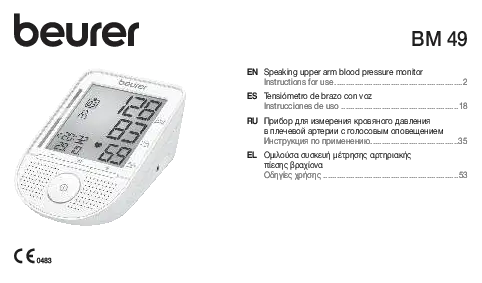
Image: The Beurer BM69W Blood Pressure Monitor unit with its arm cuff, showing the large digital display.
Safety Information
Please read the entire instruction manual carefully before first use. This device is intended for measuring arterial blood pressure in adults. It is not intended for use on infants, children, or pregnant women. Consult your physician for any health concerns or before making any medical decisions based on your readings.
- Do not self-diagnose or self-medicate based on blood pressure measurements. Always consult a healthcare professional.
- Keep the device and its components out of reach of children.
- Do not use the device in the presence of flammable gases or liquids.
- Ensure the cuff is applied correctly and comfortably to avoid injury or inaccurate readings.
- Only use original Beurer accessories and replacement parts.
Product Overview
The Beurer BM69W monitor is equipped with several features to ensure accurate and convenient blood pressure monitoring:
- Inflation Technology: Measures blood pressure while the cuff inflates for faster and more comfortable readings.
- Cuff Position Indicator: A symbol appears on the display when the cuff is correctly positioned for an accurate measurement.
- XL Backlit Display: Provides clear, extra-large font for easy reading of results.
- Color-Coded WHO Risk Indicator: Allows quick comparison of your blood pressure results against World Health Organization (WHO) guidelines.
- Arrhythmia Detection: Alerts you if an irregular heart rate or pulse is detected during the reading.
- Bluetooth Connectivity: Syncs readings wirelessly to the free Beurer HealthManager Pro app on your smartphone for unlimited storage and tracking.
- Memory Function: Stores up to 200 readings for two users directly on the device.
Setup
1. Unpacking and Inspection
Carefully remove all components from the packaging. Ensure all items listed in the "Included Components" section of the specifications are present and undamaged. If any items are missing or damaged, contact customer support.
2. Battery Installation
- Open the battery compartment cover on the back of the device.
- Insert the four (4) AAA batteries provided, ensuring correct polarity (+/-) as indicated inside the compartment.
- Close the battery compartment cover securely.
3. Attaching the Cuff
Connect the air tube of the cuff securely into the air socket on the side of the blood pressure monitor unit.
4. Bluetooth Pairing and App Installation
To utilize the full features of your BM69W monitor, including unlimited data storage and health tracking, download the free Beurer HealthManager Pro app from your smartphone's app store (iOS or Android).
- Enable Bluetooth on your smartphone.
- Open the Beurer HealthManager Pro app and follow the on-screen instructions to pair your BM69W device.
- Ensure the monitor is powered on during the pairing process.

Image: The Beurer BM69W monitor alongside a smartphone displaying the Beurer HealthManager Pro app interface, highlighting Bluetooth compatibility.
Operating Instructions
1. Preparing for Measurement
- Rest for at least 5 minutes before taking a measurement.
- Sit upright with your back supported and feet flat on the floor.
- Place your arm on a table so the cuff is at heart level.
- Ensure the cuff is applied directly to your bare upper arm, approximately 1-2 cm above the elbow joint. The air tube should run down the inside of your arm.

Image: A person's arm with the Beurer BM69W cuff correctly positioned, and the monitor displaying the cuff position indicator.
2. Taking a Measurement
- Press the large START button to turn on the device.
- Select the desired user (User 1 or User 2) if applicable.
- The cuff will begin to inflate, and the measurement will be taken during inflation for a faster and more comfortable reading.
- During inflation, observe the Cuff Position Indicator on the display. Ensure the symbol indicates correct cuff placement for optimal accuracy.
- Remain still and silent during the measurement.
- Once the measurement is complete, the cuff will deflate, and your systolic, diastolic, and pulse readings will be displayed on the XL backlit screen.

Image: Close-up of the Beurer BM69W's extra-large LCD display, showing clear blood pressure readings and symbols.
3. Interpreting Results
- Systolic (SYS): The top number, representing the pressure in your arteries when your heart beats.
- Diastolic (DIA): The bottom number, representing the pressure in your arteries between beats.
- Pulse: Your heart rate, measured in beats per minute (BPM).
- Color-Coded Risk Indicator: The vertical bar on the left side of the display will illuminate in a specific color (green, yellow, orange, red) to categorize your reading according to WHO guidelines. Green indicates optimal, while red indicates severe hypertension.
- Arrhythmia Detection: If an irregular heartbeat is detected, a specific symbol will appear on the display. Consult your doctor if this symbol appears frequently.

Image: The Beurer BM69W monitor showing the color-coded risk indicator on the left side of the display, categorizing blood pressure results.

Image: The Beurer BM69W monitor displaying a symbol indicating the detection of an irregular heartbeat (arrhythmia).
4. Memory Function and Data Transfer
The device automatically stores up to 200 readings for each of the two users. To view past readings on the device, press the 'M' (Memory) button. For unlimited storage, detailed graphs, and sharing options, ensure your device is synced with the Beurer HealthManager Pro app via Bluetooth.
Maintenance
- Cleaning: Clean the monitor and cuff with a soft, dry cloth. If necessary, use a slightly damp cloth with mild soap, then wipe dry. Do not use abrasive cleaners or immerse the device in water.
- Storage: Store the device in its portable storage case in a cool, dry place, away from direct sunlight and extreme temperatures.
- Battery Replacement: Replace batteries when the low battery indicator appears on the display. Always replace all four batteries at the same time with new AAA batteries.
Troubleshooting
| Problem | Possible Cause | Solution |
|---|---|---|
| Device does not turn on. | Batteries are dead or incorrectly inserted. | Check battery polarity or replace with new AAA batteries. |
| Inaccurate readings. | Incorrect cuff placement, movement during measurement, or speaking. | Ensure cuff is correctly positioned, remain still and silent during measurement. Consult a doctor if readings consistently seem off. |
| Bluetooth connection issues. | Bluetooth is off on smartphone, app not open, or device not in pairing mode. | Ensure Bluetooth is enabled on your phone, open the Beurer HealthManager Pro app, and follow app instructions for pairing. |
| Error message on display. | Cuff not properly connected, excessive movement, or other technical issue. | Refer to the full manual for specific error codes. Re-attach cuff, retry measurement, or contact customer support. |
Specifications
| Model Number | BM69W |
| Measurement Method | Oscillometric, non-invasive blood pressure measurement on the upper arm |
| Measurement Range | Systolic: 60-250 mmHg, Diastolic: 40-199 mmHg, Pulse: 40-180 beats/minute |
| Accuracy | Pressure: ±3 mmHg, Pulse: ±5% of reading |
| Memory | 2 x 200 memory spaces |
| Cuff Size | Standard adult universal cuff (8.7 - 16.5 in / 22 - 42 cm) |
| Power Source | 4 x 1.5V AAA batteries |
| Product Dimensions | 5.3"L x 3.94"W x 2.01"Th (13.46 x 10.01 x 5.11 cm) |
| Item Weight | 5.92 ounces (167.8 grams) |
| Connectivity | Bluetooth |
| Manufacturer | Beurer North America |
Warranty and Support
Your Beurer BM69W Blood Pressure Monitor is manufactured by Beurer North America. For information regarding warranty coverage, technical support, or service, please refer to the warranty card included with your product or visit the official Beurer North America website. Keep your purchase receipt as proof of purchase for warranty claims.
Manufacturer: Beurer North America
For further assistance, please contact Beurer customer service.
Related Documents - BM69W
 |
Beurer BM 81 easyLock Upper Arm Blood Pressure Monitor Discover the Beurer BM 81 easyLock, an innovative, all-in-one upper arm blood pressure monitor featuring an easyLock cuff for simple application. It offers automatic measurement, arrhythmia detection, Bluetooth connectivity, and a clear XL display for accurate health tracking. |
 |
Beurer BM 49 Speaking Upper Arm Blood Pressure Monitor Instructions for Use Comprehensive instructions for the Beurer BM 49 speaking upper arm blood pressure monitor, covering setup, usage, safety, maintenance, and technical specifications for accurate home health monitoring. |
 |
Beurer BM 55 Blood Pressure Monitor Instruction Manual Comprehensive instruction manual for the Beurer BM 55 upper arm blood pressure monitor. Learn how to accurately measure, interpret results, and maintain your device for reliable health monitoring. |
 |
Beurer BM 53 Upper Arm Blood Pressure Monitor Instructions for Use Comprehensive instructions for the Beurer BM 53 upper arm blood pressure monitor, covering setup, usage, safety precautions, troubleshooting, and technical specifications. This manual is available in multiple languages. |
 |
Beurer DELUXE 600 Upper Arm Blood Pressure Monitor User Manual Comprehensive user manual for the Beurer DELUXE 600 Upper Arm Blood Pressure Monitor (Model BM 82), covering setup, measurement, results evaluation, troubleshooting, and safety information. Includes instructions for use, care, maintenance, and technical specifications. |
 |
Beurer BC 44 / BM 44 One-button Blood Pressure Monitor User Manual Comprehensive user manual for Beurer BC 44 (wrist) and BM 44 (upper arm) one-button blood pressure monitors. Covers product features, usage instructions, warnings, technical specifications, troubleshooting, and WHO blood pressure classification. |
Ask a question about this manual
Ask about setup, troubleshooting, compatibility, parts, safety, or missing instructions. Manuals+ will review the question and use this page’s manual context to help answer it.