
Introduction
The MOJOGEAR EVO XL Powerbank is a high-capacity portable charger designed to provide reliable power for your electronic devices on the go. With a 20000 mAh battery, it can charge multiple devices simultaneously using its USB-C and USB-A ports.
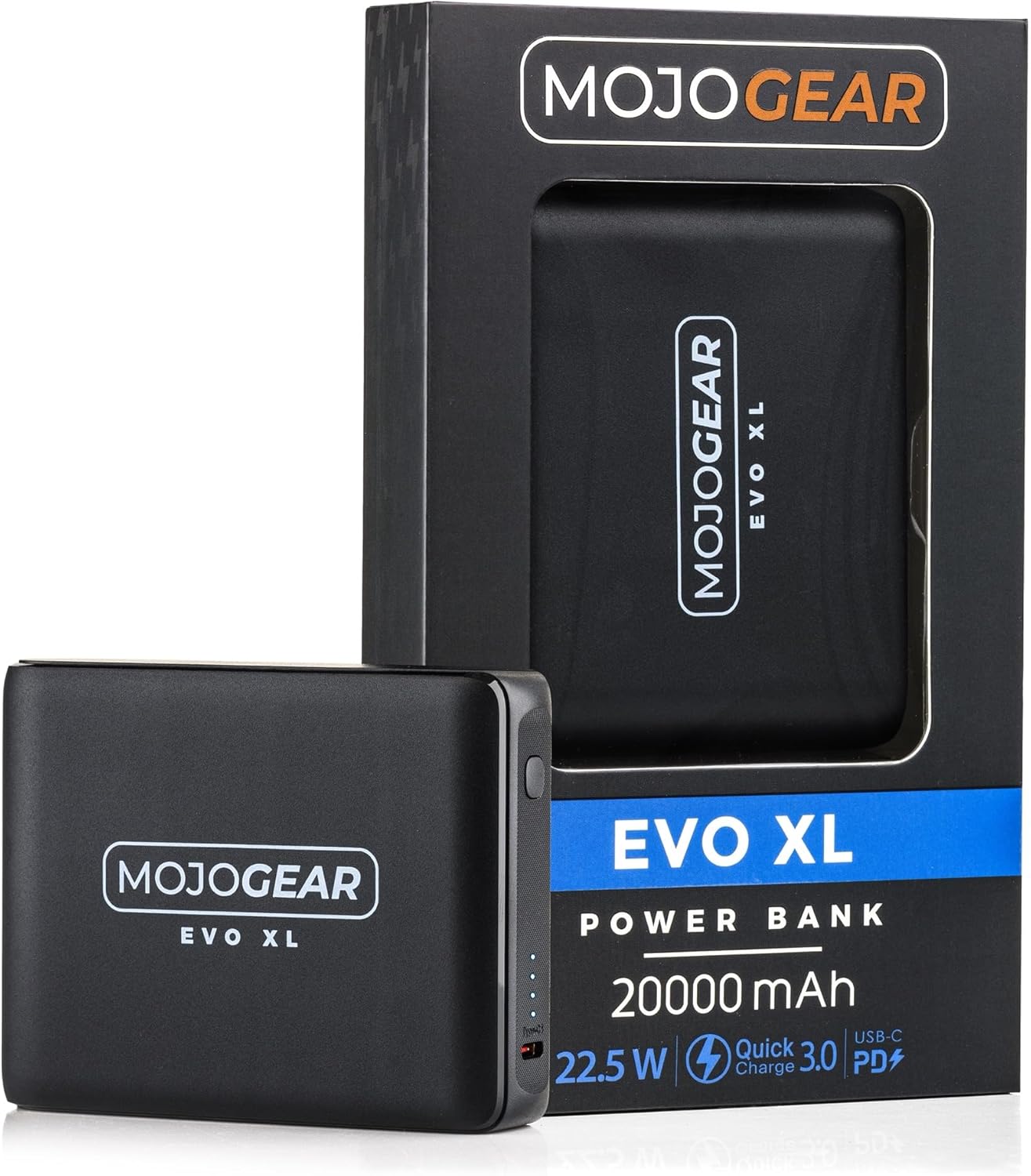
Image: The MOJOGEAR EVO XL Powerbank shown alongside its retail packaging, highlighting the product's design and key features like 20000 mAh capacity, 22.5W output, Quick Charge 3.0, and Power Delivery.
Key Features
- High Capacity: 20000 mAh battery for extended power.
- Multi-Device Charging: Charge up to three devices simultaneously with 2 USB-C ports and 1 USB-A port.
- Fast Charging: Supports Quick Charge 3.0 and USB Power Delivery for rapid charging.
- Compact Design: Easily portable for backpacks, bags, or pockets.
- Safety Protections: Built-in protection against overcharge and short-circuits.

Image: The MOJOGEAR EVO XL Powerbank neatly stored in a side pocket of a backpack, demonstrating its compact and portable design for travel.
Setup
Initial Charging of the Powerbank
Before first use, fully charge your MOJOGEAR EVO XL Powerbank.
- Connect a compatible USB-C charging cable to one of the USB-C input/output ports on the power bank.
- Connect the other end of the cable to a USB wall adapter (not included) or a powered USB port.
- The LED indicators on the power bank will illuminate to show the charging progress.
- Charging is complete when all LED indicators are solid.

Image: A top-down view of the MOJOGEAR EVO XL Powerbank, clearly showing the two USB-C ports and the four LED indicator lights that display the battery level and charging status.
Operating Instructions
Checking Battery Level
Press the power button once to check the remaining battery level. The LED indicators will light up:
- 4 LEDs: 75-100%
- 3 LEDs: 50-75%
- 2 LEDs: 25-50%
- 1 LED: 0-25%

Image: A detailed close-up of the MOJOGEAR EVO XL Powerbank's side, showing the power button, LED battery indicators, and the USB-A output port.
Charging Devices
The MOJOGEAR EVO XL Powerbank can charge up to three devices simultaneously.
- Connect your device's charging cable to the appropriate port on the power bank (USB-A or USB-C).
- Connect the other end of the cable to your device.
- The power bank will automatically begin charging your device. If not, press the power button once.
- Disconnect your device once it is fully charged.

Image: The MOJOGEAR EVO XL Powerbank connected via a USB-C cable to a smartphone, which displays a charging animation on its screen.

Image: The MOJOGEAR EVO XL Powerbank simultaneously charging a smartphone, a pair of headphones, and another smartphone, demonstrating its multi-device charging capability.
Low Current Charging Mode
For charging low-power devices like smartwatches or Bluetooth earbuds, activate low current charging mode:
- Press and hold the power button for approximately 3 seconds.
- The LEDs will indicate that low current mode is active (refer to product for specific indication).
- To exit low current mode, press and hold the power button again for 3 seconds, or it may automatically switch off after a period.
Maintenance
- Keep the power bank dry and away from moisture.
- Avoid extreme temperatures.
- Clean the power bank with a soft, dry cloth. Do not use harsh chemicals or abrasive materials.
- Store the power bank in a cool, dry place when not in use.
- For optimal battery life, fully charge the power bank at least once every three months if stored for extended periods.
Troubleshooting
Power bank is not charging
- Ensure the charging cable is securely connected to both the power bank and the power source.
- Verify that the wall adapter or USB port is functional.
- Try a different charging cable or wall adapter.
Device is not charging from the power bank
- Check if the power bank has sufficient charge. Press the power button to check LED indicators.
- Ensure the charging cable is securely connected to both the power bank and your device.
- Try a different charging cable.
- If charging a low-power device, ensure low current charging mode is activated.
- Restart the power bank by disconnecting all cables and reconnecting.
Slow charging
- Ensure you are using a fast-charging compatible cable and wall adapter for optimal speed.
- Some devices may limit charging speed to protect their battery.
- Charging multiple devices simultaneously may reduce individual charging speeds.
Specifications
| Feature | Specification |
|---|---|
| Brand | MOJOGEAR |
| Model | EVO XL |
| Battery Capacity | 20000 mAh |
| Battery Composition | Lithium-ion |
| Connector Type | USB Type C |
| Output Ports | 2 x USB-C, 1 x USB-A |
| Input Ports | USB-C (for charging the power bank) |
| Voltage | 5 Volts |
| Weight | 334 Grams |
| Recommended Use | Phone, Tablet, Smartwatch |
Safety Information
- Do not expose the power bank to water, fire, or extreme temperatures.
- Do not disassemble, puncture, or modify the power bank.
- Keep out of reach of children.
- Dispose of the power bank responsibly according to local regulations.
- Avoid dropping or subjecting the power bank to severe impacts.
- If the power bank swells, emits an odor, or becomes excessively hot, discontinue use immediately.
Warranty and Support
For warranty information and customer support, please refer to the MOJOGEAR official website or contact your retailer. Keep your proof of purchase for warranty claims.


