1. Introduction
This manual provides essential instructions for the safe and effective use of your BELLV replacement battery, compatible with Mobilteil BCL-BT10, BCL-BT20, and BCL-D20 models. Please read this manual thoroughly before installation and use.
2. Important Safety Information
WARNING: Failure to follow these safety instructions may result in fire, electric shock, injury, or damage to the battery or device.
- WARRANTY VOID IF LABEL IS REMOVED.
- DO NOT ATTEMPT TO DISASSEMBLE, OPEN OR SERVICE THE BATTERY PACK.
- REPLACE ONLY WITH THE BATTERY PACK DESIGNATED FOR THIS PRODUCT.
- DO NOT CRUSH, PUNCTURE, SHORT EXTERNAL CONTACTS OR DISPOSE OF IN FIRE OR WATER.
- DO NOT STORE ABOVE 60°C (140°F).
- Keep the battery away from children.
- Dispose of used batteries according to local regulations.

Image: Front view of the BELLV replacement battery, showing critical safety warnings and specifications printed on the label.
3. Installation Instructions
- Power Off Device: Ensure your cordless phone or device is completely powered off and disconnected from its charging base.
- Locate Battery Compartment: Open the battery compartment cover, usually located on the back or bottom of the handset.
- Remove Old Battery: Carefully disconnect the old battery's connector from the device's port. Remove the old battery.
- Insert New Battery: Connect the new BELLV replacement battery's connector to the device's port. Ensure the connector is properly aligned and securely seated.
- Position Battery: Place the new battery into the compartment, ensuring it fits snugly without forcing.
- Close Compartment: Replace the battery compartment cover.
- Charge Battery: Place the device on its charging base for at least 12-16 hours for the initial charge, even if the device indicates a full charge sooner. This conditions the battery for optimal performance.

Image: Close-up view of the battery's white connector, which plugs into the device.
4. Operating Your Device with the New Battery
After installation and initial charging, your device is ready for use. The battery is designed for cordless phones and similar devices. For optimal performance, allow the battery to fully discharge and recharge a few times to reach its full capacity.
5. Battery Maintenance
- Regular Charging: Keep your device on its charging base when not in use to maintain battery charge.
- Avoid Extreme Temperatures: Do not expose the battery to extreme heat or cold, as this can reduce its lifespan and performance. Refer to storage temperature limits in safety section.
- Clean Contacts: Periodically clean the battery and device contacts with a dry cloth to ensure good connection.
- Long-Term Storage: If storing the device for an extended period, remove the battery and store it in a cool, dry place, partially charged (around 50%).
6. Troubleshooting
| Issue | Possible Cause | Solution |
|---|---|---|
| Device not powering on after battery replacement | Battery not properly connected; Battery not charged. | Check battery connection; Place device on charger for initial charge. |
| Short battery life | Battery not fully conditioned; High usage; Old battery. | Allow several full charge/discharge cycles; Reduce device usage; Ensure battery is new. |
| Device not charging | Poor contact with charging base; Faulty charging base/adapter. | Clean charging contacts on device and base; Test with another charging base/adapter if available. |
7. Product Specifications
- Brand: BELLV
- Model No.: CS-PBT10MF
- Part No.: BCL-BT10, BCL-T20
- Battery Type: Ni-MH (Nickel Metal Hydride)
- Voltage: 3.6V
- Capacity: 700mAh
- Energy: 2.52 Wh
- Dimensions: 44.91 x 31.23 x 10.48mm
- Weight: Approximately 62g
- UPC/EAN: 4894128035312
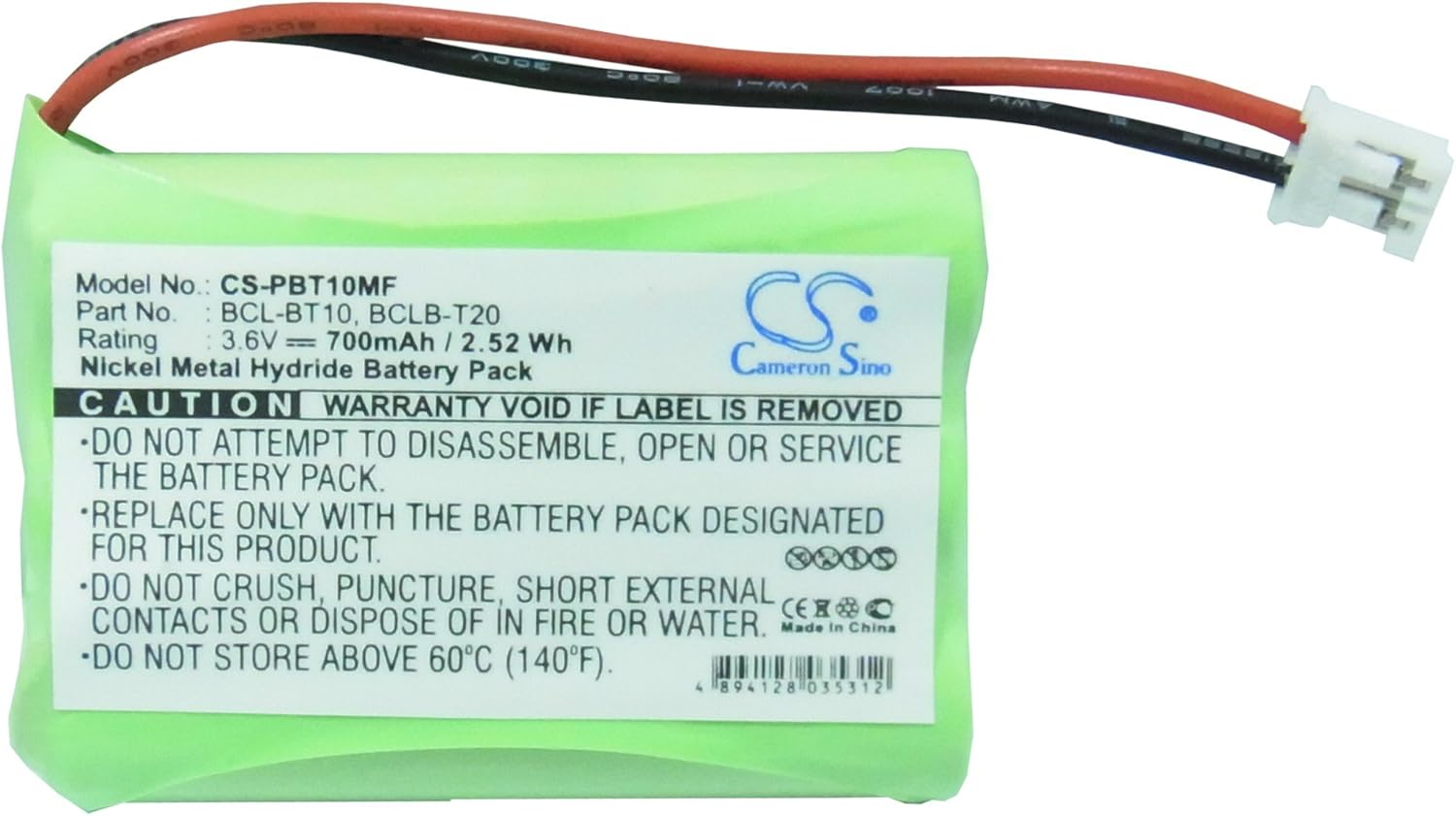
Image: Top view of the BELLV replacement battery, clearly displaying model number, part numbers, voltage, capacity, and energy.
8. Warranty and Support
This BELLV replacement battery comes with a 12-month Warranty and a 14-day Money Back Guarantee.
For any questions or support, please contact customer service. 24/7 Email support is available.
Please refer to the product packaging or your purchase documentation for specific contact details.


