
Product Overview
The TOUCHBeauty TB-1333 Professional Electric Manicure & Pedicure Kit is a versatile 5-in-1 device designed for comprehensive nail care. It includes five interchangeable attachments for various functions such as grinding, sharpening, sanding, polishing, and drilling. The device features an integrated LED light for enhanced visibility during use and operates cordlessly for convenience.

Image: The TOUCHBeauty Electric Manicure and Pedicure Kit, showcasing the main device, five interchangeable attachments, and its compact storage case.
Setup
Battery Installation
- Ensure the device is turned off.
- Locate the battery compartment on the device.
- Insert two AAA batteries, observing the correct polarity (+/-) as indicated inside the compartment.
- Close the battery compartment securely.
Attaching Grinders
- Select the desired attachment for your nail care needs.
- Gently insert the attachment into the designated slot at the tip of the device until it clicks into place.
- To remove an attachment, pull it gently from the device.

Image: A detailed view of the TOUCHBeauty device, illustrating how an interchangeable attachment is securely fitted into the main unit.
Operating Instructions
General Use
- After installing batteries and the desired attachment, press the power button to turn on the device.
- The integrated LED light will illuminate, providing clear visibility of the nail area.
- Gently apply the rotating attachment to the nail surface or edge, using light pressure.
- Move the device smoothly across the area you wish to treat.
- Press the power button again to turn off the device when finished.
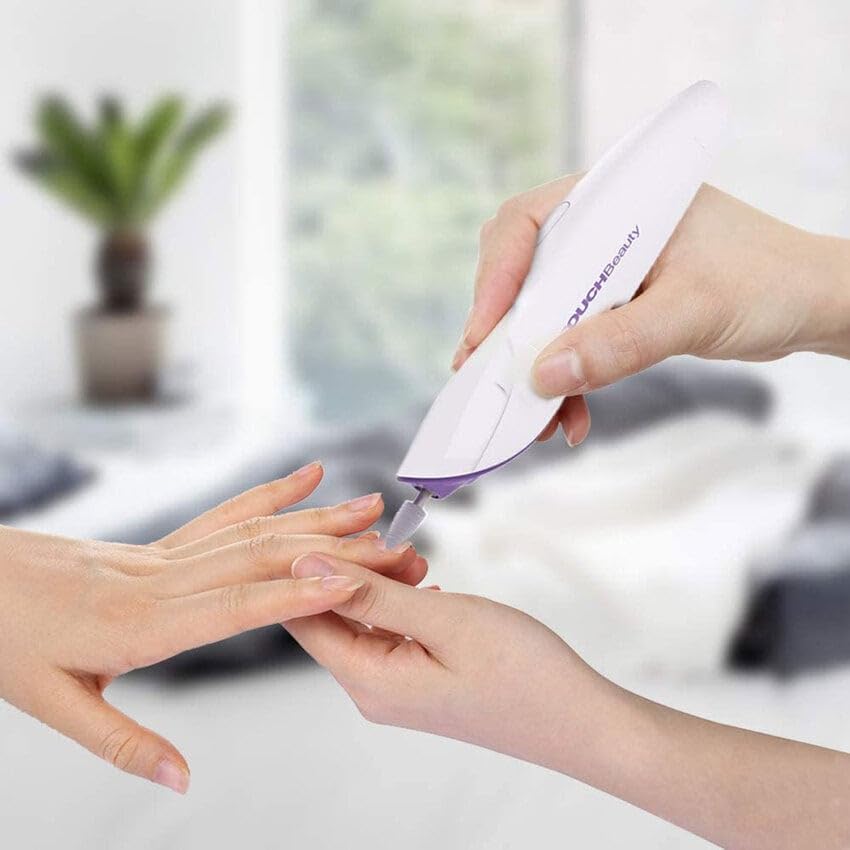
Image: A user's hand demonstrating the proper grip and application of the TOUCHBeauty device during a nail care procedure.
Attachment Functions
The kit includes five specialized attachments for various nail care tasks:
- Sandpaper Grinder: Used for shaping and shortening nail edges to achieve a desired form.
- Chromium Corundum Grinder: Designed for grinding down and refining the edges of nails.
- Carborundum Grinder: Effective for removing dead skin cells around the nail's edge, corns, or calluses.
- Felt Grinder: Polishes the nail surface to a smooth, natural, and shiny finish.
- White Corundum Grinder (Cone): Polishes the nail surface for a smoother and more refined appearance, ideal for finishing touches.

Image: A visual guide detailing each of the five interchangeable attachments, including the Sandpaper Grinder, Chromium Corundum Grinder, Carborundum Grinder, Felt Grinder, and White Corundum Grinder (Cone), along with their specific functions.
Maintenance
Cleaning
- After each use, turn off the device and remove the attachment.
- Wipe the attachments and the device body with a soft, dry cloth.
- For thorough cleaning of attachments, use a small brush to remove any nail dust or debris.
- Ensure all parts are completely dry before storing.
Storage
Store the device and its attachments in the provided organized storage case. This protects the components from dust and damage, ensuring long-term maintenance and readiness for use.

Image: The TOUCHBeauty electric manicure and pedicure device, along with its various attachments, neatly arranged within its dedicated purple storage case.
Safety Information
- Do not submerge the device in water or expose it to other liquids.
- Keep out of reach of children.
- Do not use on irritated, infected, or injured skin. Consult a medical professional if you have any concerns.
- Remove batteries if the device will not be used for an extended period.
Troubleshooting
Device Not Turning On
- Check if the batteries are inserted correctly with the proper polarity.
- Replace old batteries with new AAA batteries.
- Ensure the battery compartment is securely closed.
Attachments Not Functioning Properly
- Ensure the attachment is fully and securely inserted into the device.
- Clean the attachment and the device's tip to remove any debris that might obstruct rotation.
Specifications
| Feature | Detail |
|---|---|
| Model Number | TB-1333 |
| Power Source | 2 x AAA Batteries (Not Included) |
| Input Power | 1200 Milliwatts |
| Material Type | Metal |
| Item Weight | 0.6 Pounds (approximately 272 grams) |
| Package Dimensions | 7.72 x 3.94 x 1.89 inches |
Warranty and Support
For warranty information or customer support, please refer to the contact details provided with your purchase or visit the official TOUCHBeauty website. Keep your purchase receipt for warranty claims.
